介绍
Tubes
One block. Every transfer.
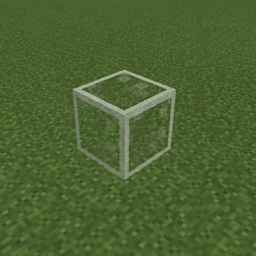
Tired of filling your inventory with five different pipe types just to move stuff around? Tubes fixes that. One block handles items, fluids, and energy. Place it, configure it, done.
What Makes Tubes Different?
🔧 One Block Does It All
No item pipes, fluid pipes, energy conduits. Just Tubes. Place them down and connect anything to anything.
🧩 Modular Design
Snap modules onto your tubes to unlock item, fluid, or energy transfer. Mix and match to build exactly the system you need.
⚙️ Configure Every Side
Each face of a tube can be set to Extract, Insert, Both, or Disabled. Full control, no guesswork.
🚀 Built for Performance
No per-block ticking. No lag spirals. Centralized, batched transfers with cached network graphs. Your server will thank you.
⬆️ Upgrades
Speed, filtering, and more. Start simple, scale up as you need.
🏗️ Vanilla Crafter Integration
Feed items into and out of the vanilla Crafter block for fully automated crafting lines. No extra mods required, just Tubes and a Crafter.
Getting Started
- Place Tubes to connect your inventories, tanks, or energy blocks.
- Attach modules to enable the transfers you want.
- Configure each side through the GUI.
- Relax. The network handles the rest.
常见问题
Tubes. 支持哪些 Minecraft 版本?
Tubes. 支持 Minecraft Java 版 26.1.2–26.3,共 2 个版本,可用的加载器:NeoForge。下载时注意选择和你游戏版本一致的文件。
Tubes. 怎么安装?
先用 PCL2 或 HMCL 启动器安装对应版本的 NeoForge,再把下载的 .jar 文件放进游戏目录的 mods 文件夹,重新启动游戏即可。开启了版本隔离的,mods 文件夹在 versions/版本名 下面。
Sunekaer 的其他作品
查看全部 →
Yeetus Experimentus
禁用创建或加载世界时出现的实验性设置弹窗。

Simple Discord Rich Presence (Forge / Fabric)
简单的 Discord 富状态

Flat Bedrock (Forge / Fabric)
让世界生成平整的基岩层

Tool Kit
添加实用命令并改进原版结构方块 - ToolKit
评论
登录后评论和评分