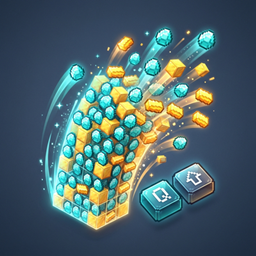
Toss a Stack
Hover over any item in your inventory and press Shift+Q to toss the entire stack! Client-side.
介绍
📦 Toss A Stack




Tired of having to awkwardly stretch your fingers for Ctrl + Q just to drop a full stack of cobble or dirt while managing your chests? Toss A Stack solves that problem with a clean, intuitive quality-of-life improvement.
Simply hover over any item slot in your inventory or storage GUI and press Shift + Toss (default: Shift + Q) to toss the entire stack at once!
✨ Features
- 🎯 Intuitive Stack Tossing: Hold
Shiftwhile pressing your bound toss/drop key (defaultQ) over any item in any container GUI to drop the whole stack immediately. - ➗ Split Stacks in 1/3 (NEW): Press the split hotkey (default
V) over any stack to pick up 1/3 of it onto your cursor—exactly how right-click splits things in half! If you’re already holding an item on your cursor, pressing the hotkey deposits 1/3 of your carried stack into the slot. - 🔄 Vanilla Preservation: Pressing your toss key alone (
Q) still drops a single item just like vanilla. - 🧠 Muscle Memory Friendly:
Ctrl + Qremains functional out of the box, so you never have to unlearn old habits. - 🌐 100% Client-Side: Safe for multiplayer! You can join any vanilla, NeoForge, Fabric, Spigot, or Paper server. The server does not need this mod installed.
- ⚙️ Configurable: Easily customize or toggle Shift/Ctrl drop modifiers and the split fraction divisor (default 3 for 1/3) in your local config file.
🎮 How to Use
- Open your inventory or any container screen (Chest, Barrel, Furnace, Shulker Box, etc.).
- Hover your mouse over the item:
- Press
Qto toss 1 item. - Press
Shift + Qto toss the entire stack! - Press
Vto split 1/3 of the stack into your cursor (like right-click splits in half)! - If holding items on your cursor, press
Vto deposit 1/3 of your carried stack into the slot!
- Press
⚙️ Configuration
A configuration file is generated at .minecraft/config/tossastack-client.toml:
[general]
    # Whether pressing Shift + Toss key tosses the entire item stack.
    shiftTossesStack = true

    # Whether pressing Ctrl + Toss key tosses the entire item stack (vanilla behavior).
    ctrlTossesStack = true

    # Whether the hotkey to split stacks into a fraction (e.g. 1/3) is enabled.
    enableSplitKey = true

    # The fraction divisor used when splitting item stacks (default is 3, which splits into 1/3).
    splitDivisor = 3
❓ Frequently Asked Questions (FAQ)
Q: Do my friends or the server need this mod installed?
A: No! It is purely client-side. The mod uses vanilla’s built-in container throw packet protocol (ClickType.THROW), meaning remote servers recognize your drop action naturally without any server plugin or mod required.
Q: Does this work with modded inventories and custom containers?
A: Yes! Any screen extending Minecraft’s standard AbstractContainerScreen (which almost all modded inventories do) will automatically benefit from Toss A Stack.
Q: Can I include this in my modpack?
A: Yes, absolutely! Feel free to include Toss A Stack in any public or private modpack under the MIT License.
🐛 Issues & Contributing
Found a bug or have a suggestion? Head over to our GitHub Issues page to report it!
常见问题
Toss a Stack 支持哪些 Minecraft 版本?
Toss a Stack 支持 Minecraft Java 版 26.3,可用的加载器:NeoForge。下载时注意选择和你游戏版本一致的文件。
Toss a Stack 怎么安装?
先用 PCL2 或 HMCL 启动器安装对应版本的 NeoForge,再把下载的 .jar 文件放进游戏目录的 mods 文件夹,重新启动游戏即可。开启了版本隔离的,mods 文件夹在 versions/版本名 下面。
Shinera 的其他作品
查看全部 →
Gemini AI Companion Bots
True autonomous AI companion players that mine, craft, farm, breed animals, defend compounds, and chat in multiplayer.

Track and Trains
Heavy Rail Logistics, High-Speed Locomotives, Automated Trackside Facilities, and Subterranean Excavation for Minecraft 26.3 (NeoForge)
Refinery and Advanced Oil and Ore Processing
Heavy industry, petroleum distillation, thermodynamic steam power, closed-loop metallurgy, and classic BuildCraft-style pipe logic gates for modern Minecraft!
Elevators and More
Elevators and More brings heavy-duty, realistic, multi-floor industrial elevators and travel utilities into Minecraft
评论
登录后评论和评分