
TooltipETA
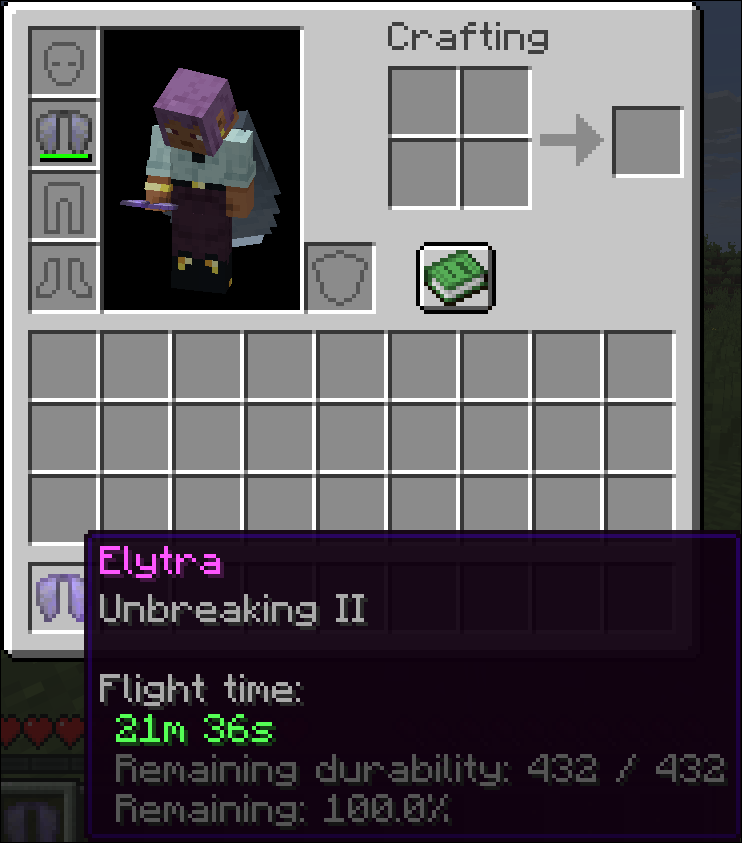
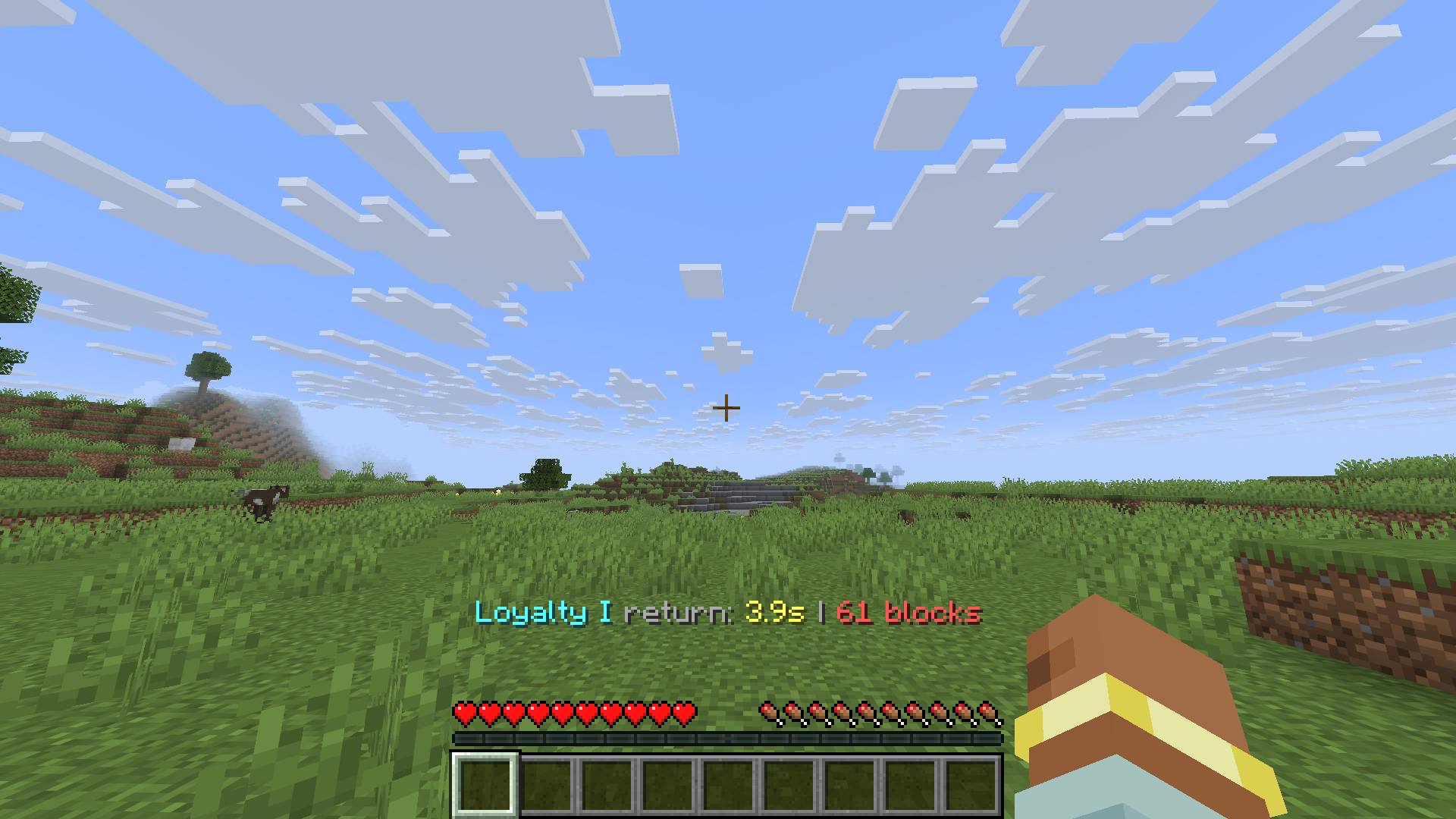
Displays durability estimates in item tooltips and Loyalty trident return ETA in the actionbar
截图
介绍
TooltipETA
TooltipETA is a lightweight client-side Fabric mod that adds practical durability intelligence to item tooltips.
It displays:
- estimated remaining uses for tools and armor (including Unbreaking impact)
- estimated remaining Elytra flight time
- Loyalty trident return ETA and distance in the actionbar
- optional remaining durability and percentage lines
- configurable warning and critical color thresholds
Features
- Fully client-side
- Supports vanilla and modded damageable items
- Separate toggles for tools, armor, and Elytra
- Two output modes:
DETAILED(label + value + optional extra lines)COMPACT(single concise ETA line)- In-game config screen via Mod Menu + YACL
- Color-coded Loyalty trident return actionbar with ETA and distance
- Optional per-item whitelist by full item IDs
- Optional extra lines:
- remaining durability (
x / max) - remaining percent (
yy.y%) - Adjustable color thresholds for warning and critical states
- Compact number formatting (
12.5K,1.2M) or full formatting (12,500)
Installation
- Install Fabric Loader.
- Install Fabric API.
- Install Fabric Language Kotlin.
- Install Mod Menu (recommended for in-game config UI).
- Drop TooltipETA into your
modsfolder.
Configuration
TooltipETA uses a config file at:
config/tooltipeta.json
The file is generated automatically on first launch.
You can edit settings in-game from:
Mods -> TooltipETA -> Configure
Development
./gradlew buildBuild output:
build/libs/TooltipETA-<version>.jar
常见问题
TooltipETA 支持哪些 Minecraft 版本?
TooltipETA 支持 Minecraft Java 版 1.21.11–26.1.2,共 2 个版本,可用的加载器:Fabric。下载时注意选择和你游戏版本一致的文件。
TooltipETA 怎么安装?
先用 PCL2 或 HMCL 启动器安装对应版本的 Fabric,再把下载的 .jar 文件放进游戏目录的 mods 文件夹,重新启动游戏即可。开启了版本隔离的,mods 文件夹在 versions/版本名 下面。运行环境:仅客户端。
kvxd 的其他作品
查看全部 →
Simple Soundboard
A simple soundboard mod for Simple Voice Chat
Simple Soundboard
A simple soundboard mod for Simple Voice Chat

Carbonfast
Client-side mod that makes startup feel faster by deferring expensive resource loading until after the main menu is available.

Client Build Tools
Client-side building assistance tools
评论
登录后评论和评分