介绍

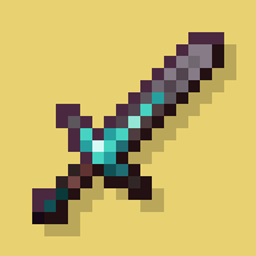
A fabric port of JoeFly’s Tool Trims datapack. Check the project page for more details.
Making it a mod allows a few improvements:
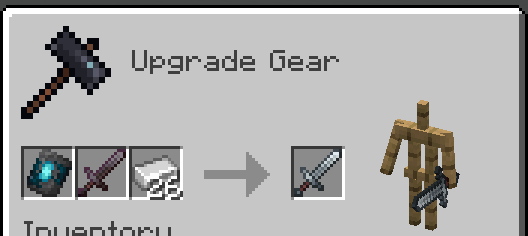
- Recipes are now done through the vanilla smithing table and crafting recipe, so the toolsmithing table no longer exists.
- The trim templates show up in the creative inventory and recipe viewers like EMI or REI
- Loot tables are injected into instead of overwritten
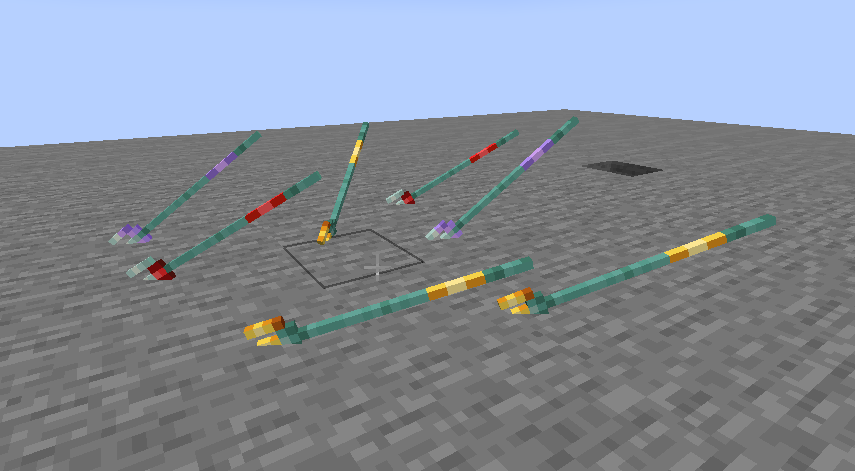
- Trident trims display on thrown tridents

Migrating from the Datapack
You can use the command `/tooltrims migrate` to migrate the tool or template you are holding so it uses the modded trim system instead of the datapack trim system. Templates from the datapack cannot be used in the smithing table until you upgrade them. For tools, the difference is only noticeable if you look at the NBT/component data or if you try to re-trim the tool, in which case both the old and new trims will show up in the tooltip.
Demigrating from the mod
Compatability
Compatible with EMI (trimming recipes show up) and Enchancement (crossbow texture works correctly). Currently incompatible with Trimmable Tools.
Credits
The Enchancement compat textures were created by doctor4t and cybercat5555 for the mod Enchancement, and were edited and used with permission.
All other textures were created or otherwise owned by JoeFly and used with permission.
Support
For now I support the latest version of Minecraft (currently 1.21.11) and its corresponding hotfix versions, plus 1.21.1. All other versions are unsupported. All issues pertaining to unsupported versions will not be addressed.
It is possible, although not promised, that in the future there will be trims for modded tools.
Please report issues on my repository and not to JoeFly.
常见问题
Tool Trims Mod 支持哪些 Minecraft 版本?
Tool Trims Mod 支持 Minecraft Java 版 1.20–26.3,共 11 个版本,可用的加载器:Fabric / NeoForge。下载时注意选择和你游戏版本一致的文件。
Tool Trims Mod 怎么安装?
先用 PCL2 或 HMCL 启动器安装对应版本的 Fabric / NeoForge,再把下载的 .jar 文件放进游戏目录的 mods 文件夹,重新启动游戏即可。开启了版本隔离的,mods 文件夹在 versions/版本名 下面。
ThePotatoArchivist 的其他作品
查看全部 →
Tool Trims Mod
Fabric port of JoeFly's Tool Trims

Kitchen Projectiles
Make Farmer's Delight knives throwable

OmniCrossbow
Shoot every item from a crossbow, with a multitude of custom effects!

Classic Farlands
Brings the classic style of Far Lands to 1.21+
评论
登录后评论和评分