TeleportHome
Adds configurable commands for teleporting to spawn or one of your homes.
介绍
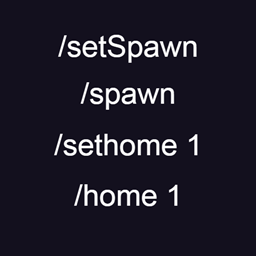
-Use command /setSpawn to select global spawn, then use /spawn to teleport to it.
/spawn can be used by everyone, /setSpawn can be used only with admin rights.
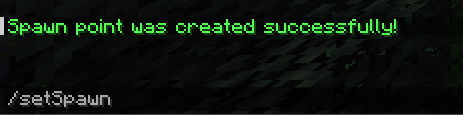
-Use command /setHome <name> to create your home point.
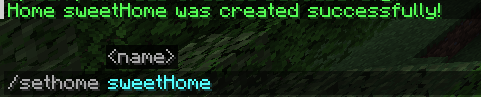
You can teleport to your home by /home <name>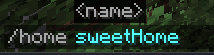
This command can be used by everyone and homes are individual.
You can have only certain amount of homes that specified in the config.
If you at the limit of your homes, you can remove one of your homes to create a space for new one.
You can see all your homes with /homes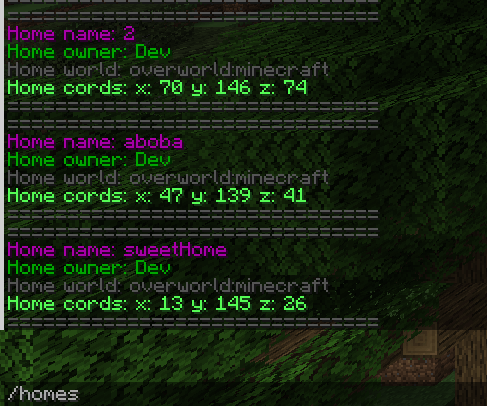
You can remove home with /removehome <name>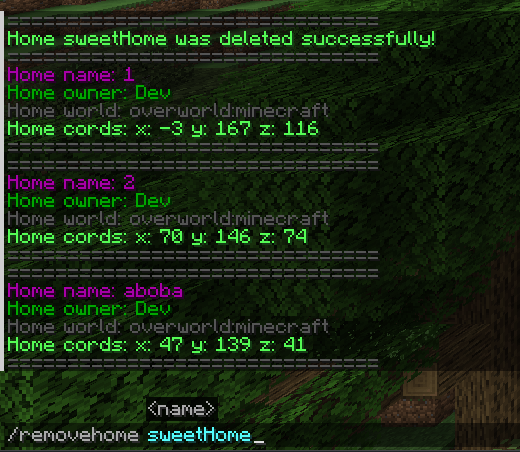
You can only remove homes that you own.
Homes are stored in the world’s config saves/saveName/serverconfig/tp-server.toml
常见问题
TeleportHome 支持哪些 Minecraft 版本?
TeleportHome 支持 Minecraft Java 版 1.20.1,可用的加载器:Forge / NeoForge。下载时注意选择和你游戏版本一致的文件。
TeleportHome 怎么安装?
先用 PCL2 或 HMCL 启动器安装对应版本的 Forge / NeoForge,再把下载的 .jar 文件放进游戏目录的 mods 文件夹,重新启动游戏即可。开启了版本隔离的,mods 文件夹在 versions/版本名 下面。
pydingabsorber 的其他作品
查看全部 →
Vestiges of the Present
硬核挑战,奖励来自未知神级生物的强力独特遗物。拥有全球排行榜、剧情 progression 以及大量酷炫机制,如禁疗、治疗债务、护盾、过量治疗与护盾等。

Easy CraftTweaker
Craft Tweaker 的图形界面,让你轻松管理配方。

Cataclysm Summons
为 Cataclysm 的 7 位主要 Boss 添加了可合成的召唤物,可在对应的地牢中使用。

Demonic Blessing
The strongest mod for magic PVP
评论
登录后评论和评分