介绍
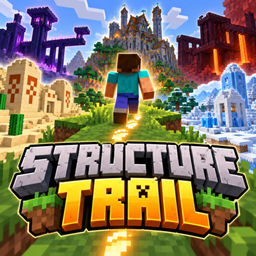
This mod makes it where every 100 blocks a random structure will spawn.
There are 4 tiers. The more you walk the better loot and structures you unlock.
NOTE: This mod is not recommened to play on a world you care about!
Each tier has a certain amount of steps required to unlock.
- Basic – 0
- Good – 1000
- Really Good – 3000
- OP – 6000
The amount of steps it takes to spawn a structure also goes up in each tier.
- Basic – Every 100 steps.
- Good – Every 150 steps.
- Really good – 200 steps.
- OP – 250 steps.
Highly configurable. All commands under /stepstructures
Commands:
- /steps – Shows your total steps, your tier, and the step number your next structure spawns at.
- /steps hud on / off – Shows or hides your step counter above the hotbar.
- /steps top – Leaderboard of the online players with the most steps.
(On/off and settings)
- /stepstructures – Shows all current settings.
- enabled true/false – false stops structures spawning, stops step counting and hides the counter.
- steplength <blocks> – How many blocks walked count as one step (default 1).
- huddefault true/false – Whether new players see the counter by default.
- customstructures true/false – Turns the mod’s own builds (campsite, hut, shrine, tower, temple) on or off.
- overrideloot true/false – true gives Minecraft’s own structures tier loot; false keeps their normal loot.
- liftunderground true/false – Moves deep structures (ancient city, trial chambers…) up to the player’s level.
- reload – Reloads the settings file after editing it by hand.
(Where and how often structures spawn)
- spawnradius <blocks> – Furthest a structure can spawn from you (default 50; 0 = on top of you).
- spawnmindistance <blocks> – Closest a structure can spawn (default 20).
- interval <steps> – Fallback step gap for any tier that doesn’t have its own gap.
- currentchance <percent> – Chance a structure comes from your current tier (default 100; lower lets older tiers’ structures show up).
(Tiers)
- tiers – Lists every tier: when it unlocks, its step gap, its loot and its structures.
- tier <n> interval <steps> – Step gap between structures in that tier (defaults 100 / 150 / 200 / 250).
- tier <n> minsteps <steps> – Total steps needed to unlock that tier (defaults 0 / 1,000 / 3,000 / 6,000).
- tierlength <steps> – Gives every tier the same unlock gap instead (e.g. 1000 = 0, 1,000, 2,000, 3,000).
- tier <n> name <name> – Renames a tier (shown on the counter).
- tier <n> structure add <id> – Adds a structure to that tier’s list (tab-complete shows them all).
- tier <n> structure remove <id> – Removes a structure from that tier.
- tier <n> structure set <id> – Makes that tier spawn only that one structure.
- tier <n> loot <id> – Sets the tier’s loot: built-in like stepstructures:level_5-8 (levels 1–16) or any loot table.
- tier add <minSteps> <structure> <loot> – Adds a new tier.
- tier remove <n> – Deletes a tier.
- tier reset – Puts all tiers back to the defaults
(Players)
- player <targets> – Shows a player’s steps, tier and next structure.
- player <targets> steps set <n> / add <n> – Sets or adds to a player’s steps (doesn’t spawn a structure).
- player <targets> tier <n> / tier auto – Locks a player to a tier, or puts them back to tiers based on steps.
- player <targets> hud true/false – Shows or hides the counter for that player.
- player <targets> reset – Wipes a player’s steps back to 0 (use @a between rounds).
- spawn <targets> [tier] – Spawns a structure on them right now, optionally from a specific tier.
Please note this mod was only made for a video so will not be updated for any other versions or different features added.
常见问题
Structure Trail 支持哪些 Minecraft 版本?
Structure Trail 支持 Minecraft Java 版 26.3,可用的加载器:Fabric。下载时注意选择和你游戏版本一致的文件。
Structure Trail 怎么安装?
先用 PCL2 或 HMCL 启动器安装对应版本的 Fabric,再把下载的 .jar 文件放进游戏目录的 mods 文件夹,重新启动游戏即可。开启了版本隔离的,mods 文件夹在 versions/版本名 下面。
Joashhh 的其他作品
查看全部 →
Little Nightmares
《小小梦魇》地图复刻

HvS Trophy By Joashh
Adds a fully functioning Hunter vs Speedrunner gamemode to Minecraft!

Player Locator Bar PORT
Adds the player locator bar for older versions.

Chilled Survival
Minecraft Survival Enhanced. Don't get bored after a week playing normal survival. Instead play this and let the fun last longer!
评论
登录后评论和评分