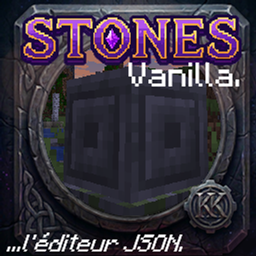
stones.editor
An in-game visual scripting GUI and blueprint node trigger editor for Stones. Create custom RPG skills, spells, and VFX with zero code. Generate JSON datapacks, build behavior trees, and live-reload KubeJS scripts directly on your server.
介绍
The editor can be opened via command /stonesstudio or /stones studio
Stones.editor
Stones.editor is an addon for the Stones core mod. It provides an in-game development environment. Administrators use this tool to create or change runes, skills, and projectiles.
Installation and Permissions
Dependencies: You must install the Stones core mod. The core mod requires KubeJS and Actionbar. The editor does not have other dependencies.
Network: The mod uses displayTest="IGNORE_ALL_VERSION". You do not have to install this addon on all clients. It is sufficient if administrators install the mod to make changes on the server.
Access: You open the user interface in the game with the /stonesstudio command. This command requires administrator (OP) permissions on the server.
Features
Behavior Tree: You visually construct skills from events, conditions, and actions.
Raw JS Mode: You can change a visual behavior tree into raw JavaScript code. Note: This procedure operates in one direction only. You cannot change raw JS code back into a visual tree. The system warns you before you do this step.
In-Game Canvas: The editor includes a canvas for rune icons and projectile sprites. You can add external image files with the clipboard (Ctrl+V) or with drag-and-drop.
Memory: The editor keeps a history of a maximum of 50 steps for undo and redo actions.
Live Reload: You can apply changed scripts directly to the server. A server restart is not necessary.
Data Structure and Workspaces
The mod saves projects in the minecraft/datapacks/ directory. This makes it easy to share workspaces on CurseForge.
The system only loads one active workspace for the editor. The internal structure is datapack/data/stones_workspace/enchantments. The name stones_workspace makes sure that standard datapack loaders ignore these files. Because of this, the editor files do not overwrite the regular Stones data of the game.
Compatibility The architecture of the editor has an open-system design. For example, the editor reads damage tags dynamically from the registry to be compatible with other content mods. The Minecraft modding community is large. If you find that important connections to other mods are missing, please send a report.
常见问题
stones.editor 支持哪些 Minecraft 版本?
stones.editor 支持 Minecraft Java 版 1.20.1,可用的加载器:Forge。下载时注意选择和你游戏版本一致的文件。
stones.editor 怎么安装?
先用 PCL2 或 HMCL 启动器安装对应版本的 Forge,再把下载的 .jar 文件放进游戏目录的 mods 文件夹,重新启动游戏即可。开启了版本隔离的,mods 文件夹在 versions/版本名 下面。
Karl_Karlmann 的其他作品
查看全部 →
[TaCZ] Warden & Sculk Gun Detection & Vibration Integration for Timeless and Classics Zero by Karl Karlmann
将 TACZ 枪械与监守者和幽匿感应系统连接起来。
[TaCZ] Timeless and Classics Zero Guns Stealth by Karl Karlmann Bridge by Karl Karlmann
修复这两个模组的部分兼容性问题,并让生物对枪声作出反应。

Occultism Relics Bridge by Karl Karlmann
连接 Relics 与 Occultism,全面改造物品获取方式。原本掉落的遗物会改为掉落部件。制作未觉醒的黄道神器,并举行恶魔仪式将灵体绑定其中。召唤恶魔的阶级将决定你的属性。

Book of Dragons Biomes o’ plenty fix by Karl Karlmann
修复了与超多生物群系一起使用时龙巢生成的问题
评论
登录后评论和评分