
截图
介绍
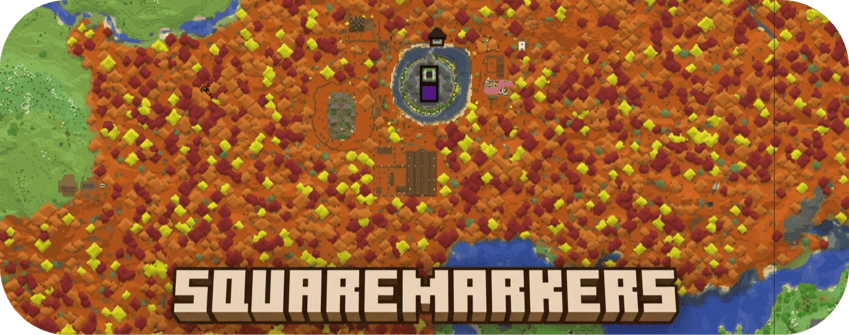
SquareMarkers
Automatically display useful points of interest on your server’s squaremap without requiring players to
run commands.
Players do not need to install SquareMarkers on their clients.
You can check out the mod on this website: http://play.swordfishbe.eu:8080
Features
SquareMarkers can display:
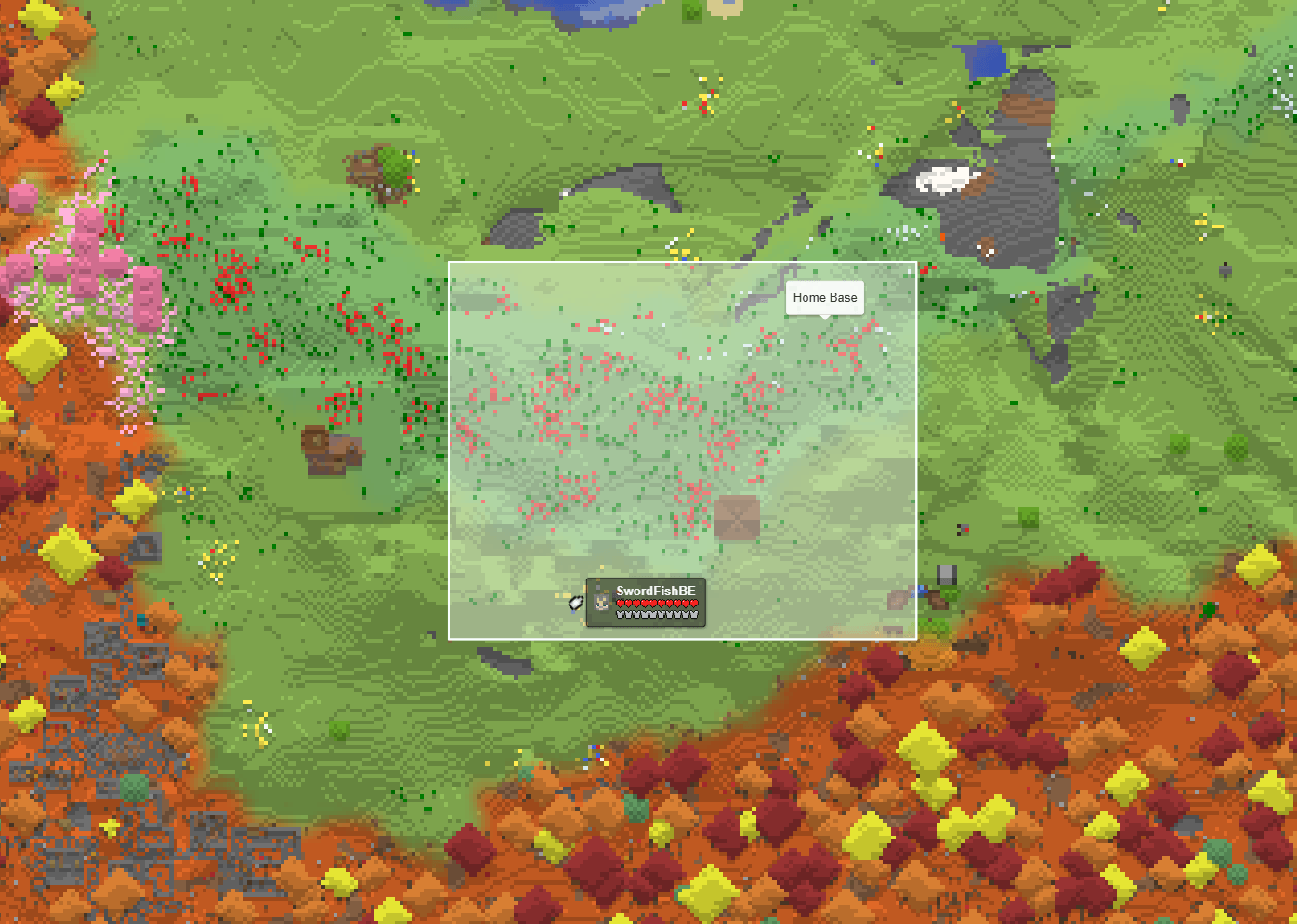
- Player-created area markers with configurable entry/exit and persistent in-game names
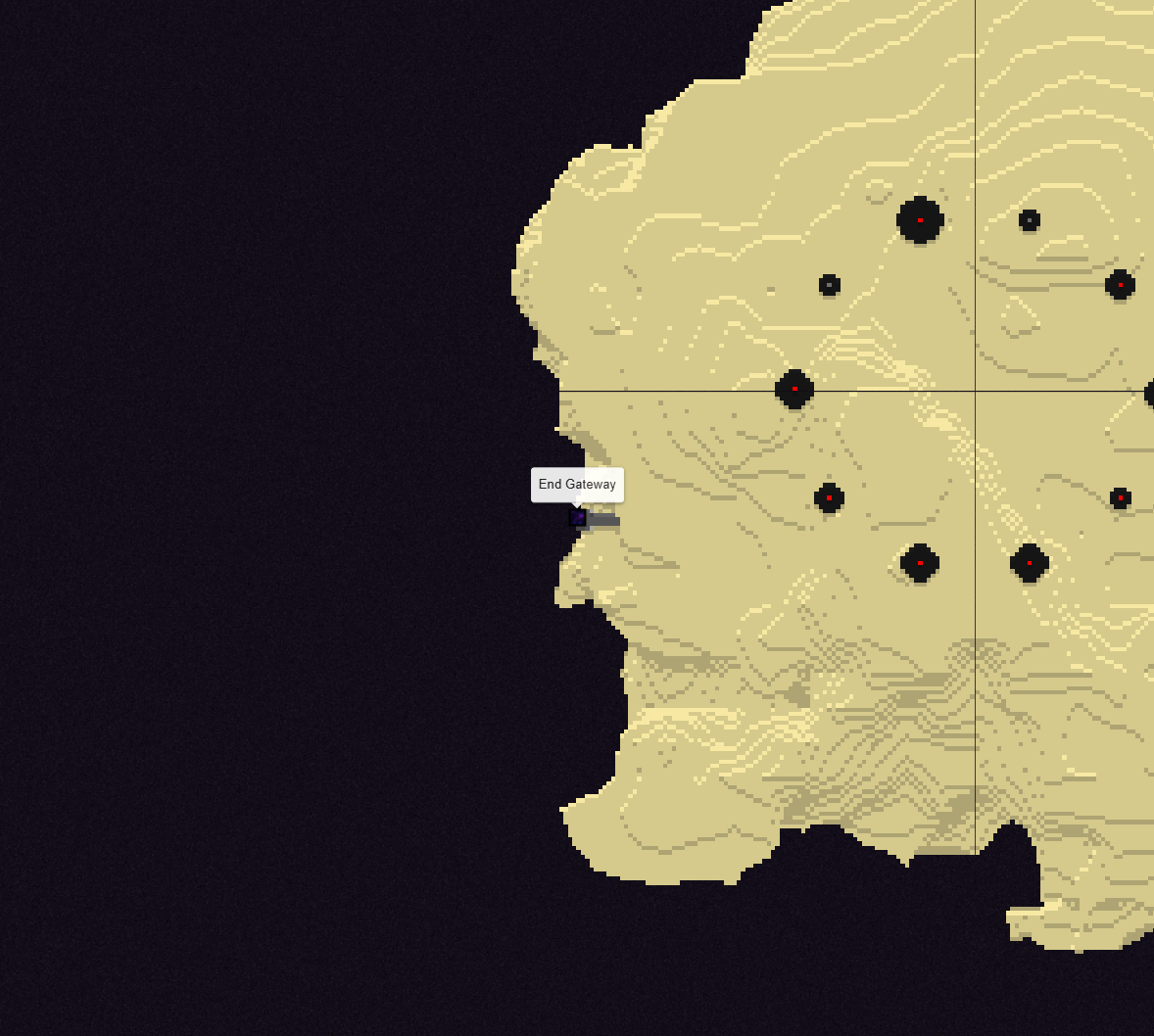
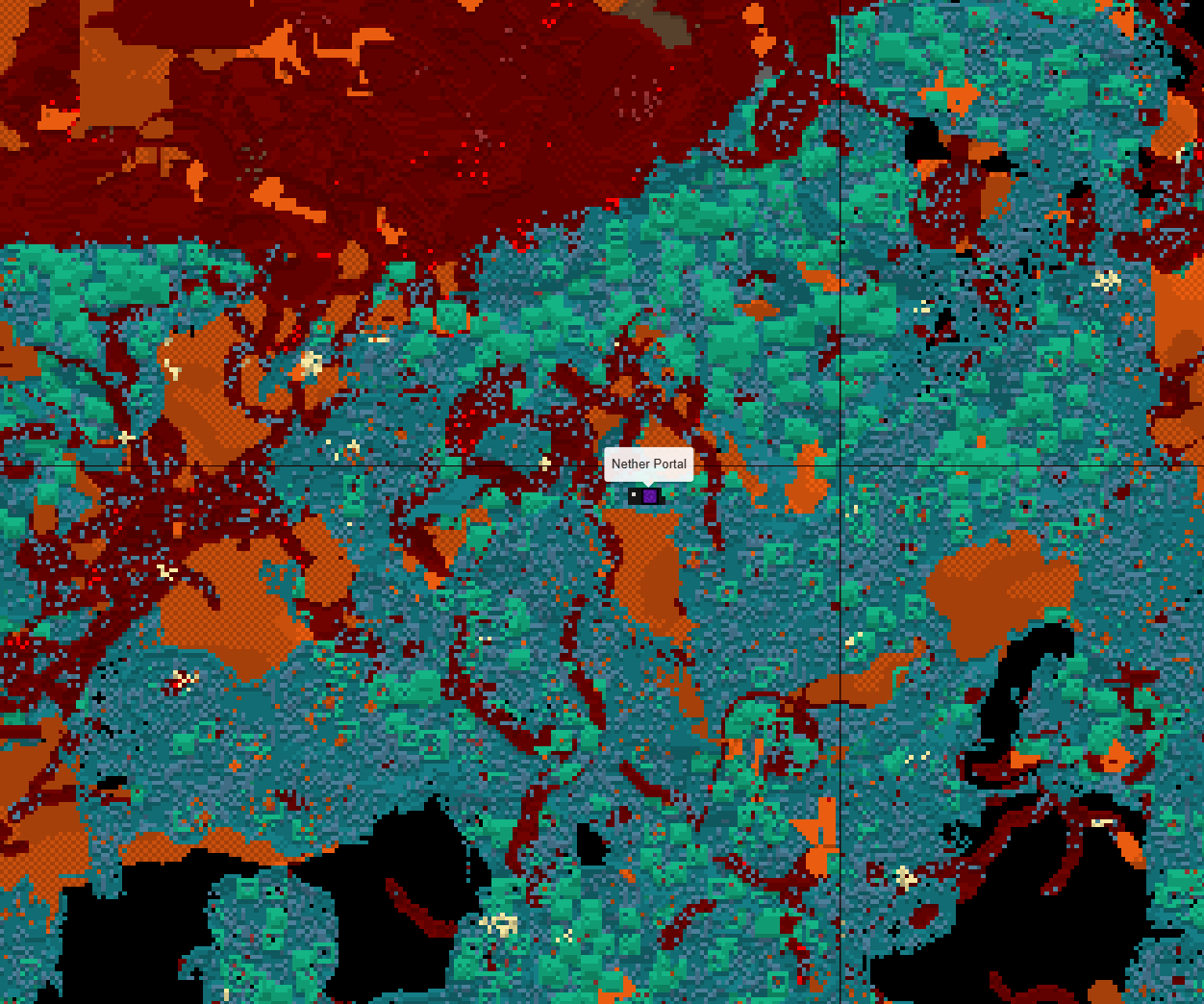
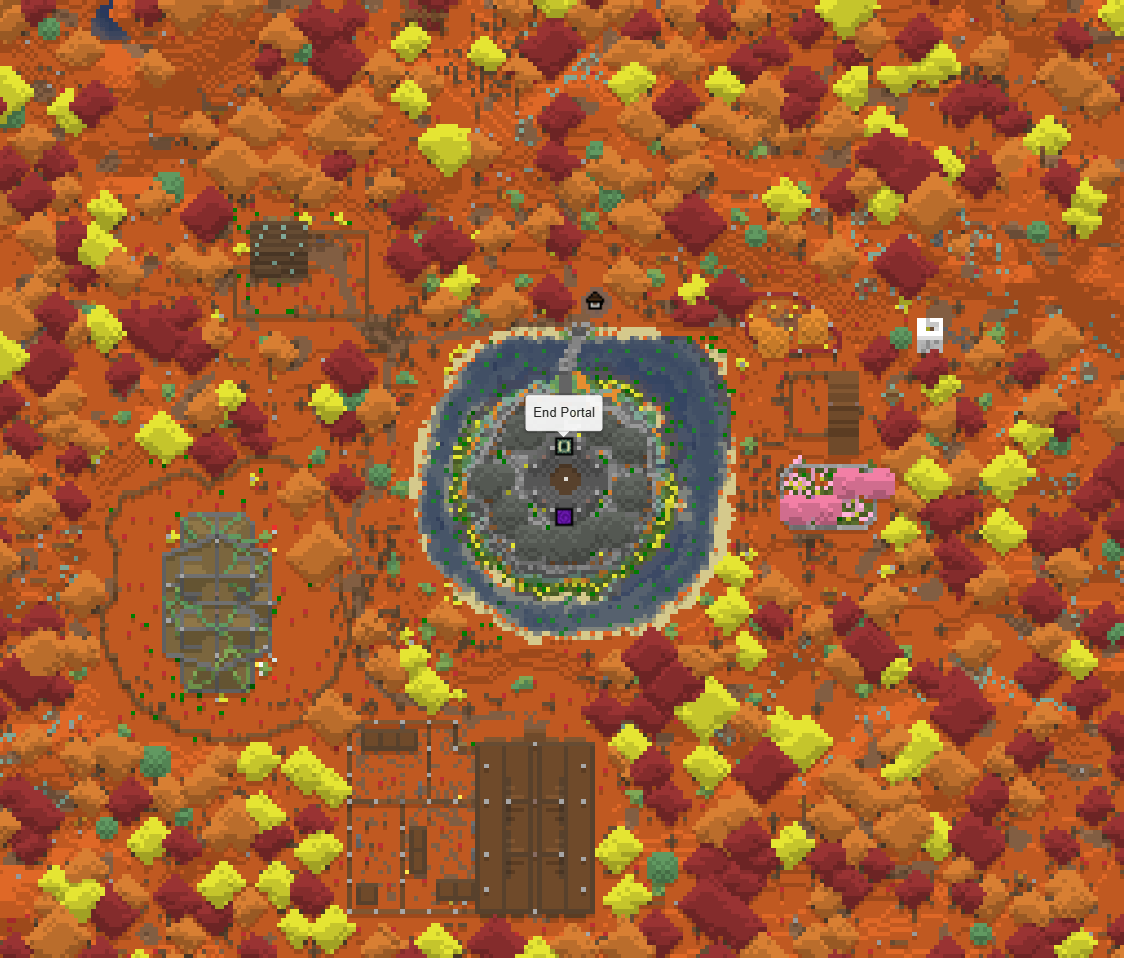
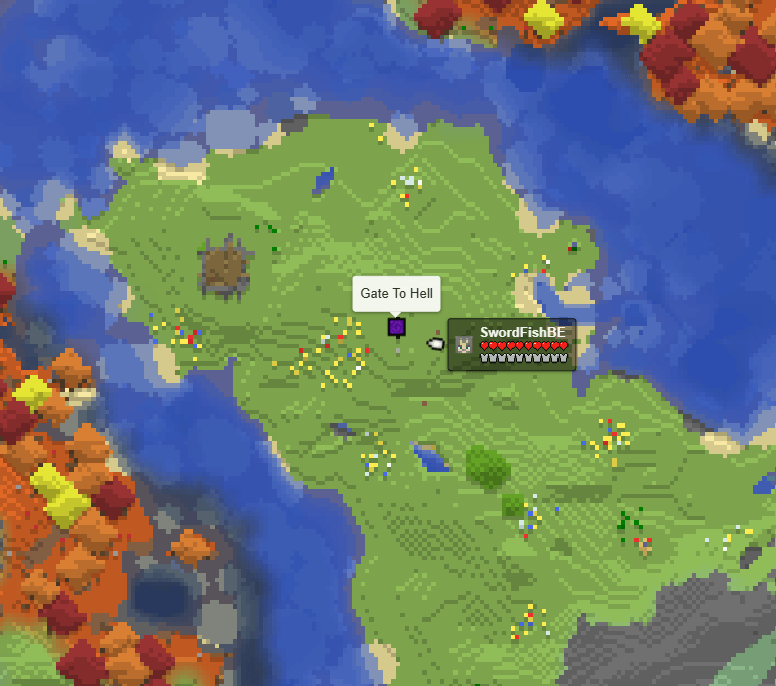
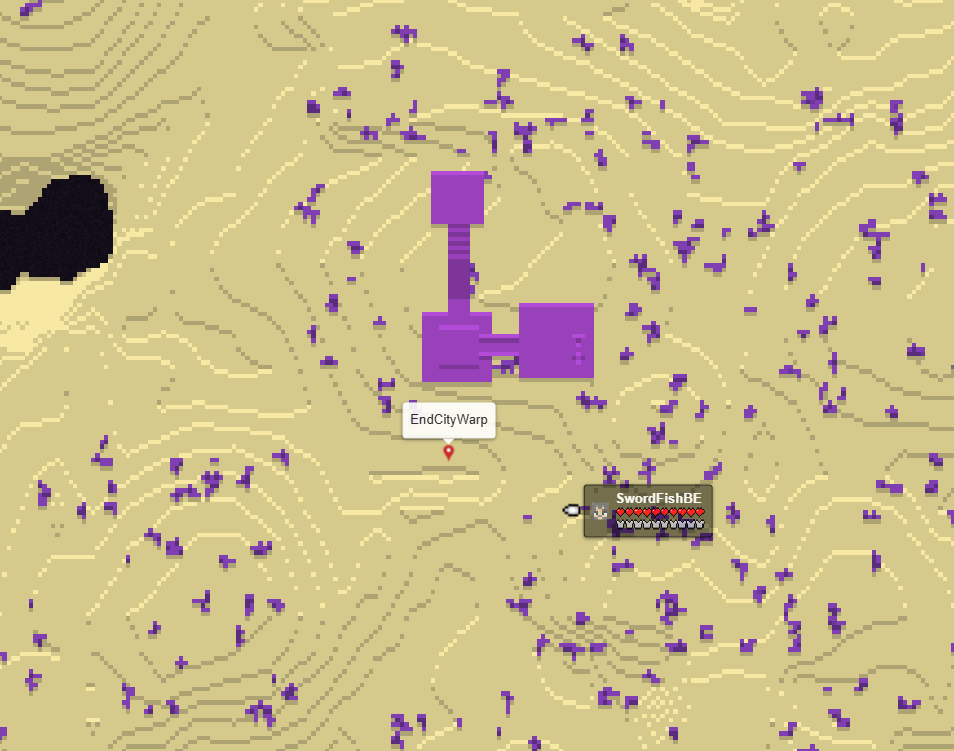
- Nether portal, End portal and End gateway markers
- Renameable Nether portal, End portal and End gateway markers, optionally showing only named portals
- Lightning strike markers with a configurable lifetime
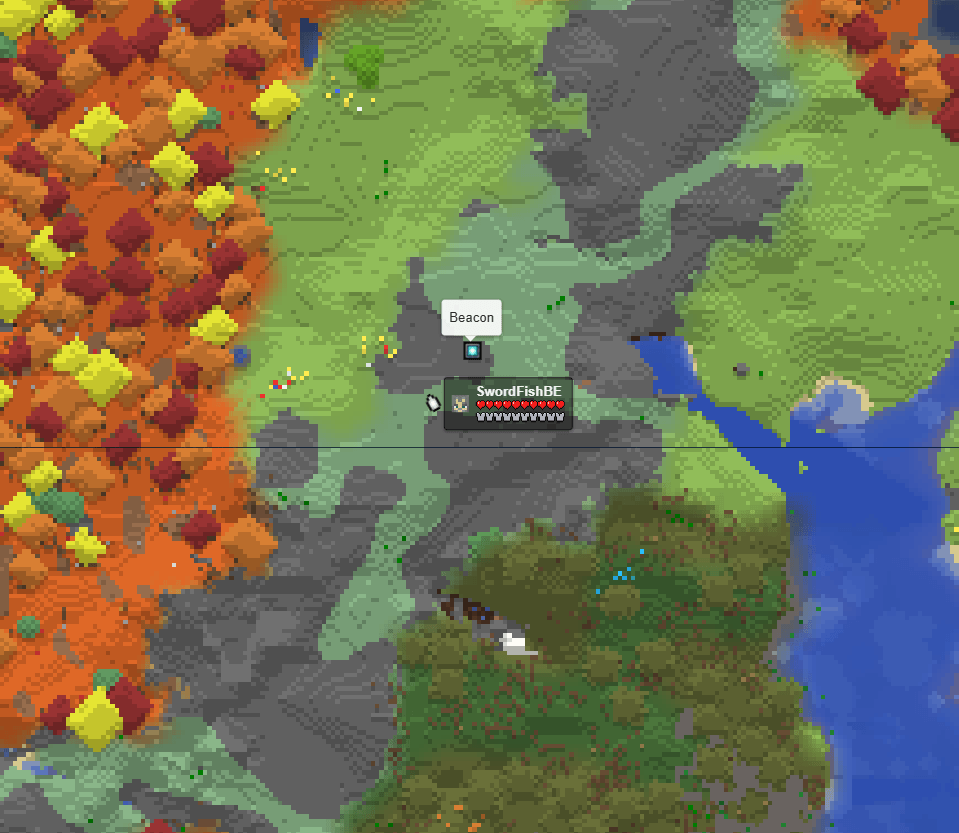
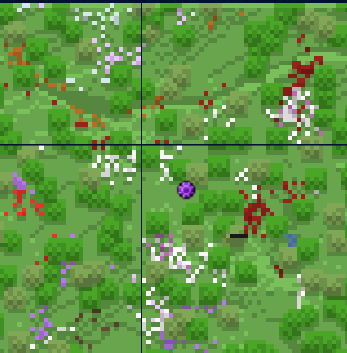
- Beacon markers
- Sign markers
- Cross-dimensional player markers
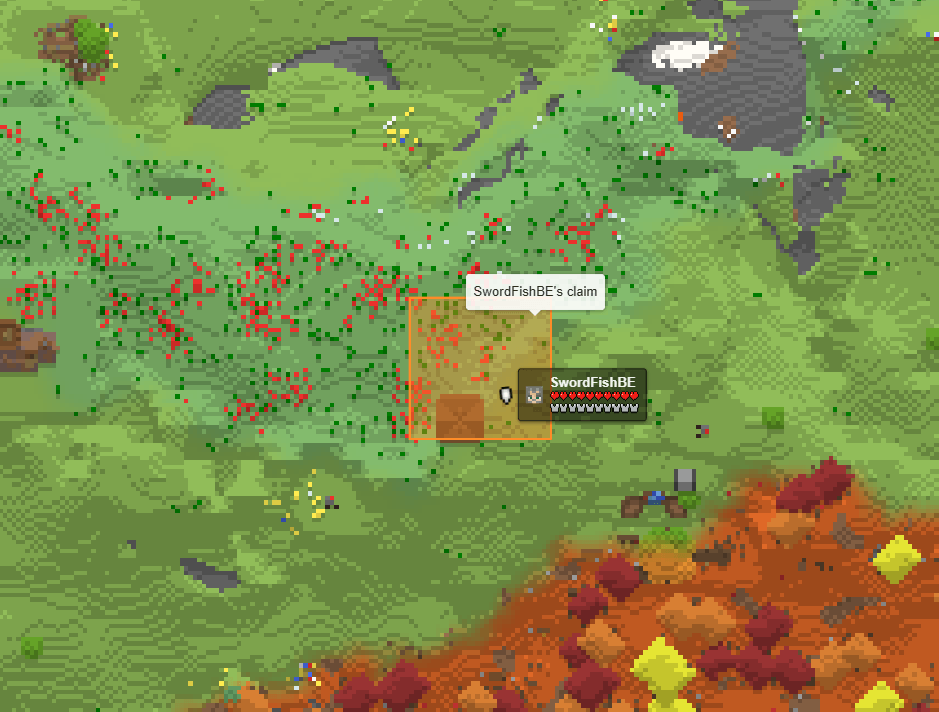
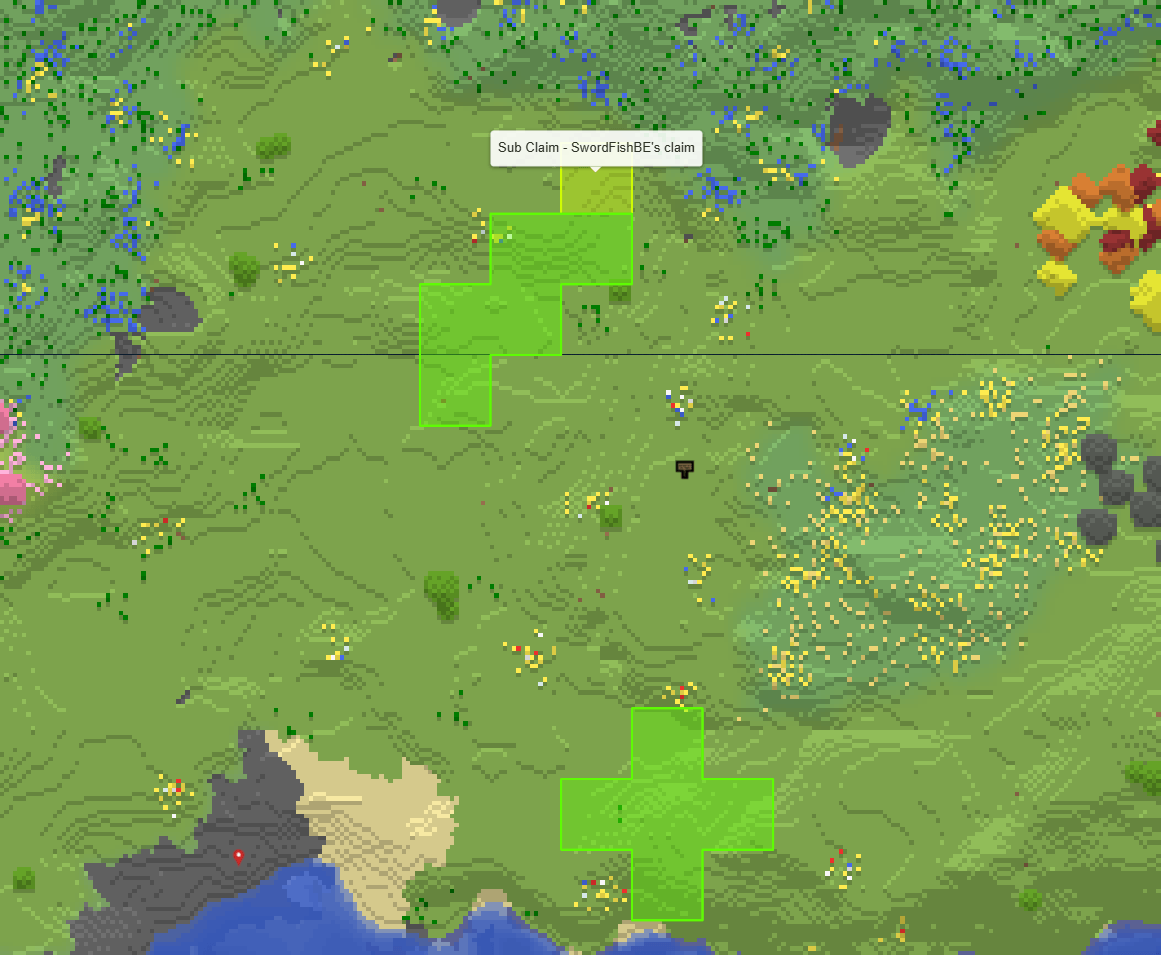
- Optional Open Parties and Claims claim areas
- OPAC claim names and colors refresh automatically without restarting
- OPAC subclaims have separate areas with their own names and colors
- Optional live warp markers from Fabric Essentials, Essential Commands, and HuskHomes
- Optional live Waystones markers, including sharestones
- Optional Serilum World Border outlines for Overworld, Nether and End
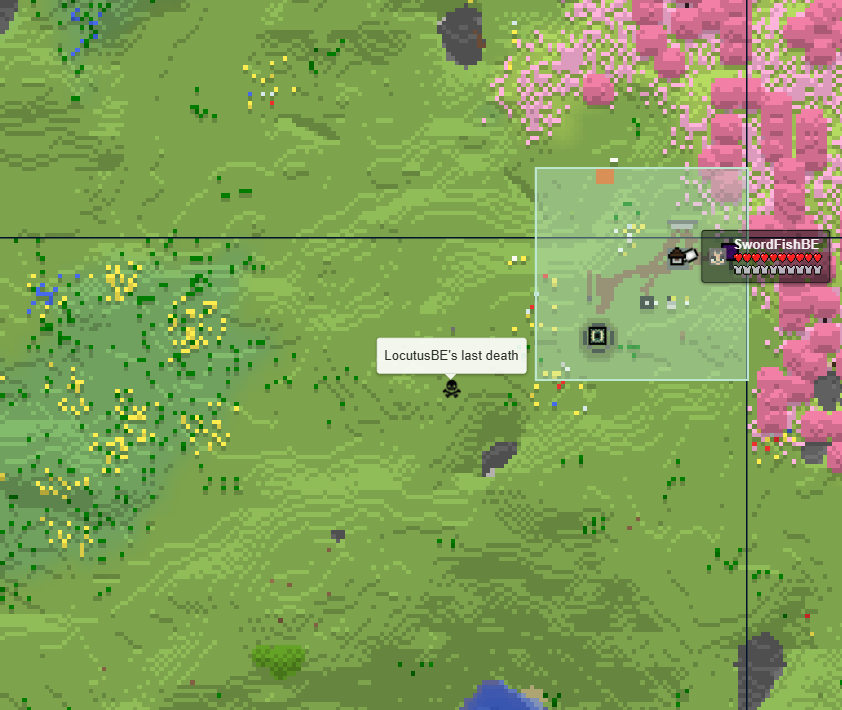
- Optional last-death markers with configurable expiry
- Persistently hide/show individual markers and inspect status through admin commands
- Configurable layer priorities, labels, feedback, and individual marker types
Markers are automatically added, updated, and removed when the corresponding object changes in the Minecraft world.
All marker types can be enabled, disabled, and configured individually.
Optional integrations
Open Parties and Claims, Waystones, Fabric Essentials, HuskHomes and Essential Commands are completely optional.
SquareMarkers works normally when it is not installed.
Player-created areas
Players can create named areas without using commands.
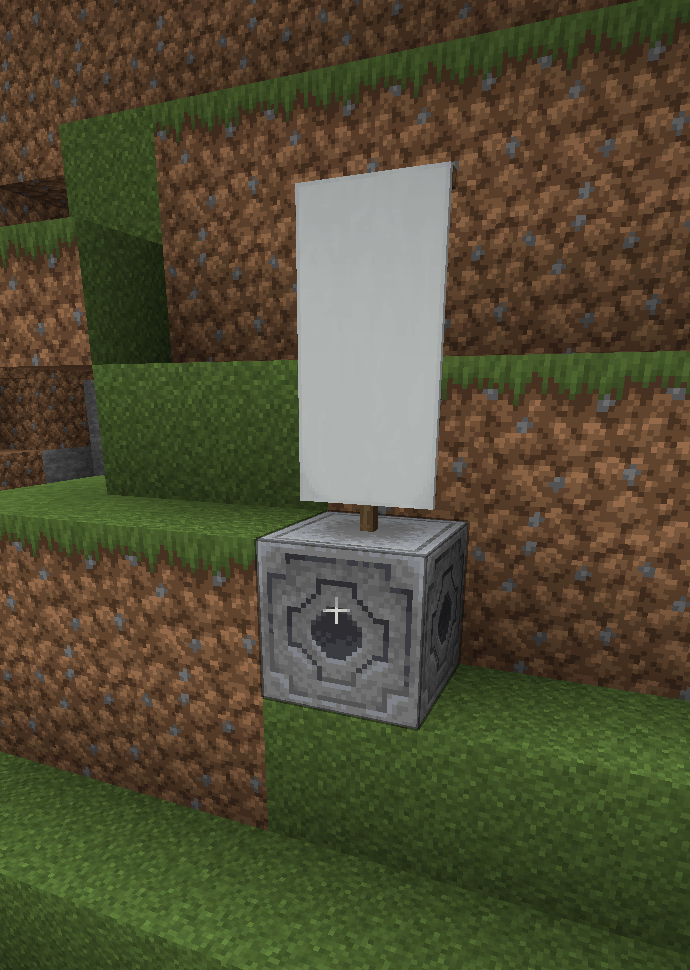
- Create one banner for every corner of the area.
- Make sure all banners use the same base color.
- Give every banner exactly the same name using an anvil.
- Place a lodestone at each corner.
- Place one of the named banners directly on top of every lodestone.
- The area will automatically appear on squaremap.
Area behavior:
- The placement order does not matter.
- Only the outermost points are used to draw the area.
- Points inside the outer boundary are ignored when calculating its shape.
- Points can be added or removed at any time.
- Two aligned points create a circle.
- Two non-aligned points create a rectangle.
- Three or more points create an automatically calculated outer boundary.
- The default maximum area size is 512 blocks and can be changed in the
configuration.
The banner name and base color identify which points belong to the same area.
Configure in-game area feedback independently for entering, leaving and staying inside a player-created area:
settings:
feedback:
area-on-enter: ActionBar # None, ActionBar, Title, Subtitle
area-on-leave: ActionBar # None, ActionBar, Title, Subtitle
area-presence: None # None, ActionBar, BossBar
Nether portal, End portals or End gateways markers
Travel through a Nether portal, End portals or End gateways to register it automatically.
When portal/gateway renaming is enabled, a renamed name tag can be used on a portal/gateway to give its marker a custom name.
Portal popups include a button for navigating to the corresponding Overworld, Nether or End coordinates on squaremap.
Set `only-show-named: true` to only show named Nether portal, End portal and End gateway on the web map.
Beacon markers
Beacon markers are created automatically after a placed beacon becomes active.
The marker is removed when the beacon is destroyed.
Sign markers
- Place a lodestone.
- Place a sign directly on top of it.
- Add text to the sign.
- The sign and its text will appear on squaremap.
Editing the sign updates its marker. Removing the sign or lodestone removes the
marker.
End portals and gateways
End portals and End gateways are detected automatically and displayed on the
map.
No commands or manual configuration are required.
Lightning markers
Lightning strikes are temporarily displayed on squaremap.
The marker lifetime can be configured in seconds.
Cross-dimensional players
SquareMarkers can show:
- Players in the Nether on the Overworld map
- Players in the Overworld on the Nether map
Coordinates are automatically converted using the standard 8:1
Overworld-to-Nether scale.
Spectators, invisible players, and players hidden through squaremap are not
displayed.
Open Parties and Claims
When Open Parties and Claims is installed, claimed chunks are automatically combined into colored claim areas.
Claim markers update when chunks are claimed, unclaimed, or changed. Claim names and colors are taken from Open Parties and Claims.
Main claims and individual subclaims remain separate, even when their names and colors match. Subclaims use their effective OPAC name and color, including inheritance from the main configuration.
This integration can be disabled independently in the SquareMarkers configuration.
Warp markers
Warp markers are displayed automatically after they are created.
The marker is removed when the warp location is deleted
Currently warps of Fabric Essentials, HuskHomes and Essential Commands are supported.
Important for HuskHomes: squaremap layers are visible to all map viewers.
If you use permission-restricted warps whose locations must stay private, set `marker-settings.huskhomes-warps.enabled` to `false`; squaremap cannot apply per-player warp permissions here.
Waystones markers
Waystones markers are displayed automatically after they are created.
The marker is removed when the waystone location is deleted, you can enable sharestones and undiscovered stones in the config file.
waystones:
enabled: true
priority: 50
include-sharestones: true
include-undiscovered: false
Waystones by BlayTheNinth is supported.
Death markers
Enable this to show the last death of each player on mapped worlds. The lifetime is in seconds (1–604800), defaulting to 30 minutes and can be set in the config file.
deaths:
enabled: false
priority: 50
# Marker lifetime in seconds.
lifetime: 1800
# UTC, Europe/Brussels, Europe/London, or a fixed offset such as UTC+01:00.
timezone: UTC
Important: death markers are public, including for players hidden from squaremap’s live-player layer. Disable this feature or hide their death marker if required.
Serilum World Border integration
When World Border by Serilum is installed, SquareMarkers displays its enabled boundaries in a separate World Border (Serilum) layer.
Rectangular and off-center bounds are supported in the vanilla Overworld, Nether and End, matching the dimensions supported by that mod.
squaremap’s separate vanilla worldborder layer is left unchanged. If you only want the mod’s outline, disable the vanilla layer in squaremap’s config yourself.
marker-settings:
world-border:
enabled: true
priority: 50
# Loaded config checks in seconds, range 5-3600.
refresh-interval: 30
Status and individual marker visibility
/squaremarkers status
/squaremarkers status details
/squaremarkers marker list
/squaremarkers marker list “minecraft:overworld” nether_portals
/squaremarkers marker hide “minecraft:overworld” nether_portals “100:64:200”
/squaremarkers marker show “minecraft:overworld” nether_portals “100:64:200”
Status is a compact, color-coded summary: green for enabled/visible, yellow for disabled/hidden, and dark gray for not installed. `status details` shows individual integrations and layer counts per world.
These are console/gamemaster commands. Hiding only removes the marker from the public map, not its source object, and takes effect on squaremap’s next update.
Custom player feedback
The 19 player-feedback and 7 map-text templates are configurable under the root `messages` section.
Customize marker creation/removal/rename/color messages, area-point messages, area entry/exit text and sign-marker feedback.
Defaults are English, and missing templates are added without replacing existing settings.
messages:
marker:
add: “Added {type} marker”
rename: “Renamed {type} marker to ‘{name}'”
interact: “{name}”
rename-failed: “Could not rename {type} marker”
color: “Colored {type} marker”
color-failed: “Could not color {type} marker”
remove: “Removed {type} marker”
area:
create: “Created area: {label}”
point-add: “Added point to area: {label}”
point-add-failed: “Could not add point to area: {label}”
remove: “Removed area: {label}”
point-remove: “Removed point from area: {label}”
enter: “[+] {name}”
leave: “[-] {name}”
presence: “{name}”
sign:
invalid-text: “Text should be a String array with a size of 4”
add: “Added sign marker”
edit: “Edited sign marker”
remove: “Removed sign marker”
`{type}` represents a marker type, `{name}` its name or an entered/left area’s name, and `{label}` an area label for point operations.
Text is plain text with the existing feedback colors.
Set a template to `””` to suppress that message; sound settings remain separate.
Quote values containing `:` or `#` and reload with `/squaremarkers reload`.
Death-marker text and portal button labels can also be translated in the web map:
messages:
death:
title: “{name}’s last death”
position: “Position: {x}, {y}, {z}”
time: “Time of death ({timezone}): {time}”
portal:
go-to-end: “Go to The End”
go-to-nether: “Go to Nether”
go-to-overworld: “Go to Overworld”
go-to-end-gateway: “Go to End Gateway”
`{name}` is the player name; `{x}`, `{y}`, `{z}` are death coordinates.
`{timezone}` and `{time}` follow the configured death timezone.
Empty death templates hide their line. These map texts apply independently of in-game feedback settings.
Custom area formatting
Area names support a limited and sanitized selection of HTML:
<b>Bold</b>
<i>Italic</i>
<u>Underlined</u>
<br>
<span style=”color: #RRGGBB;”>Colored text</span>
Unsafe HTML and scripts are escaped before being sent to the web map.
Configuration
The configuration file is generated at: config/squaremarkers/config.yml
Available settings include:
- Enable or disable individual marker types
- Layer priorities
- Area size limits
- Area entry messages
- Feedback messages and sounds
- Sign text formatting
- Nether portal renaming
- Lightning marker lifetime
- Cross-dimensional player visibility
- Open Parties and Claims integration
- Warp and Waystones integrations, including sharestones and unnamed stones
- Death settings
- And much more …
Reload the configuration and all marker layers with: /squaremarkers reload
The command can be used from the server console or by a player with gamemaster
command permissions.
Data storage
Marker data is stored per world in JSON files below: config/squaremarkers/
Data is written using UTF-8 and atomic file replacement where supported.
If a marker file contains invalid JSON, SquareMarkers preserves it as a
`.broken-<timestamp>` backup instead of preventing the server from starting.
Credits
SquareMarkers is based on Pl3xMarkers by Gjorgdy.
SquareMarkers is a server-side, Fabric-only port of Pl3xMarkers, adapted for the squaremap API. In addition to the functionality provided by Pl3xMarkers, it can display additional marker types.
squaremap is developed by jpenilla and its contributors.
常见问题
SquareMarkers 支持哪些 Minecraft 版本?
SquareMarkers 支持 Minecraft Java 版 26.3,可用的加载器:Fabric。下载时注意选择和你游戏版本一致的文件。
SquareMarkers 怎么安装?
先用 PCL2 或 HMCL 启动器安装对应版本的 Fabric,再把下载的 .jar 文件放进游戏目录的 mods 文件夹,重新启动游戏即可。开启了版本隔离的,mods 文件夹在 versions/版本名 下面。
SwordfishBE 的其他作品
查看全部 →
XXL Enderchest
将末影箱从原版的 3 行(27 格)扩展至最多 6 行(54 格)。

GetSpawners
在生存模式下使用精准采集移动刷怪笼。只需一条命令,就能获得任意类型的刷怪笼。

XXL Enderchest
将末影箱从原版的 3 行(27 格)扩展至最多 6 行(54 格)。

TravelBag
可靠的背包模组,支持自定义容量和快捷键。
评论
登录后评论和评分