
Slot Click Macros
A Minecraft Fabric mod that records and replays inventory click sequences to automate repetitive container interactions.
截图
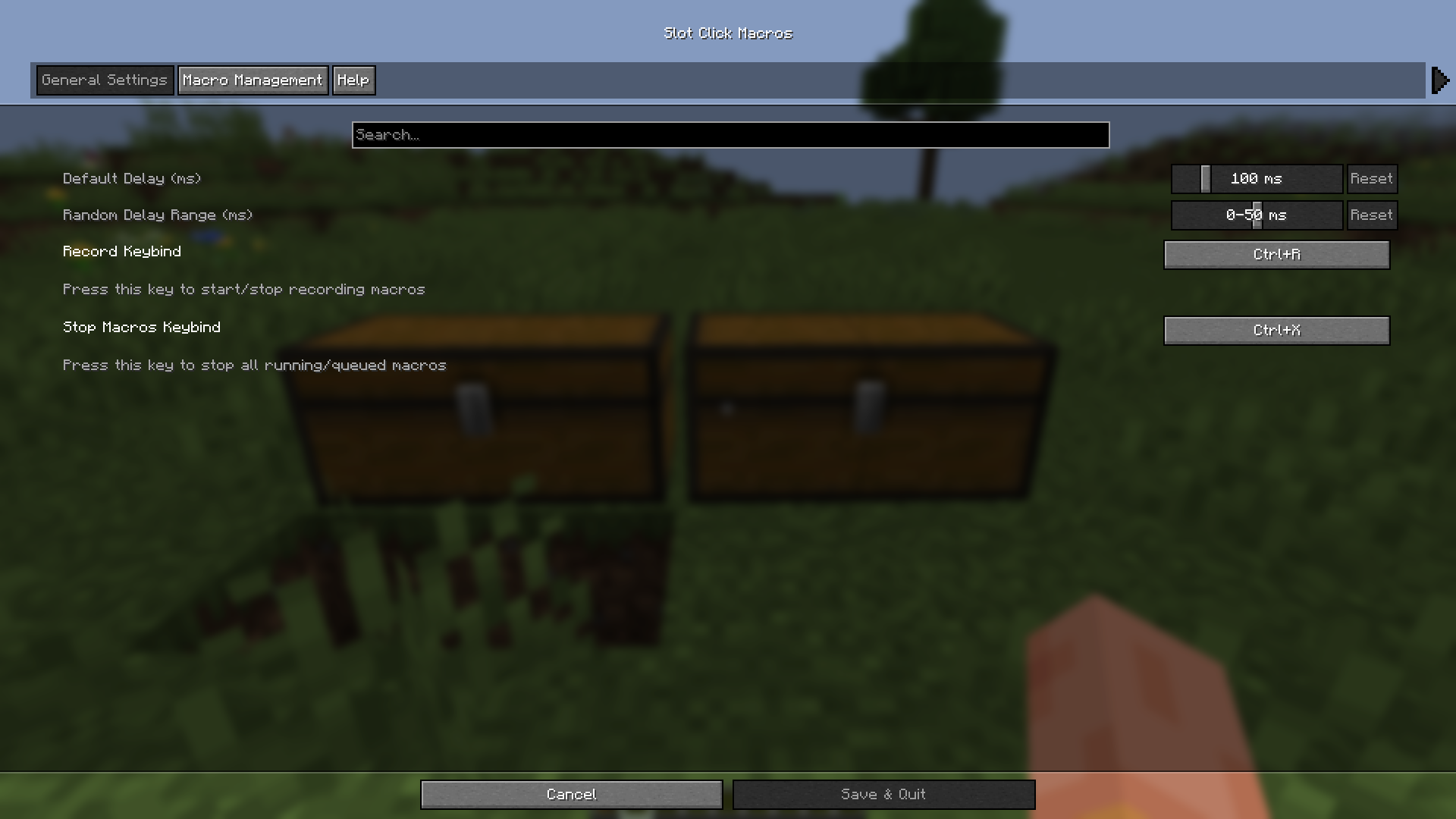
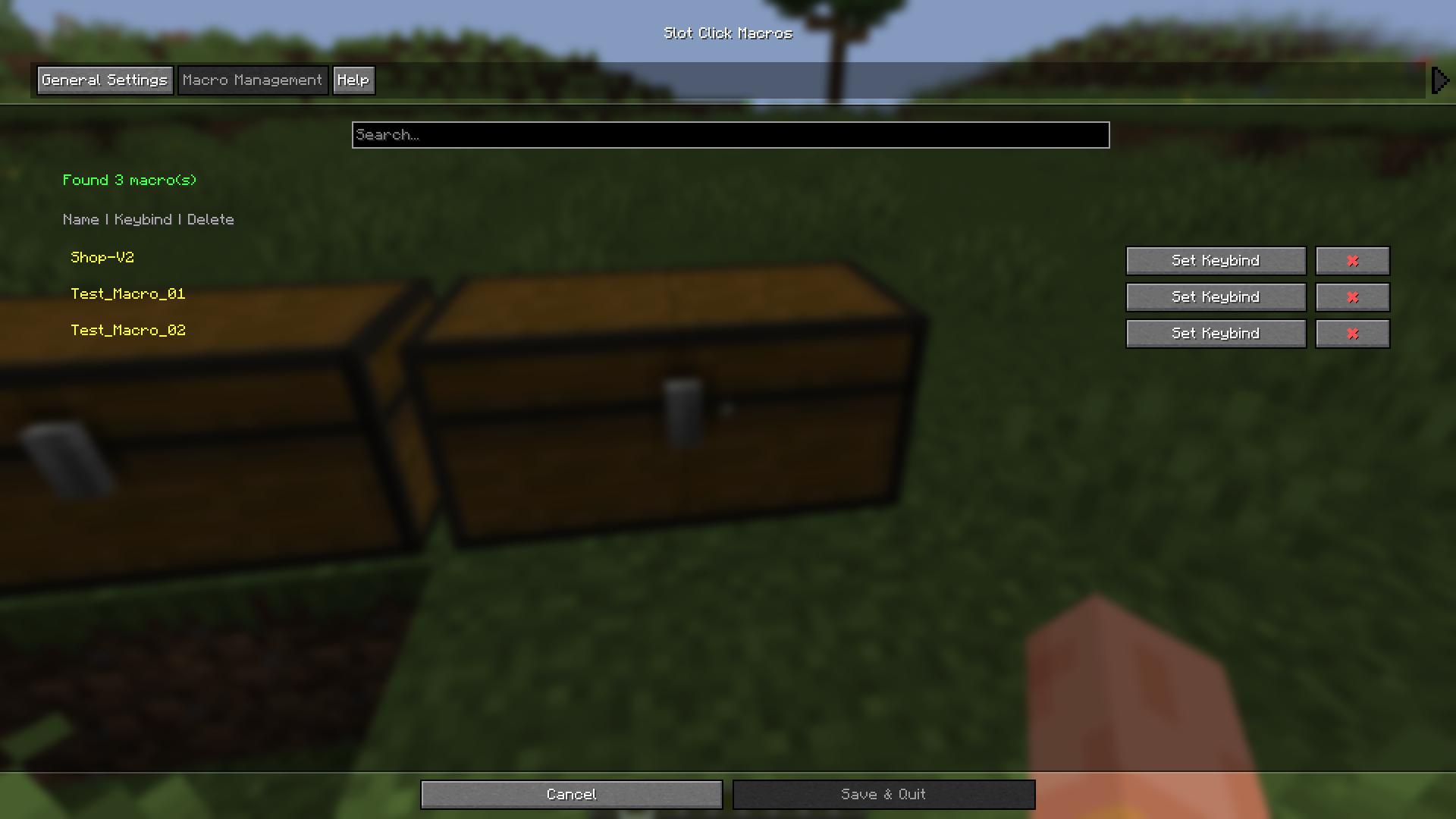
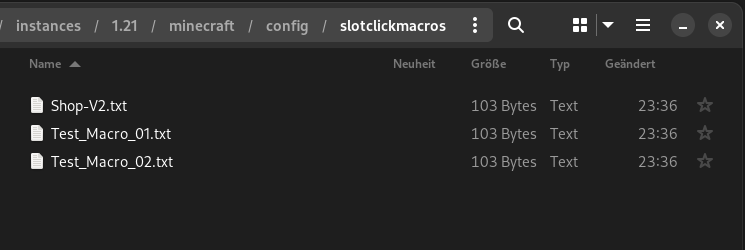
介绍



Slot Click Macros
A Minecraft Fabric mod that records and replays inventory click sequences to automate repetitive container interactions.
⚠️ Warning: USE AT YOUR OWN RISK! This mod can be detected by anti-cheat systems and may result in bans on multiplayer servers if your not careful. Always use safe delay settings (100ms+ base, 50ms+ random) and check server rules before using. The developers are not responsible for any consequences.
Features
- Record any container interaction – Works with chests, shops, crafting tables, and custom GUIs
- Simple controls – Press a keybind to start/stop recording, then save with a name
- Multiple playback methods – Trigger via keybind or
/slotmacro play <name>command - Anti-detection delays – Configurable base delay (10-500ms) with random variance (0-100ms)
- Queue system – Macros automatically execute when you open the next container
- Easy management – Assign keybinds, view, edit, and delete macros via config GUI

Installation
- Install Fabric Loader
- Install Fabric API
- Install Cloth Config
- Place Slot Click Macros in your
modsfolder
Quick Start
Recording
- Press R (default) to start recording
- Open a container and perform your actions
- Press R again to stop
- Enter a name and save
Playing
- Assign a keybind in the config GUI or run
/slotmacro play <name> - Open the target container
- Macro plays automatically
Stopping
- Marco automatically stops after finish
- To stop early, press your configured stop keybind or run
/slotmacro stop
Commands
/slotmacro play <name>– Queue a macro/slotmacro stop– Stop playback/slotmacro list– List all macros/slotmacro delete <name>– Delete a macro
Recommended Settings
Normal Servers
- Base Delay: 100-120ms
- Random Range: 50-60ms
Strict Anti-Cheat
- Base Delay: 150-180ms
- Random Range: 70-90ms
Maximum Safety
- Base Delay: 200-250ms
- Random Range: 80-120ms
⚠️ Never use delays below 80ms – this will trigger most anti-cheat systems.
File Format
Macros are stored as text files in config/slotclickmacros/:
12,PICKUP,0        # Left-click slot 12
15,QUICK_MOVE,0    # Shift-click slot 15
3,HOTBAR_1,0       # Press hotbar key 1 on slot 3
27,PICKUP,1        # Right-click slot 27
Format: SlotID,ClickType,Button
- ClickType (string): The type of click action
PICKUP– Normal left/right clickQUICK_MOVE– Shift-click to transfer itemsSWAP– Number key to swap with hotbarCLONE– Middle-click (creative mode)THROW– Q key to drop itemQUICK_CRAFT– Drag craftingPICKUP_ALL– Double-click to gather matching itemsHOTBAR_1throughHOTBAR_9– Hotbar slot swap via keybind
- Button (integer): Mouse button used
0– Left mouse button1– Right mouse button2– Middle mouse button
FAQ
Will I get banned?
Possibly. Many servers prohibit automation. Always check server rules and use appropriate delays.
Macro clicks wrong slots?
Container layouts may differ. Re-record in the specific container you’re using.
How to stay safe?
✅ Use 100ms+ delays with 50ms+ variance
✅ Test on private servers first
✅ Read server rules
✅ Use responsibly
License
CC0-1.0
Disclaimer
This mod is provided “as is” without warranty. The developers are not responsible for bans or other consequences. Use ethically and at your own risk.
常见问题
Slot Click Macros 支持哪些 Minecraft 版本?
Slot Click Macros 支持 Minecraft Java 版 1.21–1.21.11,共 12 个版本,可用的加载器:Fabric。下载时注意选择和你游戏版本一致的文件。
Slot Click Macros 怎么安装?
先用 PCL2 或 HMCL 启动器安装对应版本的 Fabric,再把下载的 .jar 文件放进游戏目录的 mods 文件夹,重新启动游戏即可。开启了版本隔离的,mods 文件夹在 versions/版本名 下面。运行环境:仅客户端。
HelixCraft 的其他作品
查看全部 →
AFK Utilitys
Advanced AFK management mod for Minecraft Fabric with anti-kick protection, auto-reconnect, safety disconnect, and hunger management

Fabric Packet Logger
Deep packet logging mod for Minecraft Fabric - captures all network traffic with full NBT/Component data

Crystal per Second HUD
Mod that displays End Crystals destroyed per second (CPS) as an in-game HUD overlay, with full multi-version support via Stonecutter.

Container Data Dumper
Copy container and inventory data as Data Components directly to your clipboard - works with any container block or entity in Minecraft 1.20-1.21+
评论
登录后评论和评分