
SleepMenu
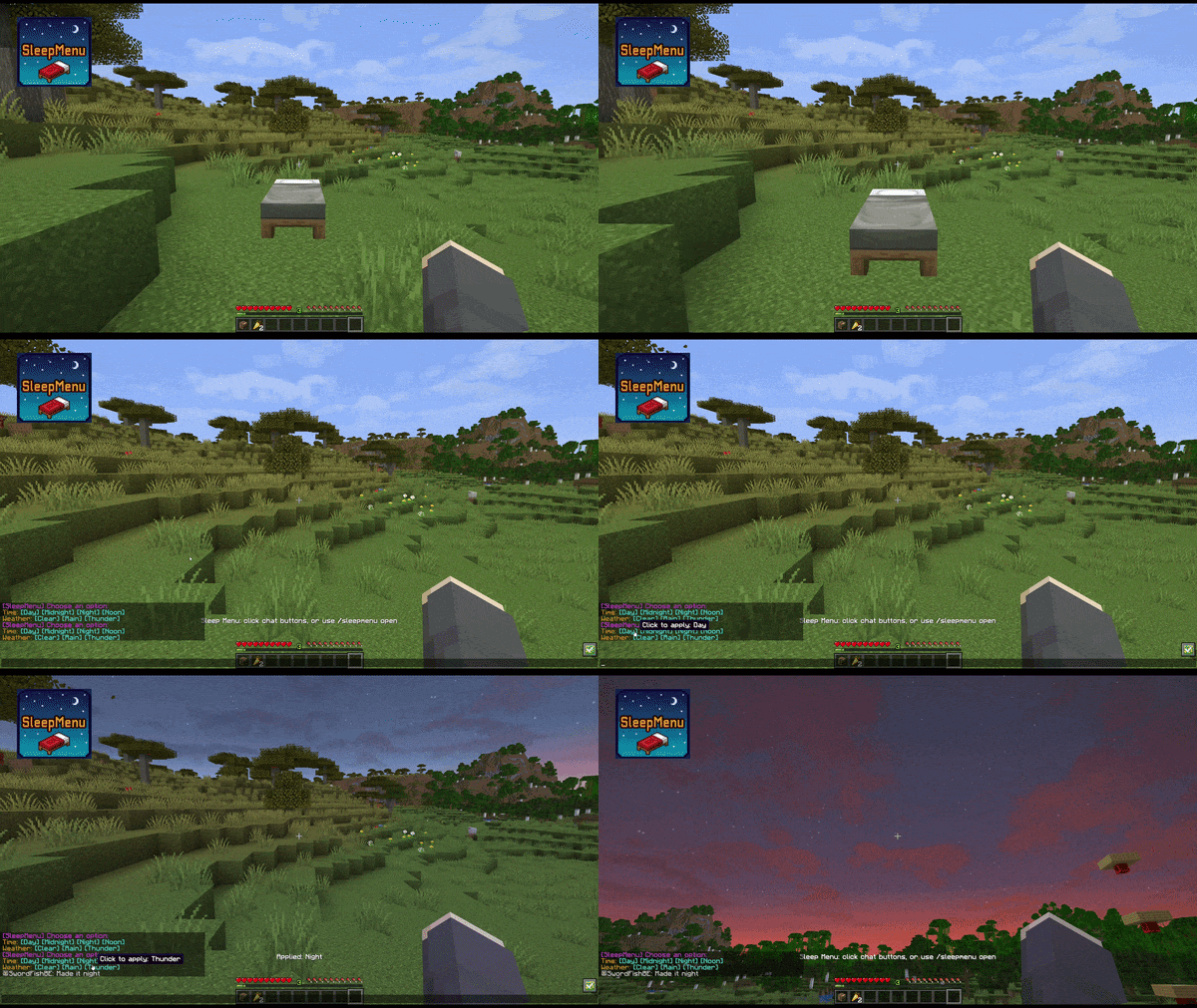
Sleep Menu turns every bed into a quick server-side control panel for time and weather.
截图

介绍

SleepMenu
SleepMenu is a server-side Fabric mod for Minecraft.
Players standing on a bed get a clickable chat menu to change time and weather.
Stand on a bed, click your choice, and shape the sky: day, night, clear, rain, or thunder.
🎮 Commands
/sleepmenu open/sleepmenu set <option>/sleepmenu reload(admin only; console allowed)
Options:
day, midnight, night, noon, clear, rain and thunder
If Mod Menu and Cloth Config are installed on the client, the config can also be edited through an in-game config screen. Dedicated servers do not need either dependency.
🔨 Server-side
This mod runs fully server-side. Clients do not need to install the mod.
Also works in single-player (without LuckPerms support).
🔄 LuckPerms permissions
If LuckPerms is installed, these nodes are checked:
sleepmenu.usesleepmenu.time.daysleepmenu.time.midnightsleepmenu.time.nightsleepmenu.time.noonsleepmenu.weather.clearsleepmenu.weather.rainsleepmenu.weather.thunder
If LuckPerms is missing, fallback behavior is controlled by config.
🌍 LuckPerms quick start
Example: allow everyone to open the Sleep Menu, but only moderators to change weather.
/lp group default permission set sleepmenu.use true
/lp group moderator permission set sleepmenu.weather.clear true
/lp group moderator permission set sleepmenu.weather.rain true
/lp group moderator permission set sleepmenu.weather.thunder true
Official LuckPerms docs:
- https://luckperms.net/wiki/Home
- https://luckperms.net/wiki/Command-Usage
⚙️ Configuration
Config file: config/sleepmenu.json
{
  "cooldownTicks": 400,
  "antiSpamWindowTicks": 12000,
  "timeChangeLimit": 4,
  "weatherChangeLimit": 4,
  "allowStrawBed": false,
  "destroyStrawBedOnUse": false,
  "noLuckPermsAccess": "EVERYONE"
}cooldownTicks: minimum ticks between successful changes per player (20 ticks = 1 second).antiSpamWindowTicks: shared anti-spam window for successful changes across all players. Default12000ticks = 10 minutes.timeChangeLimit: maximum successful time changes allowed inside the anti-spam window. Set0to disable.weatherChangeLimit: maximum successful weather changes allowed inside the anti-spam window. Set0to disable.allowStrawBed: allow SleepMenu while standing on a placed straw bed. Defaultfalse.destroyStrawBedOnUse: consume the straw bed without dropping an item after a successful time or weather change. Only applies whenallowStrawBedistrue; regular beds are unaffected. Defaultfalse.noLuckPermsAccess:EVERYONEorOP_ONLY.
Straw beds
Set allowStrawBed to true, place a straw bed, and stand on it to use the same menu as a regular bed. Using SleepMenu does not change your existing respawn point. The same permissions, cooldown, and anti-spam limits apply.
Leave destroyStrawBedOnUse set to false for reusable access, or set both options to true for single-use access. Opening the menu or attempting a blocked action does not consume the straw bed. This option controls SleepMenu actions only; normal sleeping keeps its vanilla behavior.
📦 Installation
- Download the latest JAR.
- Place the JAR in your server’s
mods/folder. - Make sure Fabric API is also installed.
- Start Minecraft — the config file will be created automatically.
🏜️ Test Server
Feel free to join my Minecraft server to test my mods: play.swordfishbe.eu
⁉️ Credits/Idea
Based on the command blocks setup created by TOLoneWolf’s: Sleep Menu System for Hypermine SMP
常见问题
SleepMenu 支持哪些 Minecraft 版本?
SleepMenu 支持 Minecraft Java 版 1.21.11–26.3,共 6 个版本,可用的加载器:Fabric。下载时注意选择和你游戏版本一致的文件。
SleepMenu 怎么安装?
先用 PCL2 或 HMCL 启动器安装对应版本的 Fabric,再把下载的 .jar 文件放进游戏目录的 mods 文件夹,重新启动游戏即可。开启了版本隔离的,mods 文件夹在 versions/版本名 下面。运行环境:仅服务端。
SwordfishBE 的其他作品
查看全部 →
XXL Enderchest
A mod that expands your enderchest from the vanilla 3 rows (27 slots) to up to 6 rows (54 slots).
XXL Enderchest
A mod that expands your enderchest from the vanilla 3 rows (27 slots) to up to 6 rows (54 slots).

TravelBag
A reliable backpack mod with configurable sizes and shortcut support.

GetSpawners
Move mob spawners in survival with Silk Touch. Give yourself any type of spawner with just one command.
评论
登录后评论和评分