
Simplest Chairs | Sit
作者:ferbook3000
Simplest functional chairs: 1 stair, 2 signs or shelves, that's it. | You can now also sit anywhere!
截图


介绍
中文介绍正在准备中,下面暂时显示原文。
Simplest functional chairs
INSTRUCTIONS
CREATE A CHAIR
Put a couple signs or shelves on the sides of a stair and you’ve got yourself a fully functional chair.
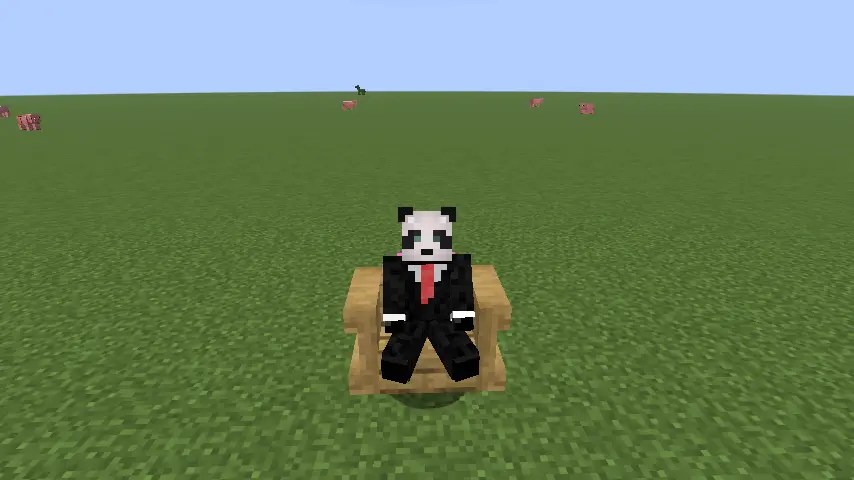
SIT IN A CHAIR
Right click to sit in a chair.
REMOVE A CHAIR
Sneak and left click to remove a chair.
SIT ANYWHERE (like a /sit command)
/trigger sc.sit
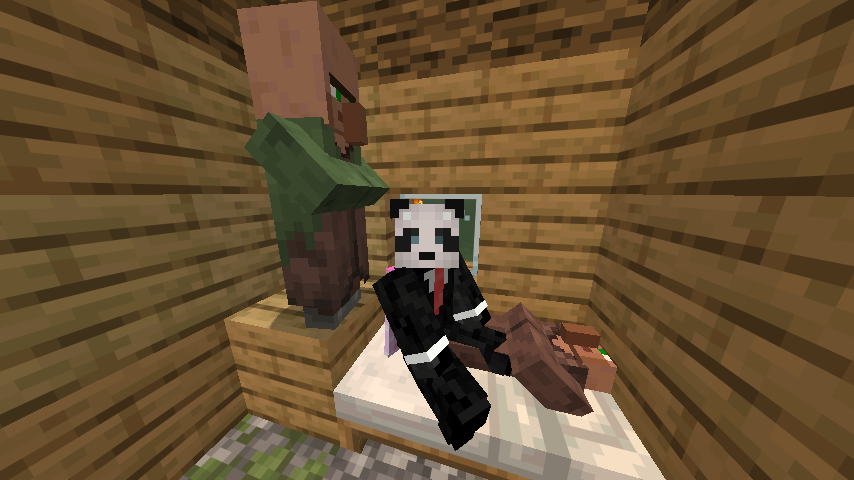
UPDATE DATAPACK FROM 1.0
Remove the previous datapack and paste this one. A database migration will start automatically next time you join or type /reload.
REPAIR UNRESPONSIVE CHAIRS
- ONCE. /function simplechairs:repair/repair_nearby_chairs. It will repair all chairs within a 128 radius.
- AUTOMATICALLY. /function simplechairs:repair/start_auto_repair. It will repair all chairs within a 128 radius every 3 seconds. Use /function simplechairs:repair/stop_auto_repair to stop it.
UNINSTALL DATAPACK
- /function simplechairs:uninstall/uninstall. It will erase all chairs and all data, it migth take seconds or minutes.
- /function simplechairs:uninstall/resume_uninstall. Use this if the uninstall somehow stopped without finishing.
常见问题
Simplest Chairs | Sit 支持哪些 Minecraft 版本?
Simplest Chairs | Sit 支持 Minecraft Java 版 1.21.11–26.2,共 5 个版本,可用的加载器:Fabric / Forge / NeoForge / Quilt。下载时注意选择和你游戏版本一致的文件。
Simplest Chairs | Sit 怎么安装?
先用 PCL2 或 HMCL 启动器安装对应版本的 Fabric / Forge / NeoForge / Quilt,再把下载的 .jar 文件放进游戏目录的 mods 文件夹,重新启动游戏即可。开启了版本隔离的,mods 文件夹在 versions/版本名 下面。


评论
登录后评论和评分