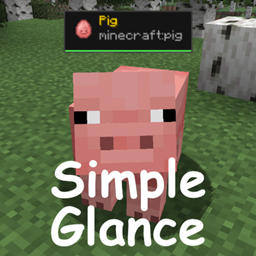
截图
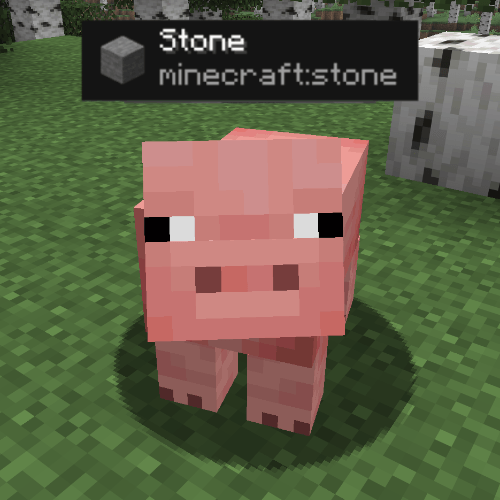
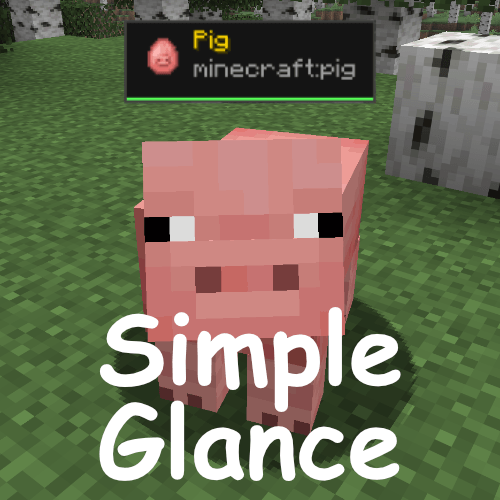
介绍
Simple Glance
Know what you’re looking at — instantly.
Simple Glance adds a clean, minimal HUD overlay to the top of your screen that tells you exactly what block or entity your crosshair is pointing at — no more guessing, no more opening wikis.
—
✨ Features
– Block & fluid identification — shows the name of any block you’re looking at
– Entity identification — shows the name and type of any mob or entity
– Item icons — displays the block or spawn egg icon right next to the name
– Mob health bar — a colour-coded health bar shows how much HP a mob has left, along with the exact -numbers
– Break progress bar — an orange bar fills the bottom of the panel as you mine a block, showing how close you are to breaking it
– Clean & minimal — a panel that stays out of your way, hides when menus are open or the HUD is toggled off
—
🎨 Colour coding
| Colour | Meaning |
|——–|———|
| ⬜ White | Blocks |
| 🟡 Gold | Entities |
| 🟢 Green | High health |
| 🟡 Yellow | Medium health |
| 🔴 Red | Low health |
| 🟠 Orange | Block break progress |
—
Notice:
This mod can and WILL NOT be shared without consent from me, credit would be nice.
常见问题
Simple Glance 支持哪些 Minecraft 版本?
Simple Glance 支持 Minecraft Java 版 1.21.11,可用的加载器:Fabric。下载时注意选择和你游戏版本一致的文件。
Simple Glance 怎么安装?
先用 PCL2 或 HMCL 启动器安装对应版本的 Fabric,再把下载的 .jar 文件放进游戏目录的 mods 文件夹,重新启动游戏即可。开启了版本隔离的,mods 文件夹在 versions/版本名 下面。



评论
登录后评论和评分