
截图
介绍
Languages
Server Manager
A server-side Fabric mod that provides a web-based Minecraft server management panel.
It allows you to monitor server status, manage online players, view logs, execute commands, edit game rules, and manage Carpet rules when Carpet is installed.
Features
- Web-based server management panel
- Login authentication
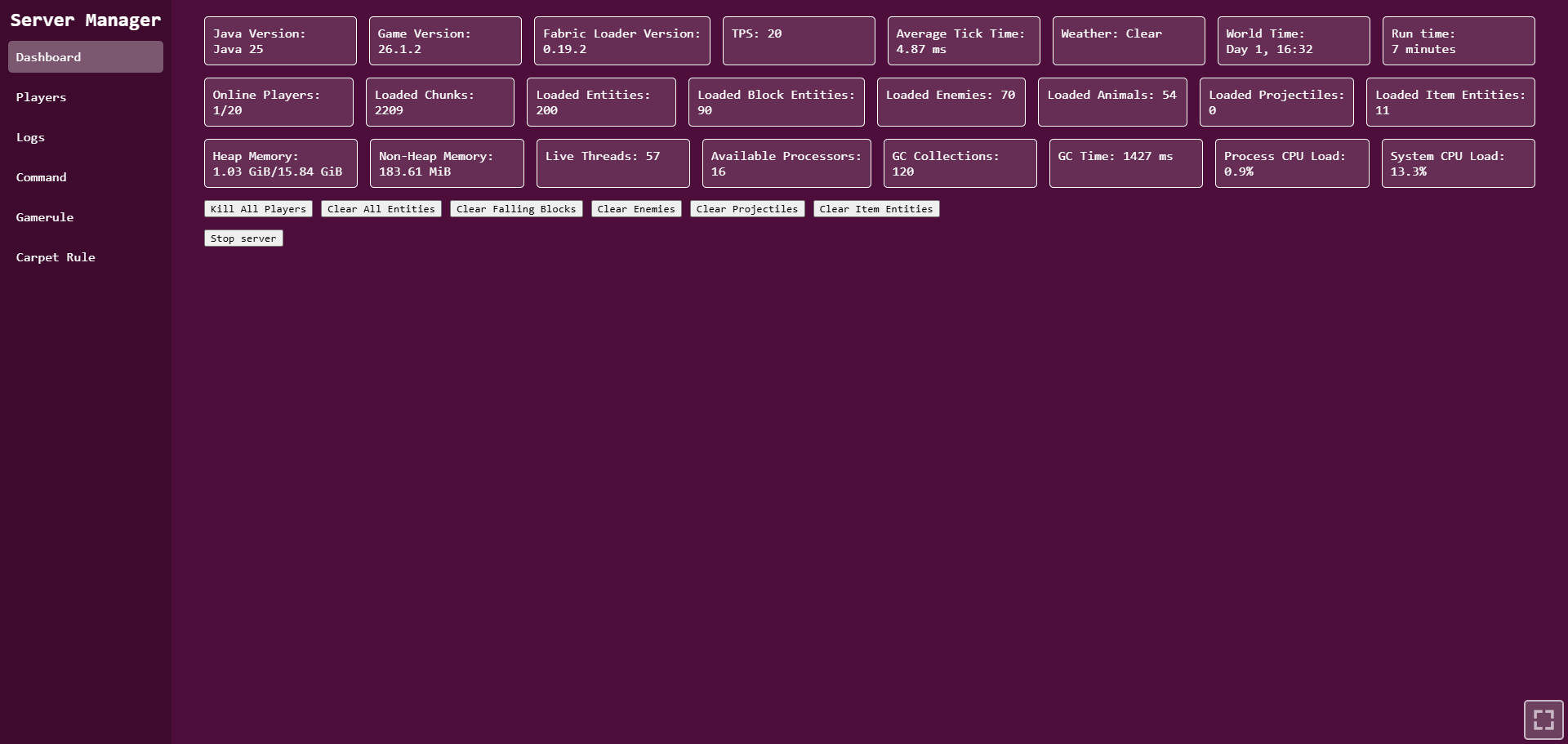
- Dashboard for server statistics
- Online player list
- Player operations
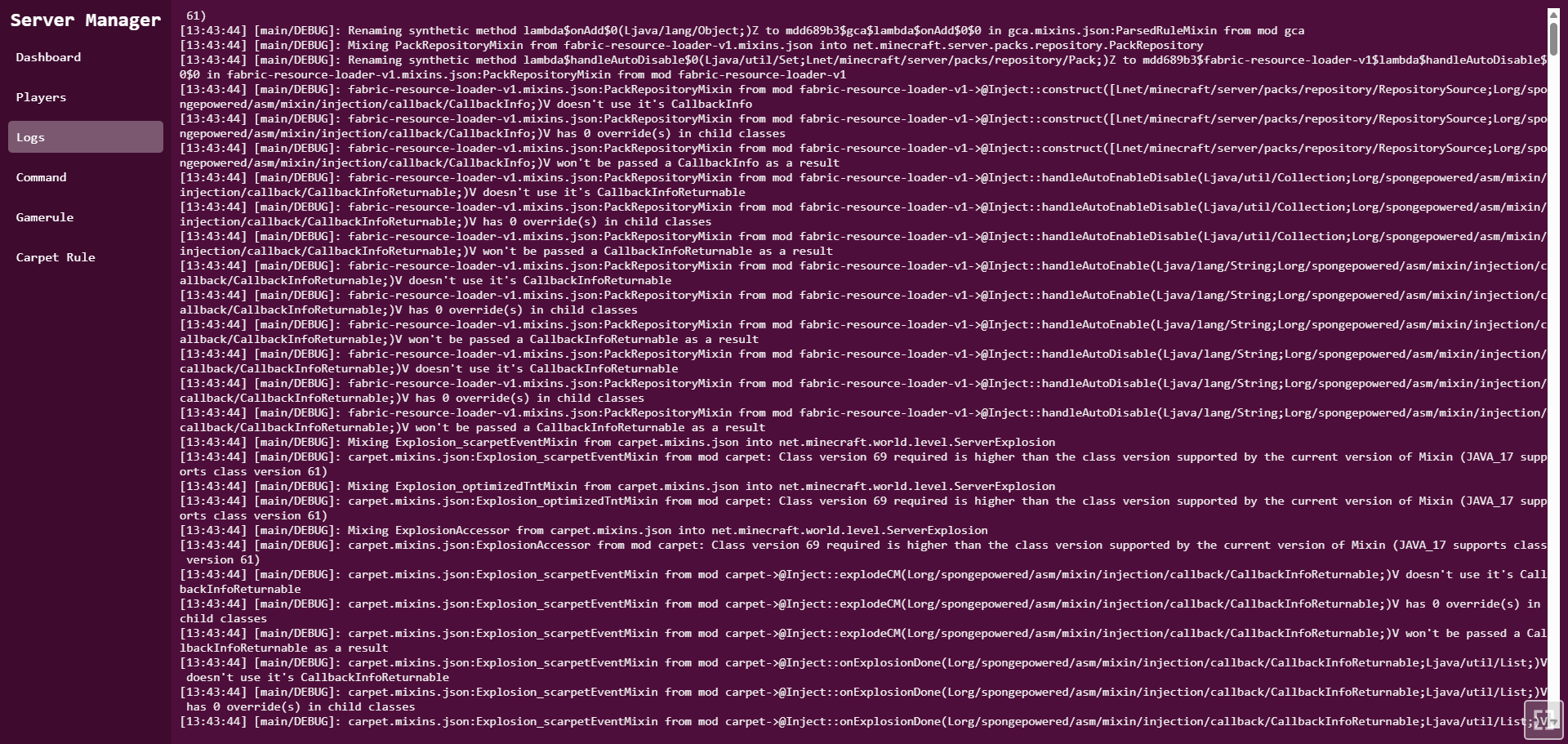
- Server log viewer
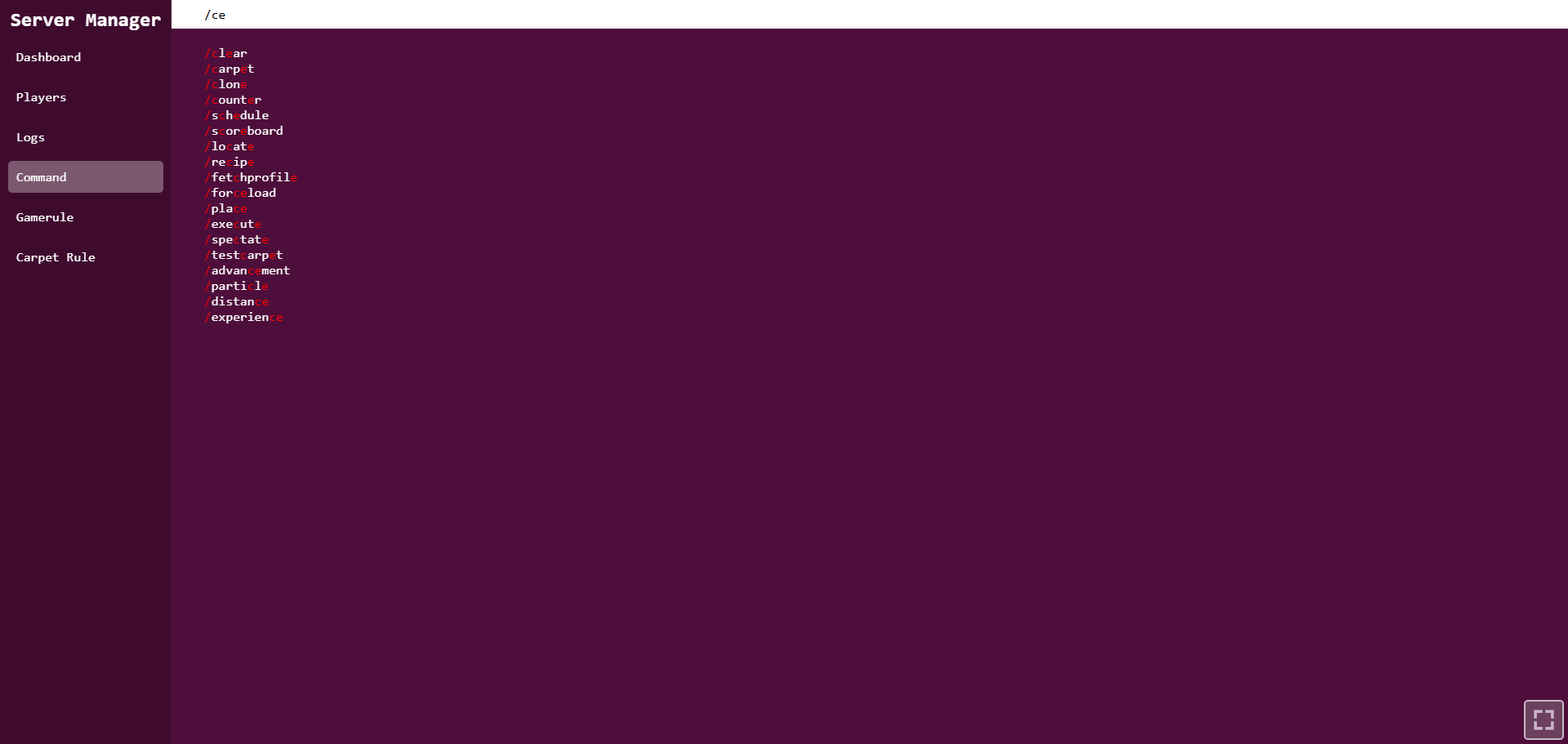
- Command execution panel
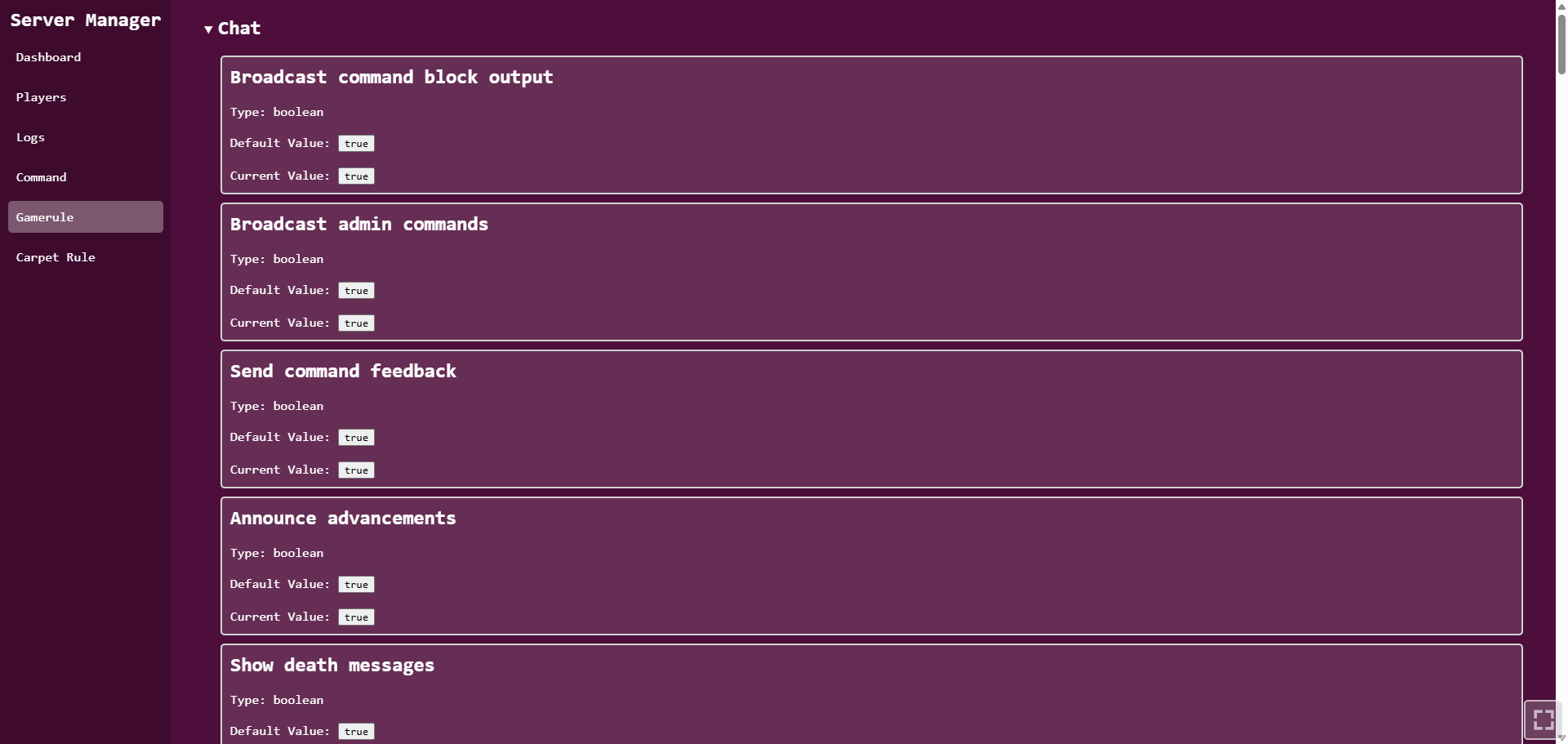
- Gamerule management
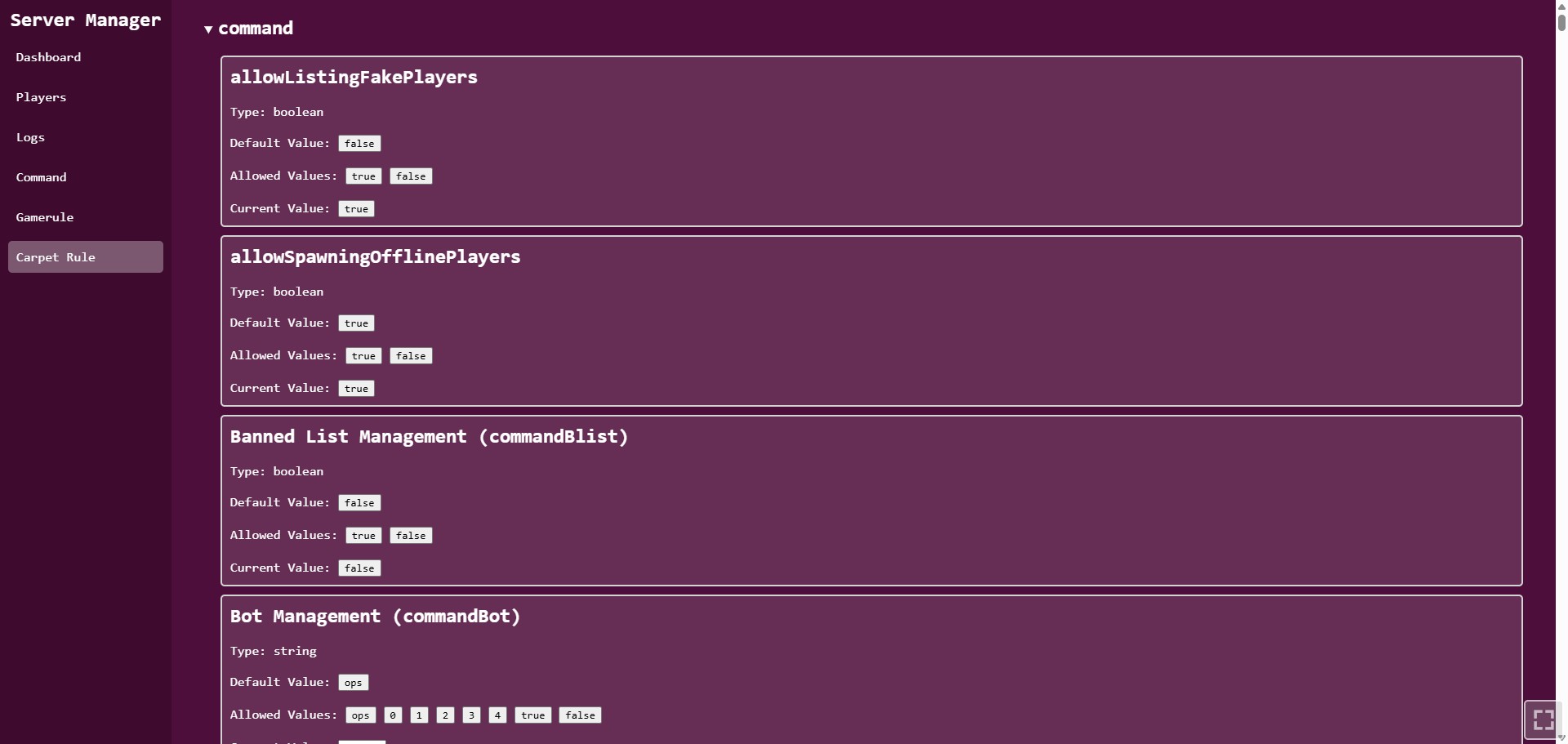
- Carpet rule management when installed
Page Overview
- Dashboard
- Players
- Logs
- Command
- Gamerule
- Carpet Rule
Command Page
The Command page allows server commands to be executed from the web panel.
If the input starts with /, it is sent as a command.
If the input does not start with /, it is sent as a say command.
Player Management
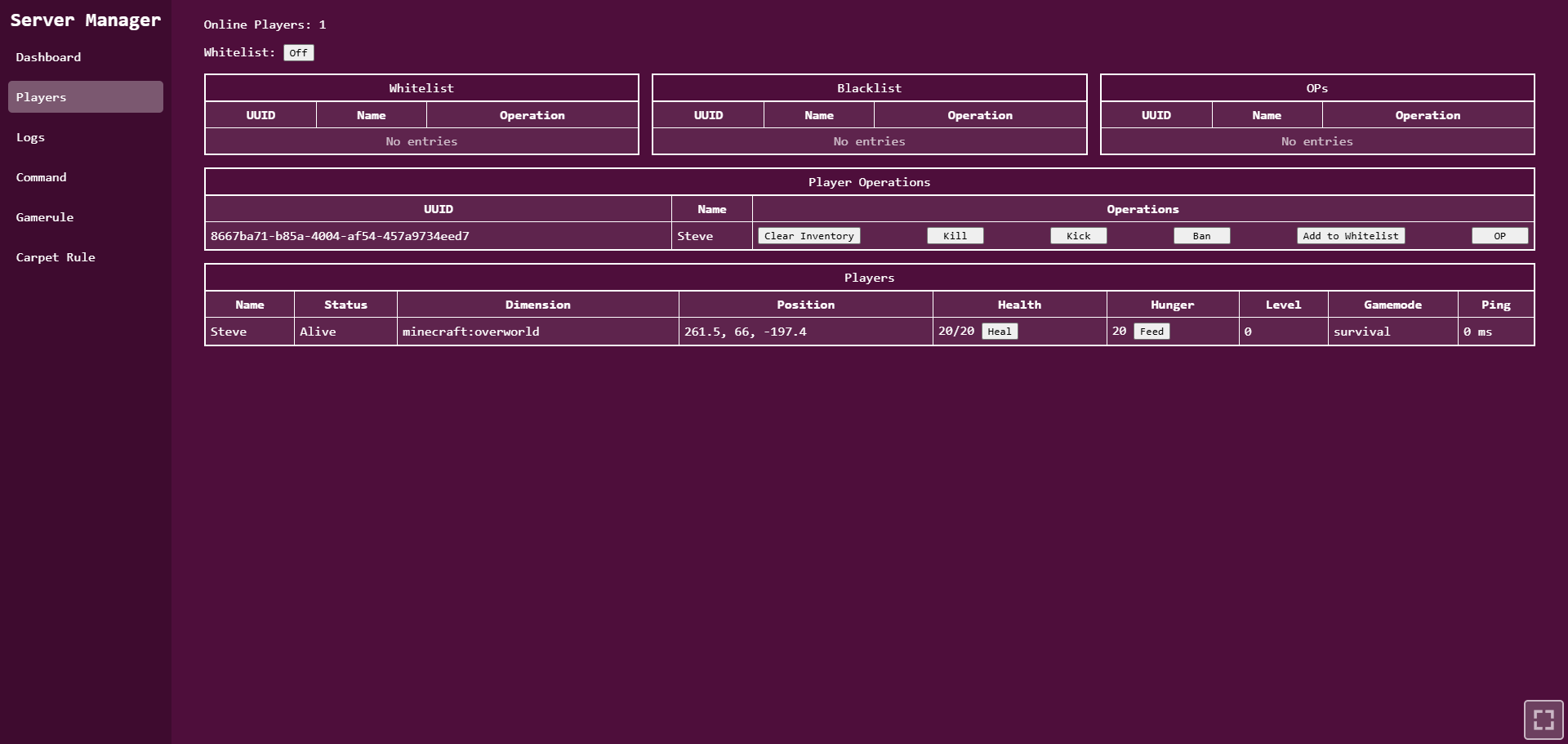
The Players page shows online players and provides common operations.
Displayed player information includes:
- Name
- Status
- Dimension
- Position
- Health
- Hunger
- Level
- Gamemode
- Ping
Supported player operations include:
- Heal
- Feed
- Clear inventory
- Kill
- Kick
- Ban
- Add to whitelist
- OP
Access Control
The Players page also includes access control tables.
Supported lists:
- Whitelist
- Blacklist
- Operators
Supported operations include:
- Enable or disable whitelist
- Remove whitelist entries
- Remove blacklist entries
- Remove operator permissions
Gamerule Management
The Gamerule page lists server gamerules by category.
For each gamerule, the page can show:
- Name
- Type
- Current value
- Default value
- Allowed values
- Recommended values
Carpet Rule Management
The Carpet Rule page follows the same rule UI format as the Gamerule page.
If Carpet is installed, rules can be viewed and changed from the web panel.
Supported Versions
- Minecraft 26.3
- Fabric Loader 0.19.5+
- Fabric API 0.160.5+
- Java 25
License
MIT
常见问题
Server Manager 支持哪些 Minecraft 版本?
Server Manager 支持 Minecraft Java 版 26.1.2–26.3,共 2 个版本,可用的加载器:Fabric。下载时注意选择和你游戏版本一致的文件。
Server Manager 怎么安装?
先用 PCL2 或 HMCL 启动器安装对应版本的 Fabric,再把下载的 .jar 文件放进游戏目录的 mods 文件夹,重新启动游戏即可。开启了版本隔离的,mods 文件夹在 versions/版本名 下面。运行环境:仅服务端。
lyuwenhan 的其他作品
查看全部 →
Player Highlighter
Highlights players with a glowing outline and a HUD target icon.
PlayerHighlighter
Highlights players with a glowing outline and a HUD target icon.

Infinity Fireworks
Prevents firework rockets from being consumed when used.

Fly Speed Modifier
Temporarily adjusts Freecam or player flight speed using a key and the mouse wheel.
评论
登录后评论和评分