截图
介绍
Spending countless hours crafting? me too, so I made this mod.
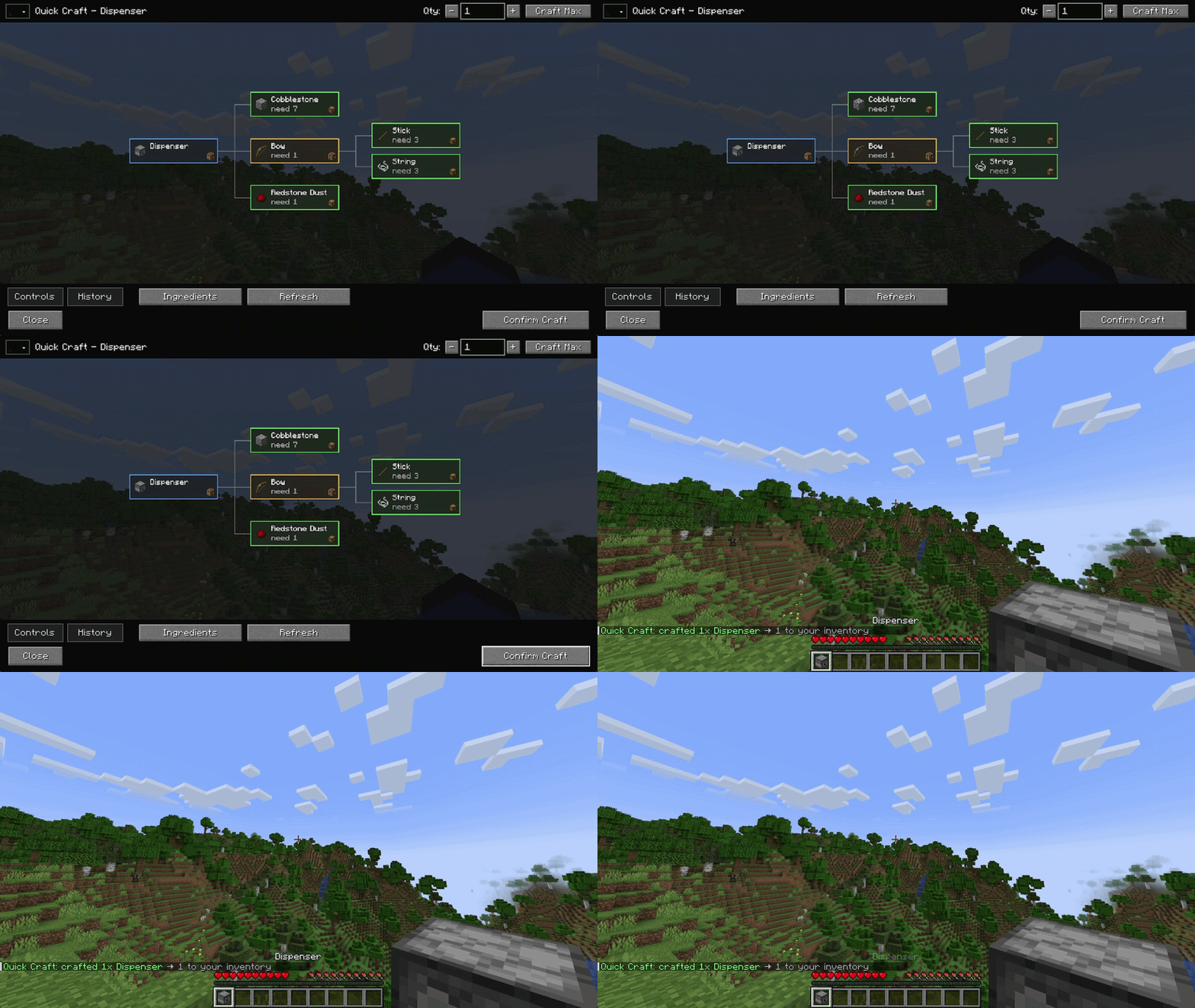
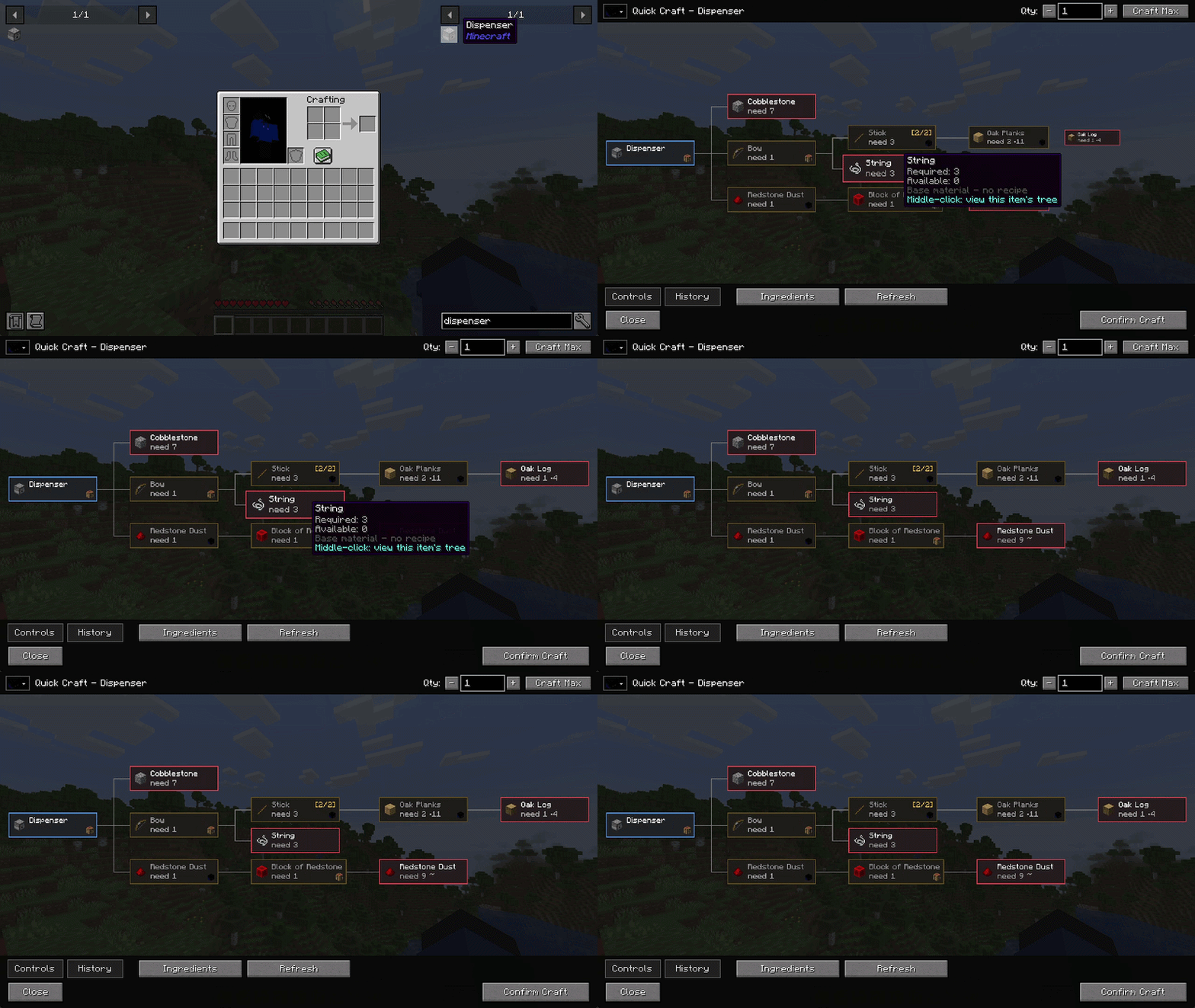
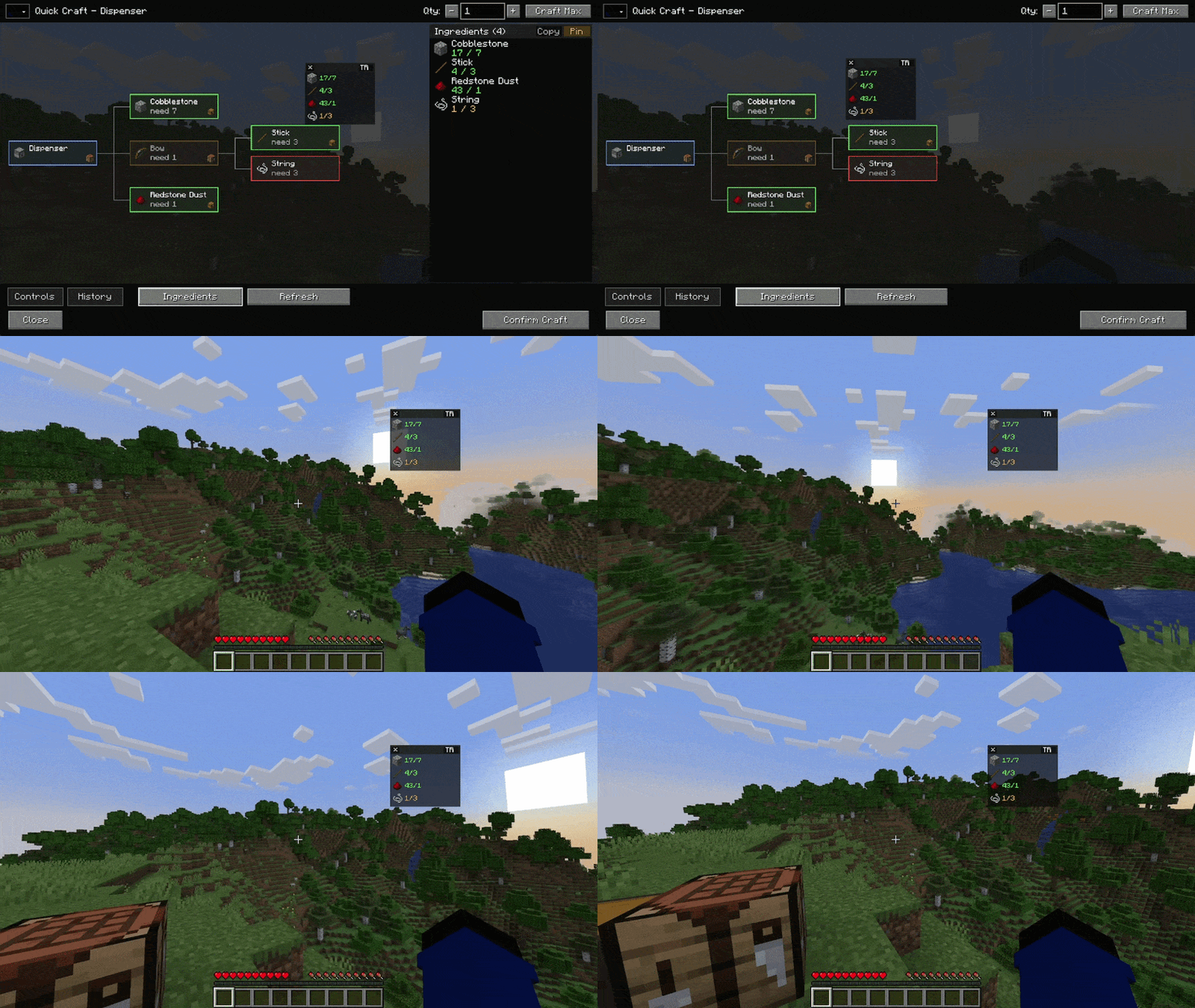
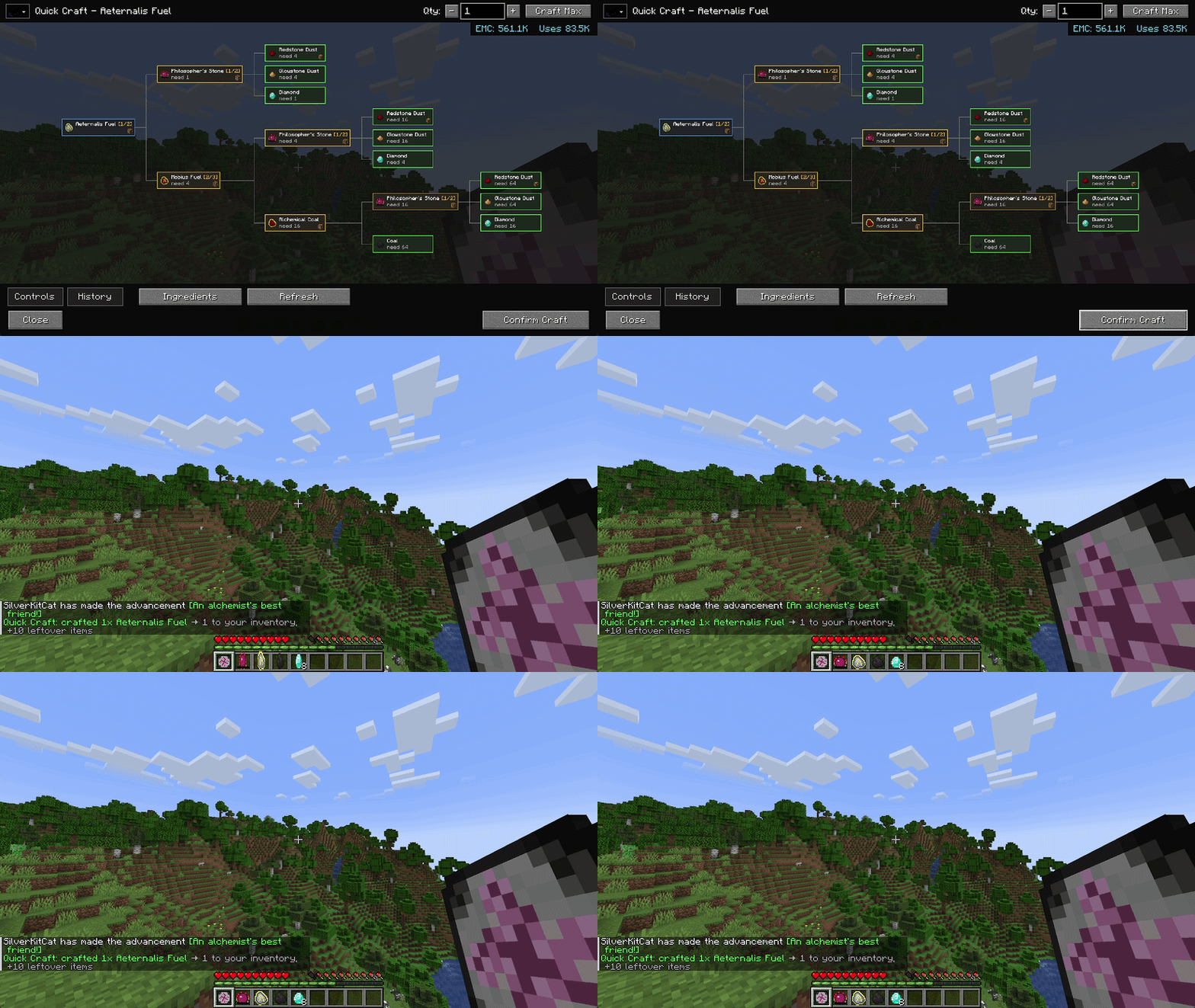
With JEI/EMI/HEI you can point at any item and press the Quick Craft key which will showcase the entire recipe tree for that item. When you Quick Craft, the recipe will use your inventory and nearby storage to complete the entire crafting chain.

– Hover over an item in your inventory or JEI mod, and press Quick Craft key (Default G)
– Your inventory plus any container within a configurable radius will be pulled for the crafting recipe, default is 8 block radius.
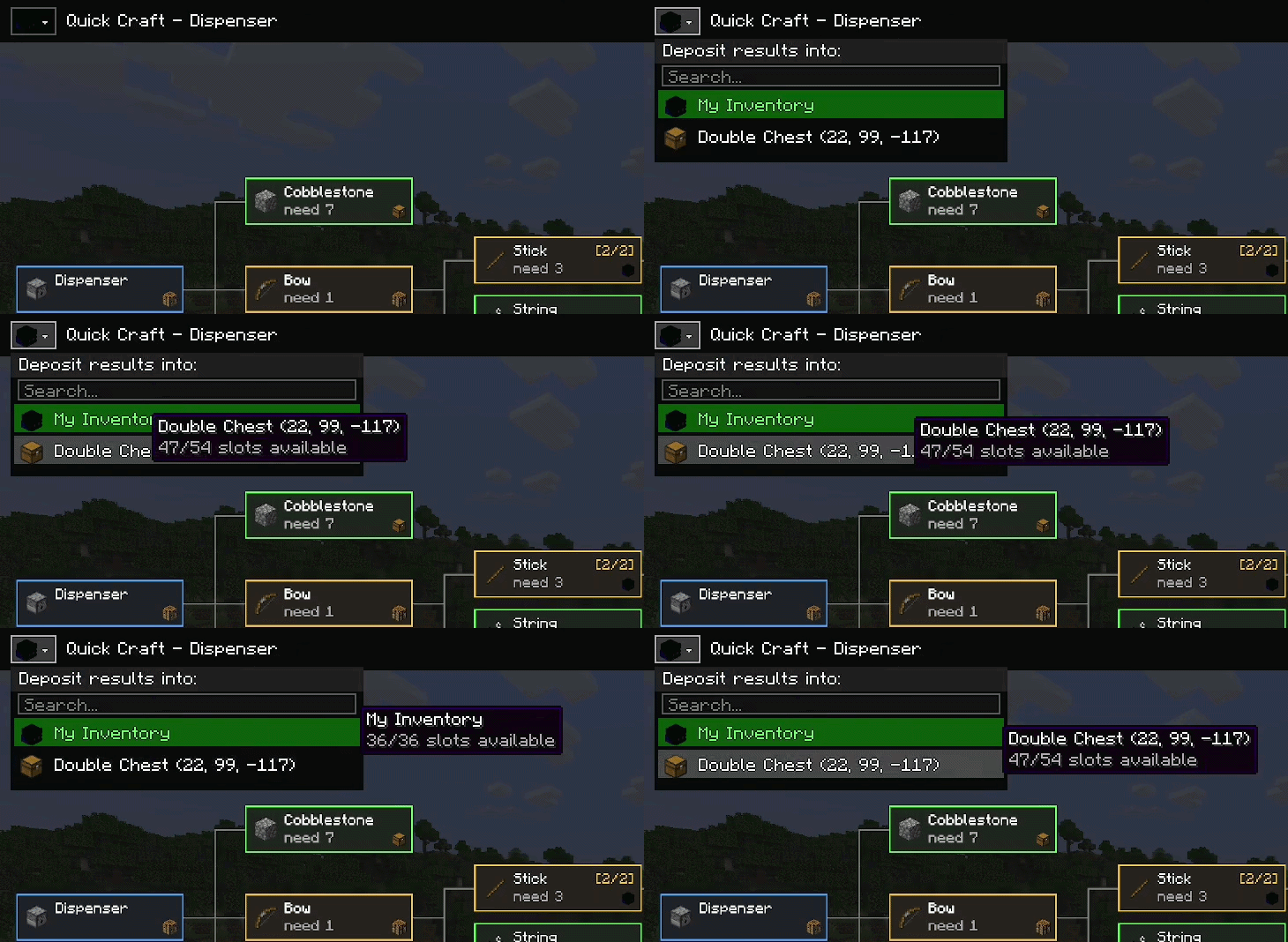
– You can deposit results back into nearby storage.
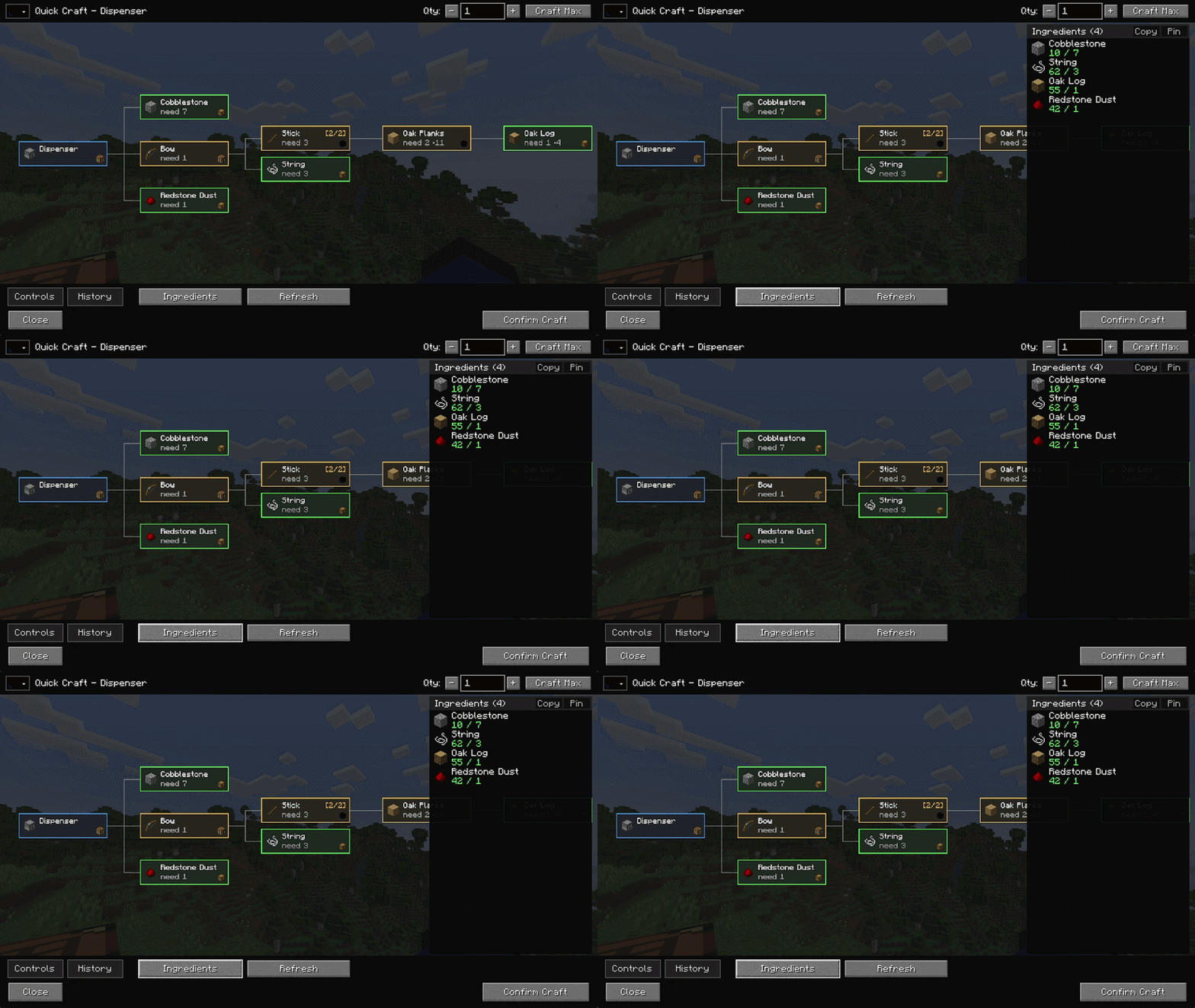
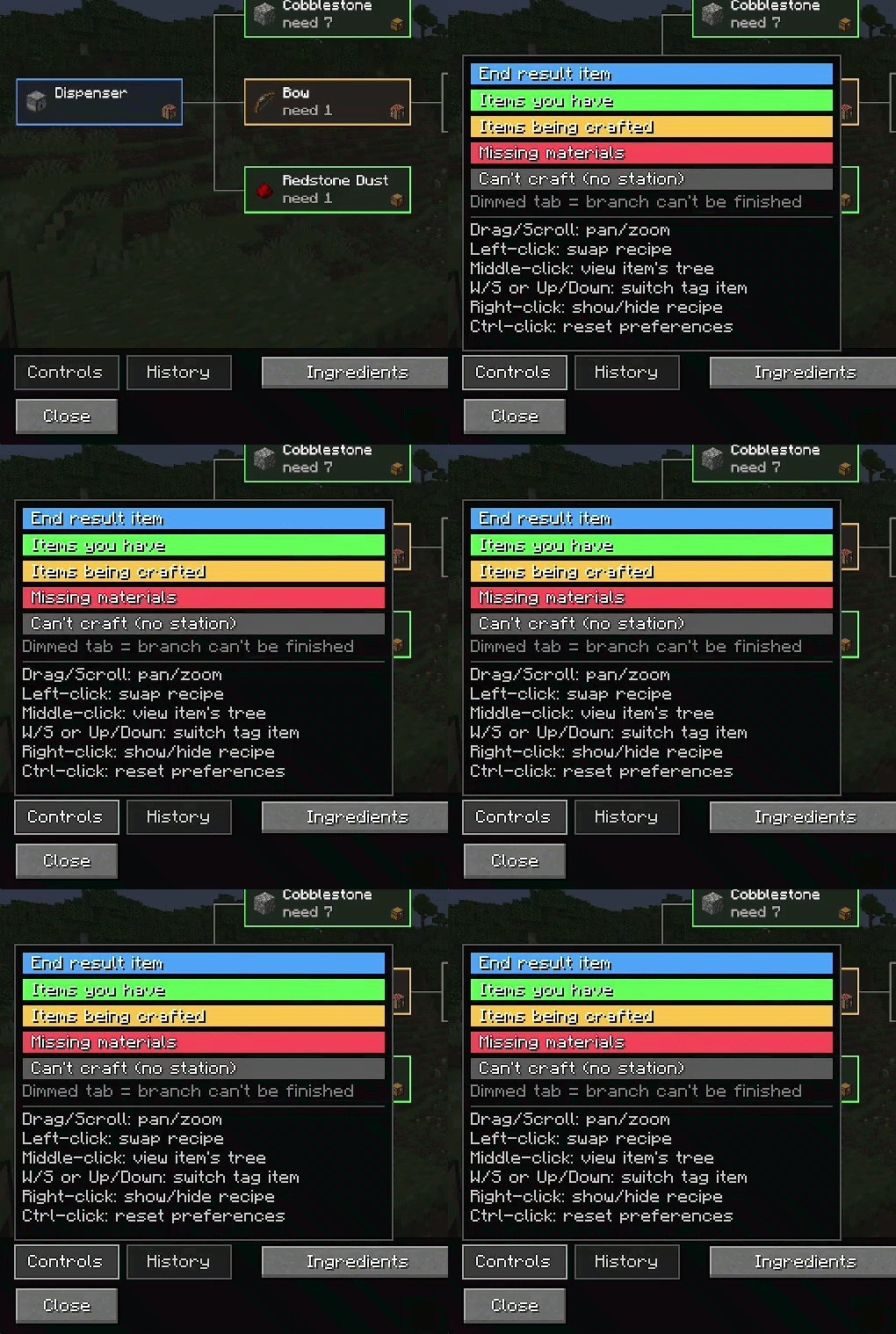
– The recipe tress are color coded. They will show what is available, what will be crafted, what is missing, if you have no station, and what you are crafting.
– The recipe system is highly configurable in which you can control a recipe priority list and more.
– Items that have durability will still count as ingredients.
– You can pin ingredients list to your screen anywhere and move through the list with arrow keys.
– Your craft history and recipe preferences are saved.

Any JEI related mod. JEI/EMI/HEI.
Supports Just Enough Resources (JER) which shows mobs in the crafting tree with all their info.
Has ProjectE support which will use your EMC as a source for the crafting tree.

This mod is highly customizable in basically every aspect.
You can adjust scan radius, tree depth and node caps, every color, craft sounds, animations, shift craft amount, extra item sources, the deposit blacklist, etc.

Keys
G Open Quick Craft menu
R Show Recipe (JEI)
U Show Uses (JEI)
Up Arrow Scroll up pinned list
Down Arrow Scroll down pinned list
Mouse Input
Drag/Scroll Pan and zoom in the crafting tree
Left Click Swap to a different recipe for that step
Right Click Show or hide that step’s recipe
Middle Click View the crafting tree for that item
Ctrl + Click Reset your saved preference for that step
W/S or Up/Down Switch which item a tag ingredient uses
Hold Shift Batch Craft
Colors
Blue The end result item
Green Items you already have
Yellow Items being crafted
Red Missing materials
Gray Cannot craft, no station
A dimmed tab means that branch cannot be finished.

Is this mod client side only?
NO. This mod is NOT CLIENT SIDED.
why?
1. The client can’t see inside nearby containers. This is one thing that makes client-only impossible. Minecraft never syncs block-entity inventory contents to the client.
2. Crafting is an authoritative inventory mutation. Every CraftService entry point is typed on ServerPlayer. Using ingredients and giving results would become desynced from the server the next tick.
3. The whole data flow is a request & response system. The packet set sends requests to the server and the server gives the results back.
4. The network channel enforces it. QuickCraftNetwork:22 registers the channel with PROTOCOL = “1” and PROTOCOL::equals as both the client-accepted and server-accepted predicate. If a Quick Craft client connects to a server without this, it fails the channel handshake.
The idea of this was to help reduce microcrafting, especially in tech-heavy modpacks. You can use this in singleplayer or with friends, but the mod must be installed on the server.
Found a bug or mod incompatibility?
Submit a issue request on the Github issues page with:
– A description of the problem.
– Steps to reproduce.
– Any relevant screenshots or logs.
– The version of Quick Craft.
– What loader you are using (ex: Forge 1.20.1, NeoForge 1.21.1)
Want to suggest a feature?
You can submit a feature request in the Github issues page or in the comments.
常见问题
Quick Craft 支持哪些 Minecraft 版本?
Quick Craft 支持 Minecraft Java 版 1.12.2–1.21.1,共 3 个版本,可用的加载器:Forge / NeoForge。下载时注意选择和你游戏版本一致的文件。
Quick Craft 怎么安装?
先用 PCL2 或 HMCL 启动器安装对应版本的 Forge / NeoForge,再把下载的 .jar 文件放进游戏目录的 mods 文件夹,重新启动游戏即可。开启了版本隔离的,mods 文件夹在 versions/版本名 下面。
Sxilverr 的其他作品
查看全部 →
Mutationcraft
为游戏加入了恐怖的新型寄生变异生物!

TACZ Turrets
为TACZ枪械添加简单的自动炮塔!

FTB Quests Entity Visualization
为FTB任务添加实体可视化功能!

Chunk Animator Embeddium Compat
为 Chunk Animator 模组与 Embeddium、Xenon、Rubidium、Magnesium 添加兼容性。
评论
登录后评论和评分