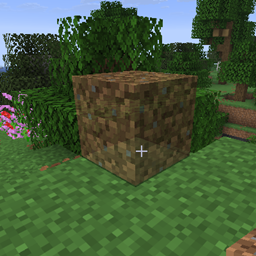
Preview Placement
Renders placement previews for block items specified in resource pack files
介绍
Preview Placement is a minecraft/neoforge mod which renders previews of blocks about to be placed for specific items specified in resource packs.
This mod is entirely client side, installing it on a server will do nothing (but it won’t crash the server either, so it’s safe to embed this mod in content mods that exist on both sides).
The purpose of this is so blocks with complicated orientation-placement behavior
(like More Red’s logic gates or Hyperbox’s hyperboxes, which can be oriented 24 different ways depending on where the player clicks)
can show the player how the block will be placed.
Placement Preview Files
Placement Preview files specify which items should render placement previews and what model should be rendered for each blockstate which can be placed.
Placement Preview files must have file paths of the form assets/<modid>/preview_placement/placement_preview/<item>.json, where modid:item is the id of a BlockItem item.
They have a json format similar to variant blockstate files, mapping blocks to blockstate selectors to rotated item models. For example:
// assets/minecraft/preview_placement/placement_preview/dirt.json
{
    "minecraft:dirt": { // block id
        "": {"model": "preview_placement:dirt_preview"} // model field refers to an *item json*, not a model json
    }
}
Multiple block ids can be specified, for items such as torches that can place different kinds of blocks.
Another example:
// assets/morered/preview_placement/placement_preview/and_gate.json
{
    "morered:and_gate": {
        "facing=down,rotation=0": {
            "model": "morered:and_gate_preview"
        },
        "facing=down,rotation=1": {
            "model": "morered:and_gate_preview",
            "y": 90
        },
        "facing=down,rotation=2": {
            "model": "morered:and_gate_preview",
            "y": 180
        },
        "facing=down,rotation=3": {
            "model": "morered:and_gate_preview",
            "y": 270
        },
        "facing=east,rotation=0": {
            "model": "morered:and_gate_preview",
            "x": 270,
            "y": 90
        },
        "facing=east,rotation=1": {
            "model": "morered:and_gate_preview",
            "y": 180,
            "z": 270
        },
        "facing=east,rotation=2": {
            "model": "morered:and_gate_preview",
            "x": 90,
            "y": 270
        },
        "facing=east,rotation=3": {
            "model": "morered:and_gate_preview",
            "z": 270
        }
    }
}
Model fields refer to item jsons, not model jsons.
Blockstate selectors do not need to be exhaustive, states not covered by any selector will have no previews rendered.
Placement Preview jsons can only be created for items which extend BlockItem.
Only variants format is supported, not multipart, and random models are not currently supported.
Referenced item jsons do not have to refer to any registered item:
// assets/preview_placement/item/dirt_preview.json
{
  "model": {
    "type": "model",
    "model": "preview_placement:block/dirt_preview"
  }
}
Placement Preview Models
Preview Placement provides a preview_placement:placement_preview model loader which can take an existing model and render it translucently:
// assets/preview_placement/models/item/dirt_preview.json
{
    "loader": "preview_placement:placement_preview",
    "model": {
        "parent": "block/dirt"
    }
}
Config
A config file is created in the (minecraft instance)/config/preview-placement-client.toml which has the following values by default:
#Render preview of items specified in preview_placement/placement_preview asset folder before placing them
showPlacementPreview = true
#Opacity of the render preview for models using the preview_placement:placement_preview model loader. Higher value = less transparent, lower = more transparent
# Default: 0.5
# Range: 0.0 ~ 1.0
previewPlacementOpacity = 0.5
Depending on the Mod
Mods that wish to depend on Preview Placement can view the dependency setup on github: https://github.com/Commoble/preview_placement
常见问题
Preview Placement 支持哪些 Minecraft 版本?
Preview Placement 支持 Minecraft Java 版 1.21.11–26.1.2,共 4 个版本,可用的加载器:NeoForge。下载时注意选择和你游戏版本一致的文件。
Preview Placement 怎么安装?
先用 PCL2 或 HMCL 启动器安装对应版本的 NeoForge,再把下载的 .jar 文件放进游戏目录的 mods 文件夹,重新启动游戏即可。开启了版本隔离的,mods 文件夹在 versions/版本名 下面。
Commoble 的其他作品
查看全部 →
More Red
红石线、逻辑门和物品管道!
Hyperbox
一个 Forge 模组,添加了一个内部空间比外部更大的箱子。
Jumbo Furnace
一个 Forge 模组,添加了可以同时冶炼多个物品的多方块熔炉。

Bag of Yurting
添加一个可升级的背包,能存放并卸载你最喜欢的蒙古包
评论
登录后评论和评分