
介绍
Polymer PackSquash Integration
This mod integrates PackSquash with Polymer’s resource pack generation to automatically optimize generated resource packs so you don’t have to manually compress after changes.
Setup
- Get the latest PackSquash release.
- Place the binary here:
polymer/packsquash- The mod will automatically create a
packsquash.tomlin thepolymerfolder.
These are the default paths the mod will use. You can adjust them in the configuration file config/polymer-squasher.json
Default config
{
  "enabled": true,
  "log-packsquash": false,
  "log-hash-mismatch": false,
  "force-size-based-hash": false,
  "cleanup": false,
  "ignore-hash-paths": [
    "polymer-credits.txt"
  ],
  "packsquash-path": "polymer/packsquash",
  "packsquash-toml-path": "polymer/packsquash.toml",
  "hash-file-path": "polymer/hashes.json",
  "resource-pack-directory": "polymer/pack",
  "minified-zip-path": "polymer/resource_pack.min.zip"
}
Config options
- enabled — turn the integration on/off.
- log-packsquash — print PackSquash output to the log.
- log-hash-mismatch — log when a file’s hash changes (useful for debugging).
- packsquash-path — path to the PackSquash binary.
- packsquash-toml-path — path to the PackSquash TOML config file.
- ignore-hash-paths — list of path prefixes to ignore hash mismatches when hashing.
- force-size-based-hash — if
true, the mod will use file size instead of a full hash (faster, less precise) - cleanup – cleans up old files in the cached pack folder
How it works
When enabled, the mod will hash the generated resource pack files. The hashes are written to polymer/hashes.json.
If nothing has changed since the last run, PackSquash is skipped.
If changes are detected, the mod will run PackSquash after Polymer finishes generating the resource pack.
If the process completes successfully, the optimized version is used instead.

常见问题
Polymer PackSquash 支持哪些 Minecraft 版本?
Polymer PackSquash 支持 Minecraft Java 版 1.21.6–26.1.2,共 9 个版本,可用的加载器:Fabric。下载时注意选择和你游戏版本一致的文件。
Polymer PackSquash 怎么安装?
先用 PCL2 或 HMCL 启动器安装对应版本的 Fabric,再把下载的 .jar 文件放进游戏目录的 mods 文件夹,重新启动游戏即可。开启了版本隔离的,mods 文件夹在 versions/版本名 下面。运行环境:仅服务端。
tomalbrc 的其他作品
查看全部 →
filament
Data driven Items, Blocks, Decorations and Mobs for Fabric based servers. No client mods required!
filament
Data driven Blocks, Items and Decorations for Fabric based servers. No client mods required!

Visual Jukebox
Shows the disc of jukeboxes, with a rotation animation and static option with insert/eject animation. Server-side for fabric
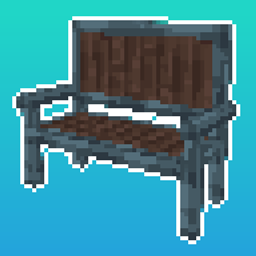
Toms Server Additions: Decorations & Furniture
Server-side decorations and furniture, comes with its own workbench block! No client side mods required!
评论
登录后评论和评分