filament
Data driven Blocks, Items and Decorations for Fabric based servers. No client mods required!
介绍
Filament: Custom Content Adder for Fabric Servers



filament simplifies adding custom content to Fabric-based Minecraft servers. It allows server owners to add new items, blocks, decorations and even mobs using JSON files—no coding required. Configure a block, item, decoration, or armor, and you’re ready to go!
Clients can connect to servers using filament without installing any mods, as it relies on a resource pack, item display entities, and packet-based methods.
Decorations and other features have minimal server performance impact due to their packet-based nature.
Use Polymer’s auto-hosting capability to host the resource pack—no third-party server required.
TLDR: ItemsAdder/Oraxen alternative for Fabric.
Features
-
Custom Items: Add items with unique behaviors, including:
- Armor
- Cosmetics
- Items running commands
- Bows/Crossbows
-
Custom Blocks: Add your own custom blocks like:
- Trapdoors
- Doors
- Crops
- Budding blocks
-
Custom Decorations: Add furniture and decorations with configurable placement and interactions:
- Benches
- Showcases/Item-Displays
- Container
- Wearable & placeable backpacks
-
Custom Mobs: Add your own mobs with simple goal-based AI – supports custom models too! Create:
- Animals
- Hostile mobs
- Supports custom attributes
- Control spawn chances and biomes to spawn in
Installation
Requires Fabric API and Polymer.
Download filament and drop the example_datapack into the datapacks folder of your server world. filament uses Polymer’s resource pack generation and hosting features.
Usage
An example datapack is available in the GitHub repo. Just drop it into your world’s datapacks folder.
Check out the documentation!
Mods using filament
These mods demonstrate filament’s capabilities:
- Decorative Boxes by swzo
- Better Amethyst Polymerized by swzo
- Toms Server Additions: Decorations & Furniture
- Toms Server Additions: Stone!
- Toms Server Additions: Planks!
- Toms Server Additions: Concrete!
Credits
This project includes code from FactoryTools by Patbox, specifically the Virtual Destroy stages for decorations.
A copy of the FactoryTools LGPL3 license is included in factorytools-license.txt.

常见问题
filament 支持哪些 Minecraft 版本?
filament 支持 Minecraft Java 版 1.21–26.3,共 17 个版本,可用的加载器:Fabric / Forge / Quilt。下载时注意选择和你游戏版本一致的文件。
filament 怎么安装?
先用 PCL2 或 HMCL 启动器安装对应版本的 Fabric / Forge / Quilt,再把下载的 .jar 文件放进游戏目录的 mods 文件夹,重新启动游戏即可。开启了版本隔离的,mods 文件夹在 versions/版本名 下面。
tomalbrc 的其他作品
查看全部 →
filament
Data driven Items, Blocks, Decorations and Mobs for Fabric based servers. No client mods required!

Visual Jukebox
Shows the disc of jukeboxes, with a rotation animation and static option with insert/eject animation. Server-side for fabric
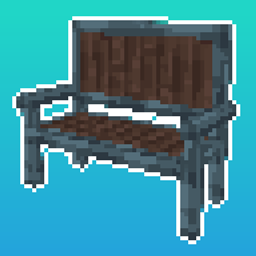
Toms Server Additions: Decorations & Furniture
Server-side decorations and furniture, comes with its own workbench block! No client side mods required!

Toms Server Additions: Decorations & Furniture
Server-side decorations and furniture, comes with its own workbench block! No client side mods required!
评论
登录后评论和评分