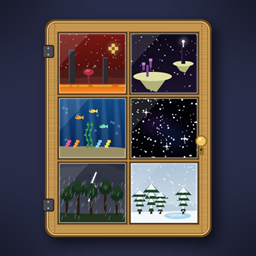
Pocket Themes!
Give your Pocket Door pocket the sky, weather and landscape of the Nether, the End, the deep sea, a storm or a snowfall. Add-on for Pocket Door.
截图
介绍
**An add-on for Pocket Door. Theme kits give your pocket the sky, sounds, weather and a whole landscape of the Nether, the End, the deep sea, a starry void, a rainy day, a thunderstorm or a snowfall.**
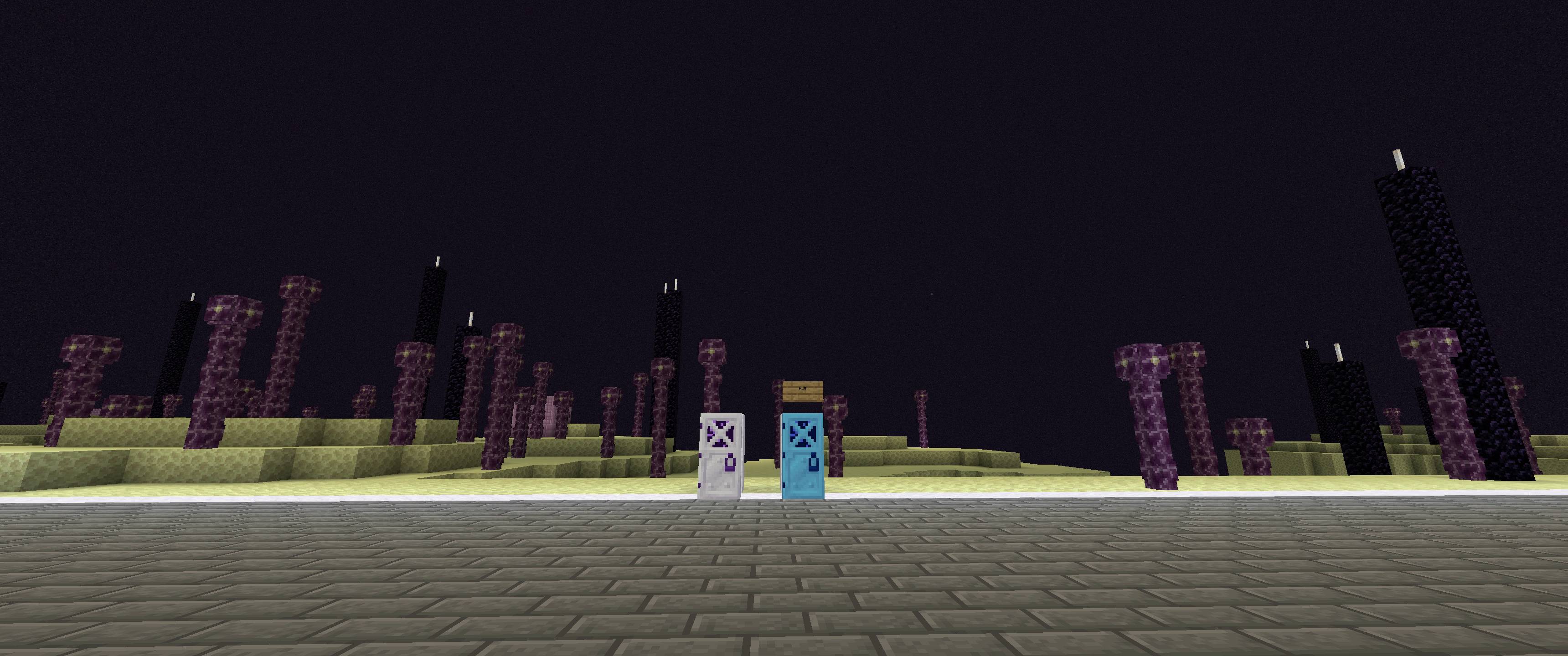
Craft a theme kit, right-click it inside your pocket, and the pocket wears that theme: the white walls and ceiling turn invisible and a landscape rises out of the void around your room, under that theme’s sky, with its fog, ambient sounds and music, particles, weather and time of day. Everything you built stays exactly as it is. `/pocket theme plain` brings the walls back and takes the landscape away.
**Requires Pocket Door** (1.11.0 or newer on 1.21.1 and 26.2, 1.10.0 or newer on 1.20.1 and 1.12.2).
The themes
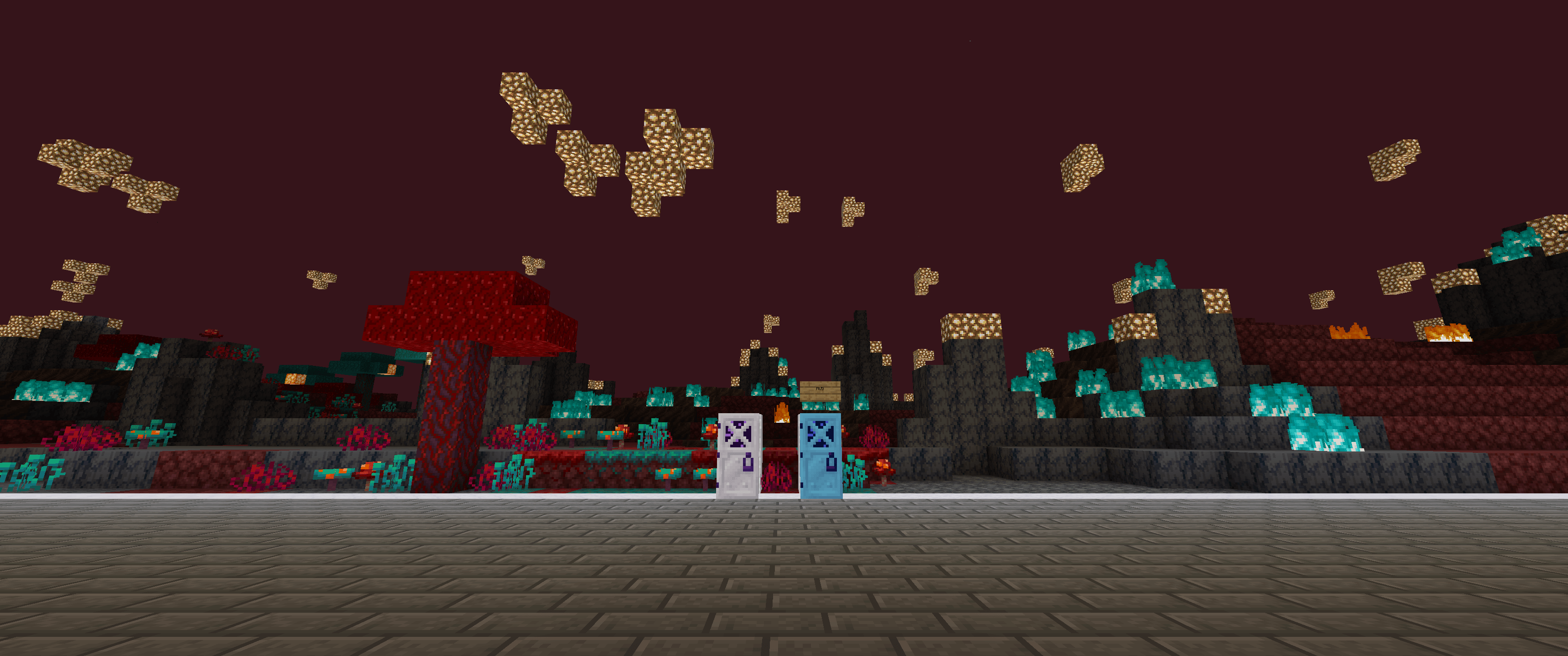
– **Nether** – netherrack hills and basalt pillars over a lava sea, fungus groves, glowstone, red haze and Nether music, held at dusk
– **End** – end-stone islands floating in the dark with chorus plants, obsidian pillars and purpur ruins, under the End’s sky at night
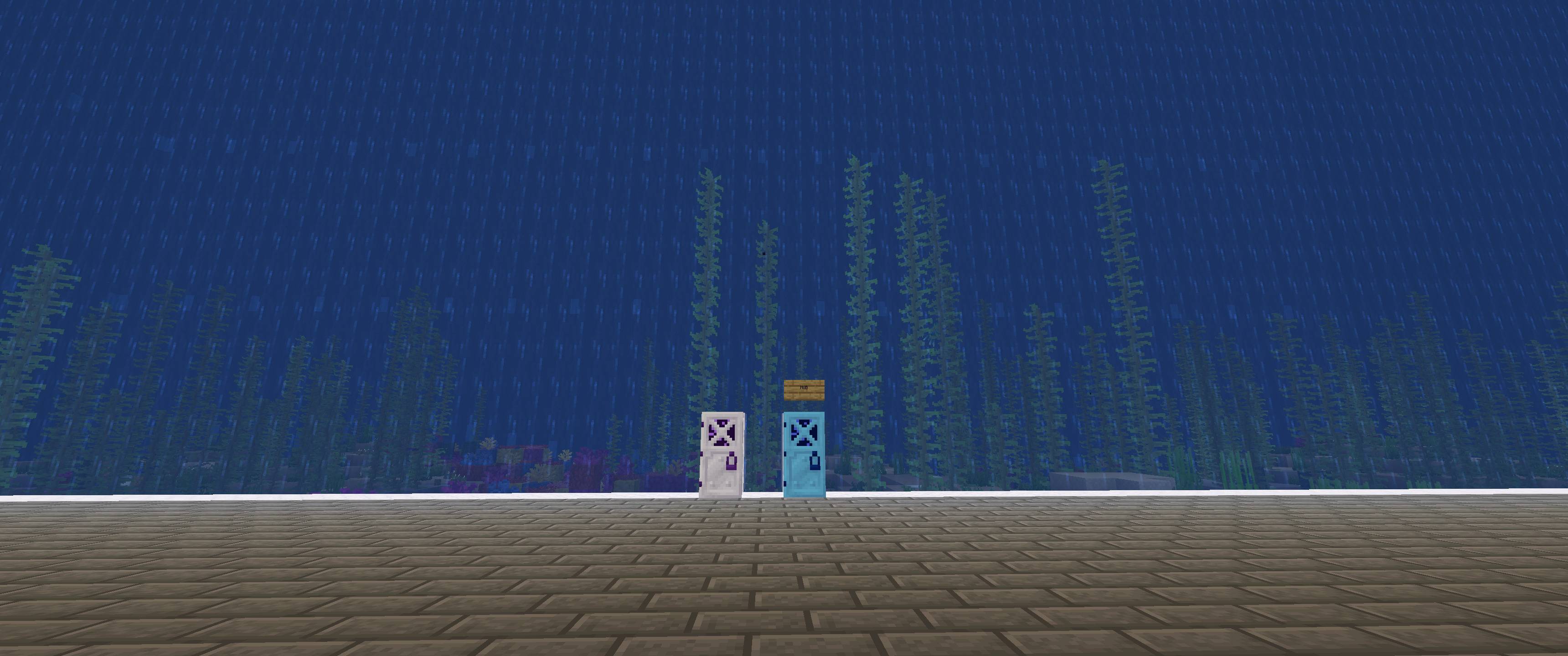
– **Deep Sea** – your room sunk in the sea: a reef of coral and kelp, a prismarine ruin, fish and glow squid swimming past the walls
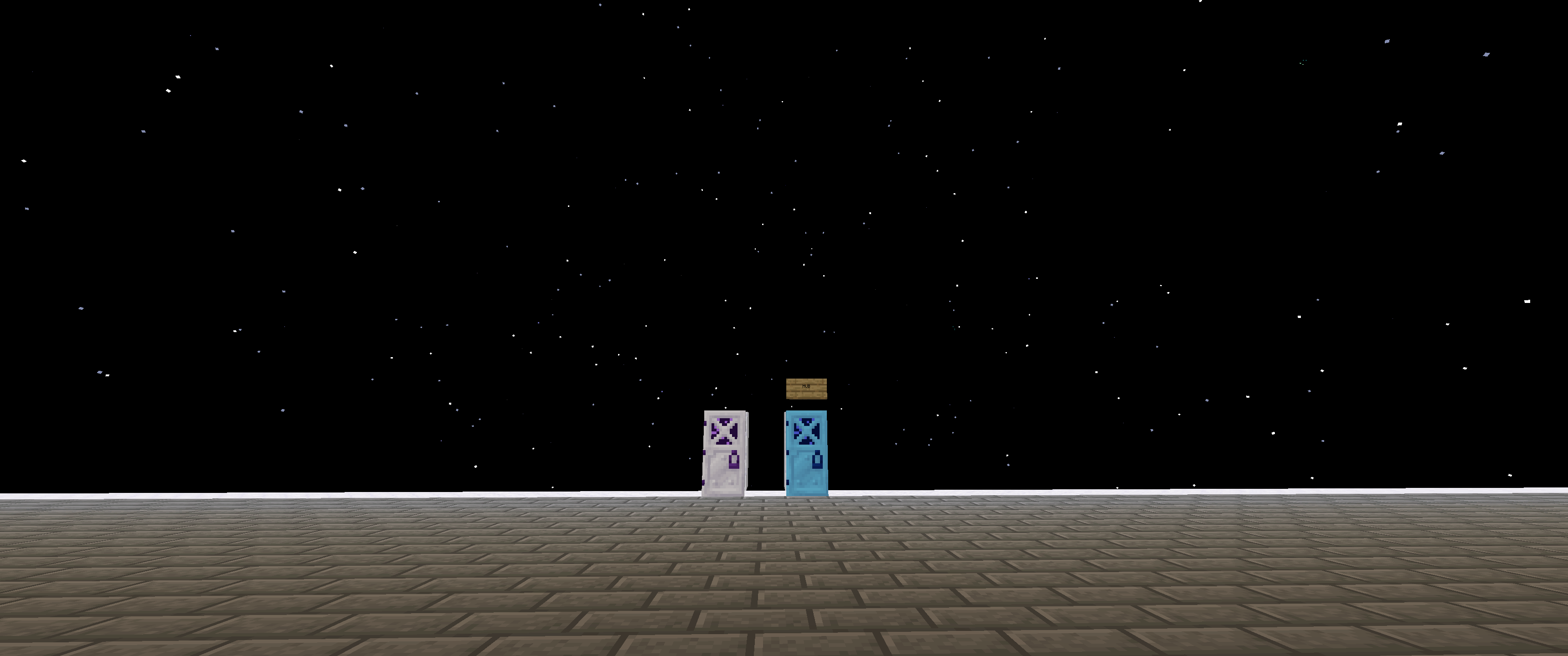
– **Starry Void** – a black sky full of slowly turning stars, and nothing else
– **Rainy** – a green meadow with ponds and oaks round the room, rain falling right through it, whatever the weather outside
– **Thunderstorm** – a dark oak forest in a storm, rain in the room and lightning striking the trees outside
– **Snowfall** – a snowy taiga with spruces and frozen ponds, snow falling in the room, pale morning light
The scenery is real blocks built outside the walls, 48 blocks out, where nobody can reach it. It is lit so it shows in the pocket’s night and removed when the theme changes. Themes work for visitors, for team pockets and with the Pocket Clock (a Rainy pocket held at sunset is something).
How to use
1. Craft a kit: the theme’s block or item in the corners, glass on the sides, one special item in the middle (recipes below).
2. Stand inside your pocket and right-click with the kit. It is used up, the theme is installed in that pocket and switched on.
3. `/pocket theme <name>` switches between the themes installed in your pocket. `/pocket theme` shows what is installed, `/pocket theme list` lists them all, `/pocket theme plain` brings the normal sky back.
Recipes
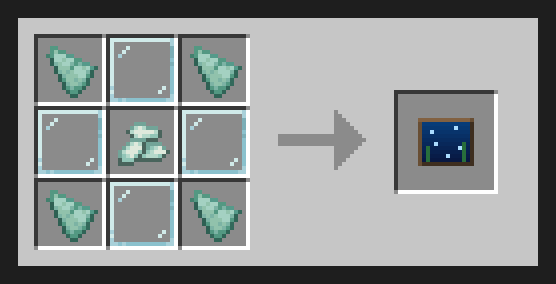
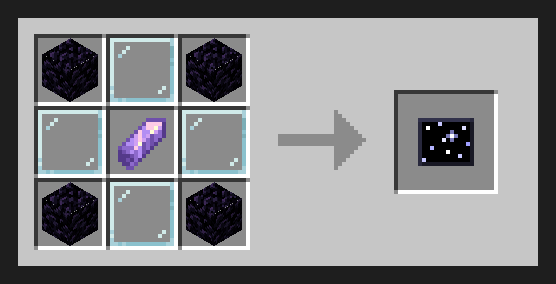
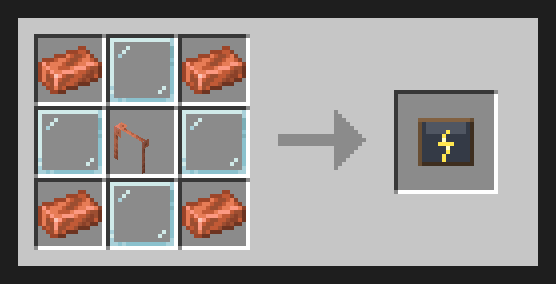
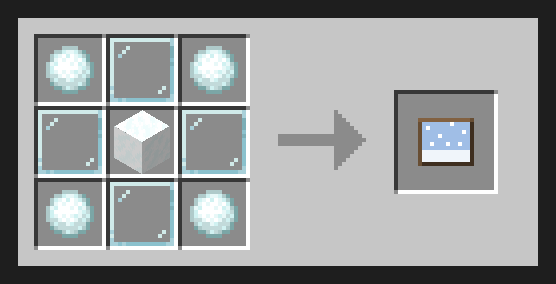
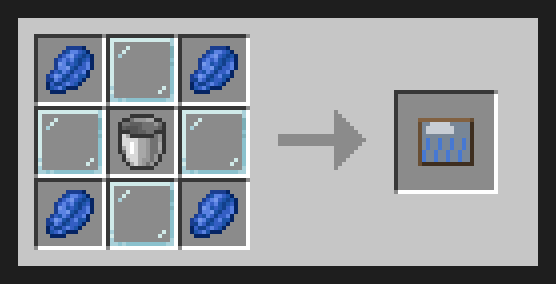
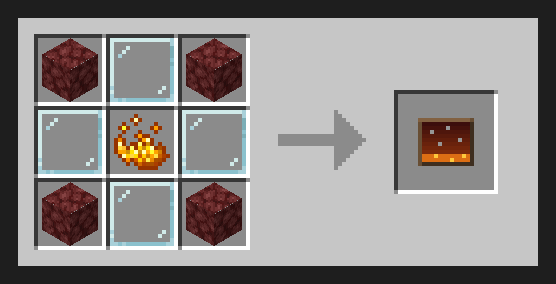
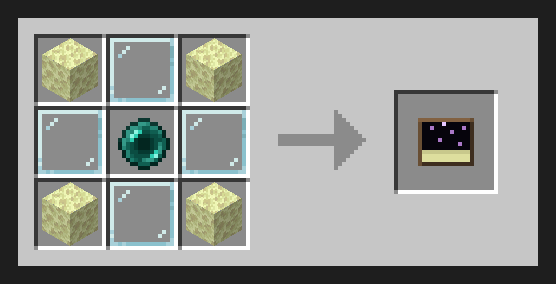
On 1.12.2: Starry Void = Obsidian + Eye of Ender, Thunderstorm = Iron Ingot + Gunpowder, Rainy = Lapis Lazuli + Bucket.
Details
– Versions: 1.21.1 and 26.2 (NeoForge), 1.20.1 (Forge 47) and 1.12.2 (Forge). Works on servers. On 1.21.1, 26.2 and 1.20.1 players without the add-on still see the scenery, colours, weather and hear the sounds; the 1.12.2 build draws the themes client-side, so players need it installed.
– Plays along with skybox mods: with Pocket Door’s custom sky off (`/pocketsky off`) the themes keep their scenery, fog, sounds and weather and leave the sky to Topography or Simple Skybox.
– Config: kits needed or free themes, keep installed kits, whether `/pocket reset` clears themes, lightning on/off and how often, scenery on/off, its width and fish.
– Pack makers: the themes are plain data pack biomes under `data/pocketthemes/worldgen/biome/`, with no spawns or features.
– Lightning over a stormy pocket is a light show for the players inside: nothing is struck, nothing burns.
– 1.12.2 builds the same scenery with 1.12 blocks (nether brick, a prismarine and concrete reef, squid instead of fish).
常见问题
Pocket Themes! 支持哪些 Minecraft 版本?
Pocket Themes! 支持 Minecraft Java 版 1.12.2–26.2,共 4 个版本,可用的加载器:Forge / NeoForge。下载时注意选择和你游戏版本一致的文件。
Pocket Themes! 怎么安装?
先用 PCL2 或 HMCL 启动器安装对应版本的 Forge / NeoForge,再把下载的 .jar 文件放进游戏目录的 mods 文件夹,重新启动游戏即可。开启了版本隔离的,mods 文件夹在 versions/版本名 下面。
ChuckleForge 的其他作品
查看全部 →
Pocket Door
创建你自己的口袋维度!非常简单!
Atomic Sky
A nuke that changes the weather. Built on ProtoManly's Weather: flash and heat, a crater and dead zone, wildfires, a shockwave on the wind, drifting fallout with radiation sickness, a radiation suit and a nuclear winter.

Pocket Backpack!
A backpack that opens your Pocket Door pocket from anywhere. Press P or right-click, step in, use it again to come back out. Add-on for Pocket Door.
Pocket Market!
Rent your Pocket Door pocket out to other players for in-game money. Server add-on for Pocket Door.
评论
登录后评论和评分