
Please Store
A redstone-controlled controller that forces villagers to store their inventory in chests.
截图
介绍
Please Store
Please Store is a NeoForge mod that adds a redstone-controlled villager storage controller. You bind one controller to one storage block, pulse it with redstone, and nearby villagers carrying matching items will walk over, unload, and then resume normal behavior.
Demo
How It Works
- Use the
Please Store Controlleritem on a chest, barrel, or any other inventory-capable block to store the target inventory. - Place the controller where you want the wiring.
- Pulse the controller with redstone to start one delivery run.
- Nearby villagers carrying matching items are called to that storage.
- Villagers unload into the target inventory, wait for the chest to close, and then either continue to another queued matching controller or return to their normal AI.
Storage Filtering
- A controller still targets exactly one storage block.
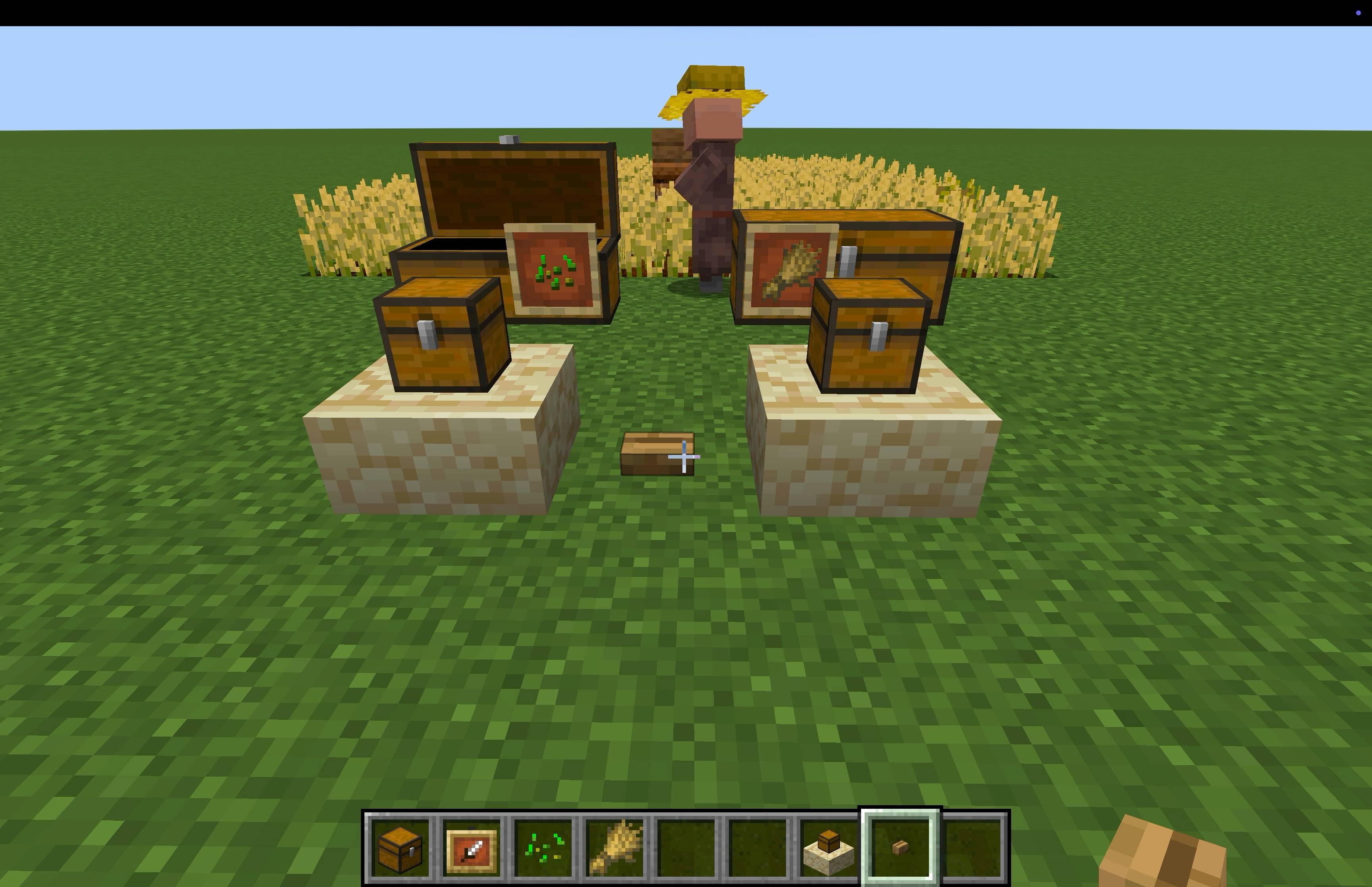
- If the target chest, barrel, or connected double chest has item frames attached, the framed items define what may be stored there.
- One frame means one allowed item.
- Multiple frames mean multiple allowed items.
- No frames means the storage accepts anything the villager can unload there.
This lets you split storage naturally:
- one chest for seeds
- one chest for wheat
- one chest for carrots
If a villager is carrying items for more than one matching controller, those deliveries are handled one after the other as separate chest visits.
Settings
- The mod uses NeoForge’s built-in config screen.
- Open the Mods list, select
Please Store, and pressConfig. Villager Search Radiuscontrols how far from the target storage the controller searches for villagers.
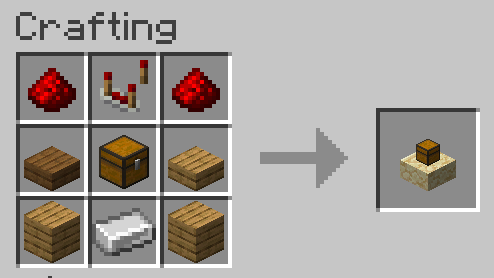
Recipe
AI Usage
Unless otherwise noted, please expect that:
- Graphical assets are AI generated slop.
- Code is AI generated slop.
- Algorithms and ideas are mine.
常见问题
Please Store 支持哪些 Minecraft 版本?
Please Store 支持 Minecraft Java 版 1.21.1–1.21.11,共 2 个版本,可用的加载器:NeoForge。下载时注意选择和你游戏版本一致的文件。
Please Store 怎么安装?
先用 PCL2 或 HMCL 启动器安装对应版本的 NeoForge,再把下载的 .jar 文件放进游戏目录的 mods 文件夹,重新启动游戏即可。开启了版本隔离的,mods 文件夹在 versions/版本名 下面。


评论
登录后评论和评分