
Played
Played is a lightweight Fabric mod that tracks local playtime for singleplayer worlds and multiplayer servers, with a total playtime display and optional config.
截图
介绍
Played




Played is a lightweight Fabric mod that tracks your Minecraft playtime locally.
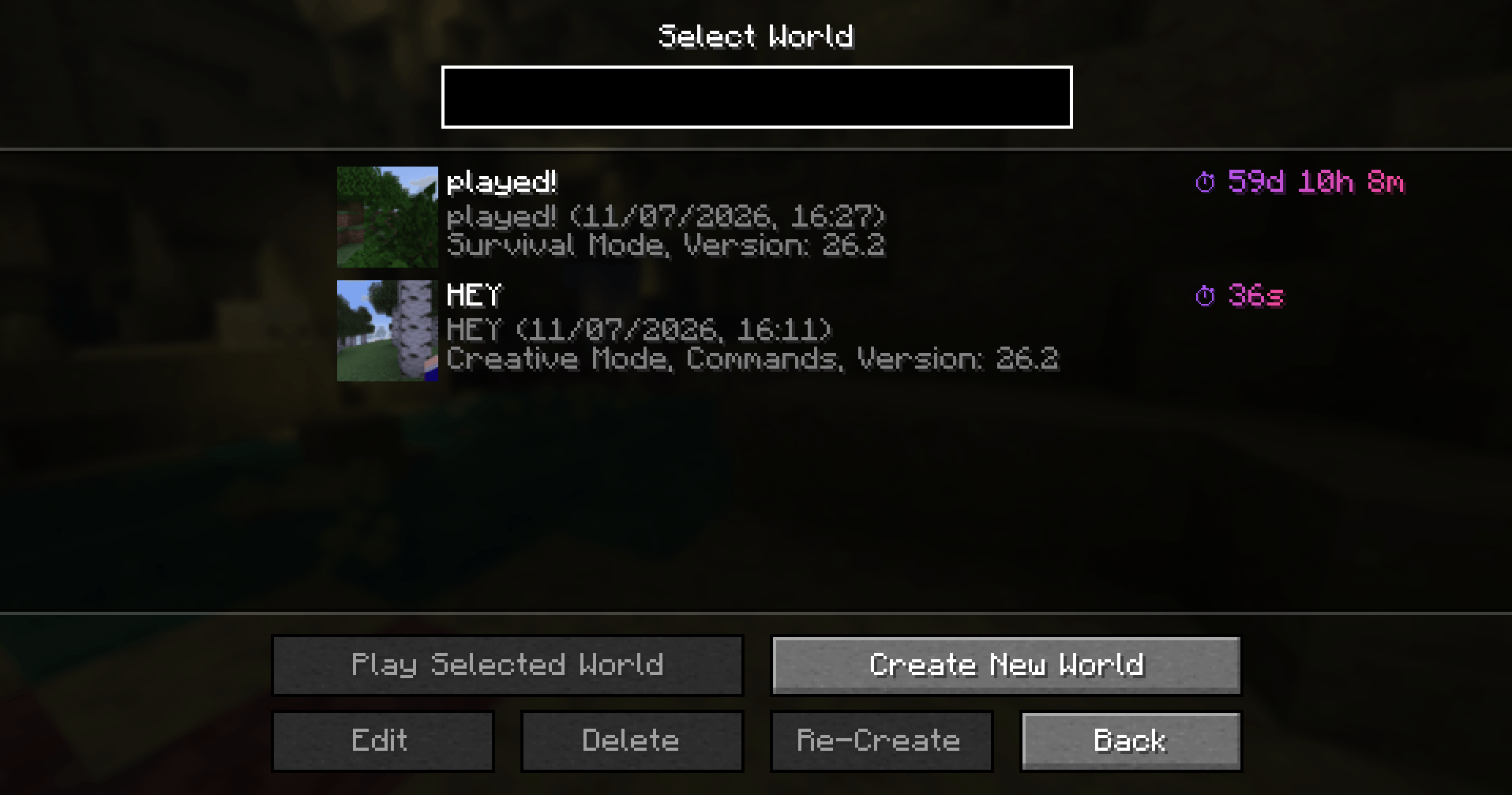
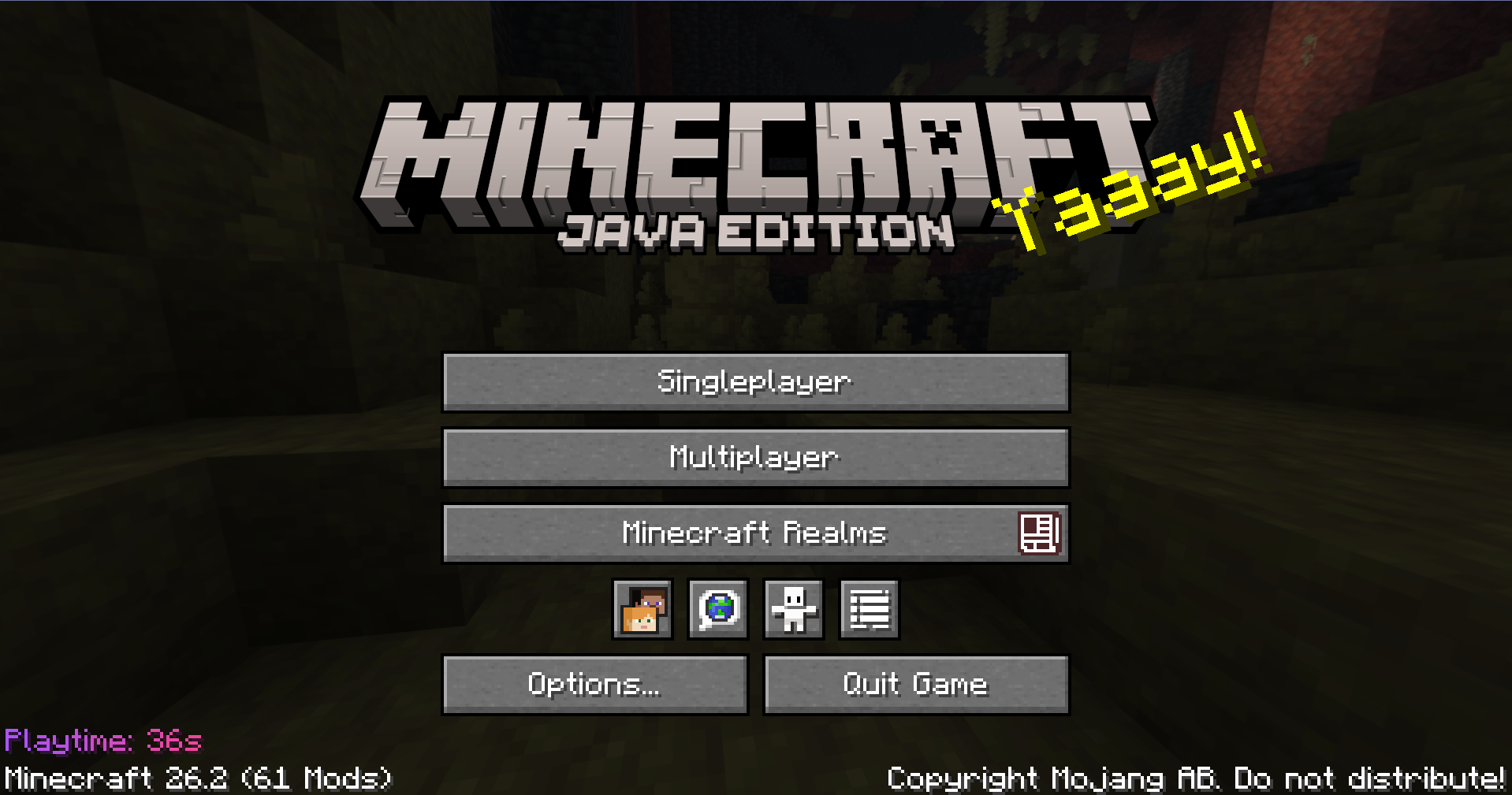
It keeps track of how long you play in each singleplayer world, how long you spend on multiplayer servers, and your total playtime across both. The times are shown directly in the Minecraft menus without adding unnecessary clutter, including the world list, multiplayer list, title screen, and optionally the pause menu.
Features
- Tracks playtime per singleplayer world
- Tracks playtime per multiplayer server
- Shows world playtime in the singleplayer world selector
- Shows server playtime in the multiplayer server list
- Shows total playtime in the main menu
- Optionally shows current total playtime in the pause menu
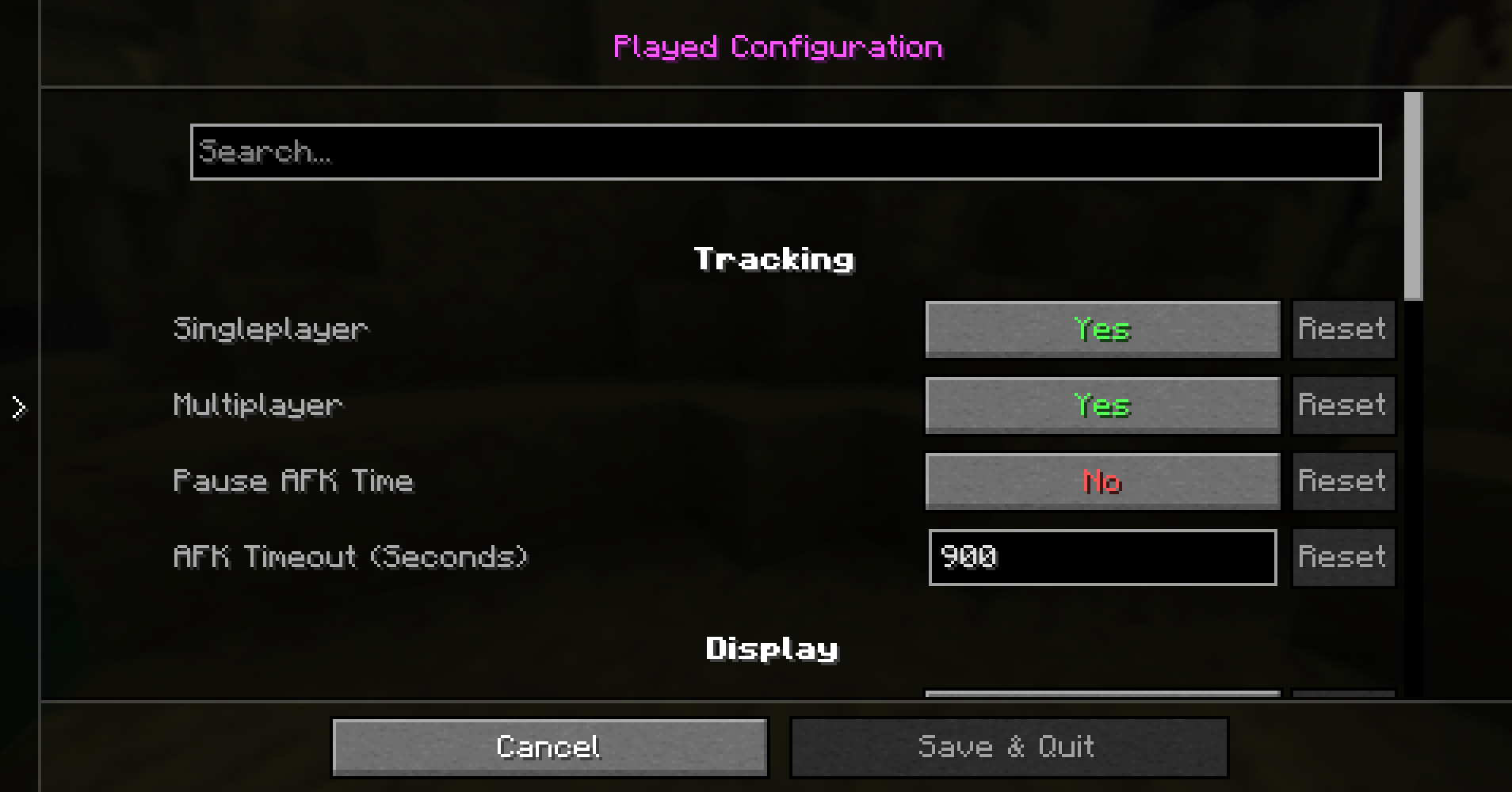
- Optional Mod Menu config screen
- Localized config screen, tooltips, and dialogs
- Helpful tooltips for every config screen button
- Optional playtime sorting for the singleplayer world selector and multiplayer server list
- Separate customizable text templates for list entries, the main menu, and the pause menu
- Supports
{time}in templates, for example⏱ {time},Total playtime: {time}, orPlaytime: {time} - Toggle world tracking, server tracking, and menu displays separately
- Toggle reset playtime buttons for the Edit World and Edit Server screens separately
- Reset individual world or server playtime from its edit screen
- Delete world, server, or total playtime from the config screen
- Responsive list playtime placement that adapts around scrollbars and smaller screens
- Main menu playtime fades in with the vanilla title screen UI
- Main menu and pause menu text avoid existing bottom-left text when possible
- Saves everything locally on your device
- Simple, client-side, and lightweight
Config
If Mod Menu is installed, Played adds a compact config screen where you can change tracking, display, template, and data options.
- World tracking
- Server tracking
- World selector display
- Multiplayer display
- Main menu total display
- Pause menu display
- World reset button display
- Server reset button display
- World selector sorting
- Multiplayer list sorting
- List playtime template
- Main menu playtime template
- Pause menu playtime template
- Reset config
- Delete saved playtime data
Worlds and servers can also be reset individually from their edit screens using a compact ⏱ button in the bottom-right corner.
Local Storage
Singleplayer world playtime is saved inside each world folder:
saves/<world>/Played/playtime.propertiesTotal playtime is saved centrally:
Played/alltime.propertiesMultiplayer server playtime is saved centrally:
Played/server.propertiesConfig settings are saved centrally:
config/Played/config.propertiesRequirements
- Fabric Loader
- Fabric API
Optional
- Mod Menu, for the in-game config screen
常见问题
Played 支持哪些 Minecraft 版本?
Played 支持 Minecraft Java 版 26.1.2–26.3,共 3 个版本,可用的加载器:Fabric。下载时注意选择和你游戏版本一致的文件。
Played 怎么安装?
先用 PCL2 或 HMCL 启动器安装对应版本的 Fabric,再把下载的 .jar 文件放进游戏目录的 mods 文件夹,重新启动游戏即可。开启了版本隔离的,mods 文件夹在 versions/版本名 下面。
Tenkayro 的其他作品
查看全部 →
Played
Played is a lightweight Fabric mod that tracks local playtime for singleplayer worlds and multiplayer servers, with a total playtime display and optional Mod Menu config.

BobTheBuilder
BobTheBuilder is a lightweight, performance-optimized Minecraft modpack built for creators who want to build faster, smoother, and more precisely — without unnecessary clutter.
Cinema Shots
Turn your Minecraft experience into a cinematic adventure with the right mods!
评论
登录后评论和评分