
Outline Guard
It helps prevent accidental vertical mining past your own outline markers while clearing an area. The mod only affects the player who has it installed. It does not protect blocks from other players, and it should not be installed server-side.
介绍
Outline Guard
Outline Guard is a fully client-side Fabric mod.
It helps prevent accidental vertical mining past your own outline markers while clearing an area. The mod only affects the player who has it installed. It does not protect blocks from other players, and it should not be installed server-side.
Features
- Client-side only
- Configurable marker block list
- In-game GUI opened with D + C
How to use
- Install the mod on your client.
- Join a world or server.
- Hold D and press C to open the Outline Guard GUI.
- Enter a block ID, such as
minecraft:netherrackorminecraft:red_concrete. - Click Set as only marker or Add marker.
- Place marker blocks around the area you want to clear.
When your crosshair reaches a protected block column, Outline Guard pauses your mining so you do not accidentally mine past the outline. When you move back to a safe block while still holding left click, mining resumes automatically.
GUI options
- Set as only marker: replaces your local marker list with the typed block ID.
- Add marker: adds the typed block ID to your local marker list.
- Remove marker: removes the typed block ID from your local marker list.
- Reload config: re-reads
.minecraft/config/outlineguard-client.jsonfrom disk. Most players do not need this button. It is only useful if you manually edit the config file while Minecraft is still open.
Config file
The config is saved locally at:
.minecraft/config/outlineguard-client.jsonDefault config:
{
  "marker_blocks": [
    "minecraft:netherrack"
  ]
}
Pictures
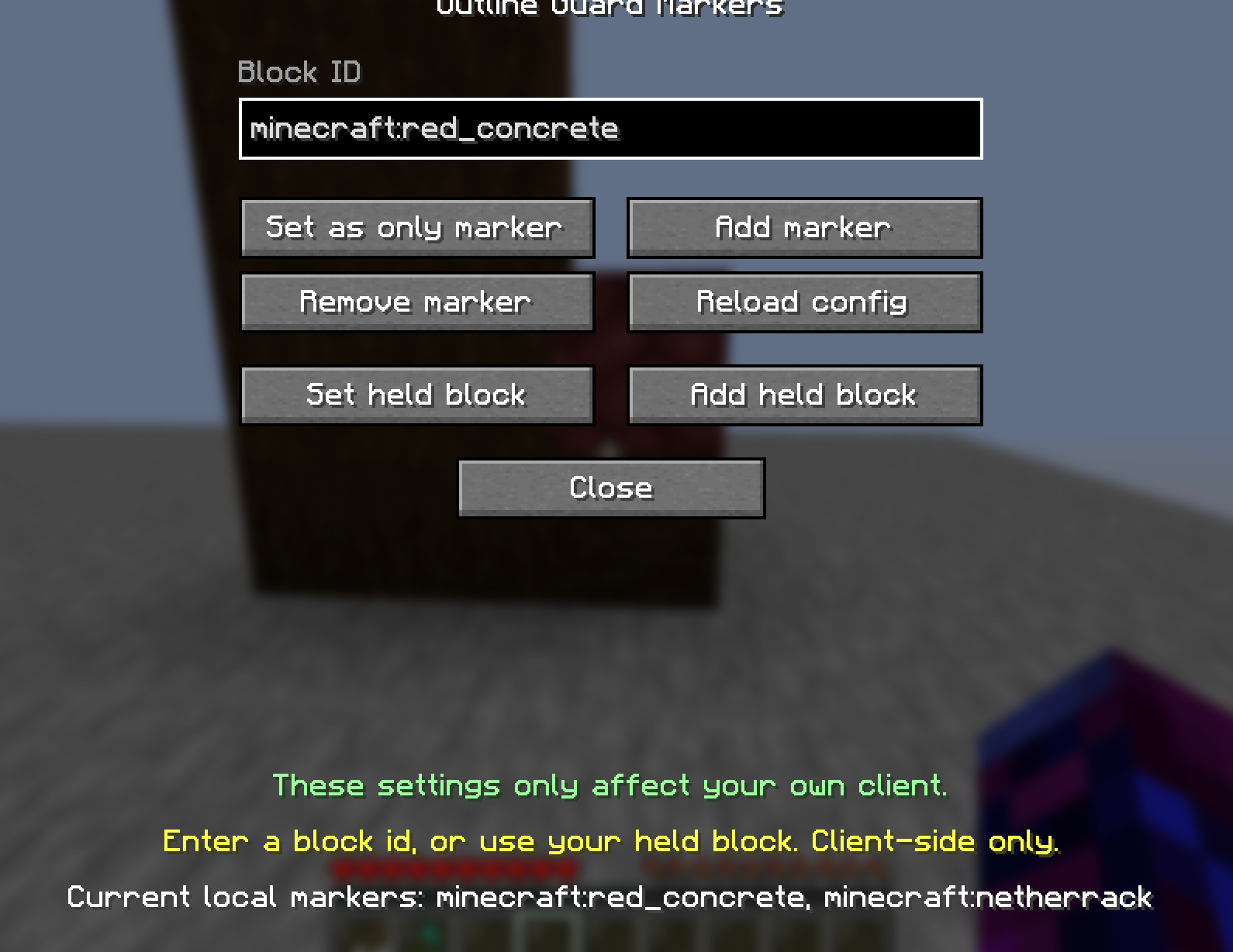
This is the UI for setting up your outline markers.
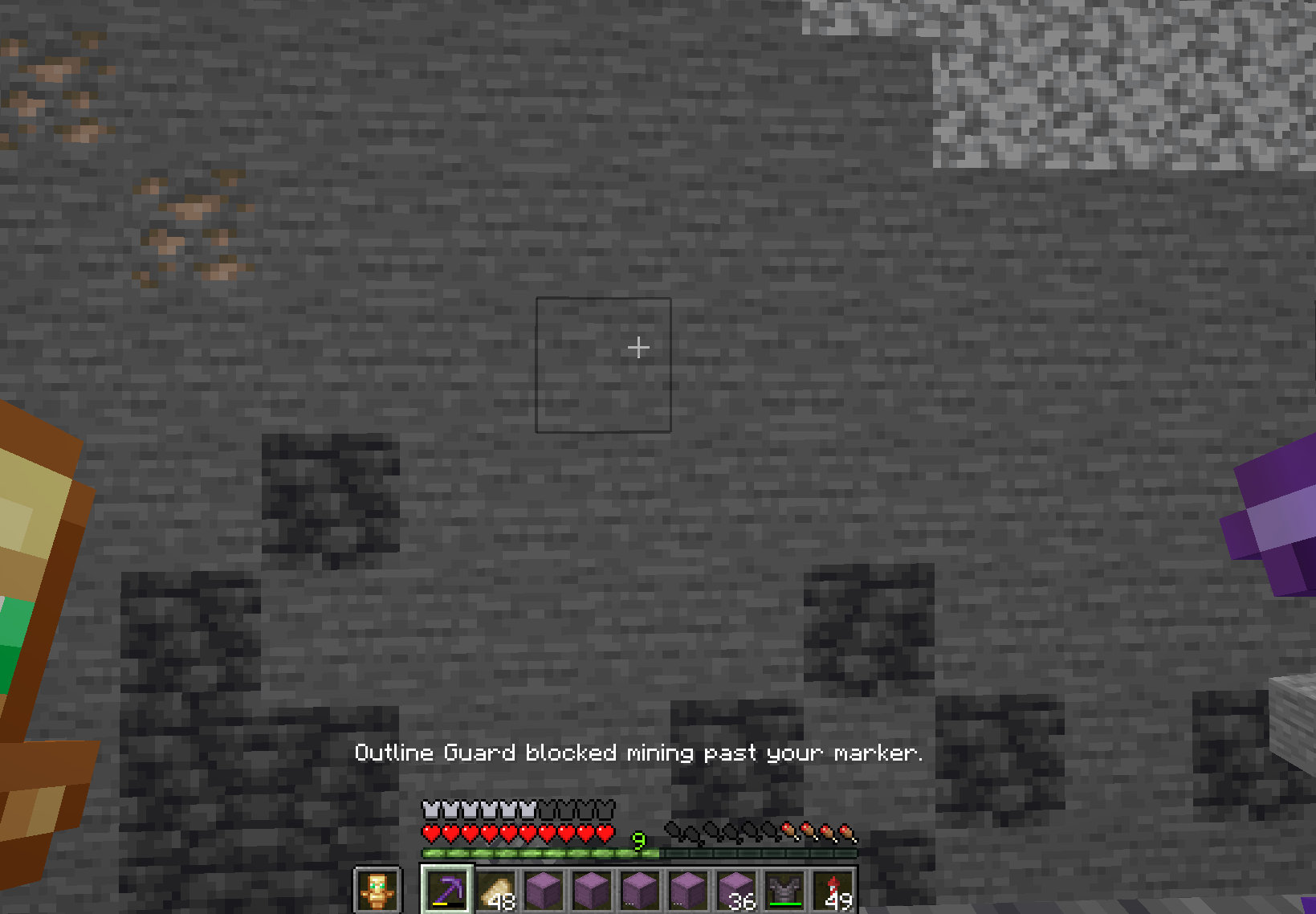
Here is an example of what happens when you attempt to mine blocks that are below your marker block.
Author
CSClub05
License
MIT
常见问题
Outline Guard 支持哪些 Minecraft 版本?
Outline Guard 支持 Minecraft Java 版 1.21.4–1.21.11,共 3 个版本,可用的加载器:Fabric。下载时注意选择和你游戏版本一致的文件。
Outline Guard 怎么安装?
先用 PCL2 或 HMCL 启动器安装对应版本的 Fabric,再把下载的 .jar 文件放进游戏目录的 mods 文件夹,重新启动游戏即可。开启了版本隔离的,mods 文件夹在 versions/版本名 下面。运行环境:仅客户端。
csclub05 的其他作品
查看全部 →
Kleene Builds
A mod that helps with building.

Height Locked
A client-side Minecraft mod that restricts you to mining only two layers of blocks when a keybind is toggled.

Crimson WaySync
The mod synchronizes shared minimap waypoints between players on a server, with support for Xaero’s Minimap and VoxelMap.
评论
登录后评论和评分