
截图
介绍
Kleene Builds
Kleene Builds is a Minecraft Java Fabric mod that helps builders make large-scale design changes without leaving the game.
You select the part of your build you want to work on and let Kleene Builds apply a controlled building operation to that area.
Kleene Builds is currently designed for singleplayer worlds.
The basic workflow
- Select an area by choosing two corners of your build.
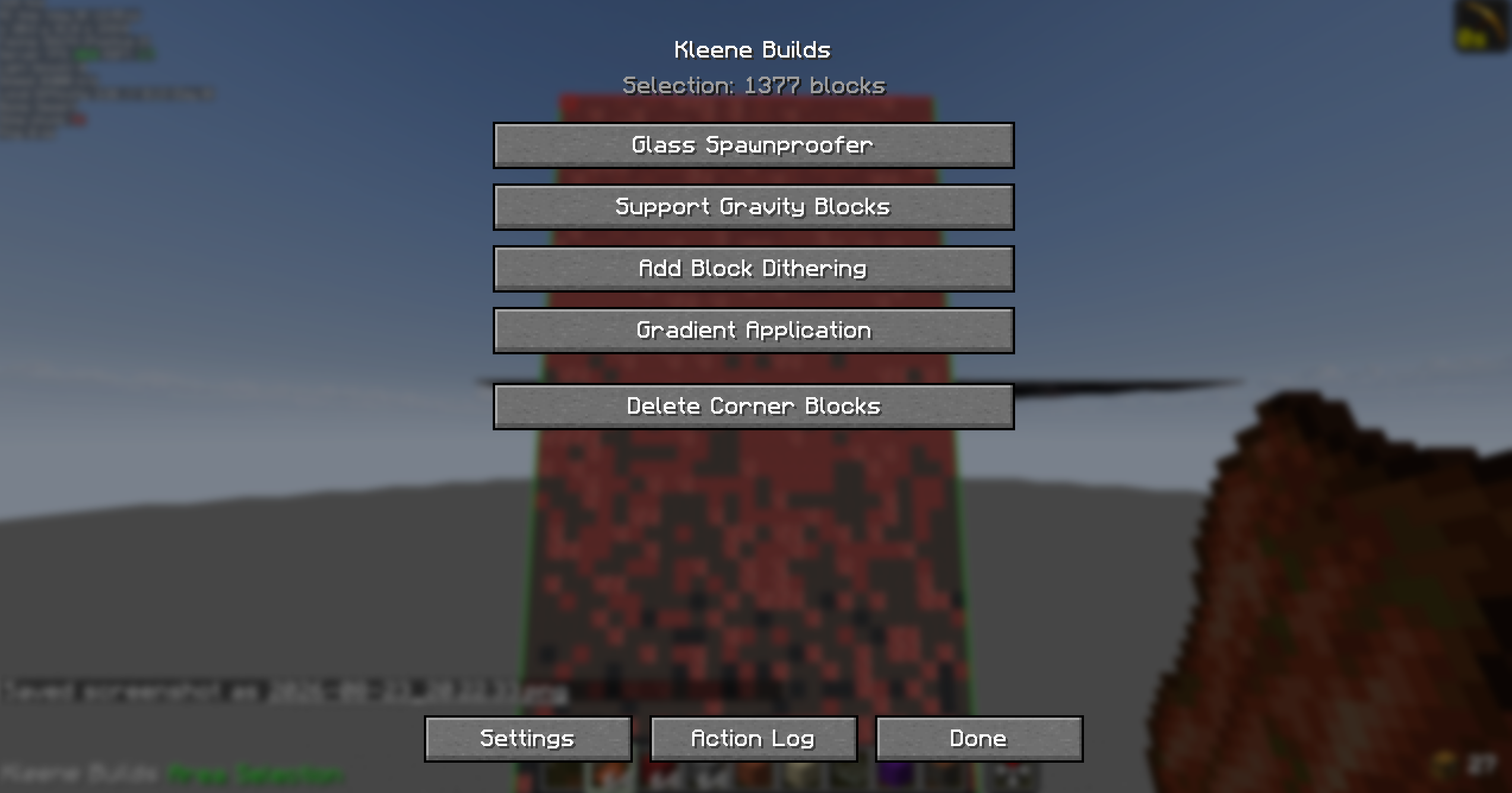
- Open View Operations using the configured keybind.
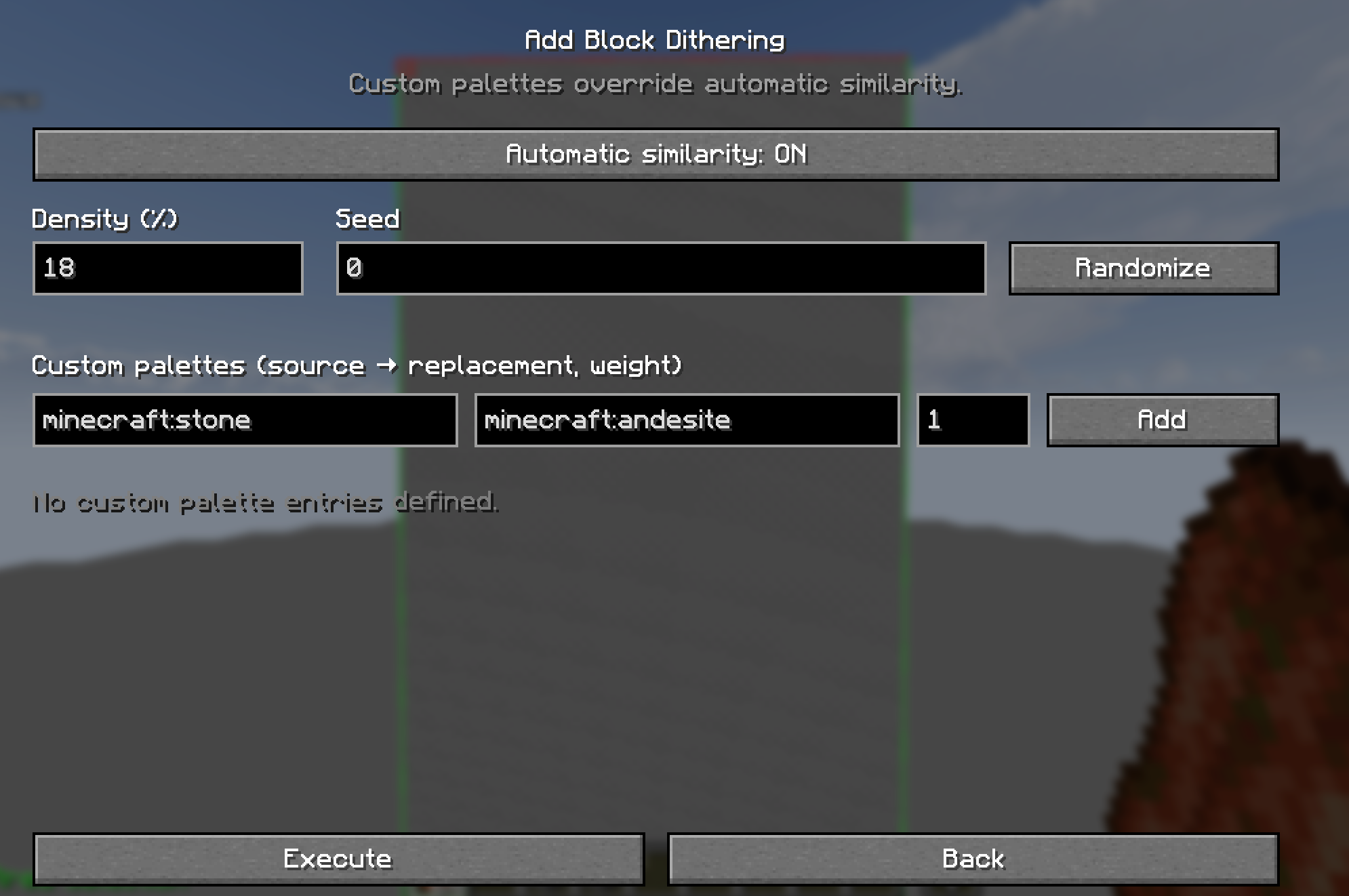
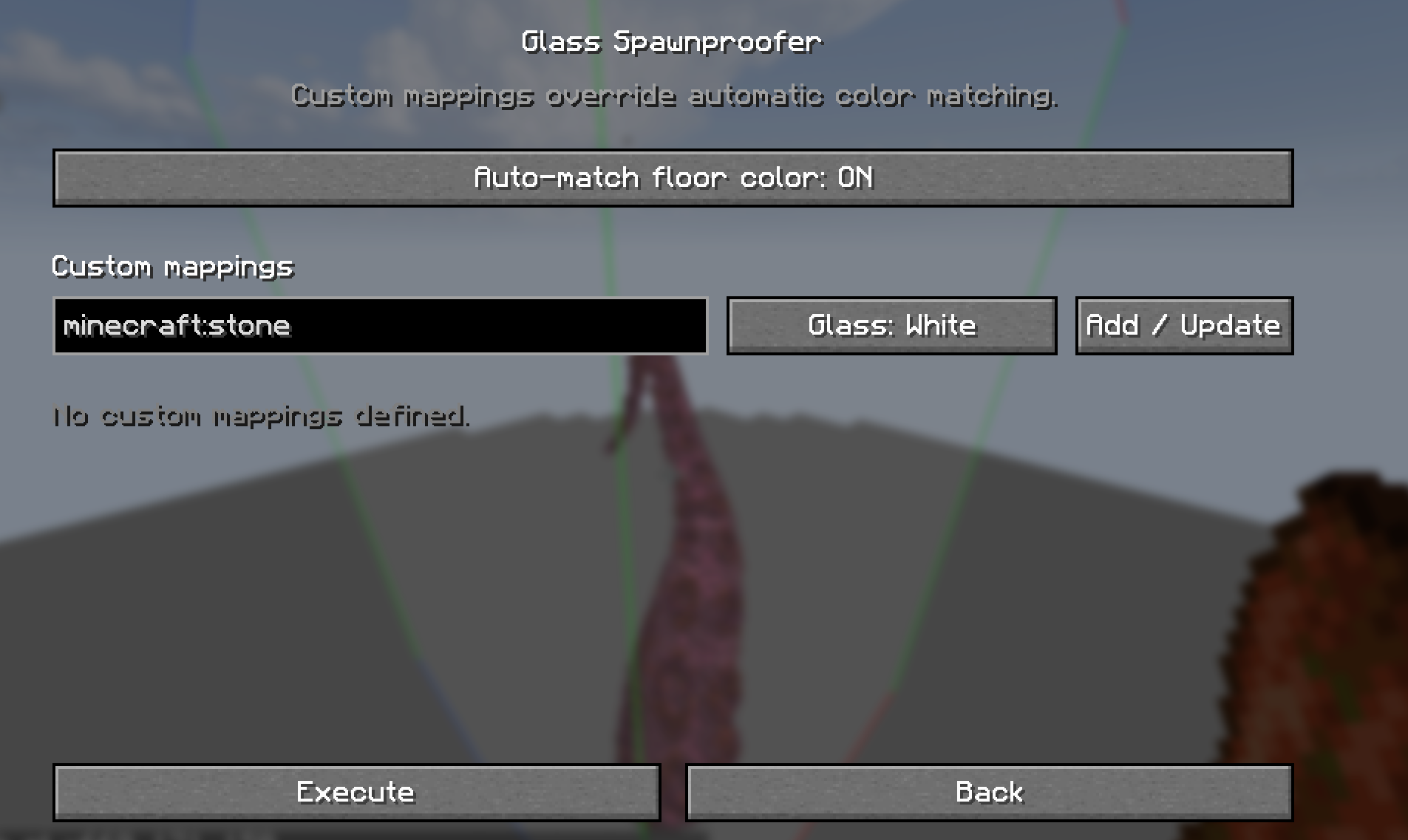
- Choose an operation such as Glass Spawnproofer or Add Block Dithering.
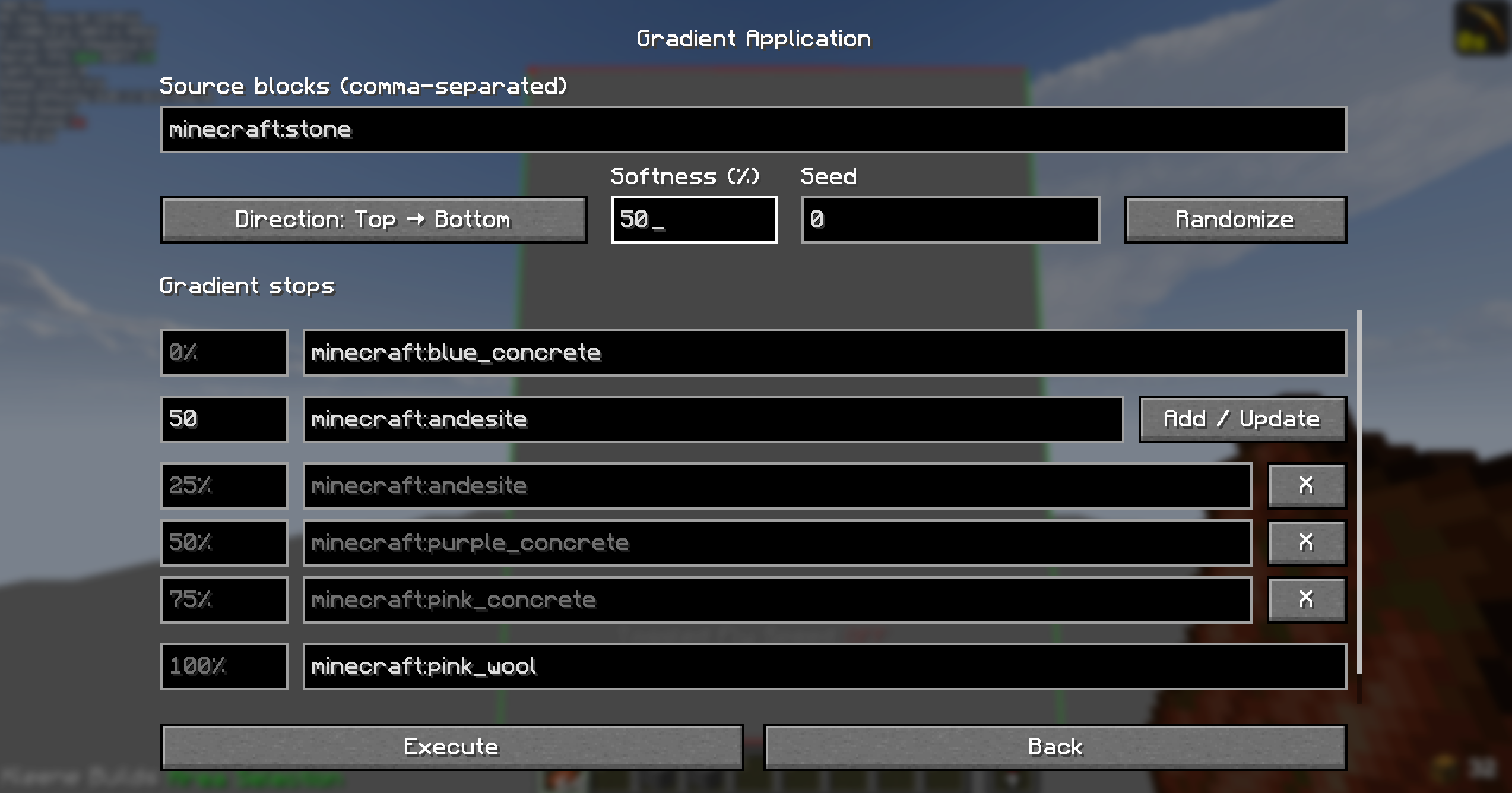
- Adjust the options for that operation.
- Execute the operation and let Kleene Builds apply the changes to the selected area.
Both corner blocks are included in the selection, but you can remove them in the View Operations page.
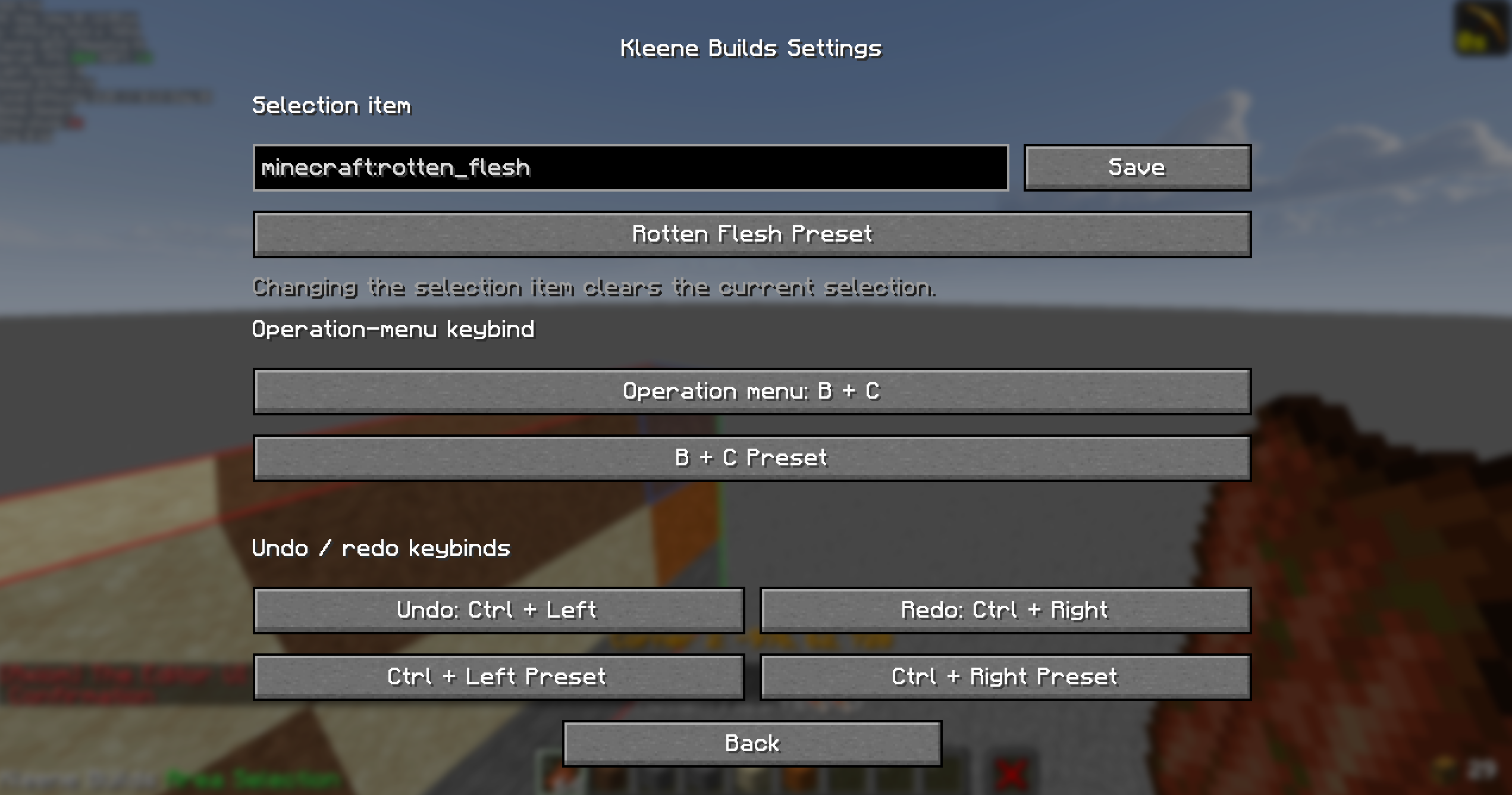
The selection tool defaults to rotten flesh, but it can be changed from the Settings page.
Current features
To view pictures of what builds look like before and after these features have been applied, visit this page: Feature Images Page
Glass spawnproofer: Add stained glass where mobs could spawn, with colors chosen to suit the surface or set by you.
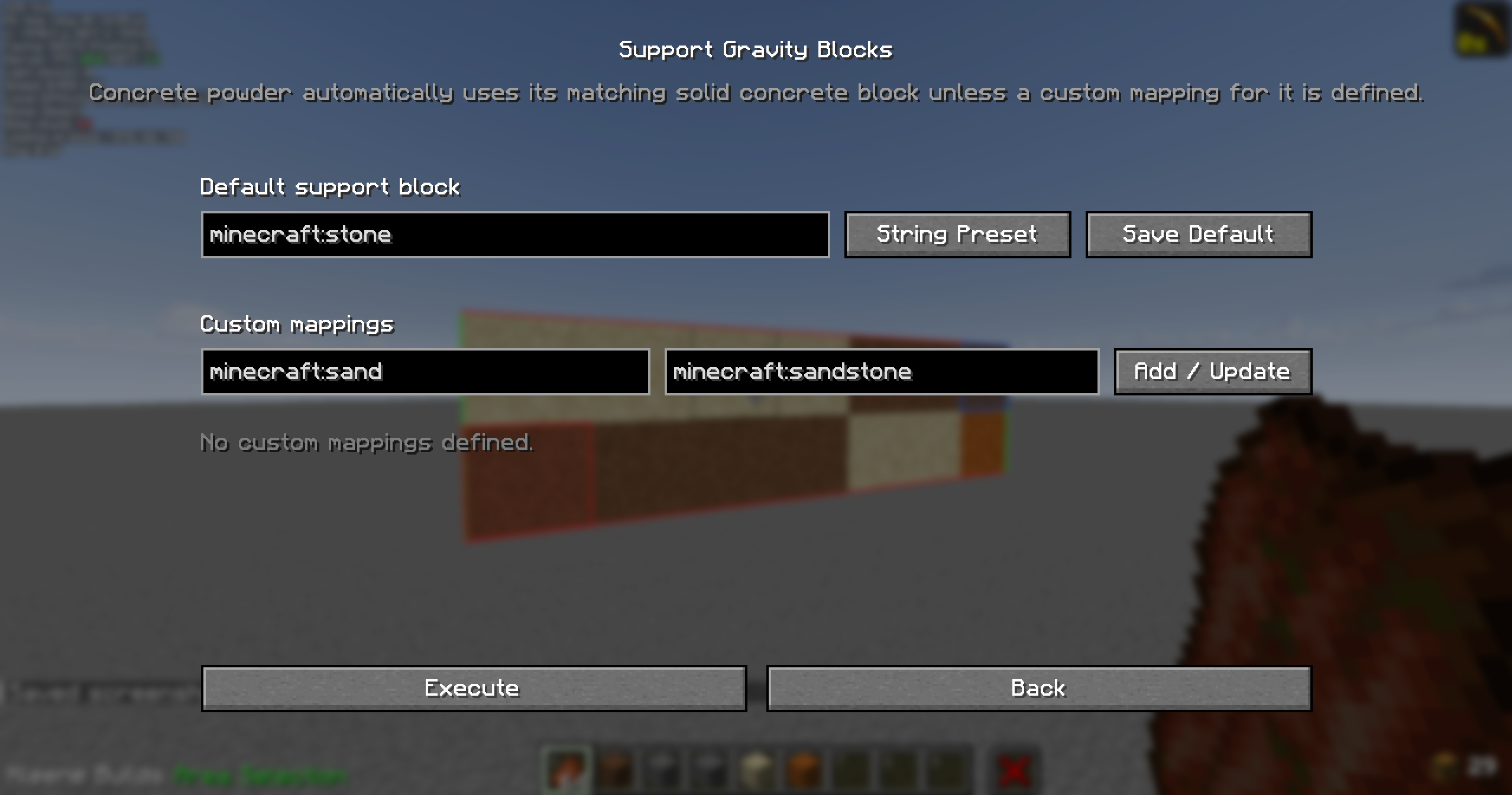
Support floating gravity blocks: Automatically add supports below sand, gravel, concrete powder, and other blocks that fall without support.
Add texture to plain surfaces: Scatter similar blocks across a wall, floor, or structure to create natural-looking variation.
Create block gradients: Blend between chosen materials to make smooth-looking color or material transitions.
Rotate builds: Turn a selected structure around different axes, including at angles beyond simple quarter-turns. Unusual rotations can change the shape of fine details.
Remove temporary corner blocks: Clear the blocks used to mark a selection.
Explore 3D models as Minecraft builds: Import a model, preview it, select the Minecraft blocks it may use, see a voxelized version, and export a schematic for a compatible tool.
Photograph a selected build: Keep your chosen build in focus while blurring its surroundings, adjust the blur, and use a dedicated Camera button to save a clean scene image without on-screen photography controls or the player’s hand.
Correct or revisit changes
Undo or redo changes made by Kleene Builds and review past actions in the Action Log.
You can customize the selection tool, keyboard shortcuts, and the options for individual building operations.
Kleene Builds is currently intended for singleplayer worlds. Keep backups of important worlds before making large changes.
Created by CSClub05.
常见问题
Kleene Builds 支持哪些 Minecraft 版本?
Kleene Builds 支持 Minecraft Java 版 1.20.1–1.21.6,共 5 个版本,可用的加载器:Fabric。下载时注意选择和你游戏版本一致的文件。
Kleene Builds 怎么安装?
先用 PCL2 或 HMCL 启动器安装对应版本的 Fabric,再把下载的 .jar 文件放进游戏目录的 mods 文件夹,重新启动游戏即可。开启了版本隔离的,mods 文件夹在 versions/版本名 下面。运行环境:客户端和服务端都要装。
csclub05 的其他作品
查看全部 →
Height Locked
A client-side Minecraft mod that restricts you to mining only two layers of blocks when a keybind is toggled.

Outline Guard
It helps prevent accidental vertical mining past your own outline markers while clearing an area. The mod only affects the player who has it installed. It does not protect blocks from other players, and it should not be installed server-side.

Crimson WaySync
The mod synchronizes shared minimap waypoints between players on a server, with support for Xaero’s Minimap and VoxelMap.
评论
登录后评论和评分