
OptimizeMod
Reduces server lag by throttling distant entity ticks, suspending mob AI, and limiting particles.
截图
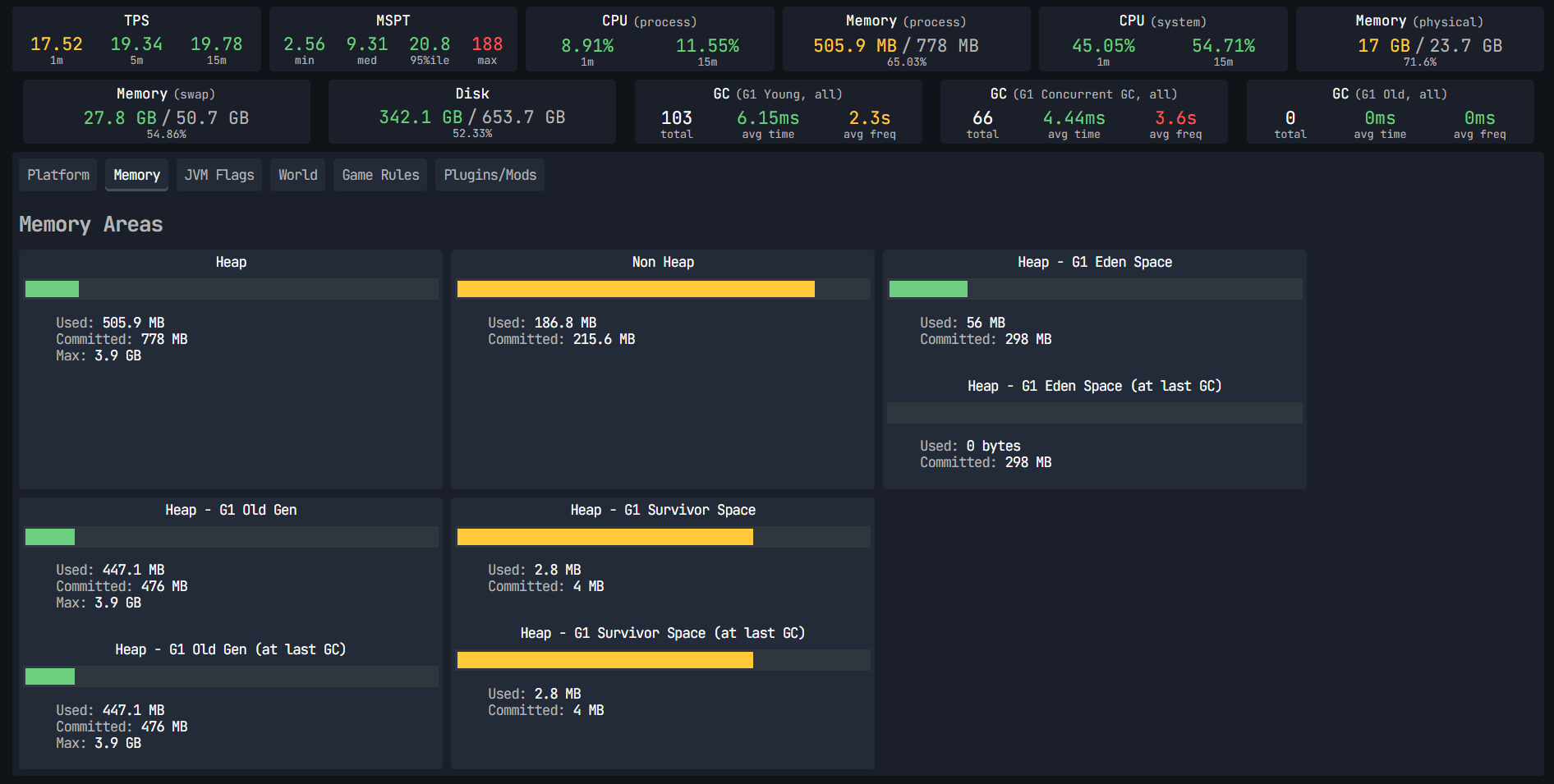
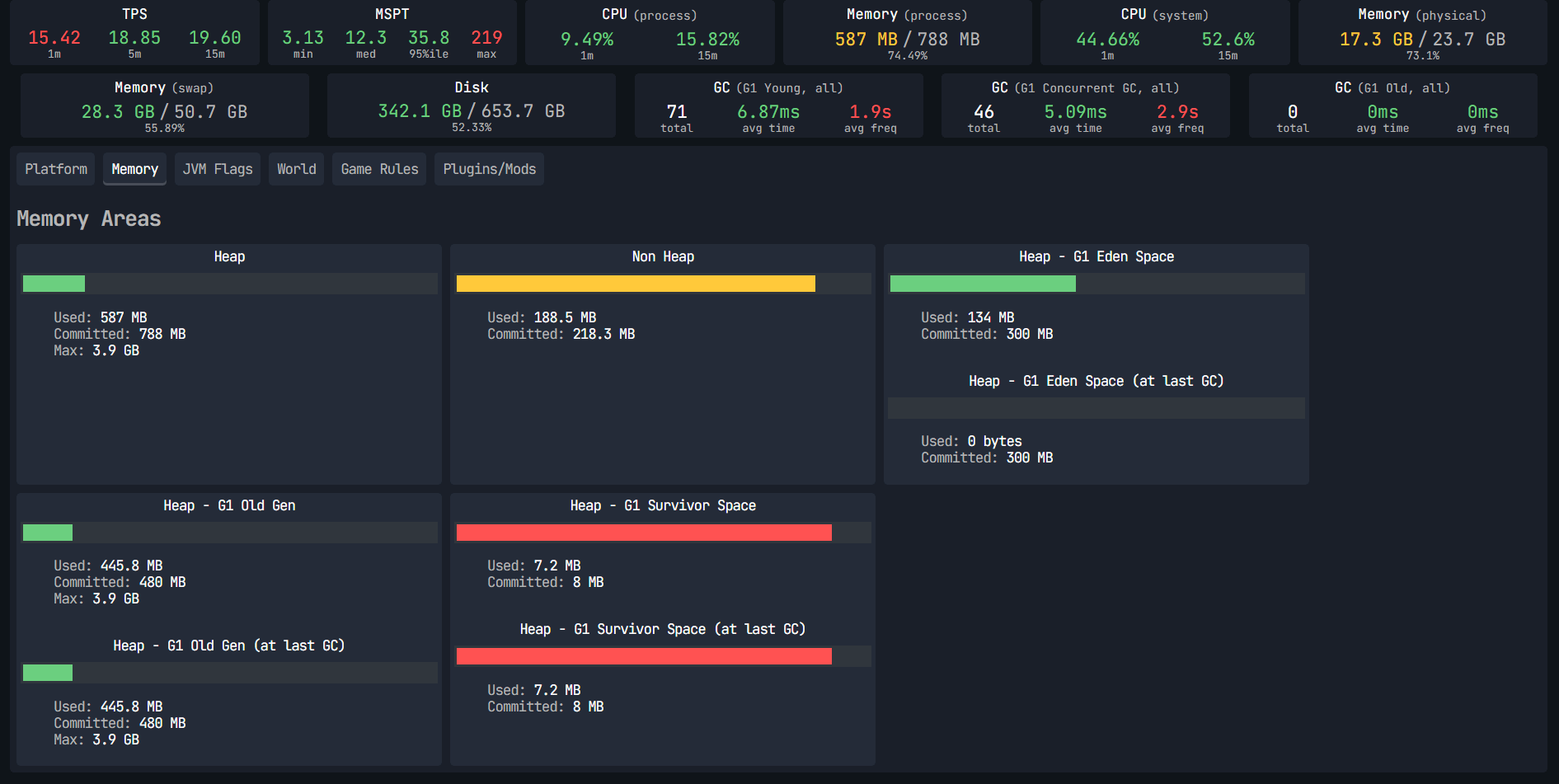
介绍
⚡ OptimizeMod
Reduce lag. Sleep distant mobs. Boost FPS. No config needed.
OptimizeMod is a lightweight Fabric optimization mod designed for large modpacks and heavily modded servers. It intelligently reduces CPU and GPU load by throttling entities and AI that no player is watching — because why waste resources on mobs nobody can see?
🚀 What does it do?
🧠 Smart Entity Tick Reduction
Entities far from players don’t need to run at full speed. OptimizeMod automatically slows down their processing based on distance:
| Distance from player | Tick rate |
|---|---|
| 0 – 48 blocks | Normal (20/s) |
| 48 – 96 blocks | Reduced (10/s) |
| 96+ blocks | Minimal (5/s) |
💤 Mob AI Sleep
Pathfinding and combat AI are among the most expensive operations on a server. Mobs that no player is near simply stop thinking — they stand still until someone gets close again.
| Distance from player | AI behavior |
|---|---|
| 0 – 32 blocks | Full AI |
| 32 – 48 blocks | AI updated every 2 ticks |
| 48+ blocks | AI fully suspended |
✨ Particle Limiter (Client-side)
Large modpacks often add dozens of new particle effects. OptimizeMod caps active particles at 4,000 simultaneously, preventing sudden FPS drops from particle-heavy mods.
📈 Performance Impact
The more entities and mods you have, the bigger the gain. On a server with 300+ mobs spread across the world, you can expect:
- 30–60% reduction in entity-related CPU usage
- Smoother TPS on heavily loaded servers
- Fewer FPS drops on the client from particles
🔧 Compatibility
OptimizeMod is designed to complement other optimization mods, not replace them:
| Mod | Compatibility |
|---|---|
| ✅ Sodium | Full |
| ✅ Lithium | Full |
| ✅ Krypton | Full |
| ✅ FerriteCore | Full |
| ✅ Most content mods | Full |
⚠️ Mobs at long distances will stand still (intentional — this is the source of the performance gain). Hostile mobs still despawn normally per vanilla rules.
🔬 How It Works (Technical)
OptimizeMod uses three Fabric Mixins that intercept core Minecraft methods at runtime:
EntityTickMixin
- Target:
LivingEntity.tickMovement() - Injection:
@InjectatHEADwithcancellable = true - Calls
ServerWorld.getClosestPlayer()every tick to find the nearest player - If no player is within 96 blocks → cancels the tick 3 out of every 4 calls (
world.getTime() % 4) - If player is between 48–96 blocks → cancels every second tick (
world.getTime() % 2) - Players (
PlayerEntity) are always excluded from throttling
MobEntityAIMixin
- Target:
LivingEntity.tickNewAi() - Injection:
@InjectatHEADwithcancellable = true - Same distance check as above
- If no player is within 48 blocks → AI goal update is fully cancelled (no pathfinding, no combat calculations)
- Between 32–48 blocks → AI cancelled every other tick
- Also resets
despawnCounterto 0 via@Shadowto prevent unintended despawning of passive mobs
ParticleManagerMixin
- Target:
ParticleManager.addParticle() - Injection:
@InjectatHEADwithcancellable = true - Maintains an internal counter per
ParticleManagerinstance - Cancels particle creation once the counter exceeds 4,000, returning
null - Counter resets automatically to prevent permanent particle blocking
All three mixins operate purely through method injection with no reflection, no ASM bytecode manipulation beyond what Mixin provides, and no thread-unsafe operations.
📦 Installation
- Install Fabric Loader for Minecraft 1.21.1
- Install Fabric API
- Drop
OptimizeMod.jarinto yourmods/folder - Launch and enjoy the extra performance!
📋 Requirements
- Minecraft 1.21.1
- Fabric Loader 0.16+
- Fabric API
- Java 21+
Made with ❤️ for the modded Minecraft community. Small mod, big difference.
常见问题
OptimizeMod 支持哪些 Minecraft 版本?
OptimizeMod 支持 Minecraft Java 版 1.20–1.21.11,共 17 个版本,可用的加载器:Fabric / Forge。下载时注意选择和你游戏版本一致的文件。
OptimizeMod 怎么安装?
先用 PCL2 或 HMCL 启动器安装对应版本的 Fabric / Forge,再把下载的 .jar 文件放进游戏目录的 mods 文件夹,重新启动游戏即可。开启了版本隔离的,mods 文件夹在 versions/版本名 下面。
SeishiroNagi 的其他作品
查看全部 →
MemGuard
通过去重 NBT 字符串并监控内存使用情况,降低大型整合包和服务器的内存占用,且不会因强制 GC 而卡顿。

MemGuard
Reduces RAM usage in large modpacks and servers by caching NBT strings, monitoring memory usage, and triggering garbage collection at optimal times.

OptimizeMod
Reduces server lag by throttling distant entity ticks, suspending mob AI, and limiting particles.

Outlined Wools
A simple pack that adds clean outlines to all wool blocks, improving visibility and building precision.
评论
登录后评论和评分