
OptimizeMod
Reduces server lag by throttling distant entity ticks, suspending mob AI, and limiting particles.
截图
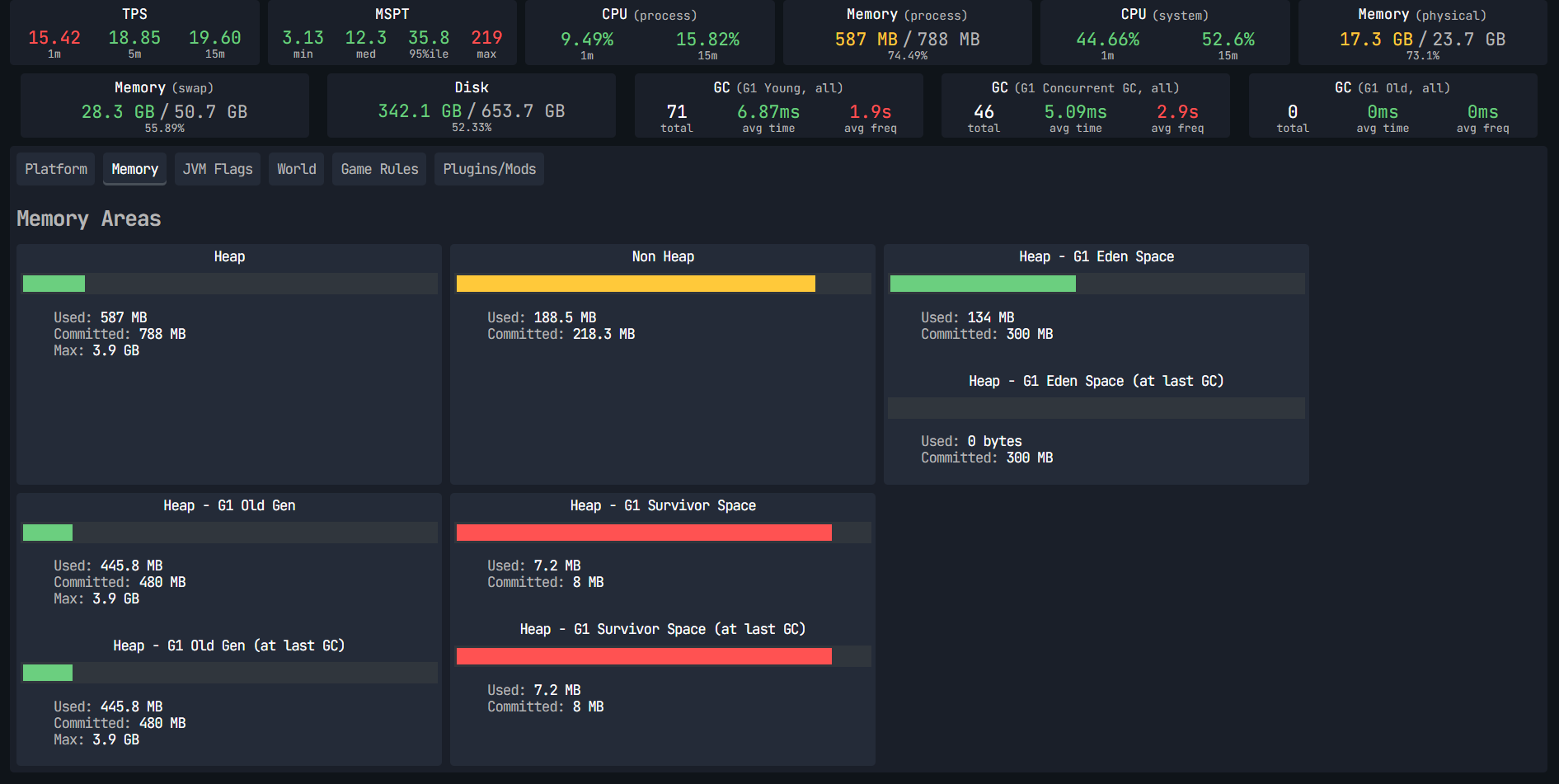
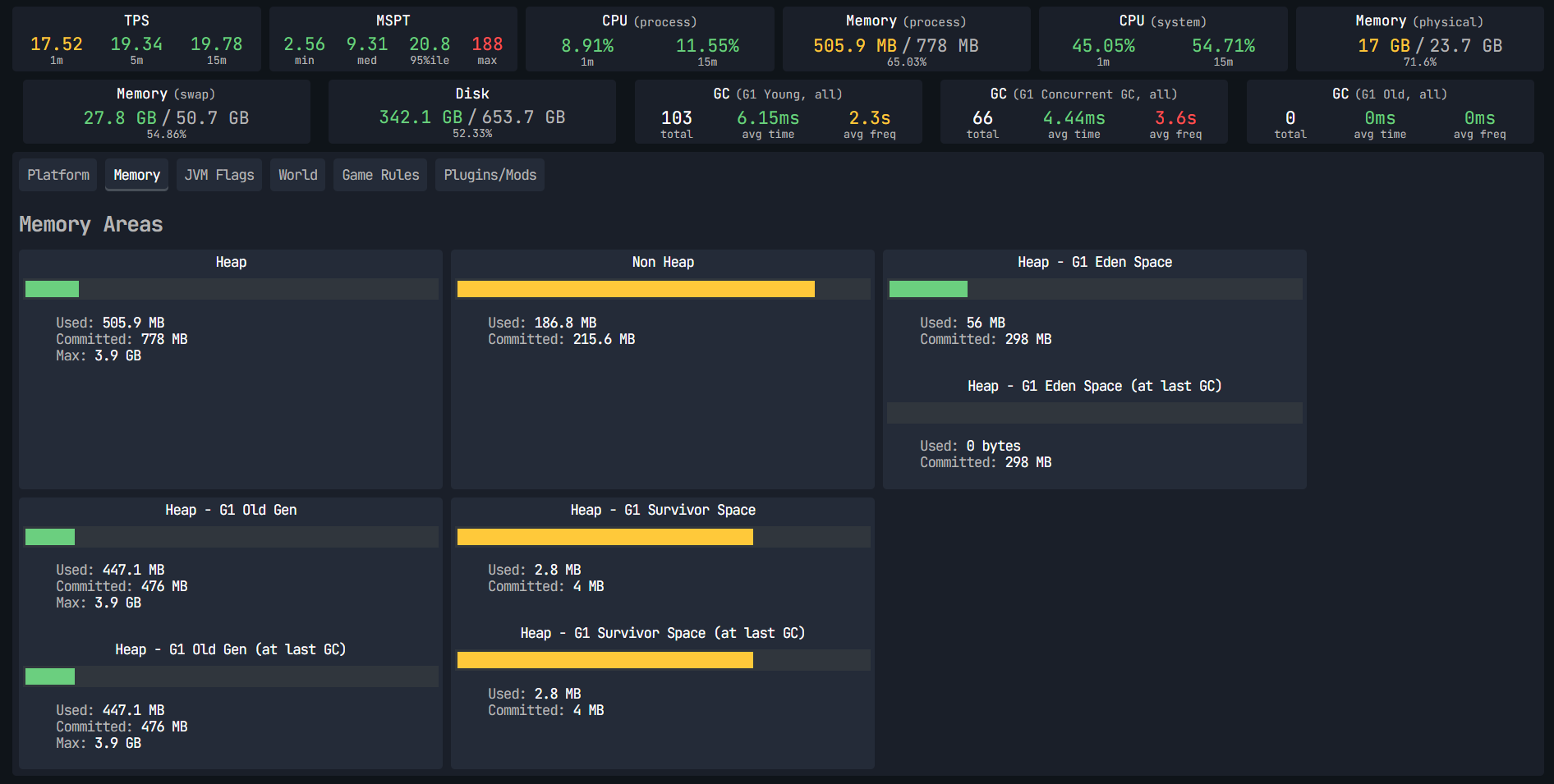
介绍
OptimizeMod
Keep distant simulation quiet so active gameplay gets more CPU time.
OptimizeMod is a lightweight Fabric optimization mod for Minecraft 1.21.1.
Its goal is simple: reduce work on entities and effects that players are not actively interacting with.
What OptimizeMod changes
1. Distance-based movement tick throttling (EntityTickMixin)
Hook: LivingEntity.tickMovement()
- Players are excluded.
- If no player is found within sleep distance (
96blocks by default), non-player living entities skip movement ticks (ENTITY_TICK_SKIP = 4by default). - If a player is present but farther than reduce distance (
48blocks), movement updates are throttled (roughly every other tick).
2. Distance-based AI throttling (MobEntityAIMixin)
Hook: LivingEntity.tickNewAi() (for MobEntity)
- If no player is found within reduce distance (
48blocks), AI updates are cancelled for that tick. - In mid-distance ranges, AI updates are partially throttled (every other tick).
- While throttled/cancelled,
despawnCounteris reset to avoid unwanted despawn side effects.
3. Particle throughput cap (ParticleManagerMixin, client)
Hook: ParticleManager.addParticle(...)
- Particle creation is capped with a local counter (
MAX_PARTICLES_LIMIT = 4000). - Excess particle spawn requests are dropped when the cap is exceeded.
- Intended to reduce client stutter from extreme particle bursts.
Important accuracy notes
- OptimizeMod does not guarantee fixed FPS/TPS/MSPT improvements.
- Real impact depends on mob density, player spread, chunk activity, modpack composition, JVM/runtime settings, and test scenario.
- Behavior changes for distant mobs/entities are intentional by design.
Reproducible evaluation (recommended)
To validate impact on your setup, compare baseline vs. OptimizeMod with identical conditions:
- Same Java version, JVM args, mod list, seed, and config.
- Same scenario and duration (recommended: 20-30 minutes per run).
- At least 3 baseline runs + 3 OptimizeMod runs.
- Collect comparable metrics:
- p50/p95 MSPT (
sparkor equivalent) - CPU usage (process/system)
- FPS/frame-time (client tests)
- Compare distributions (median/p95), not one-off spikes.
Installation
- Install Fabric Loader for Minecraft 1.21.1
- Install Fabric API
- Place the OptimizeMod jar in
mods/
Compatibility
- Designed to complement other optimization mods.
- As with any mixin-based mod, test your exact modpack before production deployment.
常见问题
OptimizeMod 支持哪些 Minecraft 版本?
OptimizeMod 支持 Minecraft Java 版 1.20.1–1.21.11,共 12 个版本,可用的加载器:Fabric / Forge。下载时注意选择和你游戏版本一致的文件。
OptimizeMod 怎么安装?
先用 PCL2 或 HMCL 启动器安装对应版本的 Fabric / Forge,再把下载的 .jar 文件放进游戏目录的 mods 文件夹,重新启动游戏即可。开启了版本隔离的,mods 文件夹在 versions/版本名 下面。运行环境:客户端 / 服务端。
SeishiroNagi 的其他作品
查看全部 →
MemGuard
Reduces RAM usage in large modpacks and servers by deduplicating NBT strings and monitoring memory usage, without forced GC freezes.

MemGuard
Reduces RAM usage in large modpacks and servers by caching NBT strings, monitoring memory usage, and triggering garbage collection at optimal times.

Outlined Wools
A simple pack that adds clean outlines to all wool blocks, improving visibility and building precision.

Stack Refill
Automatically refills your main hand, off-hand, armor, and tools when matching replacements are available.
评论
登录后评论和评分