
截图
介绍
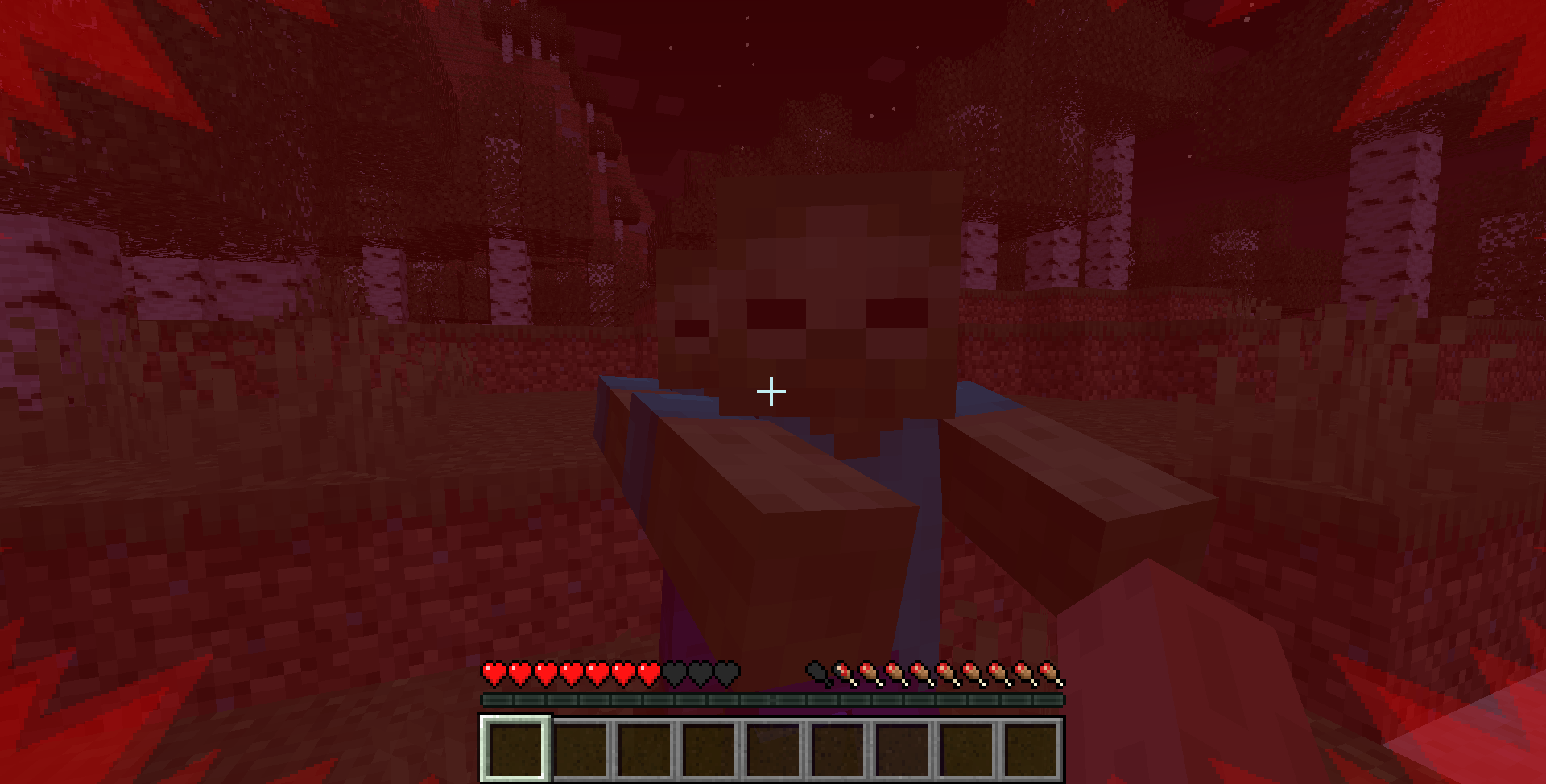
Remember that frost overlay for Powdered Snow? Pretty cool, huh? My thought process with this mod was essentially just taking the idea to its logical extreme. ‘Ominous Overlays’ adds screen changes for all sorts of different conditions, including potions, damage, hunger, oxygen, and the like. (There’s a more thorough description in the changelog.) This mod is mostly just client side, and is intended to offer a bit of consistency, as well as just some cool new (and occasionally helpful) overlays to the game.
I am open to eventually backporting this, but at the moment, will be working on other projects.
CHANGELOG
- The Damage Overlay appears whenever the player takes damage greater than 1.5 hearts. It’s a red, spikey overlay that has a different direction depending on where the attacker is relative to the player. (Above, behind, in front of, or to the right or left.) If too much damage is taken at once, the screen also takes on a red hue with increasing duration based on the amount of damage taken.
- If the player is low on health, the Heartbeat Overlay appears. It looks similar to the damage overlay, but pulses on and off with increasing speed the lower the player’s health is. It’s accompanied by a heartbeat sound effect to further implore the player to do something about it.
- The Hunger Overlay pulses a pale white around the edges of the screen, with increasing speed and intensity the lower the player is on food.
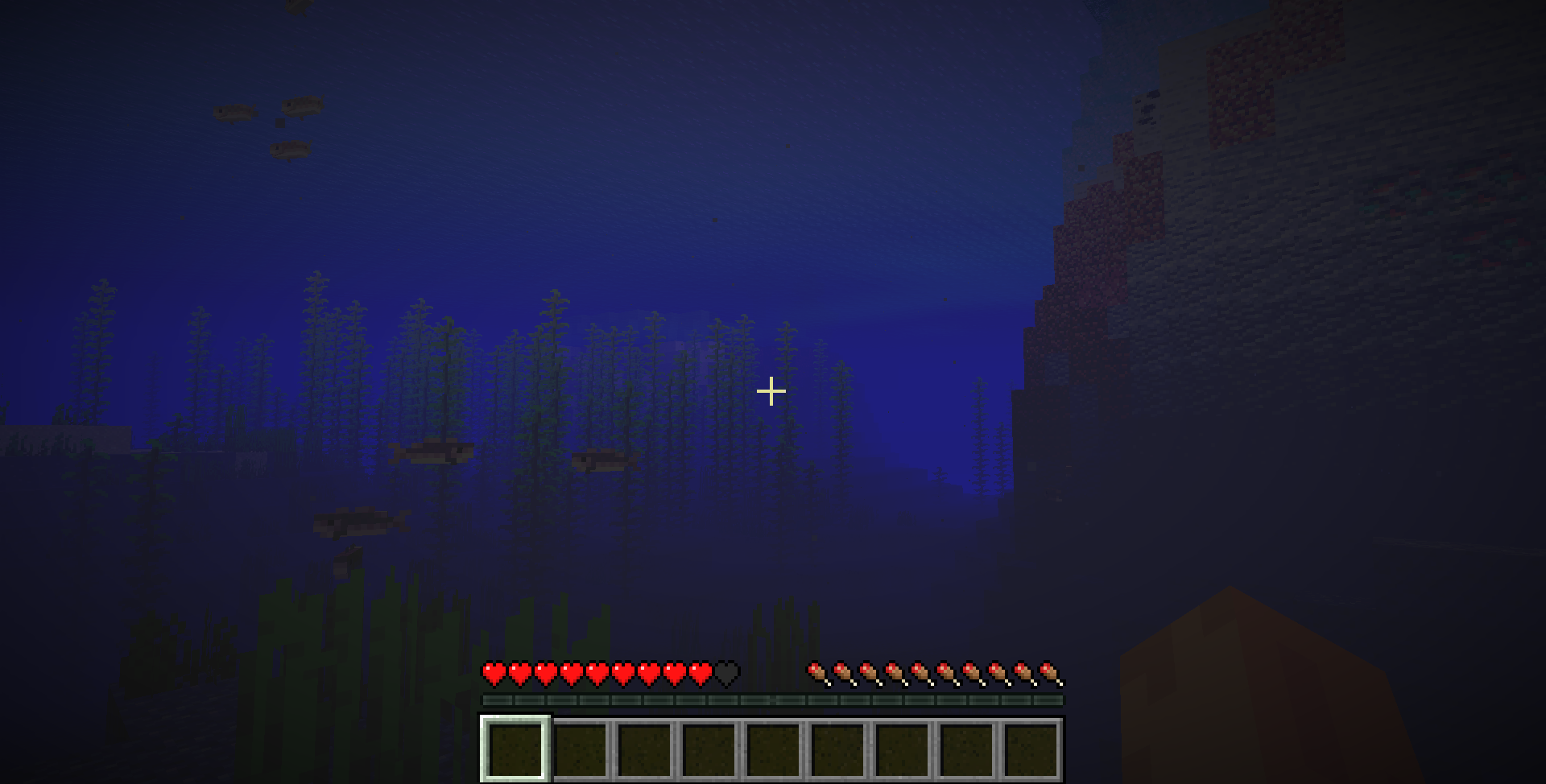
- The Oxygen Overlay subtly blacks out the edges of the player’s screen when their oxygen bar is depleted. When the player is fully out of oxygen, their screen rapidly begins to pulse black.
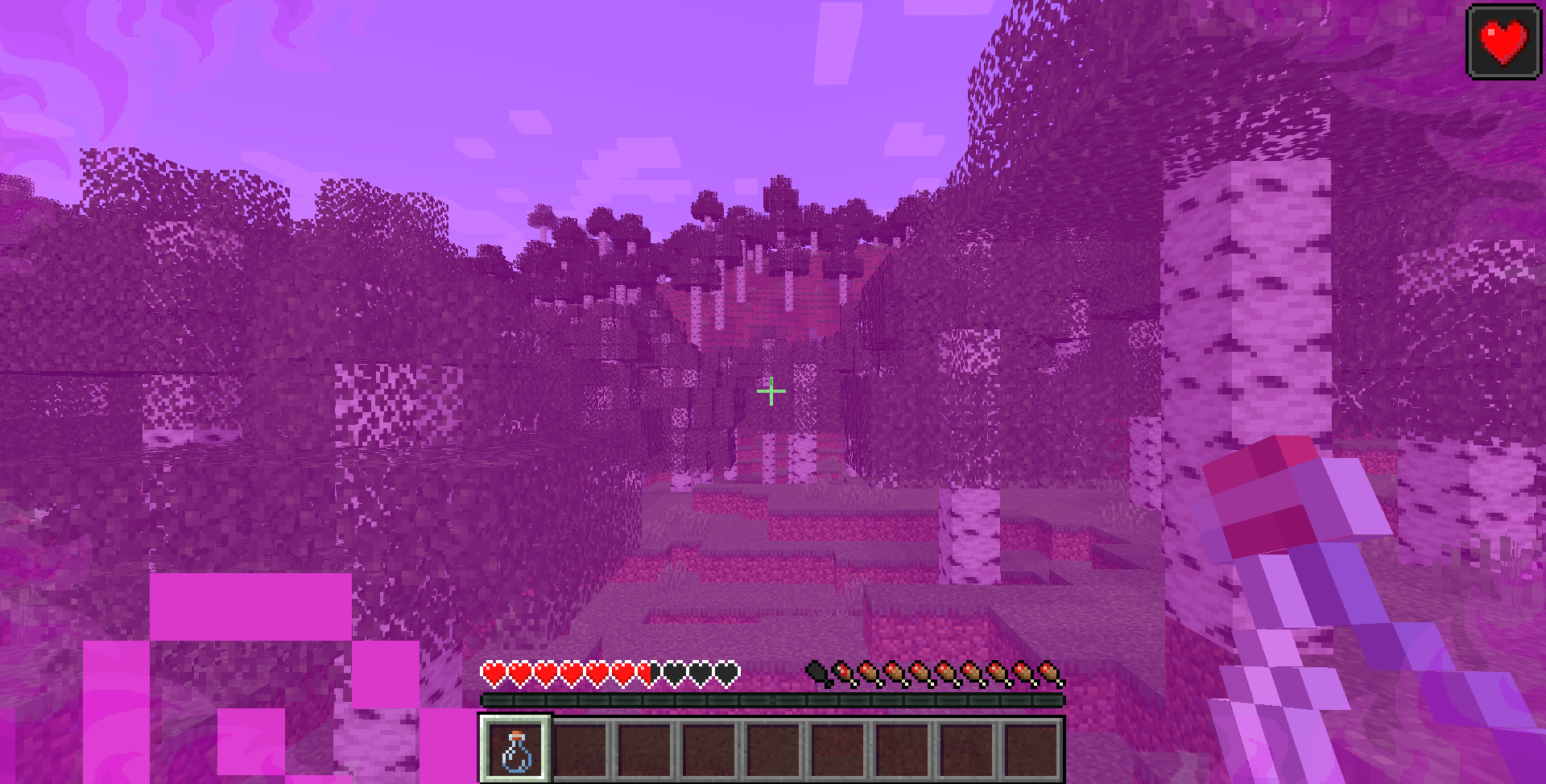
- Each Potion now has a unique overlay. For potions where remaining time is important, (Night Vision, Invisibility, Water Breathing, etc;) the potion overlay flashes quicker the less time is left of the potion effect. Other potions, such as Strength, Speed, Regeneration, etc; flash when their effect is in use. (When the player is attacking, running, or healing, respectively.)
- Gaining EXP triggers the Experience Overlay, in which EXP orbs bubble up around the player’s EXP bar. When the player gains a full level, their screen pulses with bubbling orbs.
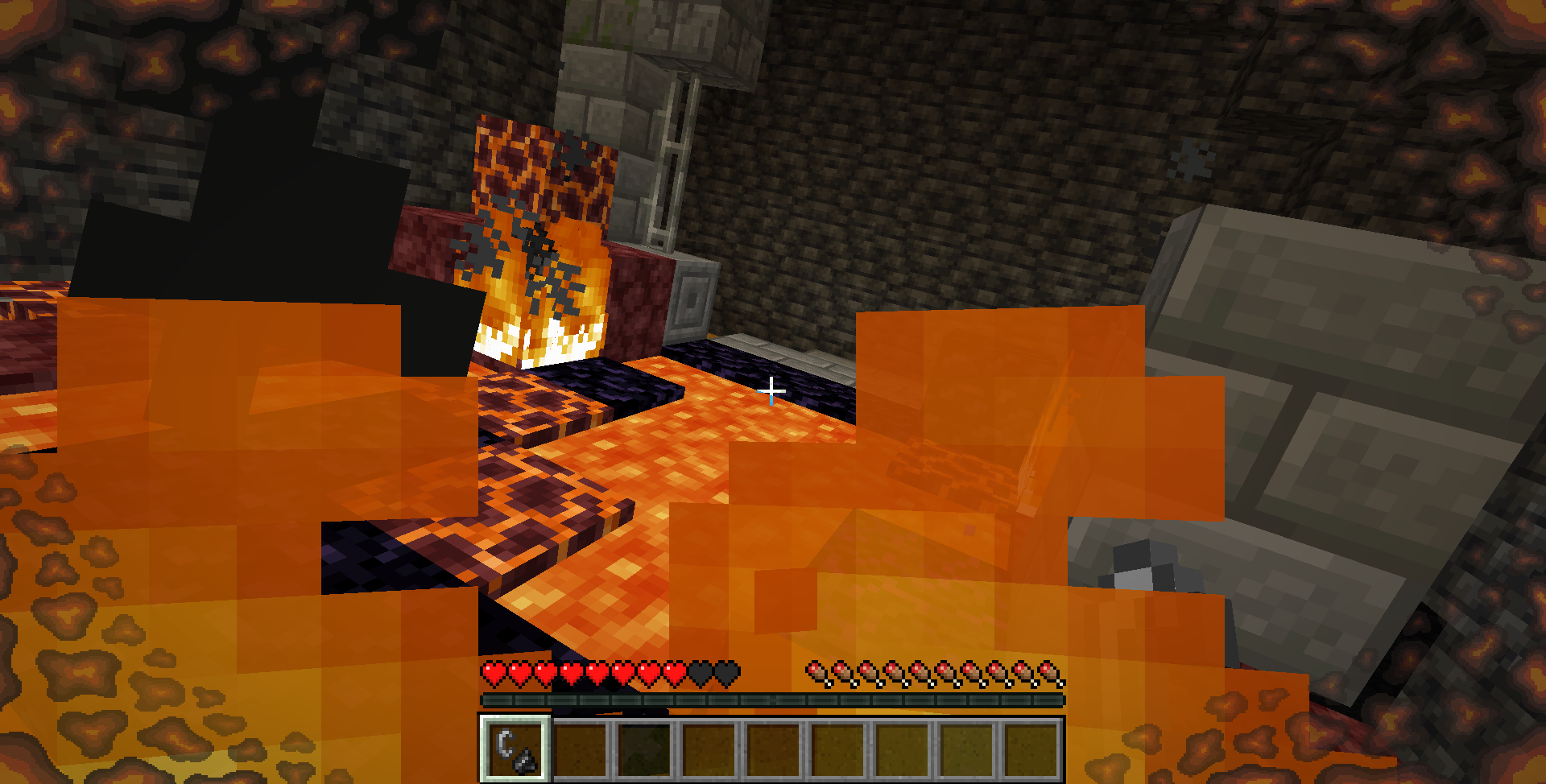
- A Fire Overlay appears when the player takes damage from magma-rock, campfires, or flames. It pulses with cinders around the edges of the screen.
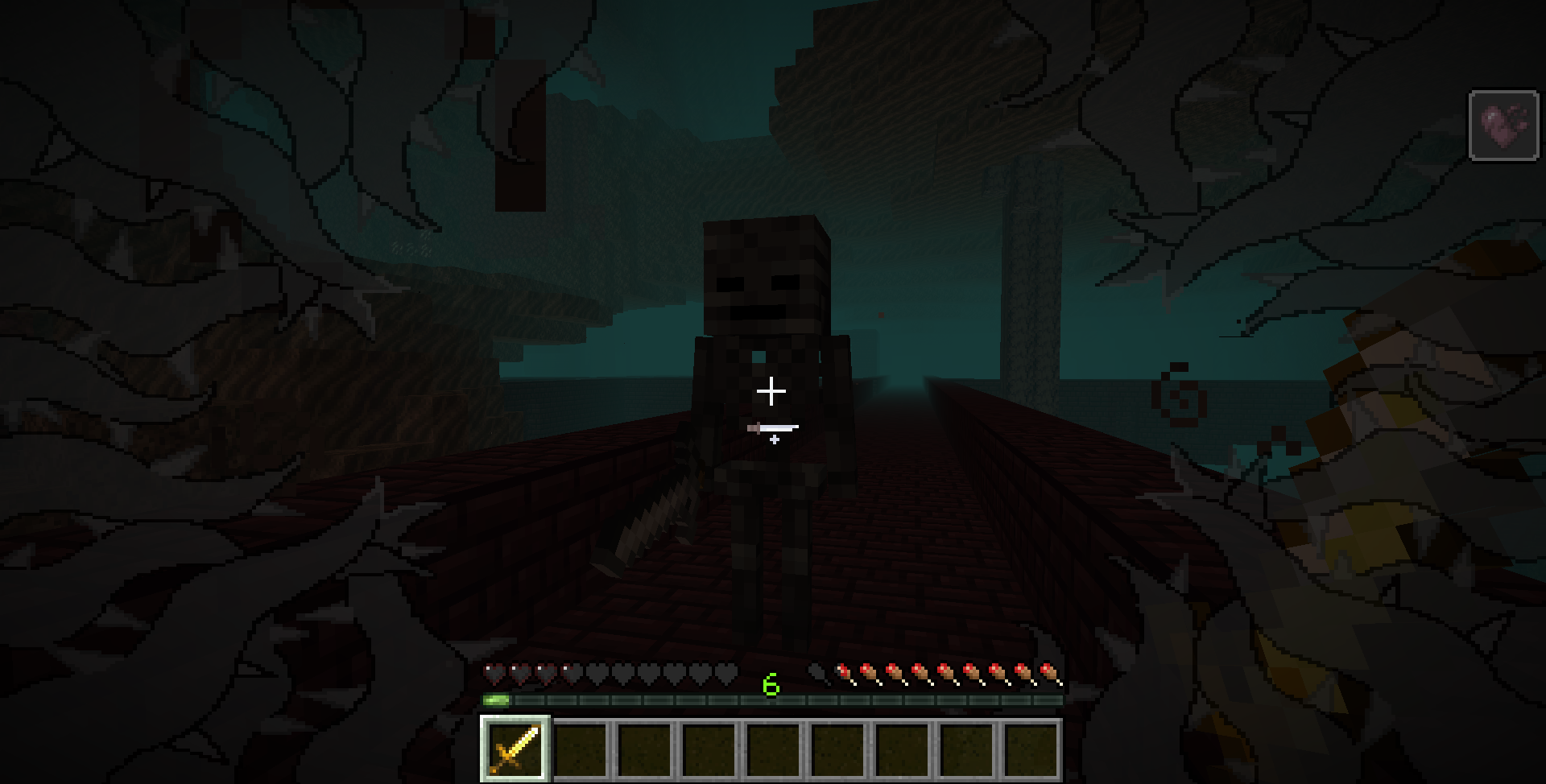
- The Wither Overlay appears when the player takes damage from Wither Roses, the Wither, and Wither Skeletons. It consists of thorny tendrils that grow rapidly around the player’s field of view.
- A Thorns Overlay appears when the player takes damage from Cacti, Sweet Berries, or an enemy with armor enchanted with thorns.
常见问题
Ominous Overlays 支持哪些 Minecraft 版本?
Ominous Overlays 支持 Minecraft Java 版 1.19.2–1.20.1,共 3 个版本,可用的加载器:Forge。下载时注意选择和你游戏版本一致的文件。
Ominous Overlays 怎么安装?
先用 PCL2 或 HMCL 启动器安装对应版本的 Forge,再把下载的 .jar 文件放进游戏目录的 mods 文件夹,重新启动游戏即可。开启了版本隔离的,mods 文件夹在 versions/版本名 下面。
Mindthemoods 的其他作品
查看全部 →
Foods & Plants (Cooking with Mindthemoods)
食物、植物、营养,以及各式精选奶酪 ~

Beastly Beacons
重做了信标系统;平衡性与增强
Fabulous Fletching
原版风格的箭矢制作系统,支持自定义箭矢

Biome Improvement (Mindthemood’s Pile of Rocks)
为生物群系增添贴合原版风格的细节
评论
登录后评论和评分