
截图


介绍
Shuffles ALL Minecraft songs during gameplay.
All official Minecraft update soundtracks are included.
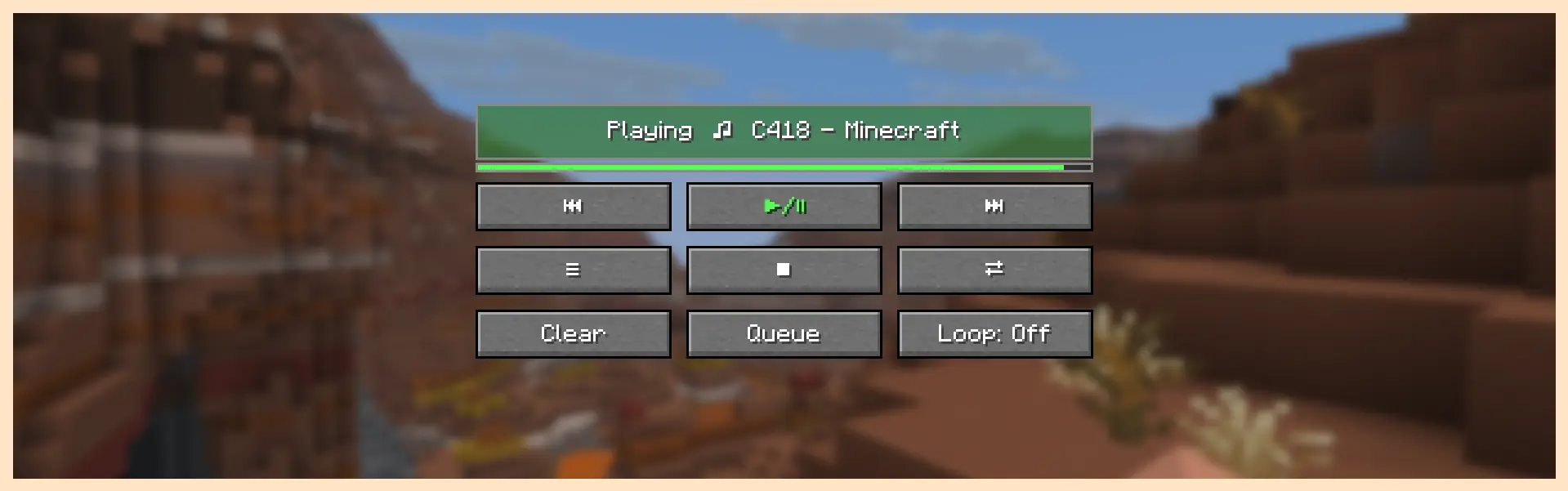
Music Player Menu
Shuffle, reorder, and skip through the queue.
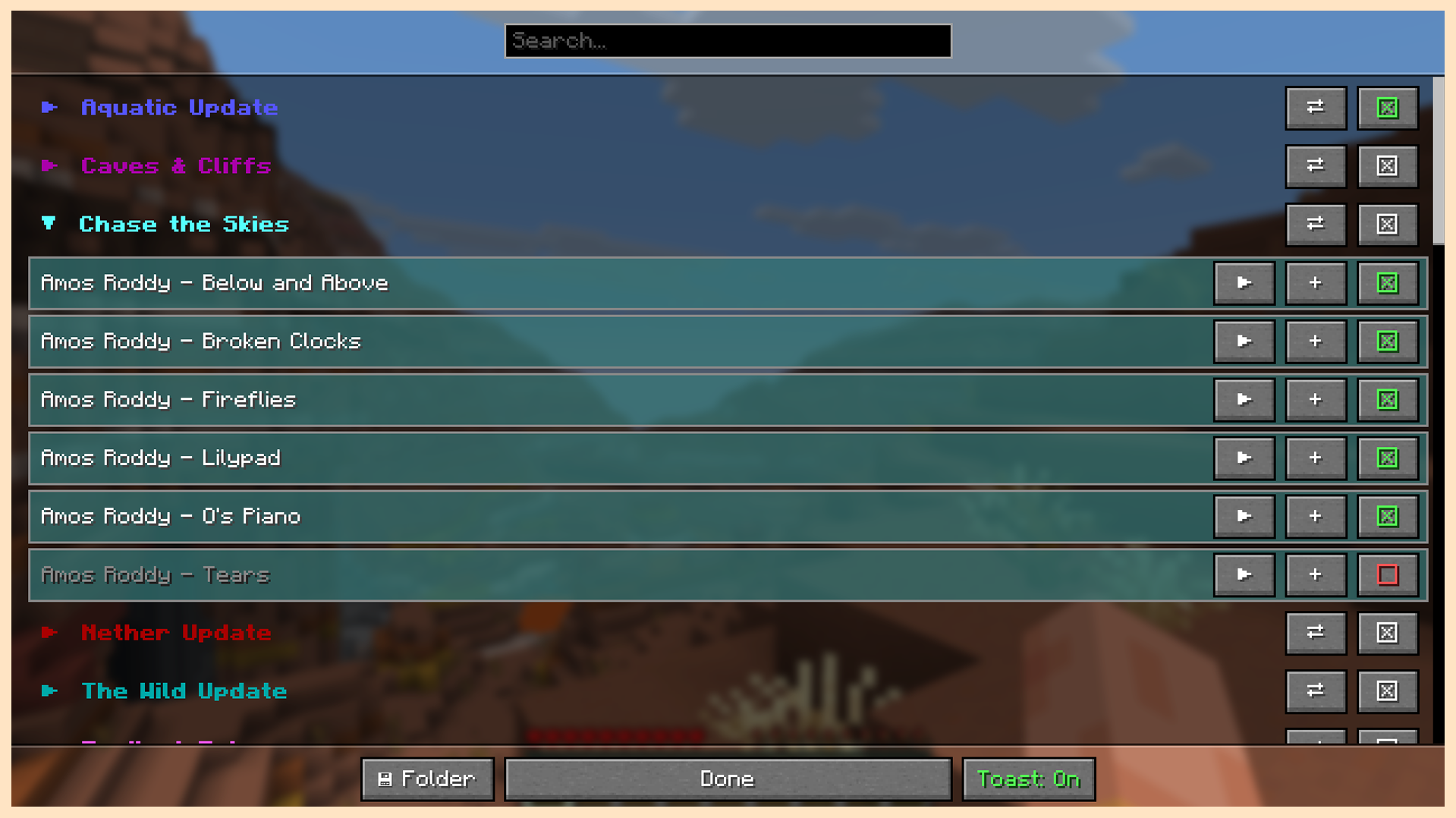
Track Config Menu
Disable songs from the queue. Sort and play by album.
Add your own .ogg or .wav files to the directory.
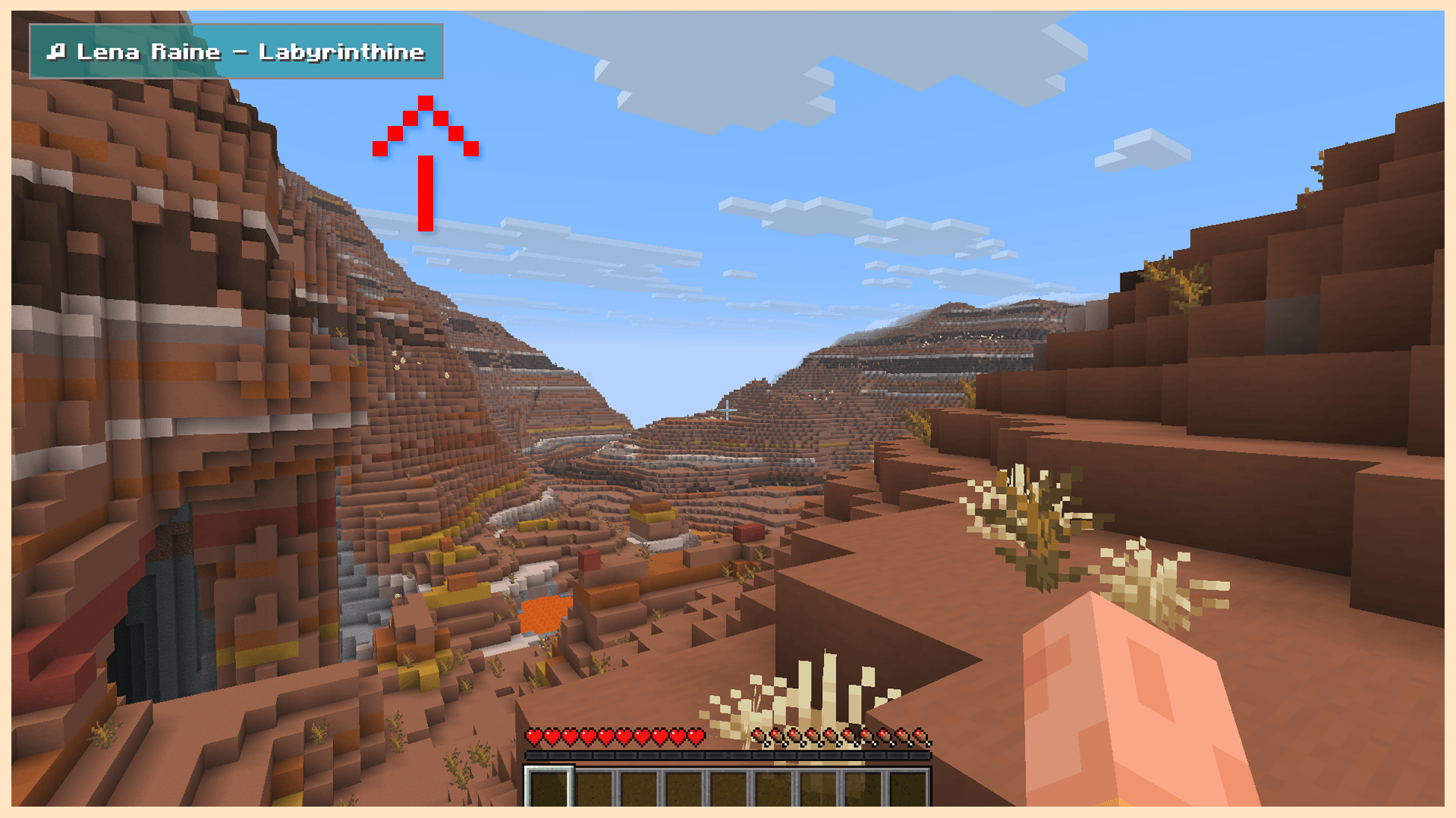
In Game Music Toast
Appears when a new song begins to play. Visibility can by toggled.
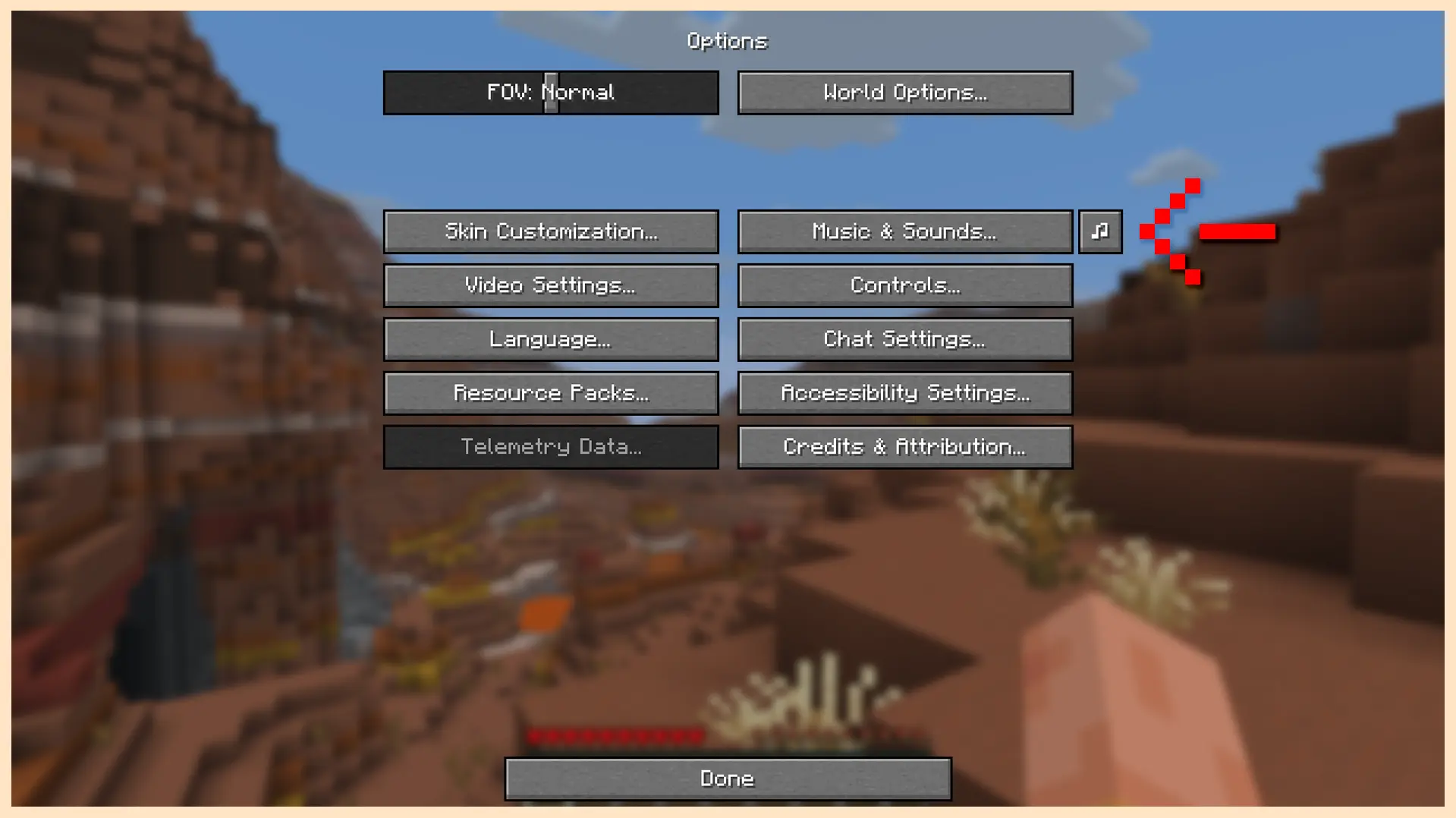
Music Player Menu Button
Accessed through the options menu or through a bindable hotkey.
🎵 Minecraft Volumes Included
Volume Alpha
Volume Beta
Aquatic Update
Nether Update
Caves & Cliffs
The Wild Update
Trails & Tales
Tricky Trials
Chase the Skies
Chaos Cubed
Echoing Void (Minecraft Dungeons)
🔍 About
Music disc tracks are disabled by default.
Can be re-enabled through the in game config.
Two loop modes. Loop song, and loop queue.
Configure to allow for dimension dependent music shuffling.
Music volume is controlled by the default music slider.
The mod can be easily disabled with the stop button.
While disabled, music control is given back to the game.
常见问题
Music Shuffle 支持哪些 Minecraft 版本?
Music Shuffle 支持 Minecraft Java 版 26.1.2–26.3,共 3 个版本,可用的加载器:Fabric。下载时注意选择和你游戏版本一致的文件。
Music Shuffle 怎么安装?
先用 PCL2 或 HMCL 启动器安装对应版本的 Fabric,再把下载的 .jar 文件放进游戏目录的 mods 文件夹,重新启动游戏即可。开启了版本隔离的,mods 文件夹在 versions/版本名 下面。运行环境:仅客户端。
BennyBoops 的其他作品
查看全部 →
Pocket Repose
Adds a bigger on the inside suitcase.

Pocket Repose
Adds a bigger on the inside suitcase.

Basic Backpack
Adds a wearable backpack with easy access.

Where Did I Die
Displays coordinates on death in chat. Can teleport if permitted.
评论
登录后评论和评分