
截图
介绍
中文介绍正在准备中,下面暂时显示原文。
What is it?
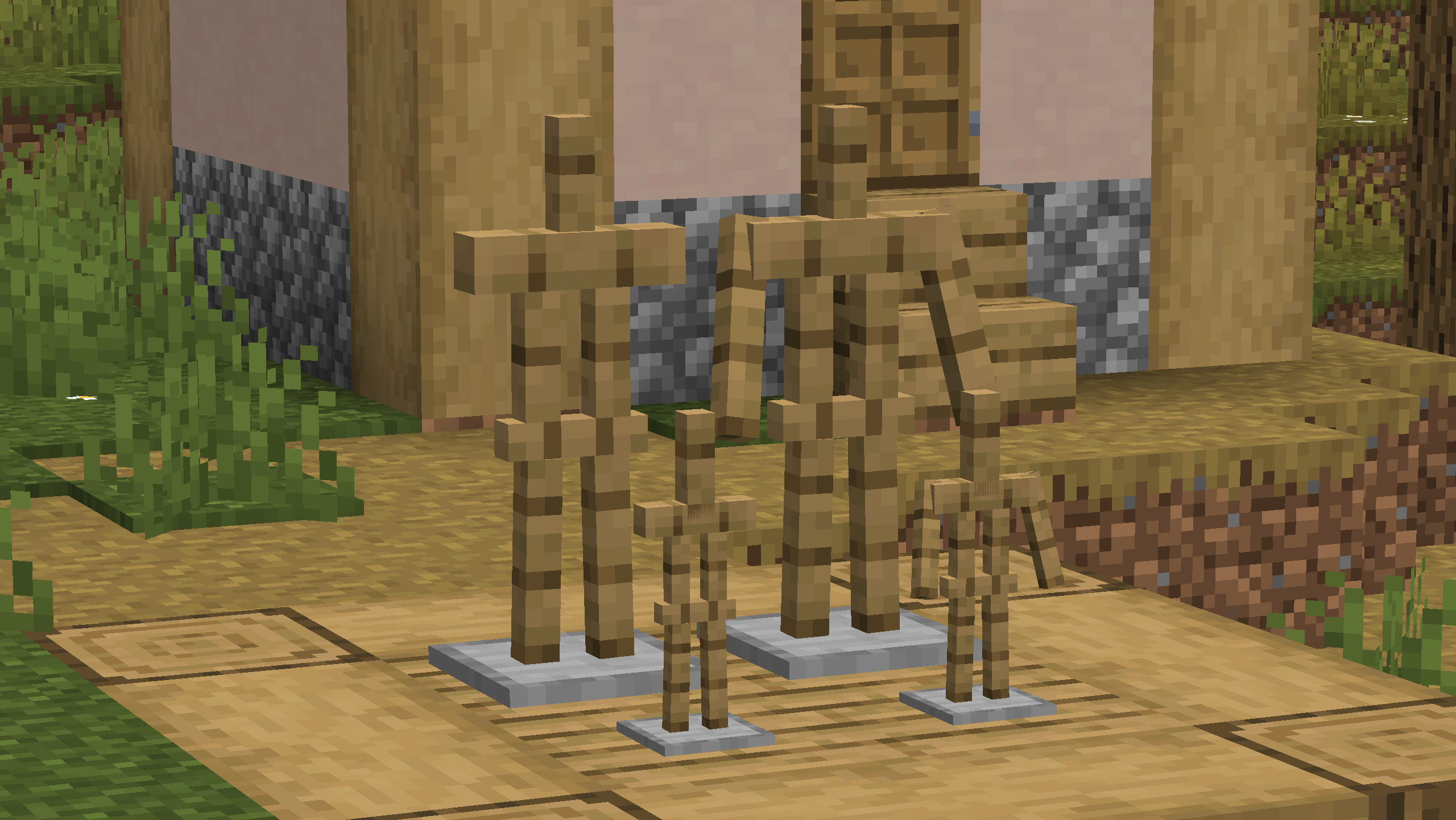
Armor stands have quite a few types, but for some reason they aren’t obtainable in survival. Well now they are!
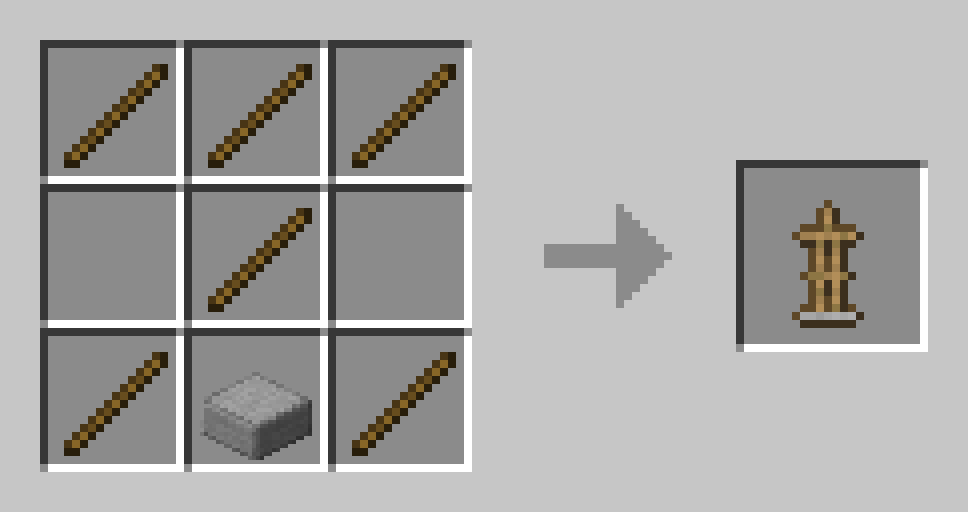
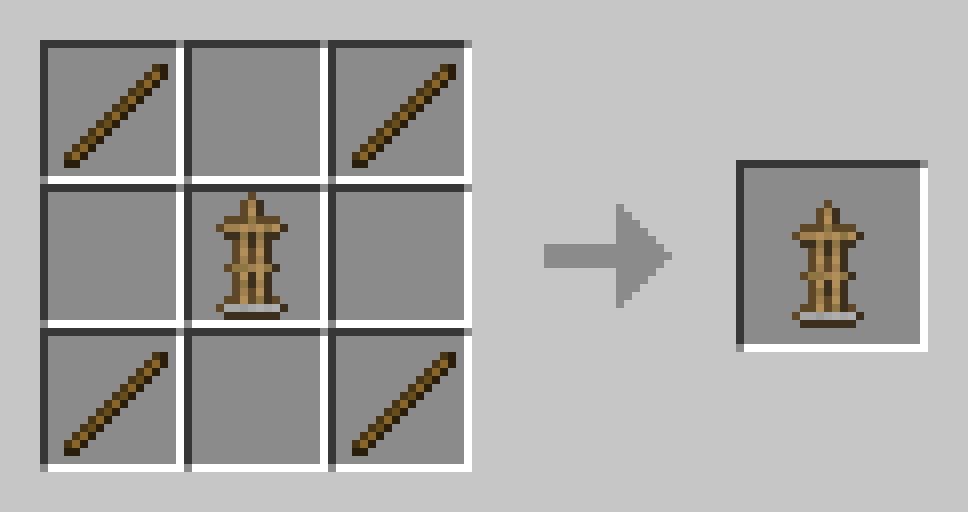
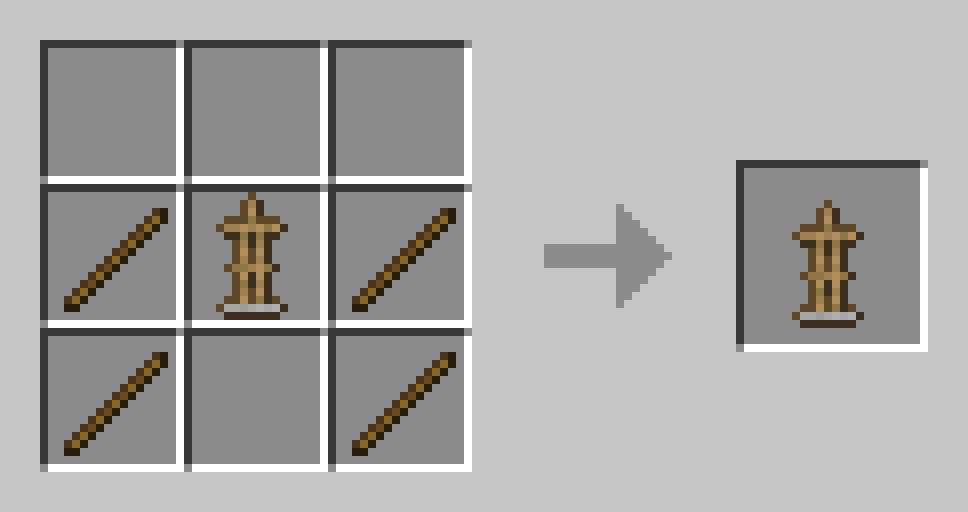
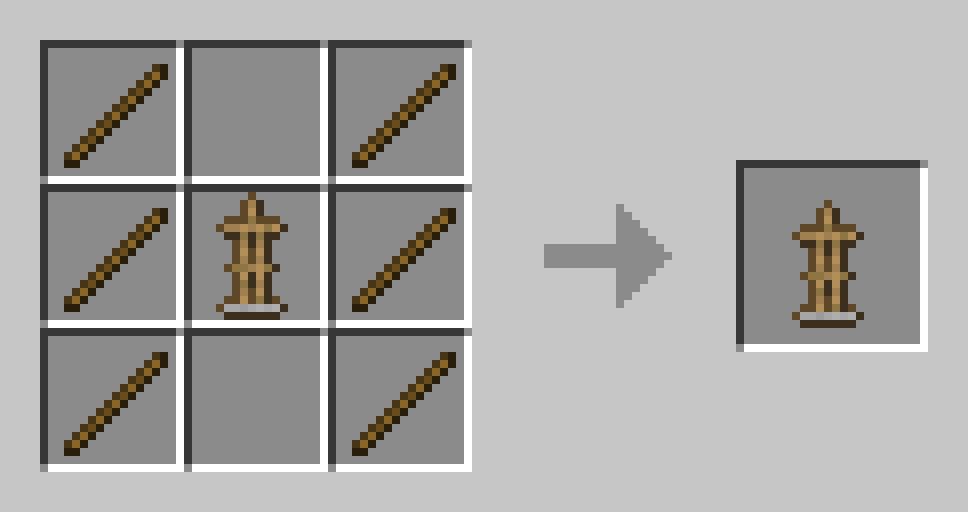
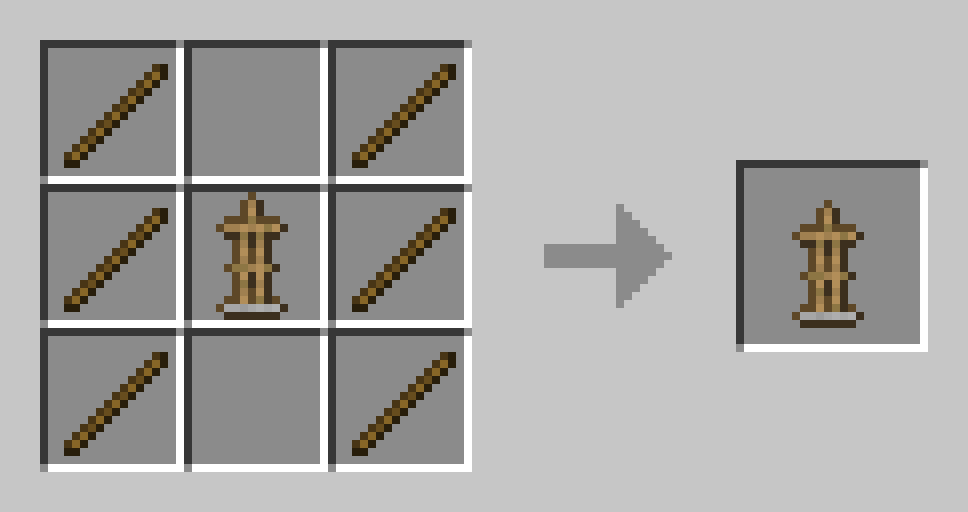
You can craft them in crafting tables like any other item! Here are the recipes:
Regular Vanilla Armor Stand
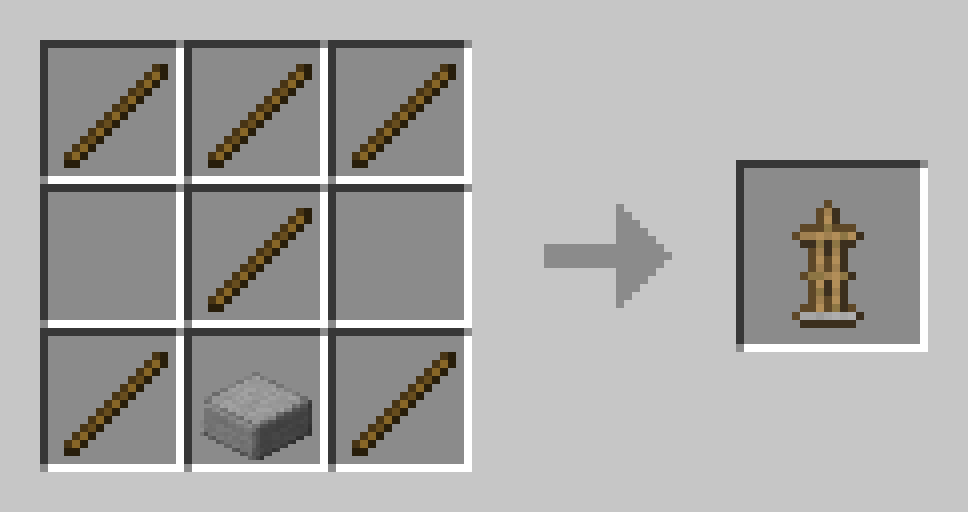
Armed Armor Stand
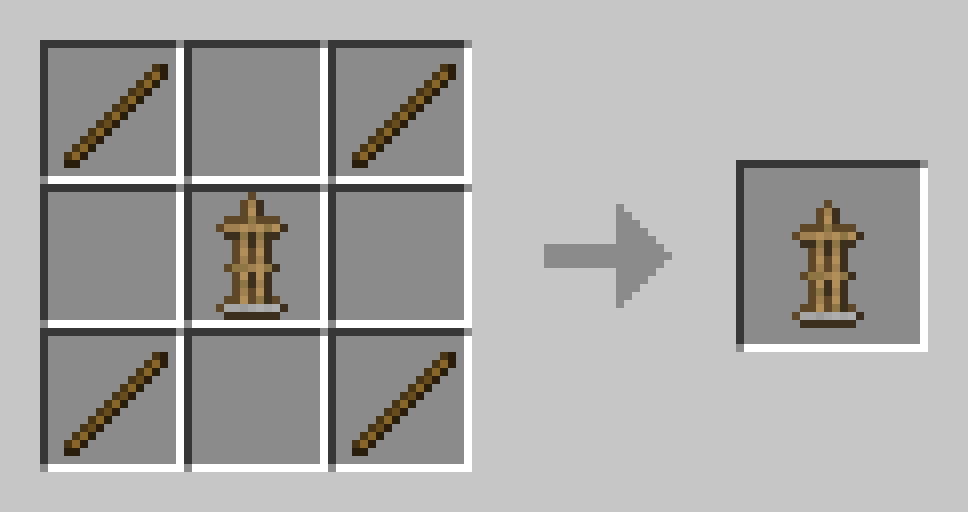
Small Armor Stand
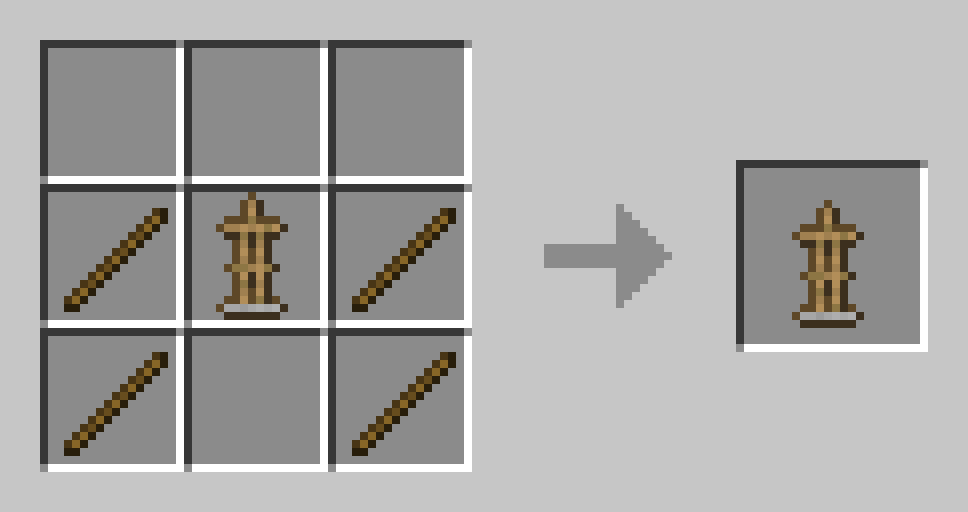
Small Armed Armor Stand
Installation Guide:
Data Pack version:
- Download the data pack
- Exit the world you want to install the data pack in
- Select that world in the world selection screen, click on “Edit”, then “Open world folder”.
- Open the folder named “datapacks”, and put the downloaded .zip file into it.
- Now enter the world, and have fun 🙂
Mod version:
- Make sure your Minecraft version matches the mod version
- Download the mod
- Go to your main “.minecraft” folder
- Enter the “mods” folder (or if you don’t have one yet create one)
- Place the downloaded mod into the mods folder
- Now enter the world, and have fun 🙂
Using the Modrinth App on desktop:
- Install the mod/data pack
- That’s it, have fun 🙂
常见问题
More Stands 支持哪些 Minecraft 版本?
More Stands 支持 Minecraft Java 版 1.21.4–26.2,共 12 个版本,可用的加载器:Fabric / Forge / NeoForge / Quilt。下载时注意选择和你游戏版本一致的文件。
More Stands 怎么安装?
先用 PCL2 或 HMCL 启动器安装对应版本的 Fabric / Forge / NeoForge / Quilt,再把下载的 .jar 文件放进游戏目录的 mods 文件夹,重新启动游戏即可。开启了版本隔离的,mods 文件夹在 versions/版本名 下面。运行环境:客户端 / 服务端。
owlycode 的其他作品
查看全部 →
Call of the King
by owlycode
Name any mob "King" and watch it size up!
6,689
4 个月前
Modrinth

Falings’ Summonings
by owlycode
Adds a new ender mob with trades to spare, a new currency and a new magic structure
4,504
4 个月前
Modrinth
More Stands
by owlycode
Craft more armor stands in vanilla
1,685
4 个月前
Modrinth

Slightly Lighter Acacia Fence Mod
by owlycode
A mod that adds the highly requested feature Slightly Lighter Acacia Fences.
267
2 年前
Modrinth
评论
登录后评论和评分