
介绍
This mod adds a warning screen when attempting to load a world with missing mods, tells what mods are missing and provides an option to go back to the main menu or proceed loading.
Forge used to provide a similar feature on pre-1.13 versions, but has since been removed.
An icon and tooltip is also added to the affected worlds in the selection screen
Useful for debugging mods without accidentally ruining a world. Clientside only
New tooltip

Warning screen


Need a custom mod for a reasonable fee? Just want to chat? Have a complex issue needing additional discussion? Join the Discord:

Want to help support this mod and others? Donate to my Patreon in the link below

常见问题
Missing Mods Warning 支持哪些 Minecraft 版本?
Missing Mods Warning 支持 Minecraft Java 版 1.20.1–1.21.1,共 2 个版本,可用的加载器:Forge / NeoForge。下载时注意选择和你游戏版本一致的文件。
Missing Mods Warning 怎么安装?
先用 PCL2 或 HMCL 启动器安装对应版本的 Forge / NeoForge,再把下载的 .jar 文件放进游戏目录的 mods 文件夹,重新启动游戏即可。开启了版本隔离的,mods 文件夹在 versions/版本名 下面。
tfarecnim 的其他作品
查看全部 →
护甲显示上限突破 Overloaded Armor Bar
允许护甲条换行,并在护甲优于钻石时改变颜色

Dank Storage
小方块里的大存储
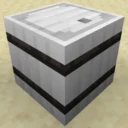
Metal Barrels
类似 Iron Chests,不过换成了木桶,而且更出色。
Forge CIT
将 OptiFine 的自定义物品纹理移植到 Forge。
评论
登录后评论和评分