
Mine Mine no Mi: Devil Fruit Circulation Bot
每位服务器服主的必备工具。它会在指定频道中以精美的嵌入消息显示恶魔果实的刷新情况。你可以选择显示可用果实、不可用果实,或两者都显示。
截图
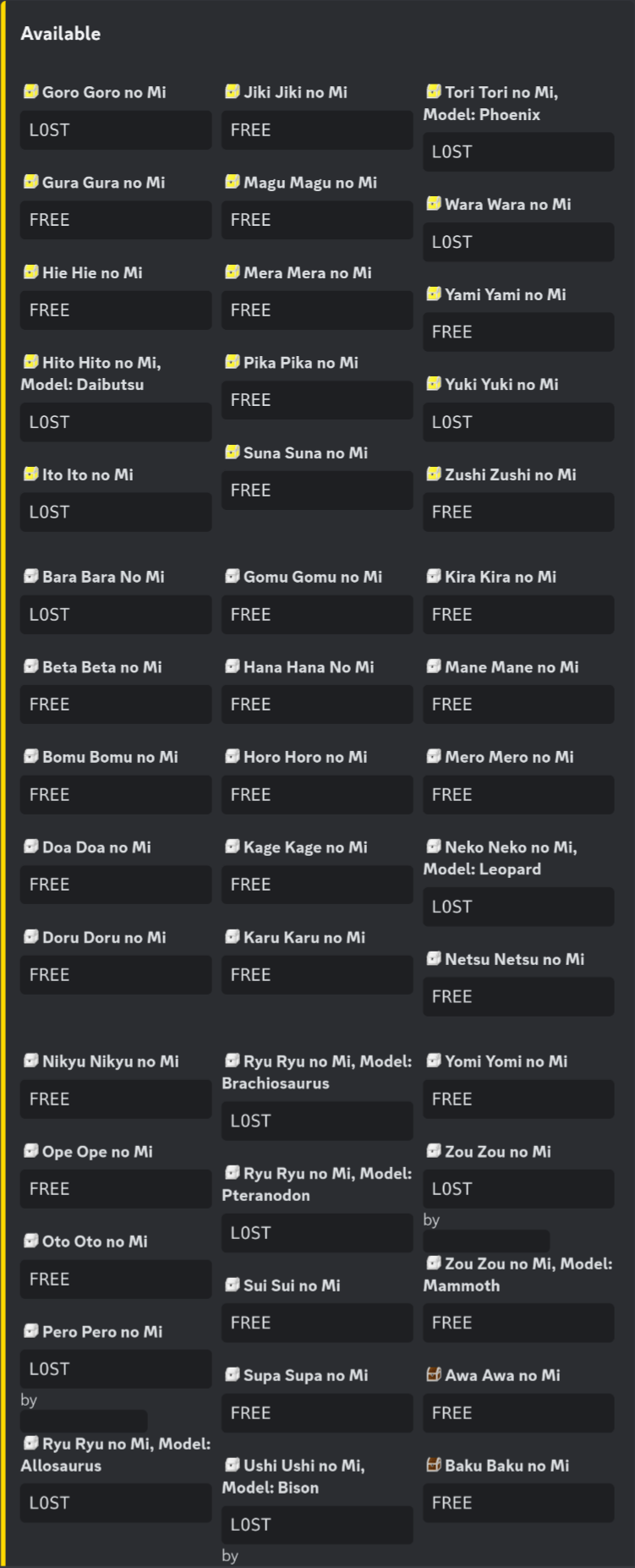
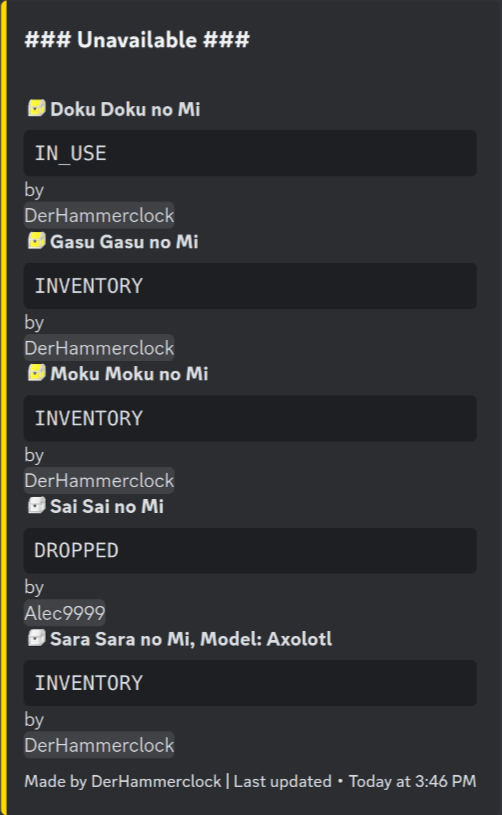
介绍
介绍由机器翻译自 Modrinth 原页面,仅供参考。

恶魔果实循环机器人
恶魔果实循环机器人是热门 Mine Mine no Mi 模组的一个 Minecraft 附加组件。

安装
git clone https://github.com/rathmerdominik/devilfruit-circulation-bot.git
cd devilfruit-circulation-bot
./gradlew build然后你可以从build/libs文件夹中取出 jar 文件
依赖项
此模组依赖最新 1.16.5 版本的Discord 集成,因此你也必须获取并配置此附加组件!
配置选项
[EmbedDesign]
	#Color for the generated Embed in Hexadecimal
	"Color Hex" = "0xFFD700"
	#Sort Devil Fruits by Alphabet
	"Sort by Alphabet" = false
	#Sort Devil Fruits by their Tier
	"Sort By Tier" = true
	#The title of the Embed
	"Embed Title" = "Current Devilfruit Circulation"
	#The footer of the Embed
	"Embed Footer" = "Made by DerHammerclock | Last updated"
	#Show a date next to the footer when the embed has been updated
	"Show Last Updated" = true

[General]
	#Show the current Status of the Fruit as well if it has one
	"Show Fruit Status" = false
	#In which mode the Bot is supposed to work.
	#Allowed Values: ONLY_SHOW_AVAILABLE, SHOW_AVAILABLE_AND_UNAVAILABLE, ONLY_SHOW_UNAVAILABLE
	"Circulation Bot Mode" = "ONLY_SHOW_AVAILABLE"
	#Channel ID to where the Circulation Messages will be send. Please make sure the bot has write access!
	#Range: 0 ~ 9223372036854775807
	"Channel ID" = 0
	#DO NOT TOUCH. WILL BE GENERATED
	#Range: 0 ~ 9223372036854775807
	"Message ID" = 0
	#Show the player name if the fruit status is INVENTORY or IN_USE. Requires Show Fruit Status to be true
	"Show Player Name as Status" = false

[Emojis]
	#Discord Emoji ID to represent a Gold Box.
	#Range: 0 ~ 9223372036854775807
	"Gold Box Emoji ID" = 0
	#Discord Emoji ID to represent a Wooden Box.
	#Range: 0 ~ 9223372036854775807
	"Wooden Box Emoji ID" = 0
	#Use emojis to show the rarity of a fruit
	"Use Emojis" = false
	#Discord Emoji ID to represent an Iron Box.
	#Range: 0 ~ 9223372036854775807
	"Iron Box Emoji ID" = 0
常见问题
Mine Mine no Mi: Devil Fruit Circulation Bot 支持哪些 Minecraft 版本?
Mine Mine no Mi: Devil Fruit Circulation Bot 支持 Minecraft Java 版 1.16.5,可用的加载器:Forge。下载时注意选择和你游戏版本一致的文件。
Mine Mine no Mi: Devil Fruit Circulation Bot 怎么安装?
先用 PCL2 或 HMCL 启动器安装对应版本的 Forge,再把下载的 .jar 文件放进游戏目录的 mods 文件夹,重新启动游戏即可。开启了版本隔离的,mods 文件夹在 versions/版本名 下面。运行环境:仅服务端。
DerHammerclock 的其他作品
查看全部 →
Mine Mine no Mi: Player Revive Compat
by DerHammerclock
为 Player Revive 模组添加多项兼容支持。
8.8万
1 年前
Modrinth · CurseForge

Mine Mine no Mi: Role Assigner
by DerHammerclock
自动将游戏内的种族、阵营、战斗风格等数据同步到 Discord 中对应的身份组。服务器服主必备。
1.5万
2 年前
Modrinth

Mine Mine no Mi: Crew Manager
by DerHammerclock
Mine Mine no Mi的附属模组,可将你的船员与Discord同步,并允许你管理船员规模。
2,877
2 年前
Modrinth
Mine Mine no Mi: Crew Manager
by DerHammerclock
Mine Mine no Mi的附属模组,可将你的船员与Discord同步,并允许你管理船员规模。
2,839
2 年前
Modrinth
评论
登录后评论和评分