
MC Engine
For The Game Designers, Storytellers, And Creators: A Game Engine for Minecraft-based games and servers.
截图


介绍
Minecraft: The Game Engine
MC Engine is a game engine-like interface that aims to help with the creation of games and experiences within Minecraft. It adds visual interfaces to various vanilla features like gamerules, weather, time, etc… It also adds custom features to facilitate the easier management and making of custom game systems with features like Regions, Interactions, Custom Music, and more.
The Engine UI:
MC Engine has a custom UI built with ImGuiMC that all centers around a central Nav Bar. If you’re in a singleplayer world or an operator on a server with the mod installed, you can click “O” (rebindable in the keybinds menu) to toggle on and off the engine’s Nav Bar.
Vanilla Mechanics Given UIs:
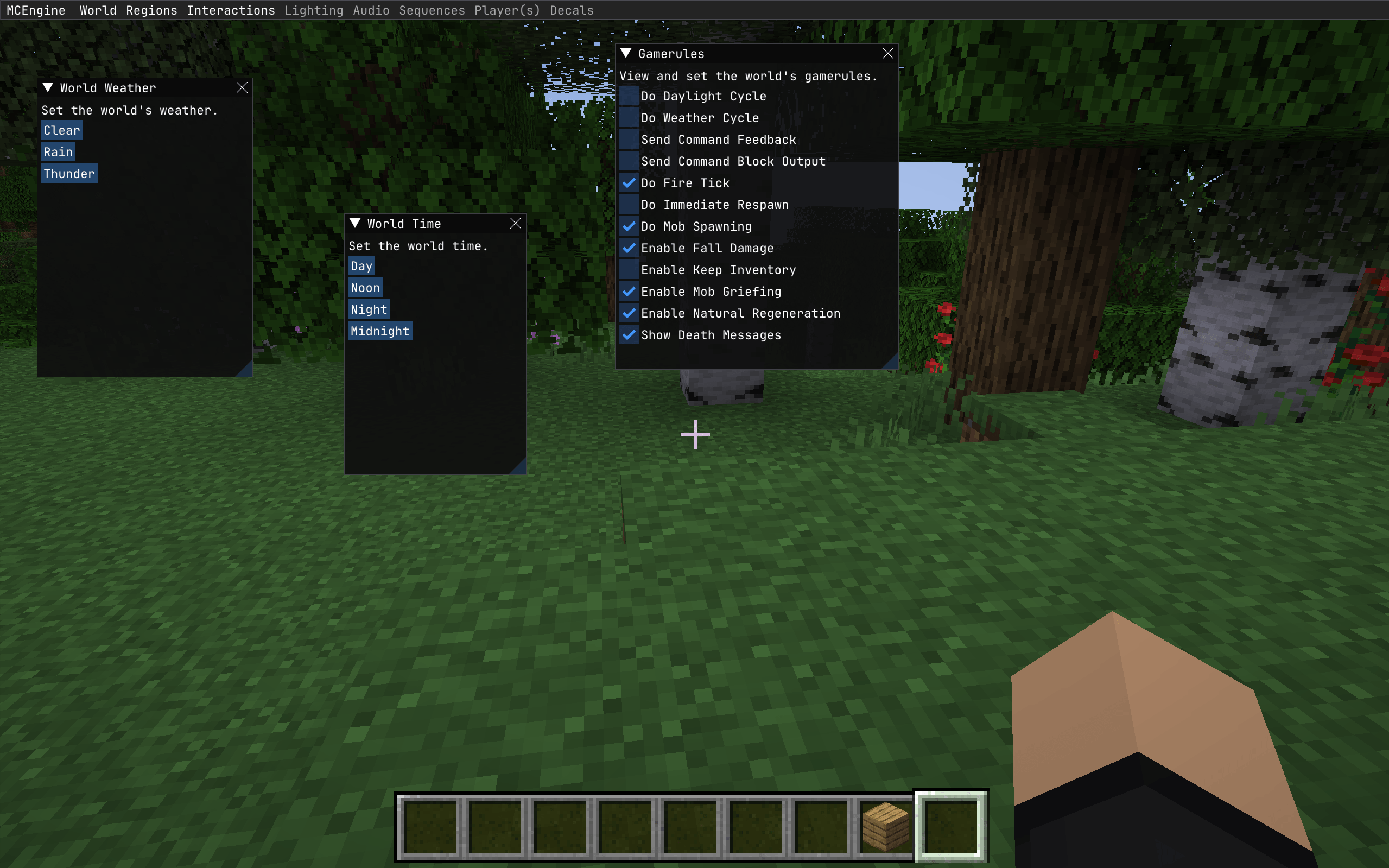
MC Engine gives various vanilla mechanics visual UIs to make them easier to access. Some gamerules have been added to a custom “World Gamerules” menu and can be toggled on and off through that menu.
World Time and Weather can be set in similar menus.
Regions:
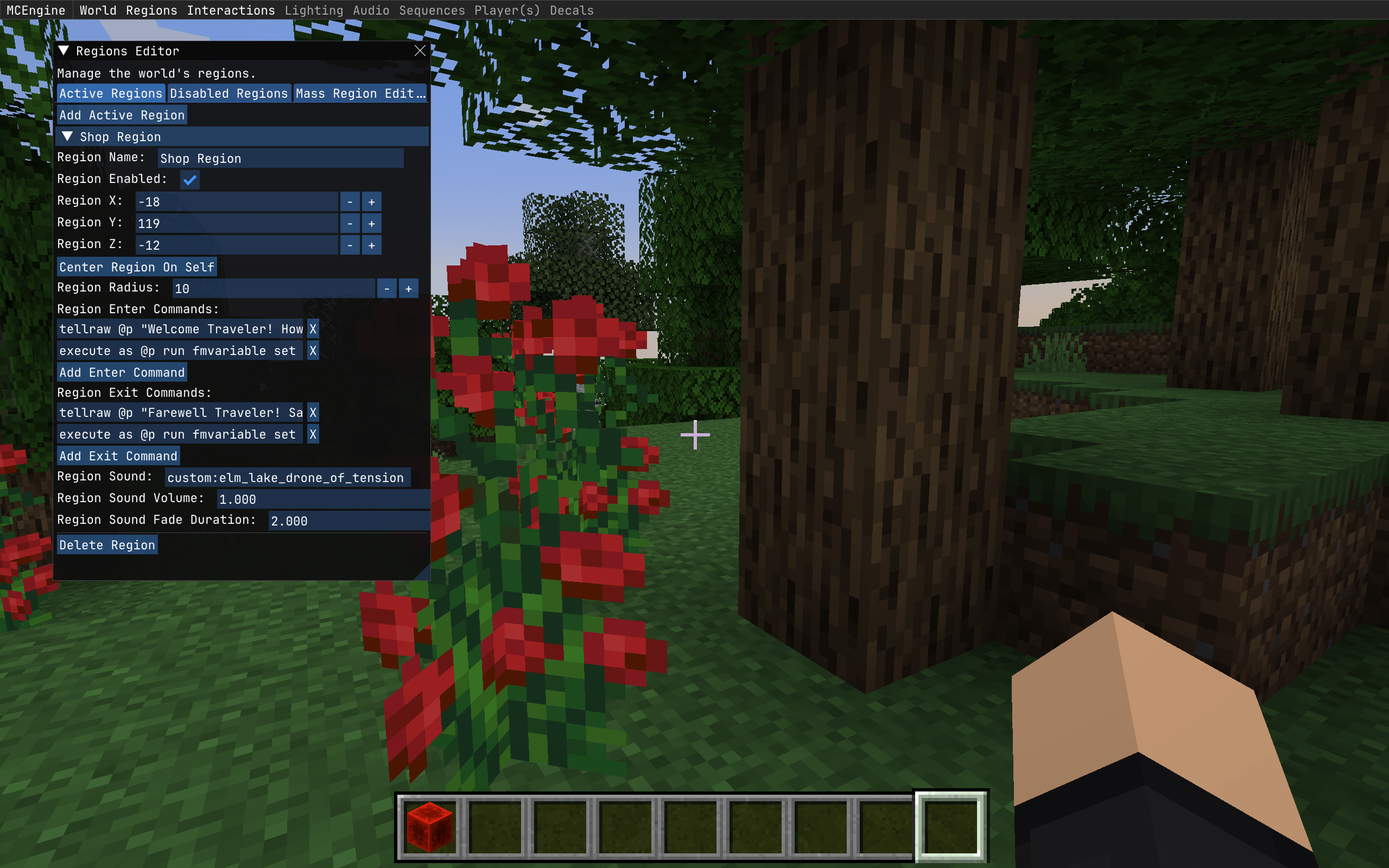
Regions are areas centered around a set position with a radius that defines the region borders. The Engine UI lets you set the position and radius of the region, as well as the commands that will run as you enter and exit the region. These can be any vanilla command as well as any command added by another loaded mod. Regions also have a music feature, where you can set a sound that plays for the player when they enter the region and configurably fades out when the player leaves the region. This can also be any vanilla sound, or any sound added by another loaded mod or resource pack.
Future Features:
Interactions:
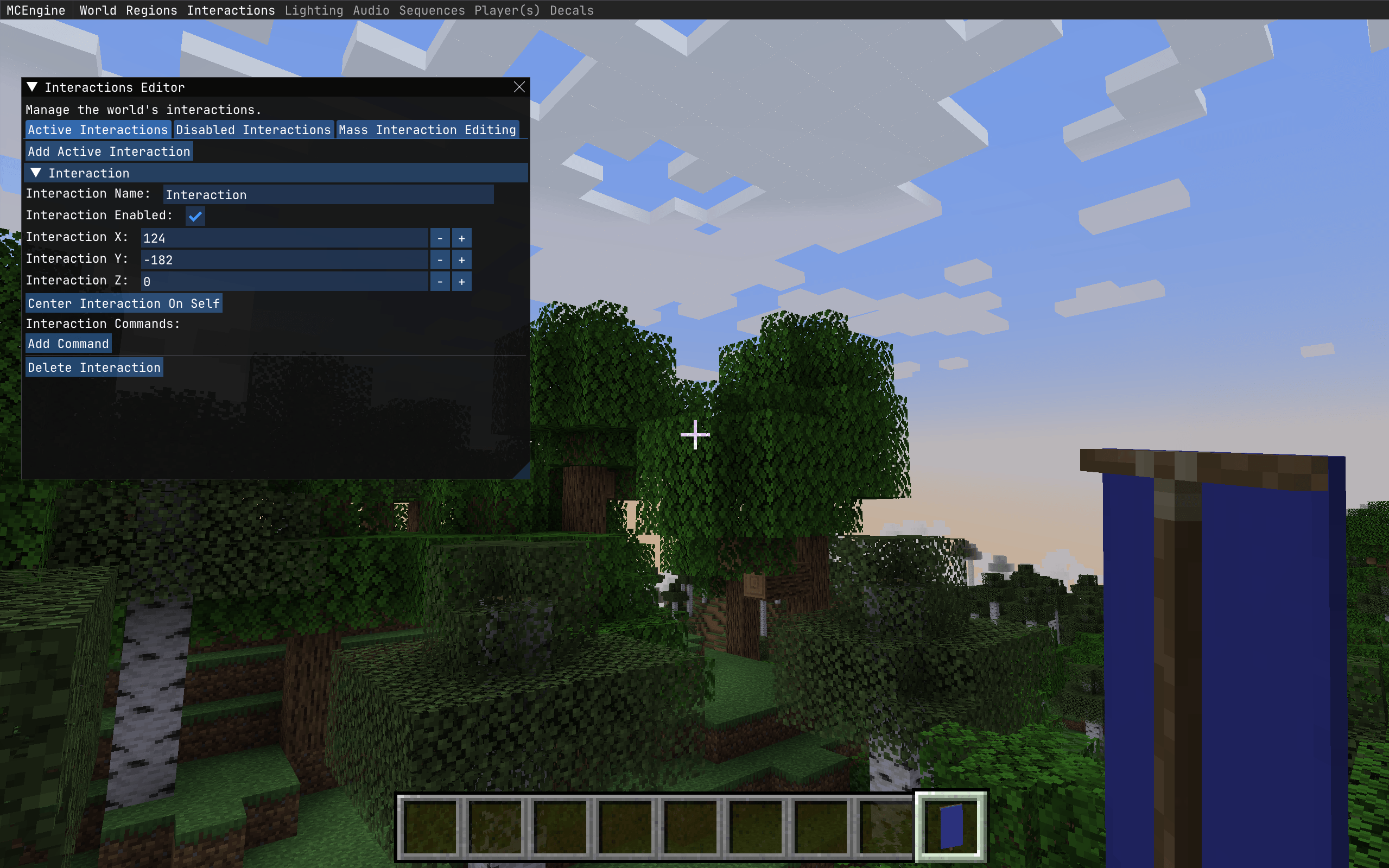
Interactions will be very similar to regions, but they only have one off effects. Interactions will be set up so when the player is looking at the block the interaction is centered on and presses the interaction key (which will also be rebind-able or settable on the server side) the interaction commands will run on the player using the interaction.
Music:
MC Engine’s music features will allow you to disable Minecraft’s vanilla music from playing and allow you to configure a custom set of sounds/music to play on a configurable delay instead of the vanilla music, allowing you to set custom world ambience.
Player Attributes
Various player attributes (height, walking speed, falling speed, etc…) will be able to set in a menu and editable via regions, so additional special effects/interactions can be had for the regions.
常见问题
MC Engine 支持哪些 Minecraft 版本?
MC Engine 支持 Minecraft Java 版 1.21.1,可用的加载器:Fabric。下载时注意选择和你游戏版本一致的文件。
MC Engine 怎么安装?
先用 PCL2 或 HMCL 启动器安装对应版本的 Fabric,再把下载的 .jar 文件放进游戏目录的 mods 文件夹,重新启动游戏即可。开启了版本隔离的,mods 文件夹在 versions/版本名 下面。运行环境:客户端和服务端都要装。
Scotticles 的其他作品
查看全部 →
Veil Light Utility
A Tool To Save, Load, And Manage Lights Using The Veil Library

Chronicled Umbrellas
Just about the simplest Umbrella mod around.

Minecraft: Refreshed Edition
A collection of mods made to breathe new life into the old Minecraft experience.

Enchancement Durability Pack
Reimplements durability for the Enchancement mod.
评论
登录后评论和评分