
Lodestone Warps and Tp
Turn vanilla lodestones into a global warp network using Minecraft’s server-side dialog UI.
截图
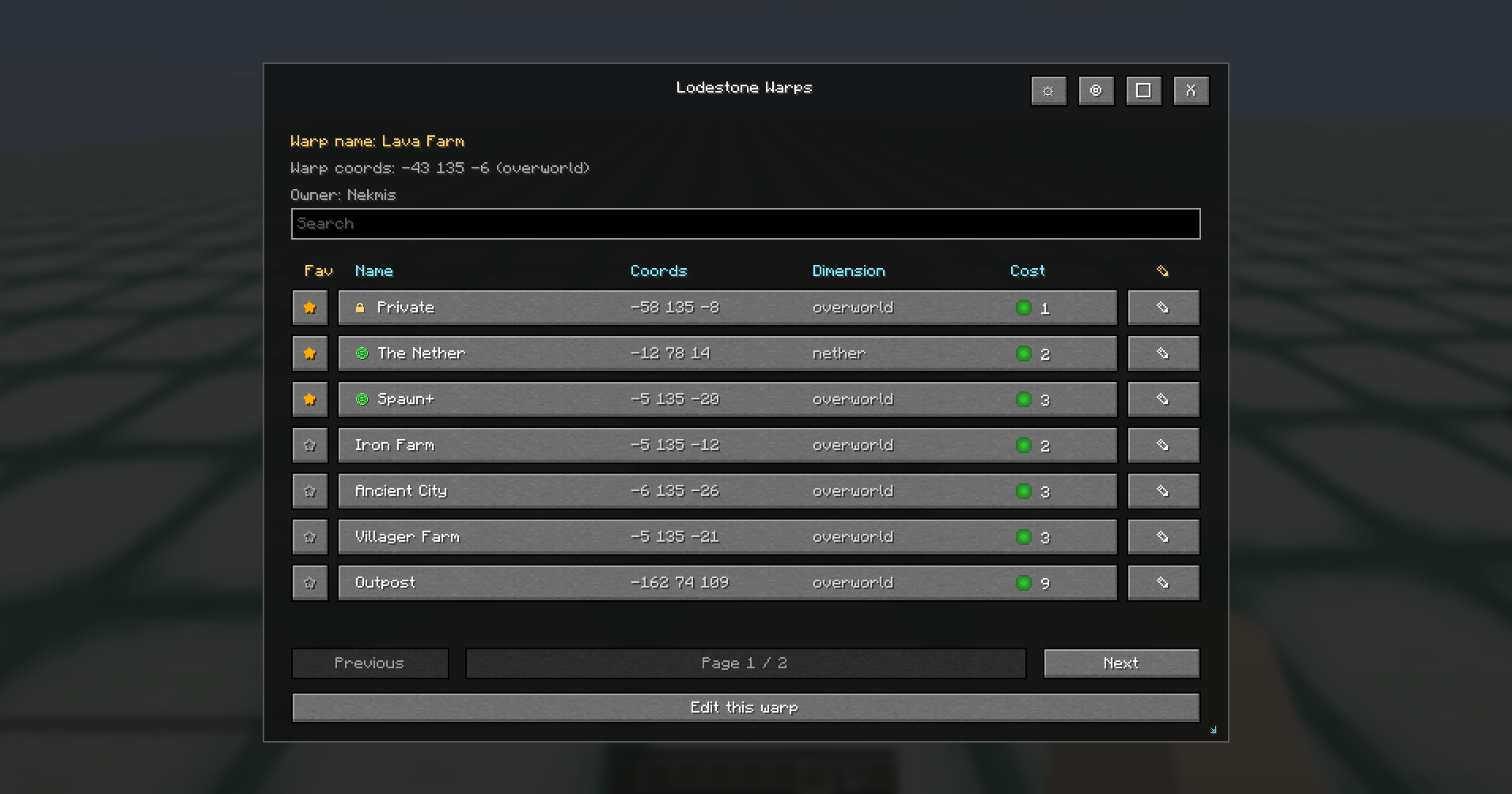
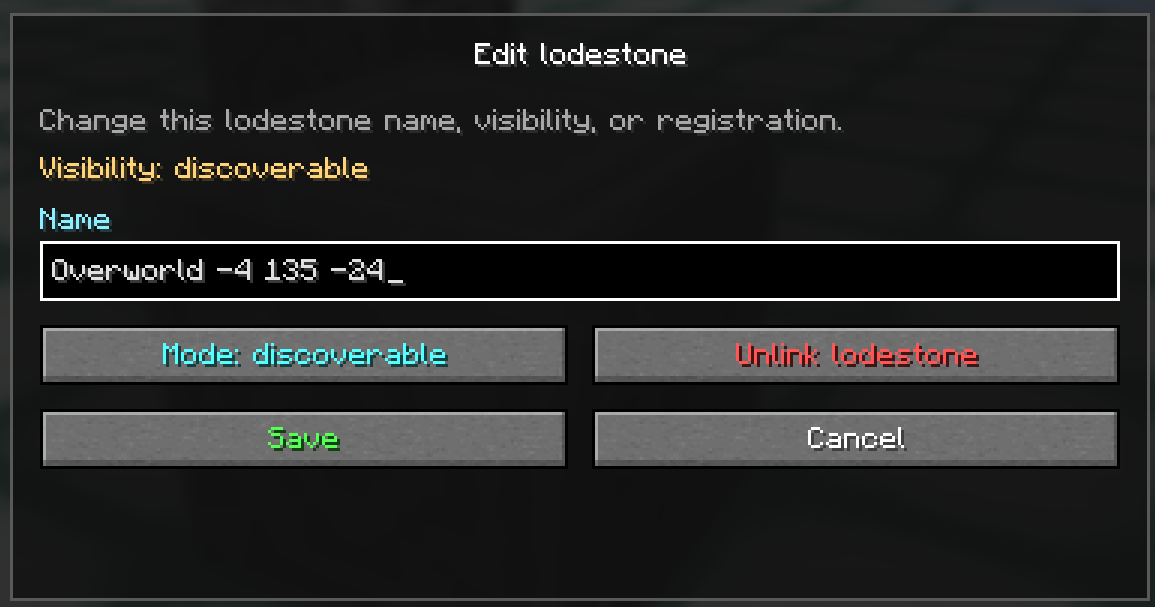
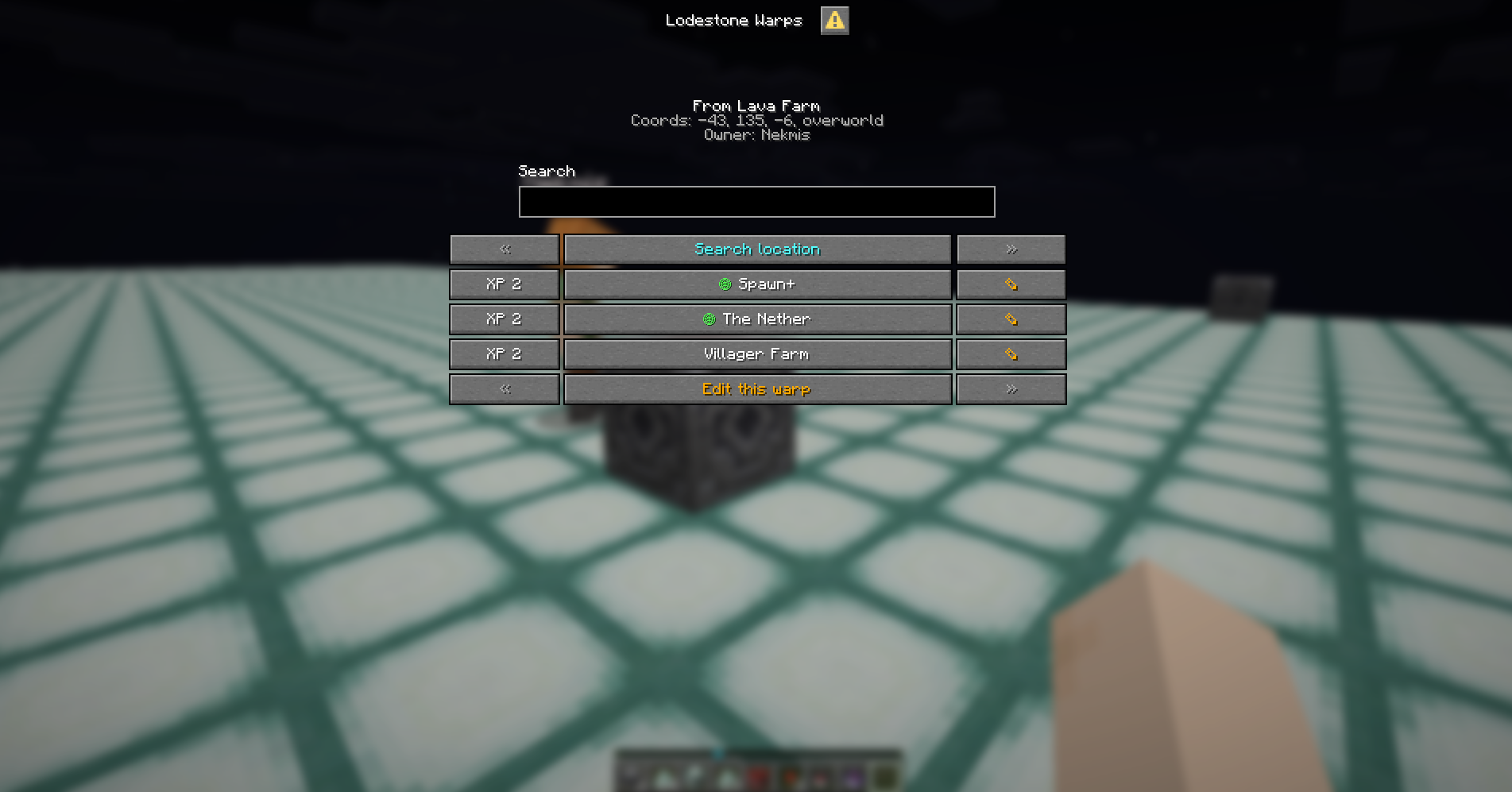
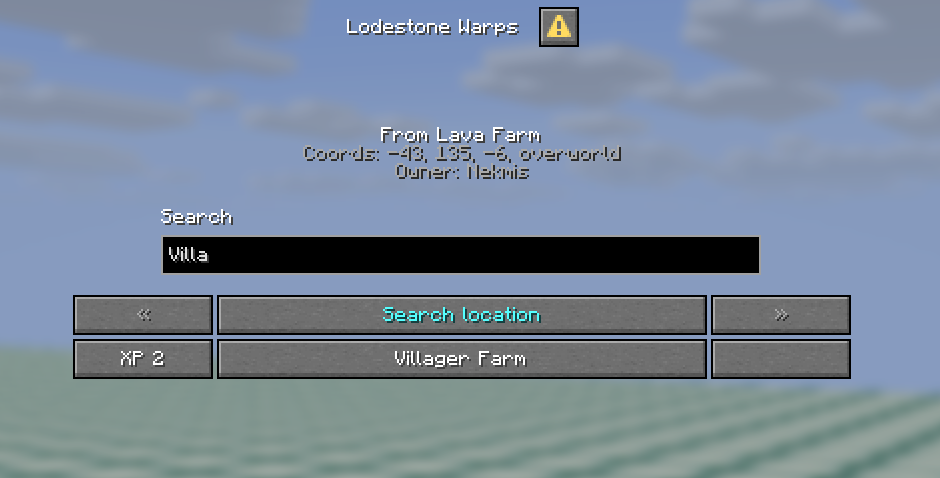
介绍
Lodestone Warps
Last updated: 2026-07-13
Lodestone Warps turns vanilla Lodestones into an immersive server-side warp network for Minecraft 26.2.
Place Lodestones, discover destinations, pay a configurable teleport cost, and travel through your world without requiring every player to install a client mod. Vanilla players use Minecraft’s built-in Dialog UI, while players who install the mod get a richer custom interface with favorites, search, configurable columns, and a cleaner table layout.
Why Use It?
Lodestone Warps is designed for servers that want teleportation to feel like part of Minecraft instead of a disconnected command menu.
- Use real Lodestone blocks as warp anchors.
- Let players discover destinations naturally.
- Keep vanilla client support.
- Reward players who install the optional client mod with a better UI.
- Configure costs, cooldowns, cast time, permissions, visibility, and effects.
- Support private bases, discoverable player locations, and global server hubs.
Client Support
Lodestone Warps works in two modes:
Server only
Players do not need to install the mod.
They can right-click registered Lodestones and use Minecraft’s vanilla Dialog UI to:
- search destinations
- see teleport costs
- change pages
- teleport
- edit Lodestones when they have permission
Server + client
Players who install the mod get the enhanced UI:
- favorites
- configurable columns
- movable and resizable window
- search
- cleaner destination table
- cost icons
- owner and visibility information
- quick editing tools
The client mod is optional, but it makes the experience much nicer.
Core Features
- Server-side Lodestone warp network.
- Vanilla Dialog UI support.
- Optional enhanced client UI.
- Private, discoverable, and global Lodestones.
- Discovery-based warp networks.
- Global Lodestones for lobbies, hubs, spawn areas, and shared server locations.
- Configurable XP-level or item-based teleport cost.
- Distance-based cost scaling.
- Cross-dimensional teleport support.
- Cast time that requires the player to stay still.
- Teleport cooldown.
- Configurable teleport particles and sounds.
- Search and pagination.
- Favorite destinations in the mod UI.
- Configurable mod UI columns.
- Rename, edit, unlink, remove, and change visibility when allowed.
- Permission support for servers that need control.
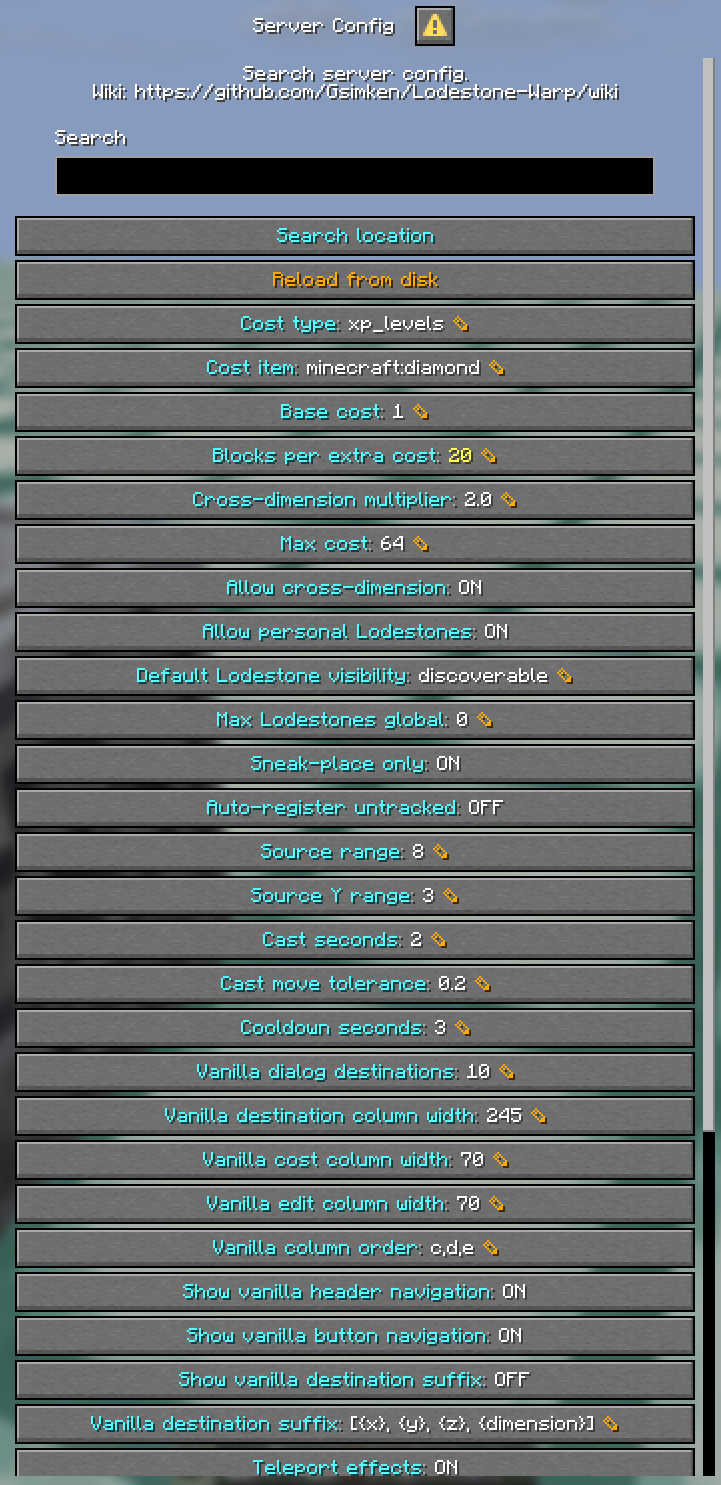
- Quick server config UI through
/warp config. - Configurable command name, defaulting to
/warp. - Safe fallback command, defaulting to
/lodestone_warp.
How It Works
- A player sneak-places a Lodestone.
- The Lodestone becomes a registered warp.
- The player can name it and choose its visibility.
- Other players can discover it if it is discoverable.
- Global Lodestones are visible to everyone.
- Players right-click a registered Lodestone to open the warp UI.
- They choose a destination, pay the configured cost, stay still during the cast, and teleport.
Lodestone Visibility
Lodestones can have different visibility modes:
Private
Only the owner can use it.
Great for personal bases or hidden locations.
Discoverable
Other players can discover it by interacting with it.
Great for survival servers where exploration matters.
Global
Visible to everyone.
Great for spawn, hubs, shops, farms, public portals, and server landmarks.
Default Gameplay
By default, Lodestone Warps uses:
- discovery mode
- XP-level teleport costs
- 1 base XP level
- max cost of 64 XP levels
- 10 destinations per vanilla dialog page
/warpas the main command/lodestone_warpas fallback command
These defaults can be changed in the server config.
Basic Usage
Register a Lodestone
Sneak-place a Lodestone to register it as a warp.
Open the warp UI
Right-click a registered Lodestone with an empty hand.
Teleport
Choose a destination, pay the cost, stay still, and teleport.
Edit a Lodestone
Use the edit button from the UI, or use commands if you have permission.
Commands
Main command:
/warpFallback command:
/lodestone_warpUseful commands:
/warp
/warp tp <id or name>
/warp edit <id>
/warp list
/warp reload
/warp config
More advanced commands for discovery, visibility, permissions, and server management are documented in the wiki.
Requirements
- Minecraft 26.2
- Java 25+
- Fabric Loader 0.19.3+
- Fabric API
Optional:
- LuckPerms for advanced permission management
- Mod Menu for the optional client-side config screen
Configuration
The config is generated on first run at:
config/lodestone_warp_and_tp/lodestone_teleport.jsonMost server owners can start with the defaults, then tune:
- cost type
- base cost
- max cost
- cooldown
- cast time
- discovery mode
- visibility rules
- command name
- teleport effects
- permission fallback values
Full config reference:
Wiki
The wiki has the full documentation:
Useful pages:
Current Status
Current stable release: 1.0.0
The mod is ready for real server testing. Feedback, bug reports, and server-use suggestions are welcome.
常见问题
Lodestone Warps and Tp 支持哪些 Minecraft 版本?
Lodestone Warps and Tp 支持 Minecraft Java 版 26.2–26.3,共 2 个版本,可用的加载器:Fabric。下载时注意选择和你游戏版本一致的文件。
Lodestone Warps and Tp 怎么安装?
先用 PCL2 或 HMCL 启动器安装对应版本的 Fabric,再把下载的 .jar 文件放进游戏目录的 mods 文件夹,重新启动游戏即可。开启了版本隔离的,mods 文件夹在 versions/版本名 下面。运行环境:客户端和服务端都要装。
Gsimken 的其他作品
查看全部 →
Ticket of Eternal Keep
一款服务端模组,提供死亡后保留物品栏的凭证

bGames Example Mod
BGames example mod is a mod that aims to show the usage of bGames Library

BGames Library
A Library to connect to Blended Games (bGames) from InTeractiOn Labs
评论
登录后评论和评分