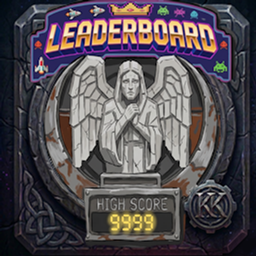
Leaderboard by Karl Karlmann
This mod uses the vanilla Minecraft death score. View global and personal scores when you die. Save your death reason and get reward boxes. You must install the Reward Box mod.
介绍
Stimmt, da war ich gedanklich bei der falschen Mod! Hier ist der spezifische User Guide für die Leaderboard Mod auf Englisch (STE-konform).Leaderboard Mod – User Guide****Requirements
-
Minecraft Version: 1.20.1 (Forge)
-
Dependency: Reward Box (reward_box)
OverviewThe Leaderboard mod tracks your vanilla death score when you die, saves global Top 10 high scores, and gives reward boxes for successful runs.Key Features
-
Death Score Tracking: When you die, the mod reads your vanilla Minecraft death score.
-
Global Top 10: The server saves the 10 highest scores along with player names and death reasons.
-
Custom Epitaphs: If your run reaches the Top 10, you can edit your death message (up to 45 characters) directly on the leaderboard screen.
-
Automatic Screen: The Leaderboard screen opens automatically when you respawn.
Reward System
-
Score Threshold: By default, runs with a score of 500 or higher (or any Top 3 rank) earn a reward.
-
Reward Tiers: Reward box tiers scale automatically with your score (Tier = (Score / 1000) + 1).
-
Claim Rewards: Unclaimed runs are saved to your player data. Click Claim All on the screen to move the reward boxes to your inventory.
Configuration & DataPacks
-
Config File (leaderboard-common.toml): You can change rewardScoreThreshold or toggle enableLeaderboard.
-
Custom Reward Rules: Server owners can add DataPack JSON files in data//rewards/ to define custom items, NBT tags, and score thresholds:
{
  "thresholds": [
    {
      "minScore": 1000,
      "item": "reward_box:reward_chest",
      "count": 1
    }
  ]
}
常见问题
Leaderboard by Karl Karlmann 支持哪些 Minecraft 版本?
Leaderboard by Karl Karlmann 支持 Minecraft Java 版 1.20.1,可用的加载器:Forge。下载时注意选择和你游戏版本一致的文件。
Leaderboard by Karl Karlmann 怎么安装?
先用 PCL2 或 HMCL 启动器安装对应版本的 Forge,再把下载的 .jar 文件放进游戏目录的 mods 文件夹,重新启动游戏即可。开启了版本隔离的,mods 文件夹在 versions/版本名 下面。
Karl_Karlmann 的其他作品
查看全部 →
[TaCZ] Warden & Sculk Gun Detection & Vibration Integration for Timeless and Classics Zero by Karl Karlmann
将 TACZ 枪械与监守者和幽匿感应系统连接起来。

[TaCZ] Timeless and Classics Zero Guns Stealth by Karl Karlmann Bridge by Karl Karlmann
修复这两个模组的部分兼容性问题,并让生物对枪声作出反应。

Occultism Relics Bridge by Karl Karlmann
连接 Relics 与 Occultism,全面改造物品获取方式。原本掉落的遗物会改为掉落部件。制作未觉醒的黄道神器,并举行恶魔仪式将灵体绑定其中。召唤恶魔的阶级将决定你的属性。

Book of Dragons Biomes o’ plenty fix by Karl Karlmann
修复了与超多生物群系一起使用时龙巢生成的问题
评论
登录后评论和评分