
Items Finder
作者:MM115926
Find any item without opening a single backpack. Pin an item or type a name and ItemFinder lights up the slot holding it, looking inside Sophisticated Backpacks and shulker boxes. Client-side only - the server never needs to have it.
介绍
中文介绍正在准备中,下面暂时显示原文。
ItemFinder
You know the item is *somewhere*. Three backpacks, a shulker inside one of them, and two
minutes of clicking later, you find it. ItemFinder skips that.
Pin an item or type part of its name, and every slot that holds it lights up — including
the backpack it is buried inside.
ItemFinder runs entirely on your client. The server does not need it, does not know
about it, and you can join vanilla or modded servers with it installed.
How it works
Open any inventory. A small panel appears to the right of the interface with a slot and a
text box.
| Action | What it does |
|
| Middle-click any item | Pins it as the search target, or stops the search if it is already the target |
| Left-click the panel slot | Pins the item on your cursor, or clears the search if the cursor is empty |
| Right-click the panel slot | Clears the slot and the text box |
| Type in the box | Searches by name |
Text search ignores case and accents.
Reading the highlights
– Green — the item is in that slot, right there.
– Amber, with a number — that slot holds a container, and the item is inside it. The
number is how many. Open the container and the highlight follows the item down.
Backpacks inside backpacks inside shulker boxes are searched up to five levels deep.
Pinning an item matches by item type only, ignoring NBT and durability, so a worn sword
finds the fresh one too.
What it searches
– Your inventory, armour and off-hand
– Whatever container you have open
– Sophisticated Backpacks, including nested ones
– Shulker boxes
What it cannot search
Chests you have not opened, ender chests, and any inventory the server has not sent to your
client. That data does not exist on your machine, and a mod that lives only on the client
cannot ask for it.
Backpacks are the exception. Sophisticated Backpacks exposes a contents request that the
mod itself uses for its tooltip, and ItemFinder uses the same one. The first time a backpack
turns up in a search its contents are requested and it is marked as pending; a quarter of a
second later the result is there.
Requirements
– Minecraft 1.18.2, 1.19.2 or 1.20.1
– Forge
– Sophisticated Backpacks — optional. Without it, the inventory and shulker box search still
work.
Compatibility
No mixins and no coremods. ItemFinder hooks Forge’s own screen events and never replaces
vanilla behaviour, so it sits alongside other interface mods rather than fighting them.
常见问题
Items Finder 支持哪些 Minecraft 版本?
Items Finder 支持 Minecraft Java 版 1.18.2–1.20.1,共 3 个版本,可用的加载器:Forge。下载时注意选择和你游戏版本一致的文件。
Items Finder 怎么安装?
先用 PCL2 或 HMCL 启动器安装对应版本的 Forge,再把下载的 .jar 文件放进游戏目录的 mods 文件夹,重新启动游戏即可。开启了版本隔离的,mods 文件夹在 versions/版本名 下面。
MM115926 的其他作品
查看全部 →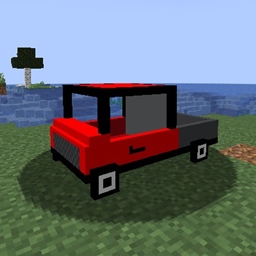
Cars, a simple car :)
by MM115926
一个添加汽车的模组
3.6万
1 年前
CurseForge
FPS Display
by MM115926
查看电脑硬件状态的模组。
1.1万
1 年前
CurseForge

AI Improvements, Hivemind
by MM115926
敌对生物会随着世界变得越来越聪明——它们会学习你的战术、围攻你,还会挖掘、建造和搭桥来追上你。
7,034
4 个月前
CurseForge

Plane, a simple plane
by MM115926
一个加入飞机的简易模组。
3,883
1 年前
CurseForge
评论
登录后评论和评分