
InstantQuit
Return to the title screen instantly when saving your world — no more waiting.
介绍
InstantQuit
Return to the title screen instantly when saving your world — no more waiting.
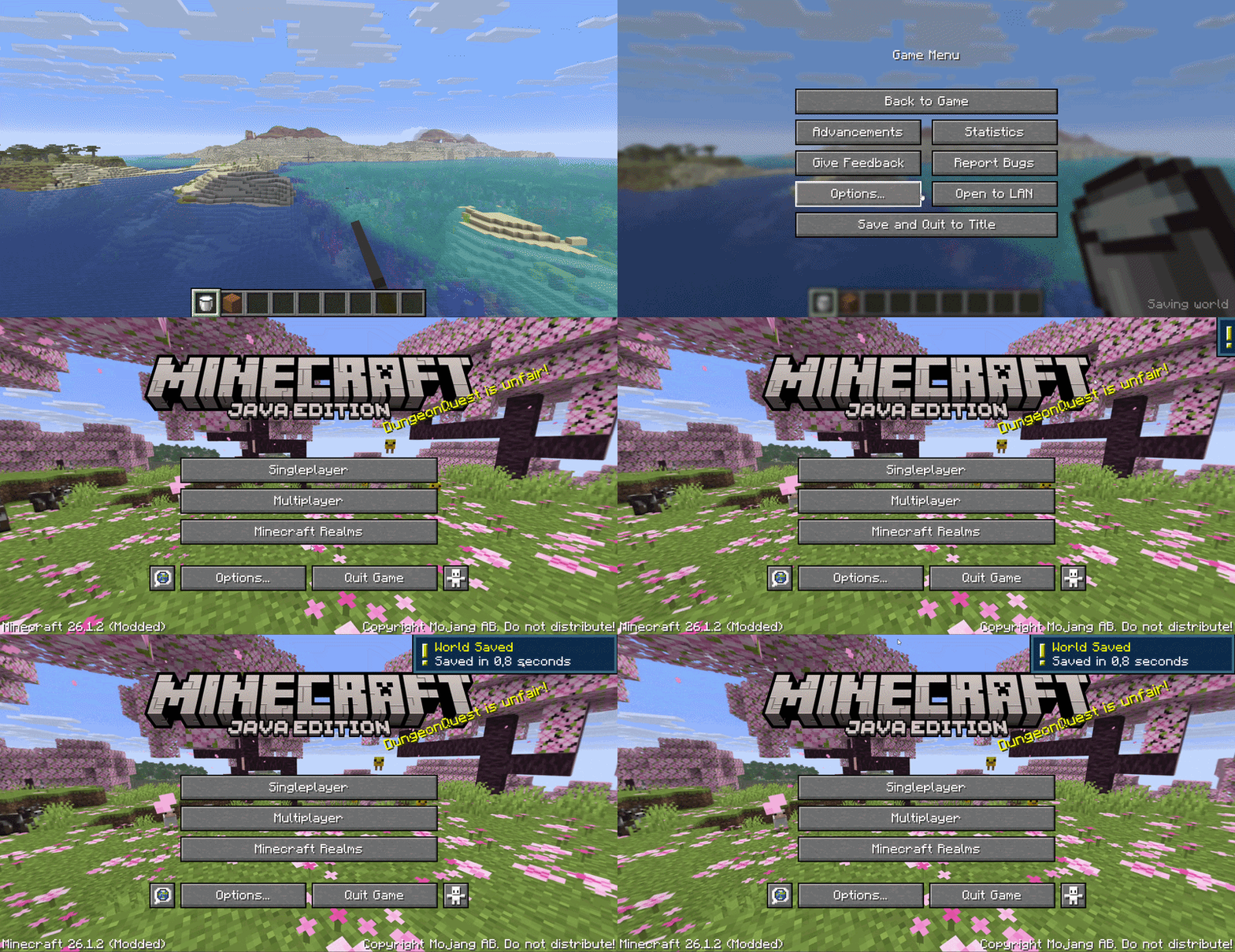
What it does
When you click “Save and Quit to Title”, vanilla Minecraft shows a saving screen and blocks you until the world is fully saved. InstantQuit skips that screen entirely — you’re back at the title screen immediately while your world saves in the background.
- ⚡ Instant return to title screen on quit
- 💾 Background saving — your world saves safely while you do other things
- 🔒 World locked in the world list while saving (can’t be opened mid-save)
- ✅ Save time display — see how long the save took (e.g. “Saved in 1.2s”)
- 🔔 Toast notification when saving completes
- ⚙️ Configurable via config file or Cloth Config screen (optional)
Configuration
Config file location: .minecraft/config/instantquit.json
| Option | Default | Description |
|——–|———|————-|
| showToast | true | Show a toast notification when saving completes |
| showSaveTime | true | Display save duration in the world list |
| threadPriority | 3 | Background save thread priority (0–10) |
If Cloth Config and Mod Menu are installed, you can configure the mod in-game from the Mods screen.
Optional
- Cloth Config — in-game config screen
- Mod Menu — access config from the Mods list
License
MIT — see LICENSE
常见问题
InstantQuit 支持哪些 Minecraft 版本?
InstantQuit 支持 Minecraft Java 版 26.1–26.1.2,共 3 个版本,可用的加载器:Fabric / Forge / NeoForge。下载时注意选择和你游戏版本一致的文件。
InstantQuit 怎么安装?
先用 PCL2 或 HMCL 启动器安装对应版本的 Fabric / Forge / NeoForge,再把下载的 .jar 文件放进游戏目录的 mods 文件夹,重新启动游戏即可。开启了版本隔离的,mods 文件夹在 versions/版本名 下面。运行环境:仅客户端。
Cukkoo 的其他作品
查看全部 →
Sound Culling
Dynamically limits and dampens overlapping sounds to reduce audio clutter and improve performance in sound-heavy areas.

Sound Culling
Dynamically limits and dampens overlapping sounds to reduce audio clutter and improve performance in sound-heavy areas.

Free Camera
A powerful client-side cinematic camera mod with Free, Orbit, Tripod, Follow, recording, paths, roll, zoom, and collision.

PingDisplay
See exact player ping in the Tab list with customizable colors, thresholds and display modes.
评论
登录后评论和评分