
InfoPanel
Customizable HUD for NeoForge 1.21.1 coordinates, FPS, compass, WAILA, light & slime overlays, structures, effect timers.
截图
介绍
InfoPanelMod
A feature-rich HUD mod for NeoForge 1.21.1. Inspired by MiniHUD by masady.
🌟 Features
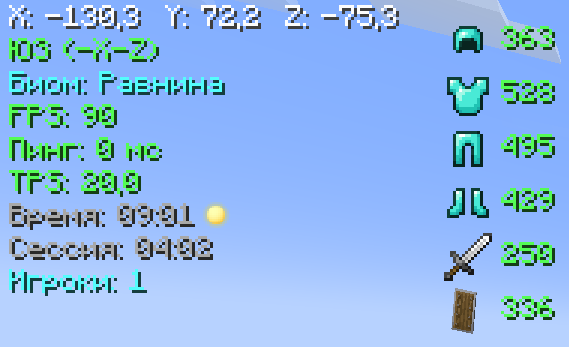
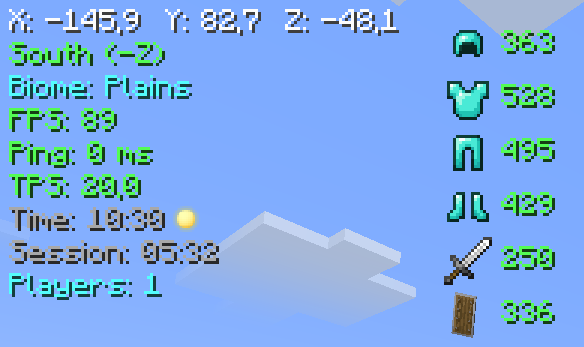
📊 Main Panel
- Coordinates (XYZ)
- Direction (compass)
- Biome
- FPS
- Ping (ms)
- TPS
- In-game time (day/night)
- Session time
- Online players count
🛡️ Item Durability
- Armor (helmet, chestplate, leggings, boots)
- Main hand weapon
- Offhand items
🧭 Compass Bar
An animated bar with 8 directions (N, NE, E, SE, S, SW, W, NW)
🧪 Effect Timers
Shows remaining duration of potion effects on their icons
🔍 WAILA (What Am I Looking At)
- Block / entity name
- Entity health (❤)
💡 Light Overlay (F7)
Highlights blocks where light level ≤ 7 (mobs can spawn)
🟢 Slime Chunks (F9)
Displays chunk boundaries where slimes can spawn
🏗️ Structure Overlay
Shows structure boundaries for:
- Villages
- Pillager Outposts
- Ocean Monuments
- Strongholds
- Desert Temples
- Nether Fortresses
- Bastions
🔧 Compatibility
- Terralith — biome name translations (Russian)
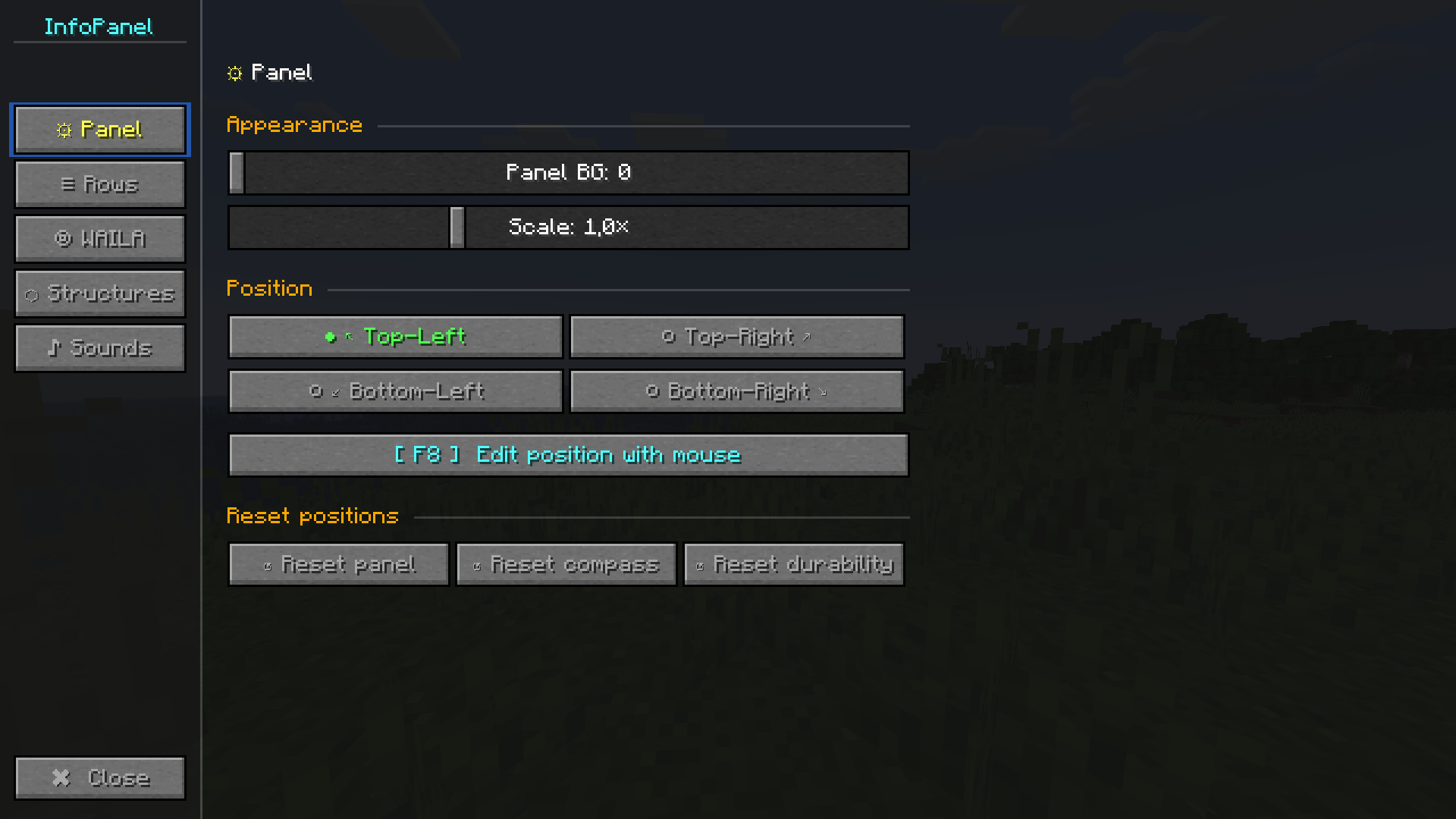
⚙️ Configuration (press Y)
Panel Tab
- Background opacity
- Scale (0.5× – 2.0×)
- Position (4 corners)
- Drag & drop layout editor (F8)
- Reset position
Lines Tab
- Toggle any line on/off
- Custom colors for each line (13 colors)
WAILA Tab
- Background opacity
- Position (4 options)
- Block name color
Structures Tab
- Master toggle for all structures
- Individual toggles for each structure
⌨️ Key Bindings
- H — toggle HUD
- Y — open settings
- F7 — light overlay
- F8 — layout editor (drag & drop)
- F9 — slime chunks
🖱️ Layout Editor (F8)
- Drag main panel, compass bar, and durability bar
- Pulsing borders (blue — panel, yellow — compass, green — durability)
- Shows current coordinates
- Labels below each element
- Esc — save and exit
🎨 Color Palette
White, light gray, gray, red, orange, yellow, green, dark green, cyan, blue, dark blue, pink, purple.
📜 License
MIT License — free to use in any modpack.
常见问题
InfoPanel 支持哪些 Minecraft 版本?
InfoPanel 支持 Minecraft Java 版 1.21.1,可用的加载器:NeoForge。下载时注意选择和你游戏版本一致的文件。
InfoPanel 怎么安装?
先用 PCL2 或 HMCL 启动器安装对应版本的 NeoForge,再把下载的 .jar 文件放进游戏目录的 mods 文件夹,重新启动游戏即可。开启了版本隔离的,mods 文件夹在 versions/版本名 下面。运行环境:客户端和服务端都要装。
PerfLite 的其他作品
查看全部 →
Create addon: Info Display
Info Display is an addon for Create that adds two information panel blocks: one for Item Vault, one for Fluid Tank.

Animated health bar
replaces the vanilla health and hunger bars with smooth animated custom bars.
Animated health bar
replaces the vanilla health and hunger bars with smooth animated custom bars.

Create addon: Horizontal Chute
An add-on for Create that adds a directional pusher for filtering elements.
评论
登录后评论和评分