
Create addon: Info Display
Info Display is an addon for Create that adds two information panel blocks: one for Item Vault, one for Fluid Tank.
截图


介绍
Info Display
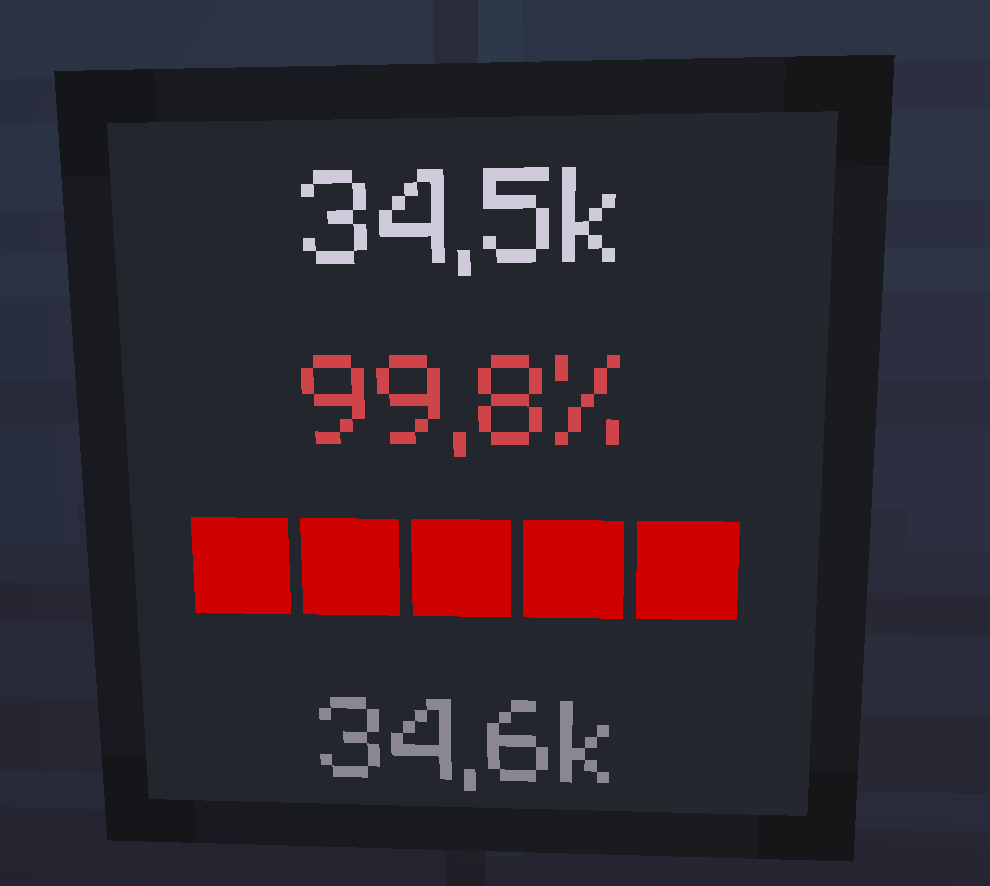
Info Display is an addon for Create that adds two information panel blocks: one for Item Vault, one for Fluid Tank. Place them on any surface and get real-time storage data displayed directly on the block face.
Features
Storage Panel
Connects to a Create Item Vault placed directly behind it and displays:
- Current item count
- Fill percentage with color-coded indicator
- Progress bar (green → yellow → red)
- Maximum capacity
Fluid Panel
Connects to a Create Fluid Tank placed directly behind it and displays:
- Fluid name
- Current amount in millibuckets (mB)
- Fill percentage with color-coded indicator
- Progress bar
- Maximum capacity
Placement
Both panels can be placed on:
- Walls — face any of the 4 horizontal directions
- Floor — lies flat, face visible from above
- Ceiling — hangs upside down, face visible from below
- Underwater — fully waterloggable
The panel reads storage data from the block directly behind it (opposite to the face direction).
Requirements
| Dependency | Version |
|————|———-|
| Minecraft | 1.21.1 |
| NeoForge | 21.1.219+ |
| Create | 6.0.0+ |
Compatibility
- Works with multi-block Item Vaults (any size)
- Works with Create: Connected Item Silos
- Works with multi-block Fluid Tanks (any size)
- Waterloggable
- Wrench support (rotate / pick up)
- Mineable with pickaxe
- JEI recipe support
License
MIT License — free to use in modpacks.
常见问题
Create addon: Info Display 支持哪些 Minecraft 版本?
Create addon: Info Display 支持 Minecraft Java 版 1.21.1,可用的加载器:NeoForge。下载时注意选择和你游戏版本一致的文件。
Create addon: Info Display 怎么安装?
先用 PCL2 或 HMCL 启动器安装对应版本的 NeoForge,再把下载的 .jar 文件放进游戏目录的 mods 文件夹,重新启动游戏即可。开启了版本隔离的,mods 文件夹在 versions/版本名 下面。运行环境:客户端和服务端都要装。
PerfLite 的其他作品
查看全部 →
InfoPanel
Customizable HUD for NeoForge 1.21.1 coordinates, FPS, compass, WAILA, light & slime overlays, structures, effect timers.

Animated health bar
replaces the vanilla health and hunger bars with smooth animated custom bars.
Animated health bar
replaces the vanilla health and hunger bars with smooth animated custom bars.

Create addon: Horizontal Chute
An add-on for Create that adds a directional pusher for filtering elements.
评论
登录后评论和评分