
ImageFrame Client
Complementary client mod for servers with ImageFrame to display HD and full color images!
介绍
About
This is the complementary client mod for players on servers using the plugin ImageFrame*! Having this mod enables you to see image maps in their native resolution and in full colors!
_*Subject to the preconditions and requirements below._
Preconditions & Requirements
For Players:
- Main features work with static images only (not GIFs)
- Support is subject to the version of ImageFrame installed on the server
- Depends on whether the server disabled the client mod support feature
- Some features only work with newly created images
When in doubt, ask your server admins.
For Server Admins:
Currently, there are some limitations with the main features of the mod
- Main features work with static images only (not GIFs)
- Server must be running ImageFrame version 1.8.7.1 or above
- Check that the feature is not disabled on the server
- Full color works with existing images but native resolution only works with newly created images
Features
1. Native Resolution and Full Color
Just look at this comparison with and without the mod, no explaination needed.
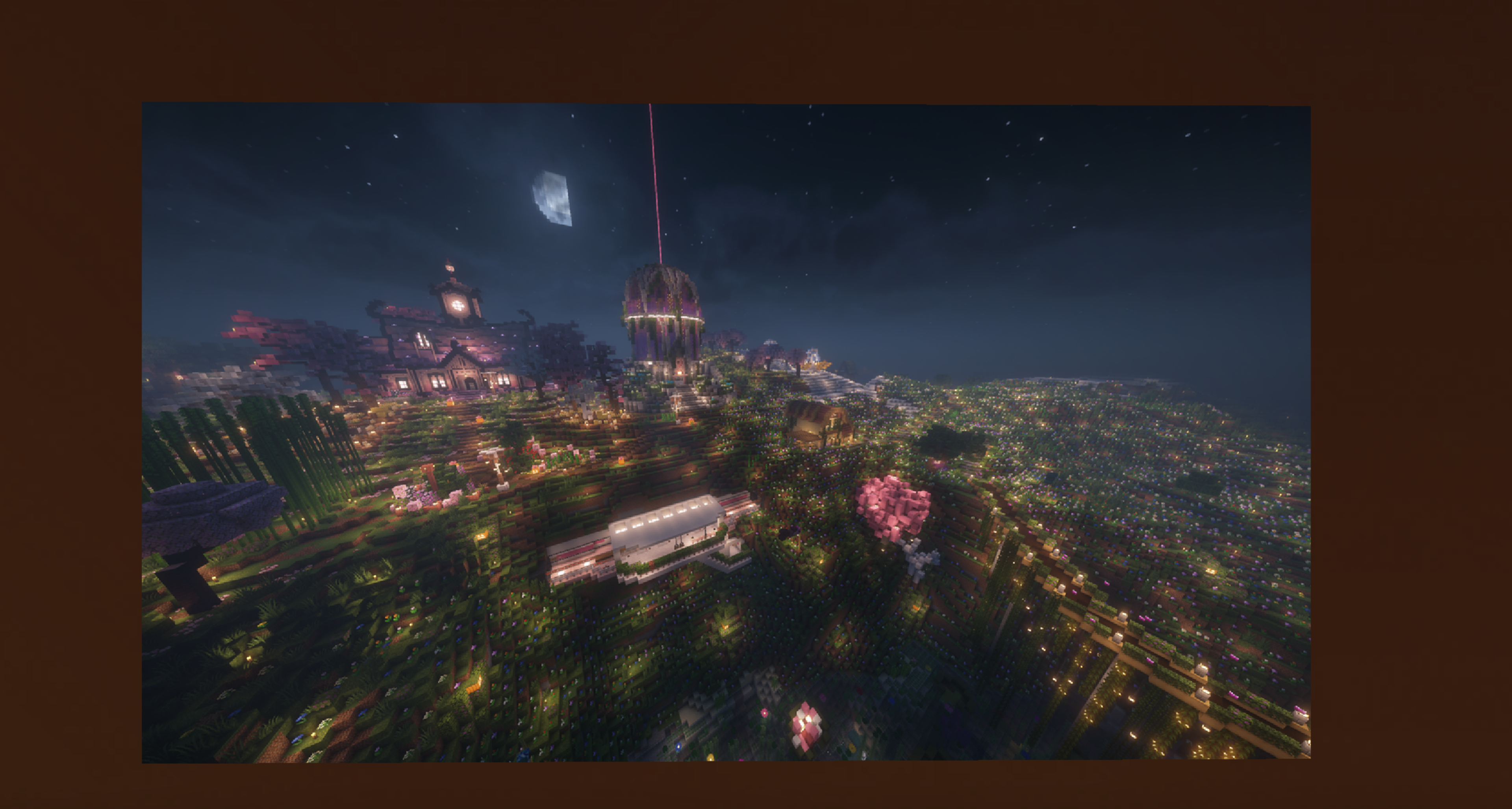
_^With the mod_
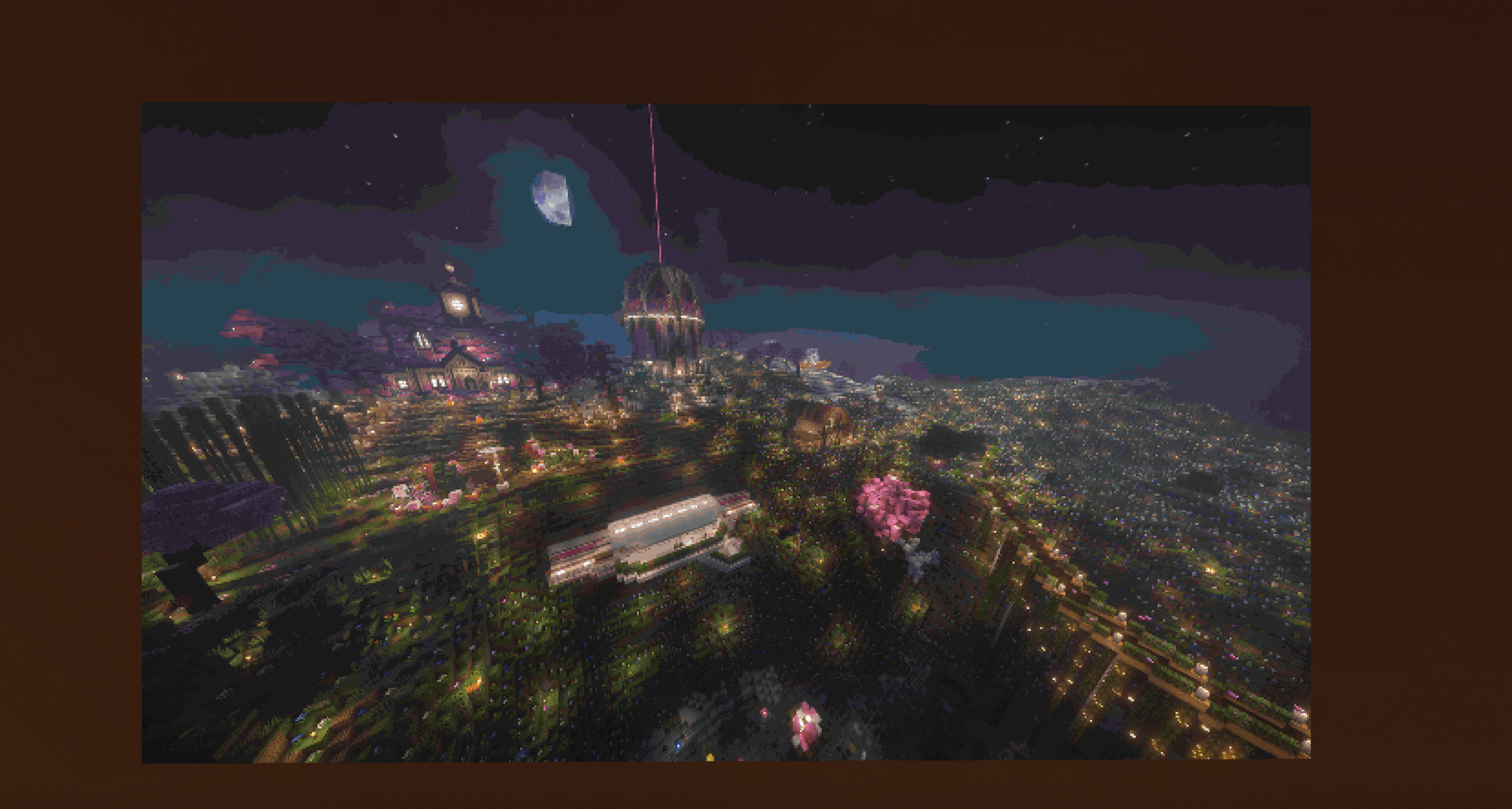
_^Without the mod_
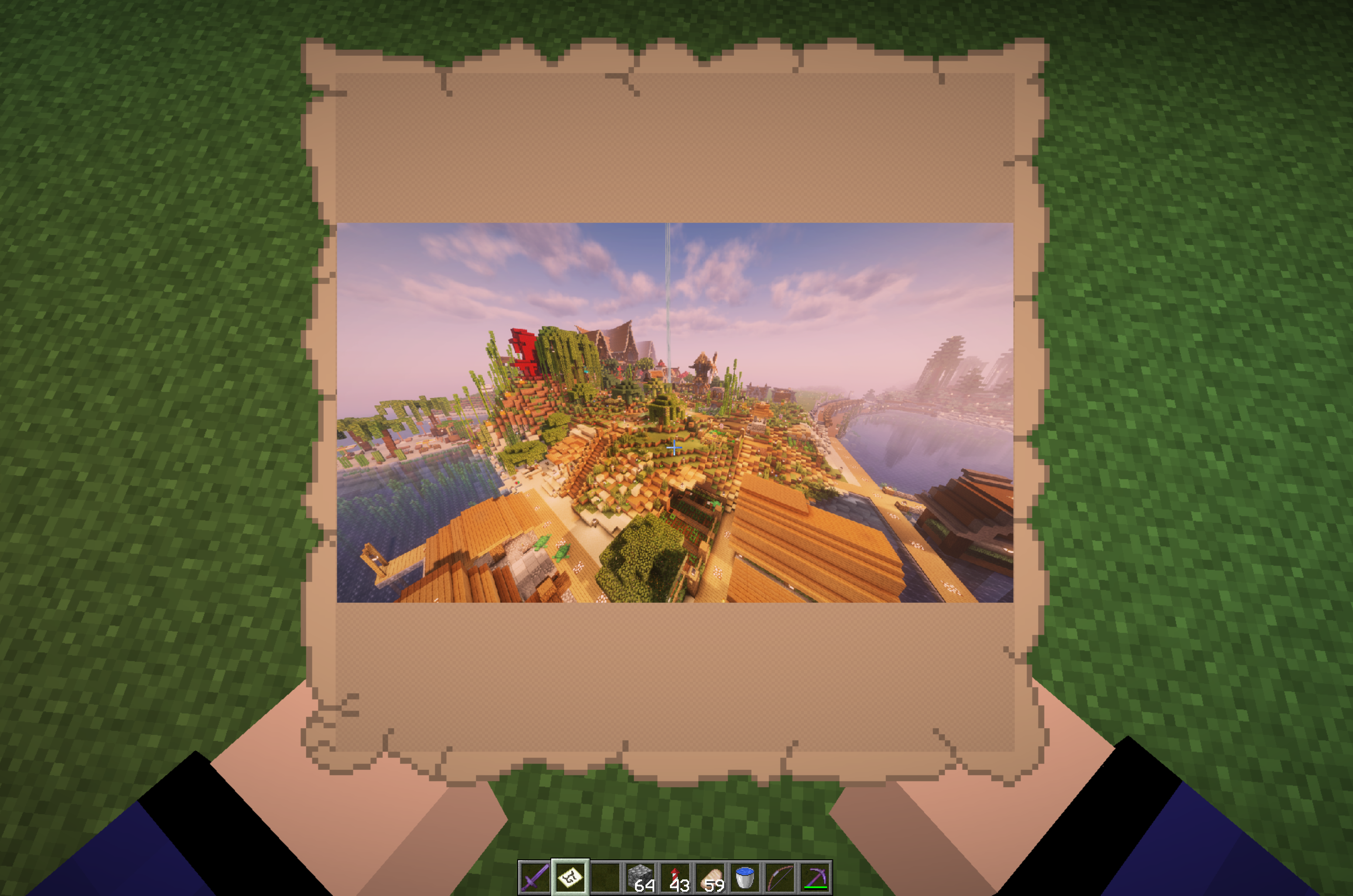
Also works for maps while holding in hand!
2. Tooltip Preview
Preview maps and combined images in tooltips!
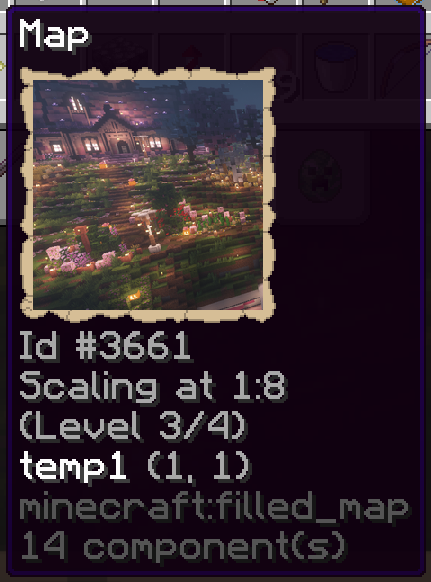
_^Tooltip for filled maps (Also works for vanilla maps)_
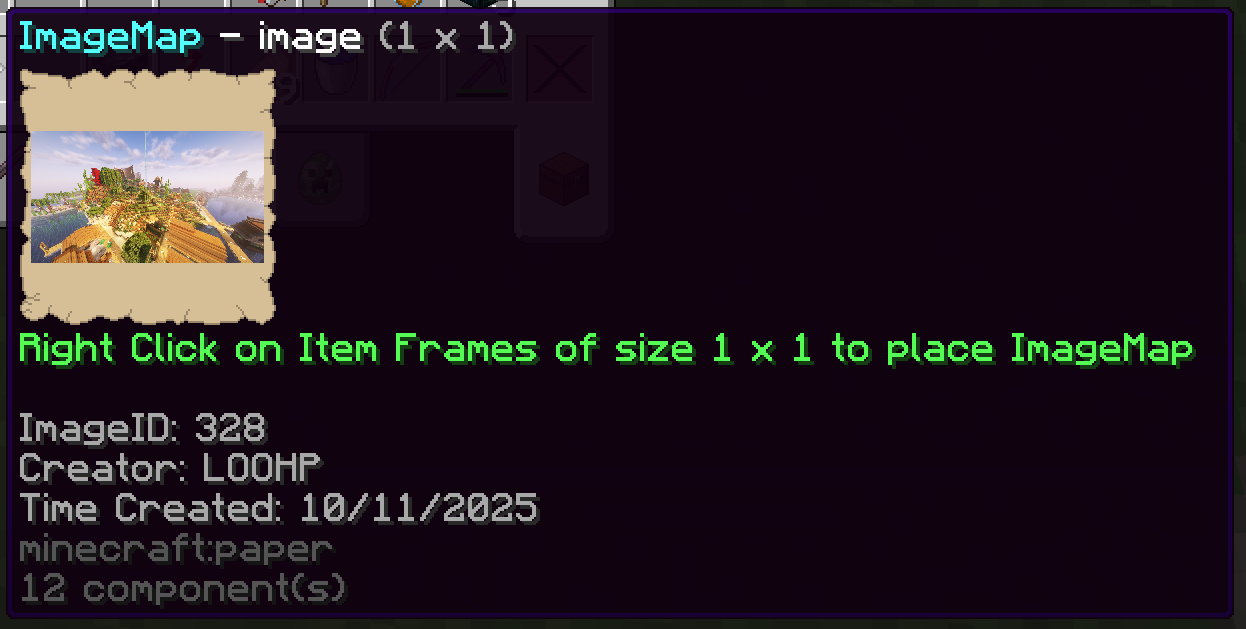
_^Tooltip for combined images (The piece of enchanted paper you get)_
3. Customization
The above features can be enabled or disabled via Mod Menu.
Showcase Server
Want a server to try this mod in?
IP: mc.loohpjames.com
Contribution
If other developers are interested in using this mod on other Minecraft versions or mod loaders, you are welcome to help port this. Would really appreciate it!
常见问题
ImageFrame Client 支持哪些 Minecraft 版本?
ImageFrame Client 支持 Minecraft Java 版 1.21.4–26.3,共 9 个版本,可用的加载器:Fabric / Quilt。下载时注意选择和你游戏版本一致的文件。
ImageFrame Client 怎么安装?
先用 PCL2 或 HMCL 启动器安装对应版本的 Fabric / Quilt,再把下载的 .jar 文件放进游戏目录的 mods 文件夹,重新启动游戏即可。开启了版本隔离的,mods 文件夹在 versions/版本名 下面。运行环境:仅客户端。


评论
登录后评论和评分