
截图
介绍
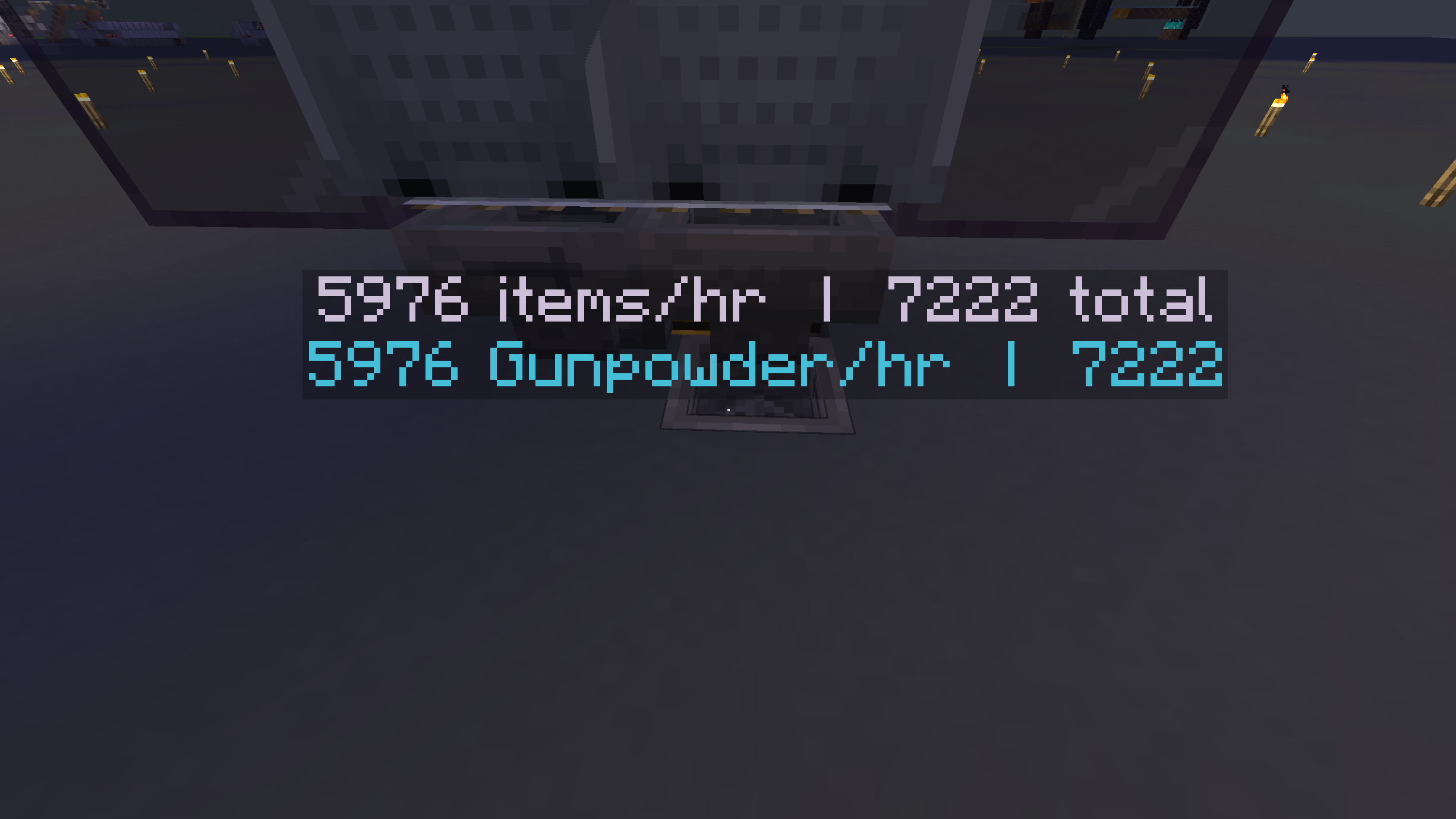
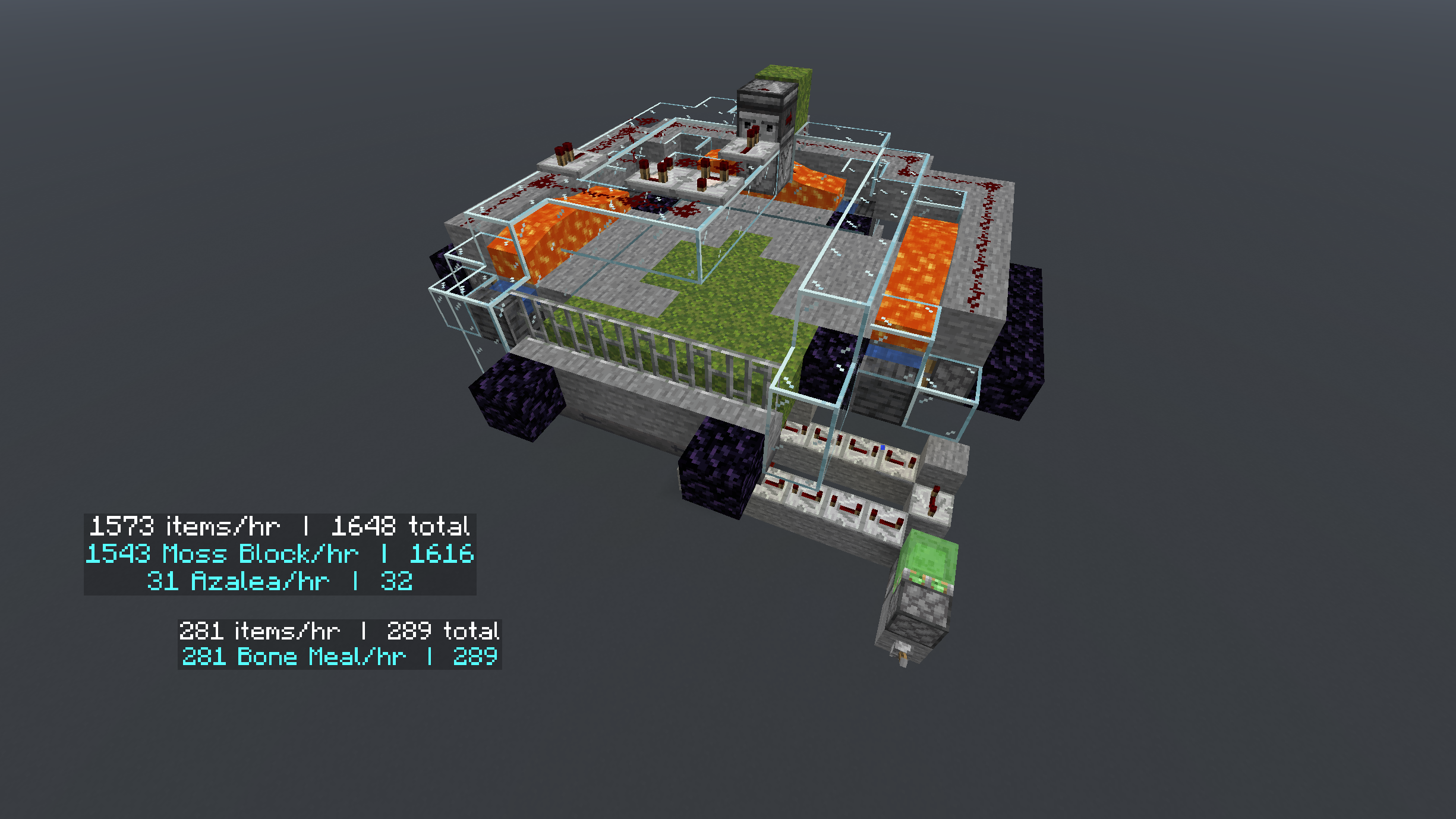
Hopper Stats adds a simple, clean overlay that displays real-time statistics for hoppers in your world — including items per second, total items transferred, and whether the hopper is active or blocked.
How to Use
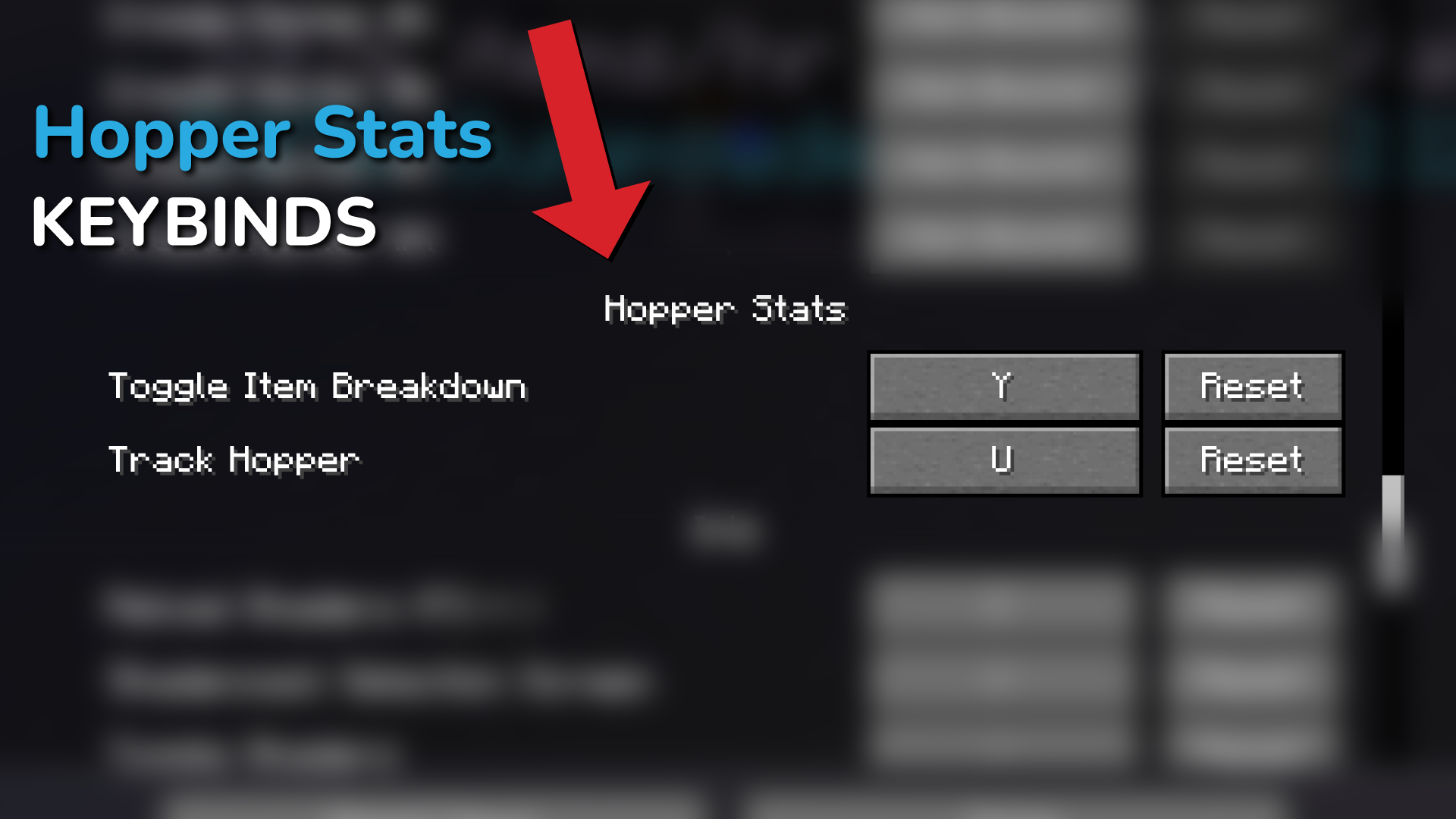
Hold Keybind + Right Click – Hold set Keybind & click a hopper to activate its counter
Hold Settings Keybind + Right Click – To access Hopper Stats Settings
Toggle Item Details – Look at a hopper and press the keybind to show/hide per-item breakdown
Features
- Real-time items per second display
- Total items transferred counter
- Active / blocked status at a glance
- Per-item detail breakdown
- Works on singleplayer and multiplayer servers
How this mod differs from other mods:
- It is a world persistent realtime tracker you can activate on your farms, adjust the size of the display, placement and more.
Its purpose
To keep a running, active, persistent log of of total items farmed, in any farm, in any of your worlds.
Can be used to run hourly tests, or total items over time.
_TLDR: Choose a hopper > turn it on > see how much Iron, Gold or other items you have farmed, per farm, from day 1 until you decide to reset it._
Server Use
Step 1: Install it into your Server Mod folder
Step 2: Install it into your Client Side Mod folder
Anyone on the server can see the displays.
Anyone with the mod installed client side can begin tracking hoppers.
Coming soon: Ownership setting. Toggle “Global” on and off to allow/prevent anyone from messing with your tracked hoppers.
Credits
Built by Chapman!
常见问题
Hopper Stats 支持哪些 Minecraft 版本?
Hopper Stats 支持 Minecraft Java 版 1.21.11–26.3,共 6 个版本,可用的加载器:Fabric。下载时注意选择和你游戏版本一致的文件。
Hopper Stats 怎么安装?
先用 PCL2 或 HMCL 启动器安装对应版本的 Fabric,再把下载的 .jar 文件放进游戏目录的 mods 文件夹,重新启动游戏即可。开启了版本隔离的,mods 文件夹在 versions/版本名 下面。运行环境:客户端和服务端都要装。
ChapmanOfficial 的其他作品
查看全部 →
Zoom In
A Zoom In mod with customizations - Zoom in & out with a single keypress -Scroll zoom and more! 4x-Infinite Zoom with scroll

Enchantment Calculator Mod
Calculates the cheapest anvil order for any item and enchantment set - without leaving the game.

UI/HUD Safe Zone
Adjust your HUD and menu UI within a centered safe zone on ultrawide monitors.
评论
登录后评论和评分