God Authority · Spatial Lock
Freeze creature movement and behavior with a simple F6 control panel while other world systems continue running.
介绍
God Authority · Spatial Lock
Freeze creatures in place without freezing time.
Spatial Lock is a focused control utility that immobilizes creatures while the surrounding world continues to operate normally. Unlike Tick Freeze, it does not pause the entire world or suspend the target’s damage and death processing.
Why use Spatial Lock?
– Creatures cannot move, chase, escape, or initiate attacks while the lock is active.
– You can keep attacking a locked creature repeatedly until it dies. The target still takes damage and can be defeated; it is not protected by a frozen world tick.
– World time and unrelated systems continue running, so you can observe and test behavior without stopping everything else.
– A simple ON/OFF panel makes it easy to engage or release the lock without typing commands.
Controls
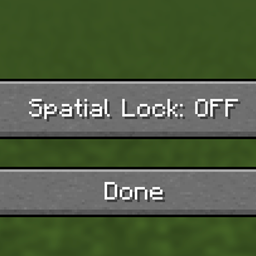
1. Press F6 to open Spatial Lock.
2. Select Spatial Lock: OFF to turn the lock ON.
3. Select Spatial Lock: ON to release the lock.
4. Select Done to close the panel.
Spatial Lock is designed for controlled combat and creature-behavior testing. It is not the same as freezing all ticks: the key advantage is stopping creatures’ actions while keeping them vulnerable to repeated attacks until death.
常见问题
God Authority · Spatial Lock 支持哪些 Minecraft 版本?
God Authority · Spatial Lock 支持 Minecraft Java 版 1.21.11,可用的加载器:Fabric。下载时注意选择和你游戏版本一致的文件。
God Authority · Spatial Lock 怎么安装?
先用 PCL2 或 HMCL 启动器安装对应版本的 Fabric,再把下载的 .jar 文件放进游戏目录的 mods 文件夹,重新启动游戏即可。开启了版本隔离的,mods 文件夹在 versions/版本名 下面。
Ruochen_Liu 的其他作品
查看全部 →
Nightmare Survival — Enhanced Mobs 🌟
噩梦生存——强化生物 🌟 I(系列 M 标签:M2):穿戴盔甲并附魔的敌对生物、毁灭性的苦力怕、白天生成敌人,以及扩展的村民交易,带来更艰难的生存体验。

GOD AUTHORITY · WORLD CONTROL
A command-free Fabric 1.21.11 world-control panel for instantly managing time, game mode, difficulty, weather, and special testing utilities from an in-game GUI.
God Authority · Enchantment Lab
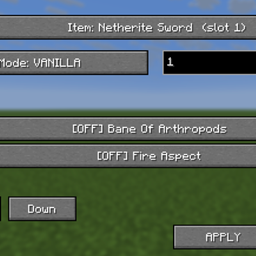
Edit item enchantments from a compact F1 + F2 panel with Vanilla and Merged modes and levels 1–255.

GOD AUTHORITY · ENTITY LOCK
Search and block registered entity types with reversible hostile restrictions and an F7 control panel.
评论
登录后评论和评分