
Force Port
A mod that forces the port to always be the same when using the "Open To LAN" feature!
截图

介绍
Force Port
A mod that forces the port to always be the same when using the “Open To LAN” feature!
Client-side only!
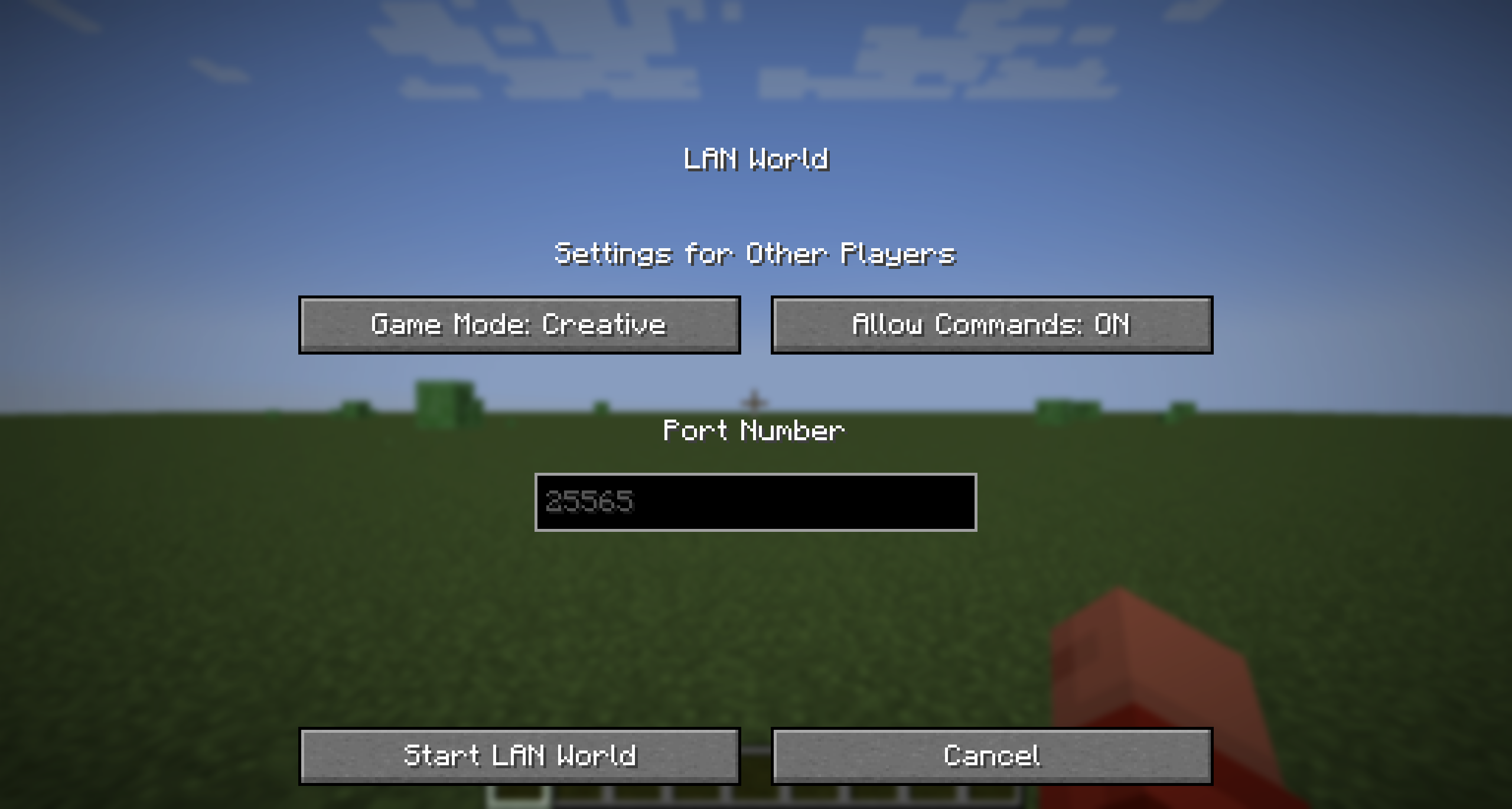
The configuration menu on recent Minecraft versions
Usage
Force Port allows you to modify the default port used when opening your world to LAN. This is useful for those who want to use a specific port for their server.
Just go to the installation location for that Minecraft instance, and open the config folder. You should see a file called forceport.txt. Open it with a text editor and change the port to your desired port.
Compatible Versions
| Mod Version | Game Version(s) | Mod Version Title |
|————-|—————–|————————-|
| 1.0.1 | 1.14+ | force-port-fabric-1.0.1 |
| 1.0.0 | 1.14+ | force-port-fabric-1.0.0 |
Important Note
- This mod hasn’t been tested full on older Quilt versions or older mod loaders. However, this mod does work on Fabric for 1.14 and above using Mod Loader 0.16.0+
- If you’re using the latest Minecraft versions, you can use this mod without any issues.
- The Fabric API is NOT required for this mod to work.
- This mod is built with Java 21, so you need to change your Java version to 21 (or above) in the instance settings to run this mod, on any versions prior to 1.20.5.
- As of 1.0.1, if the config file is not valid, it will default to
25565(the default port for Minecraft servers). This is to prevent the mod from crashing. If the mod doesn’t seem to work, please verify your config file!
Changelog
1.0.1
- Fixed a bug where the mod would crash if newlines were added into the
forceport.txtfile (a default feature in some Linux text editors). - Added a check to make sure the port is a number and is between 0 and 65535.
常见问题
Force Port 支持哪些 Minecraft 版本?
Force Port 支持 Minecraft Java 版 1.0–26.3,共 101 个版本,可用的加载器:Fabric / Quilt。下载时注意选择和你游戏版本一致的文件。
Force Port 怎么安装?
先用 PCL2 或 HMCL 启动器安装对应版本的 Fabric / Quilt,再把下载的 .jar 文件放进游戏目录的 mods 文件夹,重新启动游戏即可。开启了版本隔离的,mods 文件夹在 versions/版本名 下面。运行环境:仅客户端。
GalvinPython 的其他作品
查看全部 →
Server Day Counter
Server Day Counter is a mod (designed for servers) to broadcast and show the day of the world, just like you can in singleplayer!

Player Finder
A Minecraft Mod for Fabric 1.21 that allows users to find the co-ordinates of other players on your server using a command

No Elytras
Bans Elytras from everyone's inventory!

Auto LAN
Opens up a world to LAN automatically - cut the manual work!
评论
登录后评论和评分