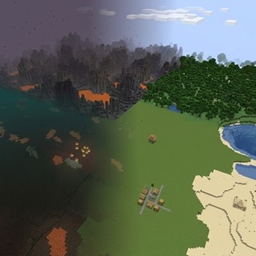
Flots
Flat Overworld, Nether, and End with vanilla biomes and structures. Same seed, same biome map — no mountains.
介绍
Flots
Flots adds a world type that keeps vanilla biome placement and structure locations, but flattens the terrain.
Use the same seed as a normal world and you get the same deserts, forests, oceans, villages, and strongholds — just without hills and mountains.
How to use
- Create a new world.
- Open World Type.
- Select Vanilla Flat.
The default Normal world type is unchanged. Only worlds created with Vanilla Flat are affected.
What you get
- Overworld land — flat surface at Y=64, with biome-correct grass, sand, snow, and terracotta.
- Oceans — water up to sea level. Regular ocean floor around Y=40, deep ocean around Y=32.
- Caves, ores, and underground structures — vanilla caves, ore veins, mineshafts, strongholds, and Ancient Cities still generate in the stone below.
- Surface structures — villages, outposts, temples, and other overworld structures use the same seed-based positions as a normal world.
- Nether — flat netherrack floor at Y=32 with a bedrock ceiling. Nether biomes and structures still generate.
- End — End islands keep their vanilla outlines, with flattened tops. Outer islands and End Cities still appear.
Requirements
- Minecraft 26.2
- NeoForge 26.2
Notes
- Existing worlds are not converted. Create a new world with Vanilla Flat.
- Land next to oceans can have a cliff, because land sits at Y=64 and the sea floor is lower.
- Compatible with most content mods. Terrain mods that replace the overworld generator may conflict.
常见问题
Flots 支持哪些 Minecraft 版本?
Flots 支持 Minecraft Java 版 26.2,可用的加载器:NeoForge。下载时注意选择和你游戏版本一致的文件。
Flots 怎么安装?
先用 PCL2 或 HMCL 启动器安装对应版本的 NeoForge,再把下载的 .jar 文件放进游戏目录的 mods 文件夹,重新启动游戏即可。开启了版本隔离的,mods 文件夹在 versions/版本名 下面。
PatronRusMan 的其他作品
查看全部 →
Admin Command Menu
An intuitive GUI menu that gives admins easy access to essential Minecraft server commands.

Simple Command Binds
Bind a key or mouse button to a chat command or message. Open the panel with K. Client-side only.
评论
登录后评论和评分