截图
介绍
中文介绍正在准备中,下面暂时显示原文。
Note – An improved version of this mod is now part of my newer and bigger mod Skrewt Up Witchcraft.
This mod is therefore not maintained
Floo Fireplaces
Travel the world conveniently using floo! Just drop the powder into your fireplace, say the name of your destination and off you go! Just remember to speak very very clearly…
This is a minimalistic mod that adds a couple of blocks and items to allow you to set up your very own floo network. You can build fireplaces and connect them to the network. You can then use the floo powder to teleport between these fireplaces with ease and style.
Guide
- First you need to craft a Floo Hub. Then place it anywhere in the world but make sure to keep it protected – if it gets destroyed, the entire network is going to crumble.
- Next, you have to craft a Floo Wand. This will be your tool to enchant fireplaces and connect them to your network. Right-click the hub with your wand to attune it to this network.
- Craft a fireplace block and place it at the ground where you want your new fireplace to be. Then right-click it with your wand and write down the name of this new fireplace. This will be important for travelling here from other fireplaces.
- Create a couple more fireplaces in the same way to make a network.
- Craft yourself some floo powder
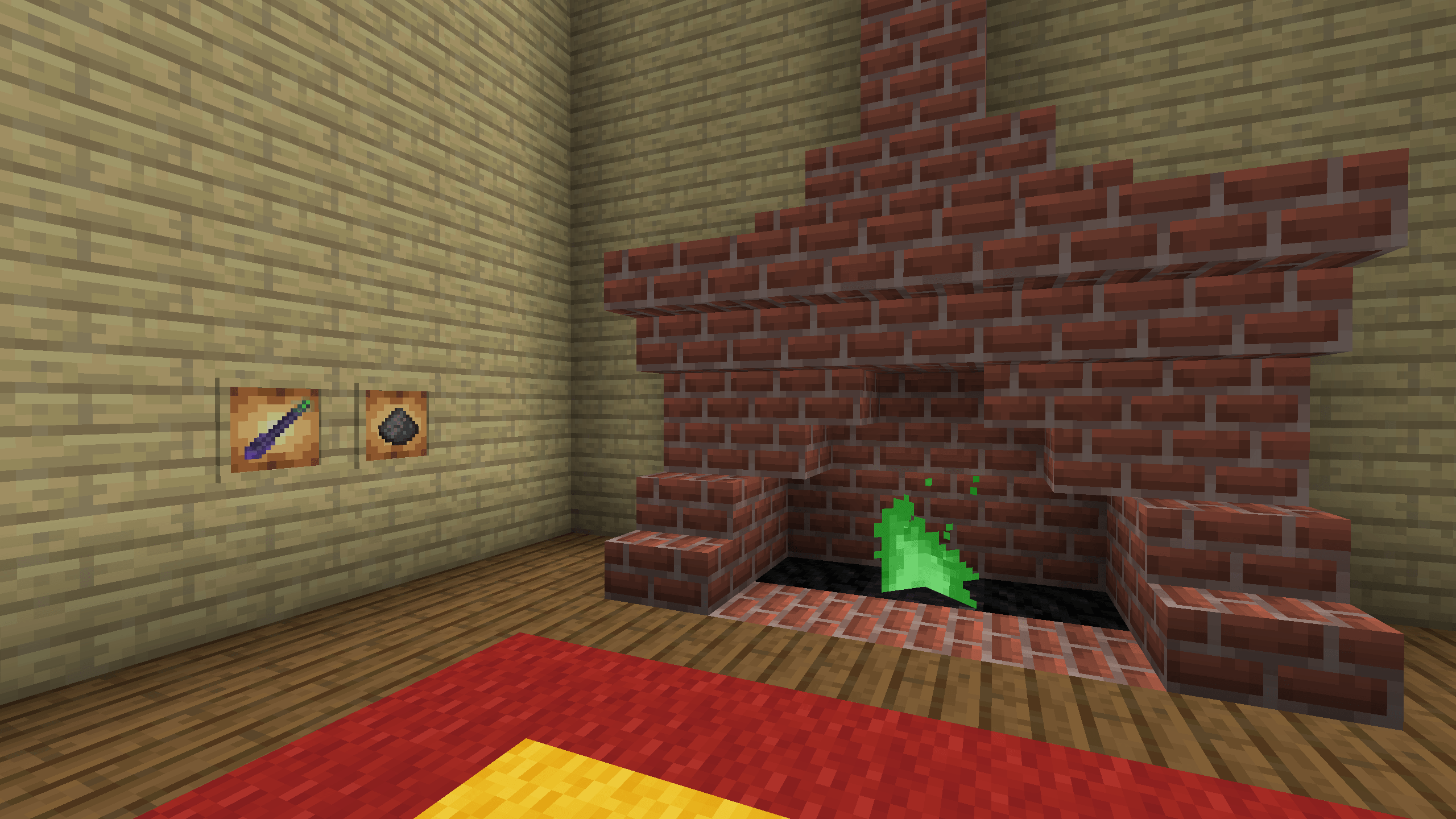
- When you’re ready to travel, right-click the fireplace with your floo powder to produce green flames. Step into the flames and say (write down) the name of the fireplace you wish to travel to. Speak it out loud and off you go!
Notes
- Each hub defines its own network. In this way you can have multiple independent networks for example for your teams on a pvp server or just in different towns
- Each network can hold at most 256 fireplaces
- The name of each fireplace must be at least 3 characters long.
- I’d love it if you leave a comment with feedback
常见问题
Floo Networks 支持哪些 Minecraft 版本?
Floo Networks 支持 Minecraft Java 版 1.21.4,可用的加载器:NeoForge。下载时注意选择和你游戏版本一致的文件。
Floo Networks 怎么安装?
先用 PCL2 或 HMCL 启动器安装对应版本的 NeoForge,再把下载的 .jar 文件放进游戏目录的 mods 文件夹,重新启动游戏即可。开启了版本隔离的,mods 文件夹在 versions/版本名 下面。
Nollywel 的其他作品
查看全部 →
Redstone Shop
by Nollywel
Redstone power for a price
409
3 年前
CurseForge

Exploration Portals
by Nollywel
Portals to random places to explore
407
2 年前
CurseForge
Adventure Map Additions
by Nollywel
Small mod addings little extra bits that can be useful when making adventure maps
225
2 年前
CurseForge

Nollywel’s Tweaks
by Nollywel
Small miscellaneous tweaks to quality of minecraft life
133
2 年前
CurseForge
评论
登录后评论和评分