
FlightHUD
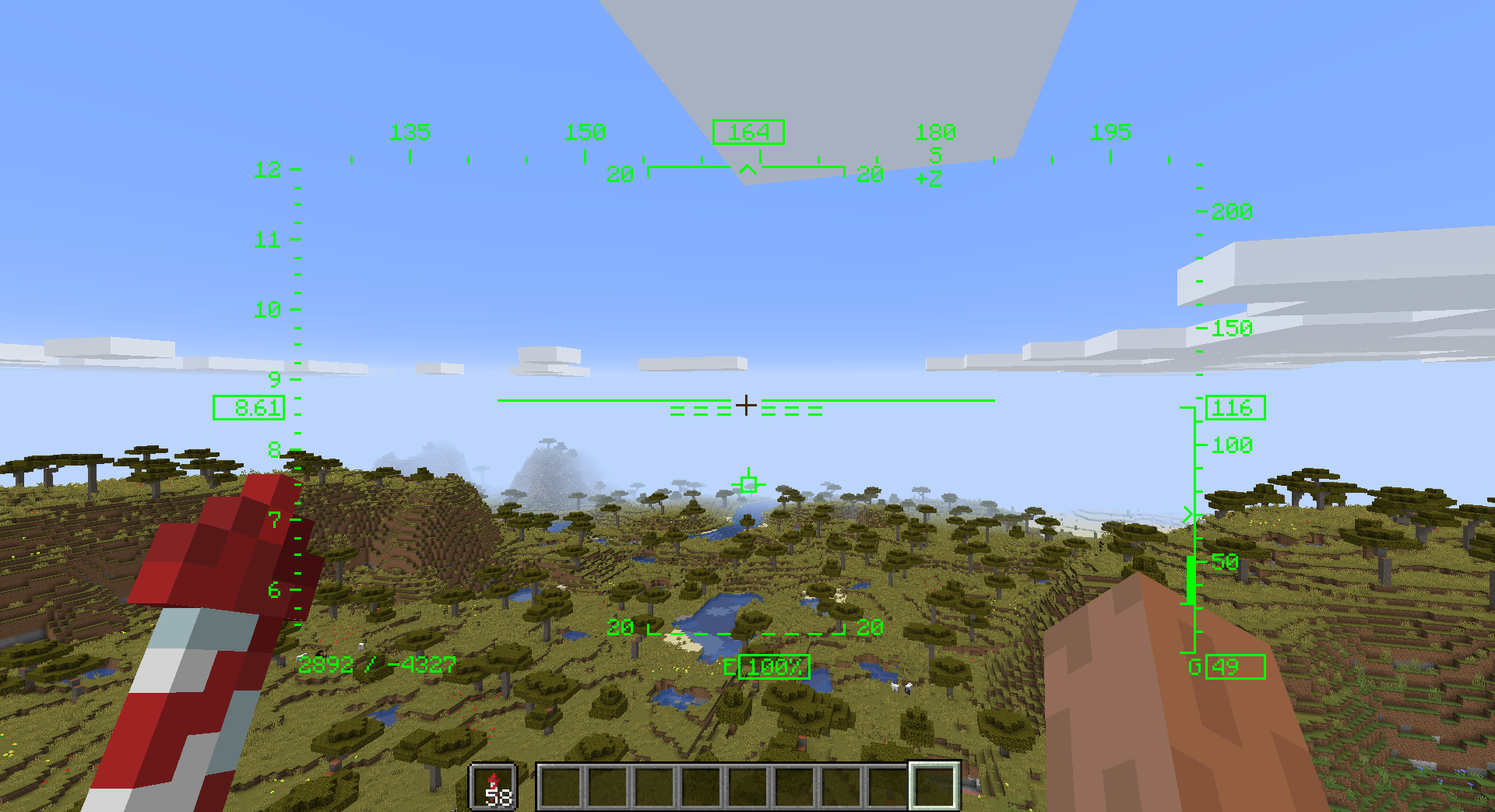
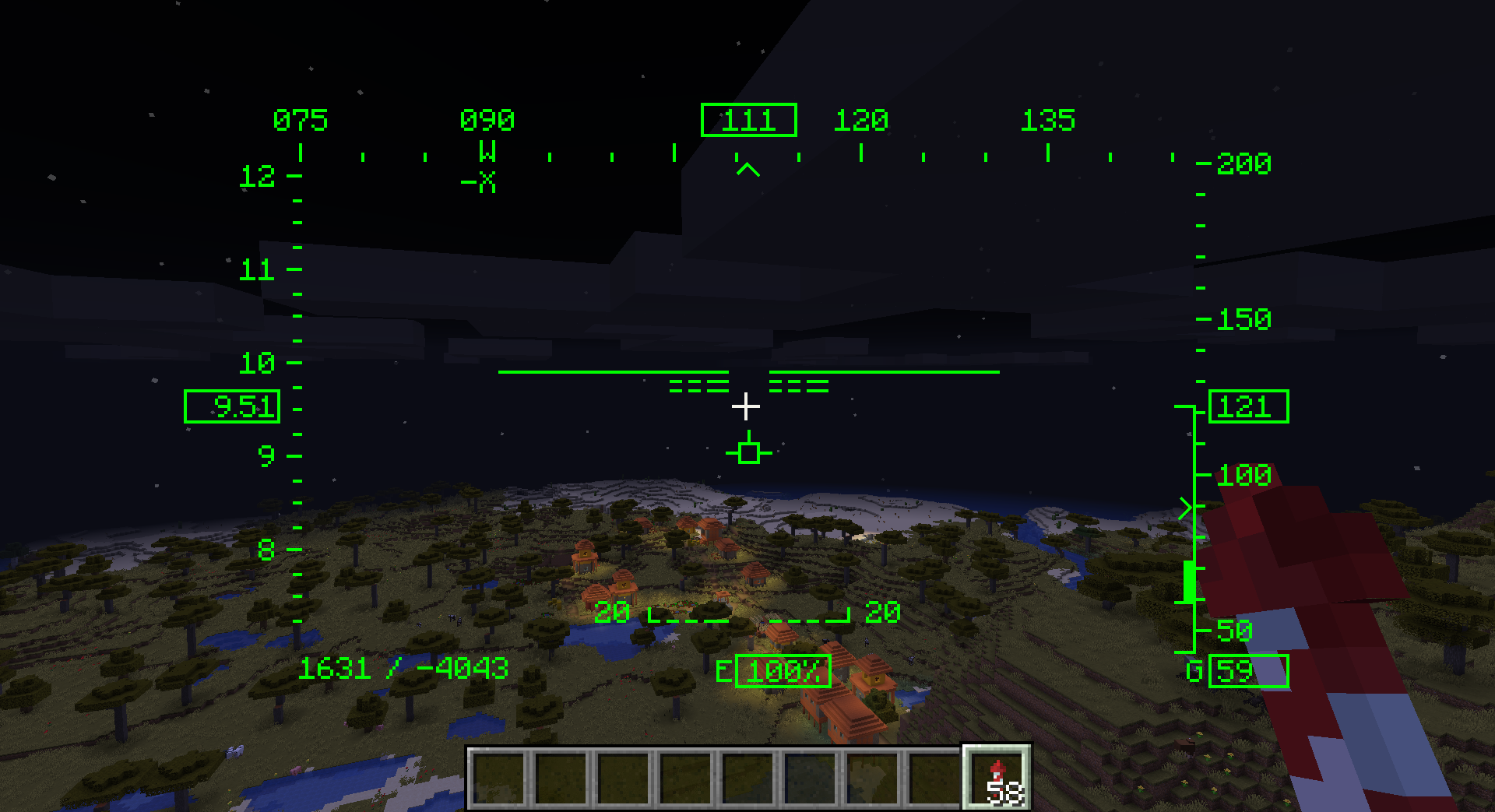
A client side Fabric and Forge Minecraft Mod that adds a flight style HUD like one you would see in a flight simulator.
截图
介绍
Flight HUD
Flight HUD is a client side Fabric and Forge Minecraft Mod that adds a flight style HUD like one you would see in a flight simulator.
Fabric and Forge Support!
Open the Files Tab to download the correct version.
Features
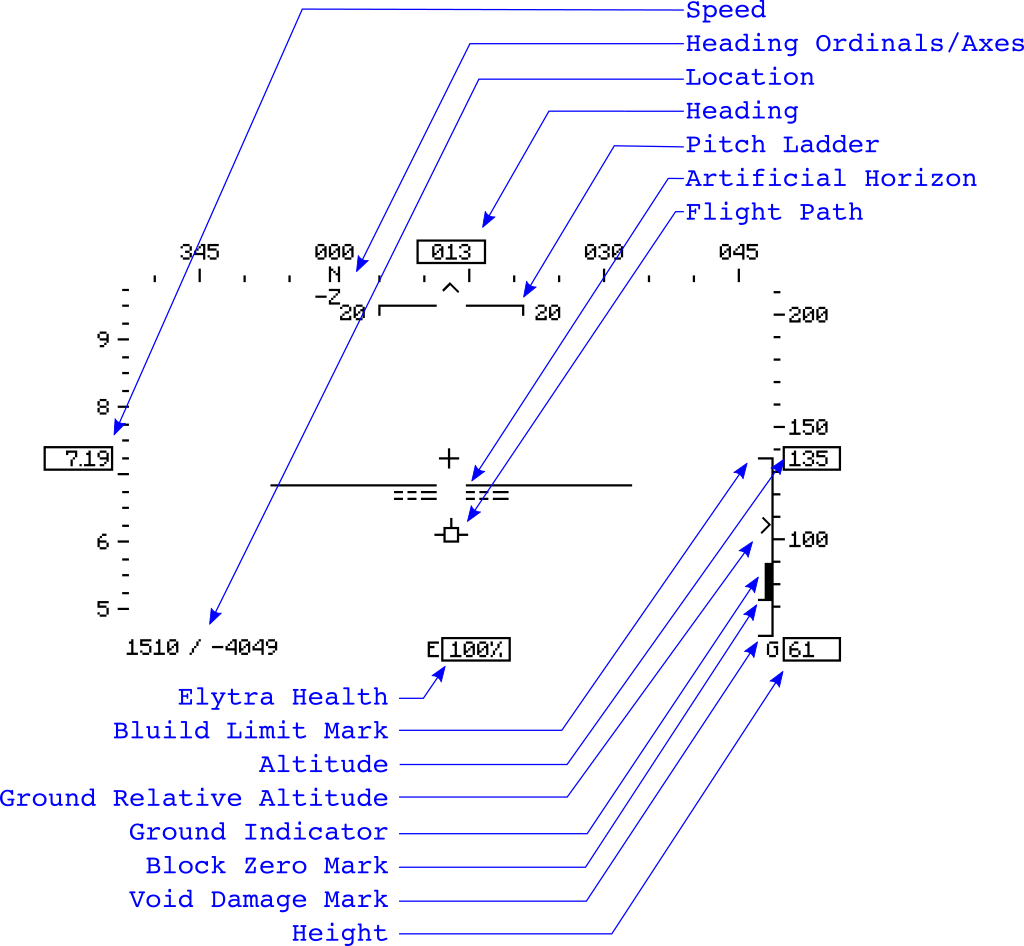
• pitch ladder
• artificial horizon
• flight path (prograde vector)
• air speed with sliding scale
• heading with sliding scale
• direction ordinals and axes
• altitude with sliding scale (relative to block zero)
• height (distance from ground)
• elytra health percentage
• location in x/z
• elevation summary showing
– void damage mark
– block zero
– ground level
– build limit
– current altitude
Config File
Config support is currently only in the fabric-4 version. The config file will be created after you run the new mod once. If you set “watchForConfigChanges”=true and restart, changes will occur in real-time when saving changes to the config file.
{
“watchForConfigChanges”: false,
“width”: 0.6,
“height”: 0.6,
“scale”: 1.0,
“xOffset”: 0.0,
“yOffset”: 0.0,
“thickness”: 1.0,
“color_red”: 0,
“color_green”: 255,
“color_blue”: 0,
“elytra_showHealth”: true,
“elytra_x”: 0.5,
“elytra_y”: 0.8,
“location_showReadout”: true,
“location_x”: 0.2,
“location_y”: 0.8,
“flightPath_show”: true,
“pitchLadder_degreesPerBar”: 20,
“pitchLadder_showLadder”: true,
“pitchLadder_optimumGlideAngle”: -2.0,
“pitchLadder_optimumClimbAngle”: 55.0,
“speed_showScale”: true,
“speed_showReadout”: true,
“altitude_showScale”: true,
“altitude_showReadout”: true,
“altitude_showHeight”: true,
“altitude_showGroundInfo”: true,
“heading_showScale”: true,
“heading_showReadout”: true,
“heading_showOrdinals”: true
}
常见问题
FlightHUD 支持哪些 Minecraft 版本?
FlightHUD 支持 Minecraft Java 版 1.16.1–1.19,共 7 个版本,可用的加载器:Fabric / Forge。下载时注意选择和你游戏版本一致的文件。
FlightHUD 怎么安装?
先用 PCL2 或 HMCL 启动器安装对应版本的 Fabric / Forge,再把下载的 .jar 文件放进游戏目录的 mods 文件夹,重新启动游戏即可。开启了版本隔离的,mods 文件夹在 versions/版本名 下面。
ToroCraft 的其他作品
查看全部 →
ToroHealth Damage Indicators
显示生物、NPC 和玩家当前的生命值与受到的伤害

Bailey’s Dailies
每日任务:狩猎、采集并探索美妙的Minecraft世界。

ToroQuest
为你的世界添加全新的实体、建筑、地牢和文明。
SignEdit
一个简单的 Minecraft 模组,让玩家无需替换告示牌方块即可编辑告示牌。
评论
登录后评论和评分