
截图


介绍
Flat Lighting 💡
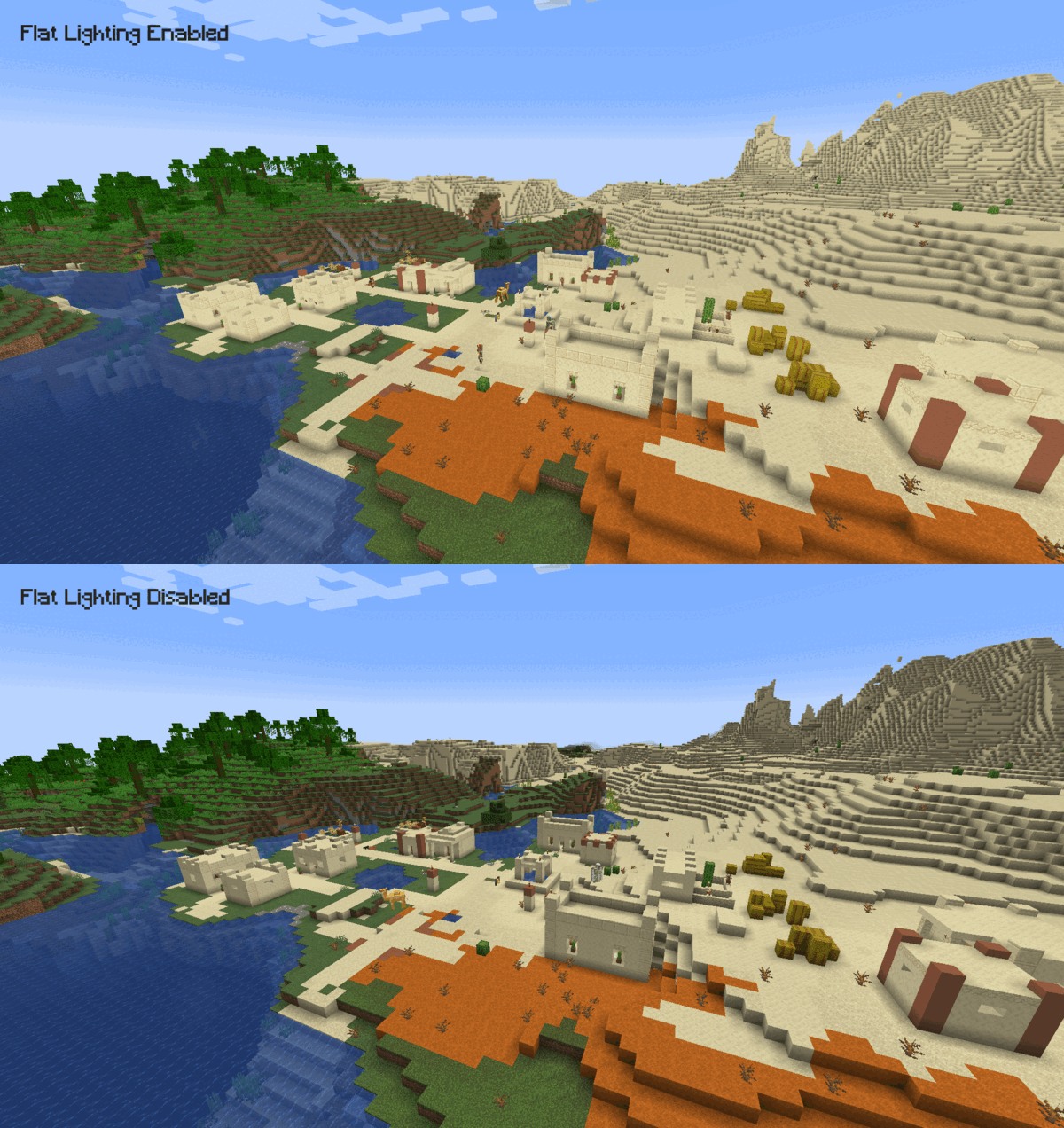
Adds a new video setting to make lighting flatter. It does this by removing the shading differences between the sides and top of blocks, which gives the game’s lighting a softer or flat appearance.
The effect is similar to the Old Lighting setting from Optifine’s internal shaders.
Comparison 🎨
Usage 👤
After installing the mod, navigate to the game’s video settings and set Cardinal Lighting to off to make the lighting flatter. Keeping the setting on will keep lighting identical to the vanilla game.
Dependencies & Compatibility 🔌
This mod has no dependencies. It is compatible with Fabric API, Sodium and Iris.
常见问题
Flat Lighting 支持哪些 Minecraft 版本?
Flat Lighting 支持 Minecraft Java 版 1.18.2–26.3,共 30 个版本,可用的加载器:Fabric。下载时注意选择和你游戏版本一致的文件。
Flat Lighting 怎么安装?
先用 PCL2 或 HMCL 启动器安装对应版本的 Fabric,再把下载的 .jar 文件放进游戏目录的 mods 文件夹,重新启动游戏即可。开启了版本隔离的,mods 文件夹在 versions/版本名 下面。运行环境:仅客户端。
Aeltumn 的其他作品
查看全部 →
Noxesium
改善多人服务器上的游戏体验。

Toggle Sprint Display
Shows whether you're actually sprinting in the HUD.

Better Spectate Player Highlighting
A small mod that lets you highlight players separately per team.
评论
登录后评论和评分