
Eroxen’s Wireless Redstone
Adds Create-mod inspired Redstone Links to the game for Wireless Redstone transfer
截图


介绍
Demonstration video: https://youtu.be/Oox1FWK4520
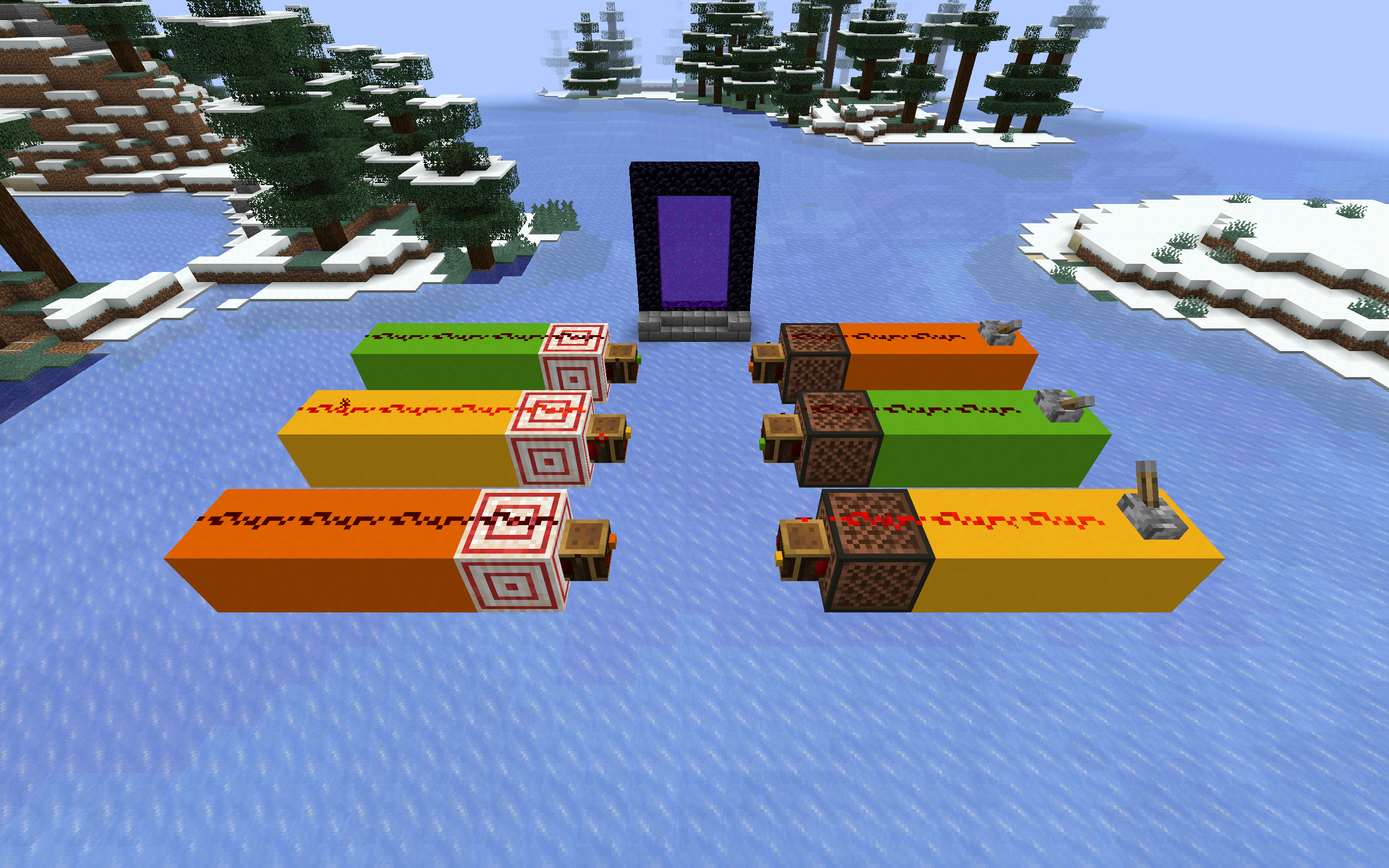
This datapack adds wireless redstone transfer to Minecraft! As you can probably tell from the video and images, this pack takes inspiration from the Create mod.
This pack adds 1 block to the game: the Redstone Link. You can craft this item using one Ender Pearl and a Redstone Torch. This item functions both as the transmitter and the receiver: you can form a transmitter by placing it on blocks that can be powered, such as Note Blocks and Redstone Lamps. You form a receiver by placing it on a Target Block.
You can set the frequency of a Redstone Link by placing items into the two slots in front. You can just right-click your items on there, and left-click to remove them. This does not consume the item. Both slots need to have an item for the link to work.
The Redstone Links can also transfer signal strength: simply place the link on blocks that have a signal strength, such as Comparators or Redstone Wire.
常见问题
Eroxen’s Wireless Redstone 支持哪些 Minecraft 版本?
Eroxen’s Wireless Redstone 支持 Minecraft Java 版 1.20–1.21,共 6 个版本,可用的加载器:Fabric / Forge / Quilt。下载时注意选择和你游戏版本一致的文件。
Eroxen’s Wireless Redstone 怎么安装?
先用 PCL2 或 HMCL 启动器安装对应版本的 Fabric / Forge / Quilt,再把下载的 .jar 文件放进游戏目录的 mods 文件夹,重新启动游戏即可。开启了版本隔离的,mods 文件夹在 versions/版本名 下面。运行环境:客户端 / 服务端。
Eroxen 的其他作品
查看全部 →
MC Paint
数据包,让你在游戏内创建并放置自定义画作

Catenary
Adds hanging chains and ropes as decorations, no resourcepack required. Now with ziplines!

Map Preview Icons
Shows a preview of maps on their item icon. No more searching through 100 identical looking maps in your inventory!

InstaSlate
Insta-mine Deepslate with an Efficiency 5 Netherite Pickaxe + Haste 2
评论
登录后评论和评分