
EpicQuestHub
Create void overworlds with your own custom spawn hub. Paste a WorldEdit .schem or structure-block .nbt, set paste and spawn coordinates, and optionally protect the hub from griefing.
介绍
Epic Quest Hub turns a brand-new Minecraft world into a void overworld with your own custom spawn hub. Drop in a WorldEdit schematic or a structure-block export, set where it should go and where players spawn, and the mod handles the rest on first world load.
What it does
When you create a new world, Epic Quest Hub automatically switches the overworld to a clean void dimension — no terrain, no vanilla spawn platform, just empty space. On the first server start, it pastes your hub structure at the coordinates you choose, sets the world spawn, and keeps players landing exactly where you want them.
Features
- Void overworld — New worlds start as a pure void flat dimension, ready for a custom hub.
- Your structure, your way — Use any WorldEdit
.schemfile (Sponge v1, v2, or v3) or a Minecraft structure-block.nbtexport. - Configurable placement — Choose exactly where the structure is pasted in the world.
- Configurable spawn — Set player spawn position and facing direction independently of the paste origin.
- Exact spawning — Players spawn at your configured coordinates on login, respawn, and world creation. No random offset around spawn.
- Structure protection — Optionally prevent blocks inside the pasted hub from being broken, placed on, or destroyed by explosions.
- Server-friendly — Works in single-player and on dedicated servers. Structure placement runs once per world and is saved so it does not repeat on reload.
How it works
- Install the mod and place your hub structure file in config/epicquest_hub/.
- Edit config/epicquest_hub-common.toml to point at your file and set paste/spawn coordinates.
- Create a new world. The overworld is generated as void.
- When the server starts for the first time, the mod pastes your structure, sets the world spawn, and records the hub bounds for protection.
- Players joining or respawning in the overworld (without a personal bed spawn) are placed at your configured spawn point.
The config file is created automatically when you first launch the game or server with the mod installed. You can adjust coordinates before creating a new world, or update the structure file path and paste position ahead of time — but the hub is only placed once, so coordinate changes after a world has already been created will not move an existing hub.
Configuration
All settings live in config/epicquest_hub-common.toml:
| Option | Description | Default |
|---|---|---|
structureFile |
Path to your .schem or .nbt file (relative to the game directory, or absolute) |
config/epicquest_hub/hub.schem |
pasteX, pasteY, pasteZ |
World coordinates where the structure is pasted | 0, -60, 0 |
spawnX, spawnY, spawnZ |
World coordinates where players spawn | 0, 64, 0 |
spawnAngle |
Direction players face (0 = south, 90 = west, 180 = north, -90 = east) |
0 |
protectStructure |
When true, blocks inside the pasted hub cannot be broken, placed, or destroyed by explosions |
true |
Tips
- Build your hub in a creative world or with WorldEdit, then export it as a
.schemor save it with a structure block as.nbt. - Set
pasteYto match the bottom of your structure in void worlds —-60is a common starting point. - Set
spawnX/Y/Zto a safe standing position inside your hub, which may be different from the paste origin. - Use WorldEdit or a similar tool to find the coordinates you need before writing them into the config.
Requirements
- Minecraft 1.21.1
- NeoForge 21.1.x
- A hub structure file (
.schemor.nbt) placed in config/epicquest_hub/
No bundled schematic is included — you bring your own hub design.
常见问题
EpicQuestHub 支持哪些 Minecraft 版本?
EpicQuestHub 支持 Minecraft Java 版 1.21.1,可用的加载器:NeoForge。下载时注意选择和你游戏版本一致的文件。
EpicQuestHub 怎么安装?
先用 PCL2 或 HMCL 启动器安装对应版本的 NeoForge,再把下载的 .jar 文件放进游戏目录的 mods 文件夹,重新启动游戏即可。开启了版本隔离的,mods 文件夹在 versions/版本名 下面。
SemSemSem 的其他作品
查看全部 →
Spell Codex: Iron’s Spells ‘n Spellbooks Addon
Spell Codex:Iron's Spells 'n Spellbooks 附属模组将 Iron 的法术列表改造成循序渐进的法术典籍,并接入 Spell Actionbar。
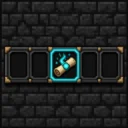
SpellActionbar
为 Iron’s Spells ‘n Spellbooks 提供 3 格卷轴快捷栏,可通过装备法术书扩展。装备卷轴后按快捷键施法,并在快捷栏上方的 HUD 中查看法术图标、冷却时间、魔力和按键绑定。卷轴不会被消耗。
Leylines: Iron’s Spells ‘n Spellbooks Addon
为 Iron's Spells 添加一所魔脉学派——包含时间、传送门、裂隙石柱、猩红灌木丛、远古魔力和夜裔精灵。
Spell Codex: Iron’s Spellbooks & Ars Nouveau Compat
将新生魔艺的施法法典转换为独特的法术秘典卡牌,并使用 Iron 的法力从动作栏施放。
评论
登录后评论和评分