SpellActionbar
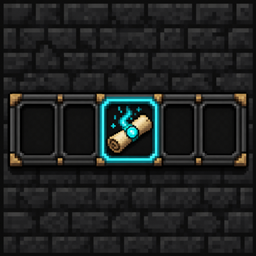
A 3-slot scroll action bar extendable with equipped books for Iron’s Spells ‘n Spellbooks. Equip scrolls, cast with hotkeys, and see spell icons, cooldowns, mana, and keybinds on a HUD above your hotbar. Scrolls are never consumed.
介绍
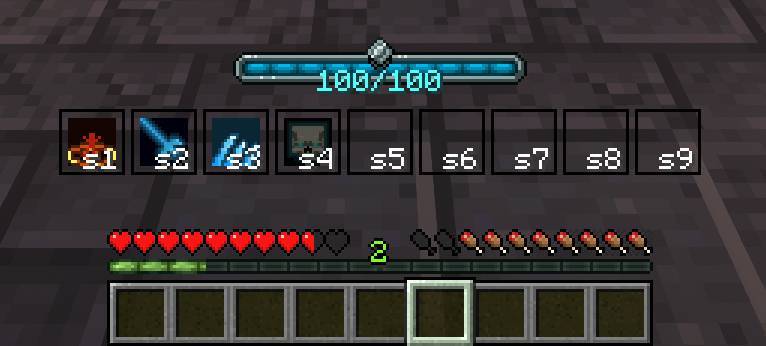
Spell Actionbar adds a dedicated spell bar for Iron’s Spells ‘n Spellbooks. Equip scrolls, cast with Iron’s quick-cast keys, and see icons, cooldowns, mana, and keybind labels above your hotbar.
How it works
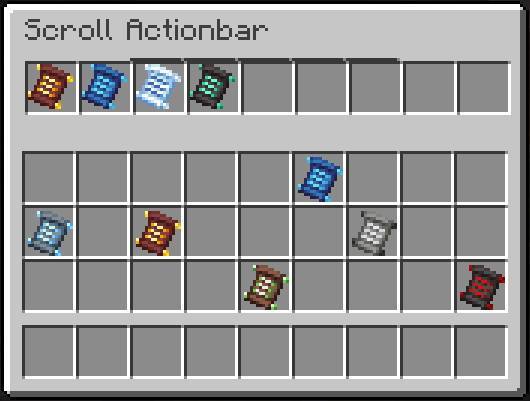
- Open the equip screen with the Spell Actionbar key (default
`) - Place Iron’s scrolls into free actionbar slots
- Cast with Iron’s quick-cast keybinds — the HUD shows the bound key on each slot
- Scrolls are not consumed when casting from the bar
Spellbooks & slot count
- With no Curios spellbook equipped, the bar has 3 slots
- An equipped spellbook sets the bar size to that book’s max spell capacity
- Packed book spells lock into the leading slots — they cast from the book and cannot be moved in the equip screen
- Remaining slots are yours for player scrolls
- If the book shrinks or locks over a scroll slot, those scrolls are returned to your inventory (dropped if full)
HUD
- Spell icons, cooldown overlays, and affordability tinting
- Compact keybind labels (e.g.
Q,s1,cR) - Mana bar styled for this actionbar
- Iron’s native spell bar and mana overlay are hidden so they don’t stack
For pack makers & addons
- Other mods can open a custom equip UI via
SpellActionbarMenuOpeners - Cast gating helpers (
ActionbarCastGate) for addons such as Specs: Iron’s Spells ‘n Spellbooks Addon - HUD offset preview/persist APIs for companion HUD editors
常见问题
SpellActionbar 支持哪些 Minecraft 版本?
SpellActionbar 支持 Minecraft Java 版 1.20.1–1.21.1,共 2 个版本,可用的加载器:Forge / NeoForge。下载时注意选择和你游戏版本一致的文件。
SpellActionbar 怎么安装?
先用 PCL2 或 HMCL 启动器安装对应版本的 Forge / NeoForge,再把下载的 .jar 文件放进游戏目录的 mods 文件夹,重新启动游戏即可。开启了版本隔离的,mods 文件夹在 versions/版本名 下面。
SemSemSem 的其他作品
查看全部 →
Spell Codex: Iron’s Spells ‘n Spellbooks Addon
Spell Codex: Iron's Spells 'n Spellbooks Addon turns Iron's spell list into a progression-driven Spell Codex, wired into Spell Actionbar.
Leylines: Iron’s Spells ‘n Spellbooks Addon
A Leyline school for Iron's Spells — time, portals, rift pillars, Crimson Thicket, Ancient Mana, and the Nightborn Elf.

SC Final Adventure
Challenge countless bosses while grinding for god-like gear and dive into brutal endgame gateway bossrush

SC Final Adventure – Arcana
A guided magic-and-combat modpack with a handcrafted progression system that weaves Advancements and Bounty Boards into a single interconnected journey.
评论
登录后评论和评分