
EMI Collections
Folders for your EMI favorites: named, coloured collections, drag & drop, amount goals and item notes.
截图
介绍
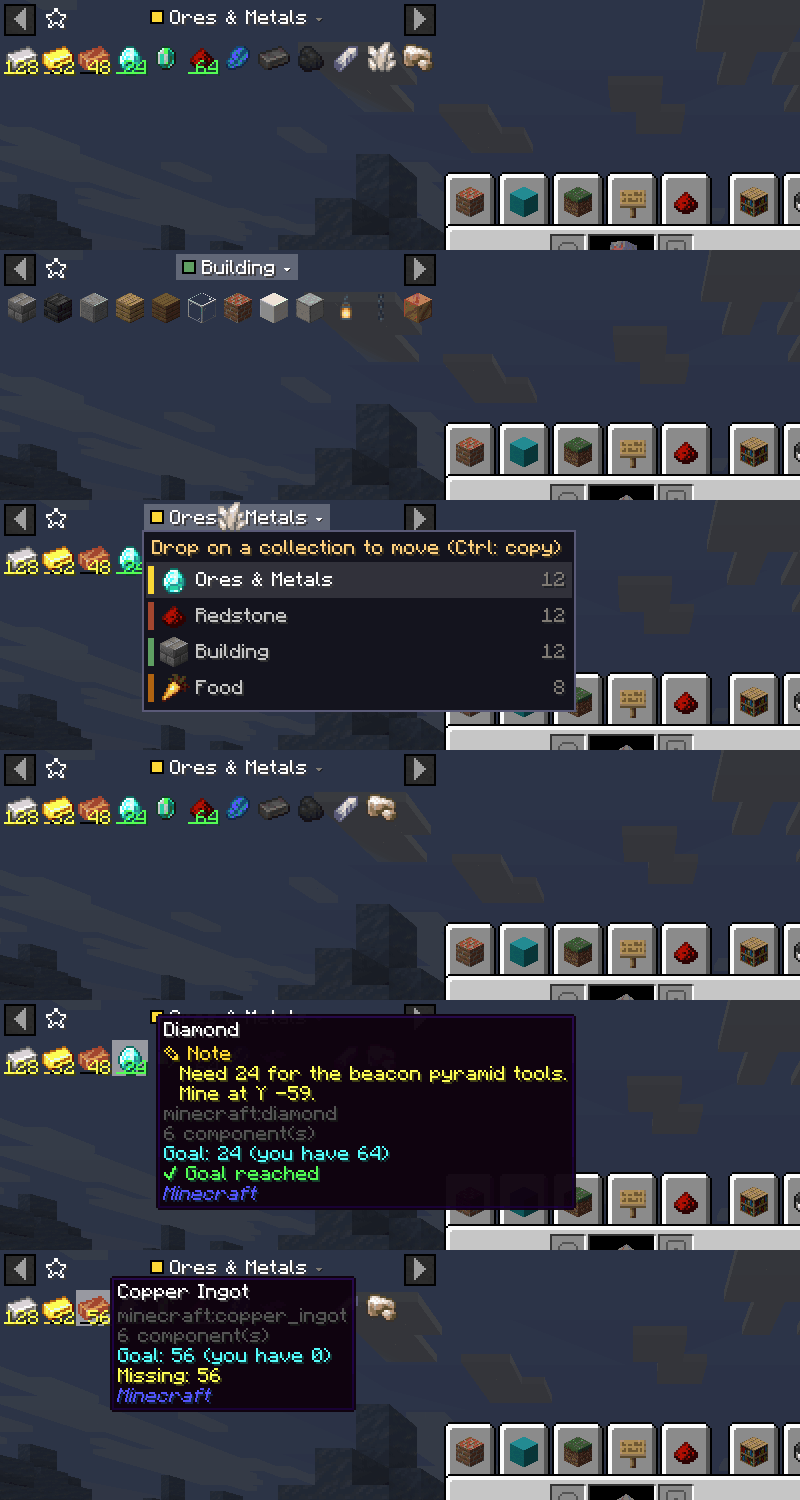
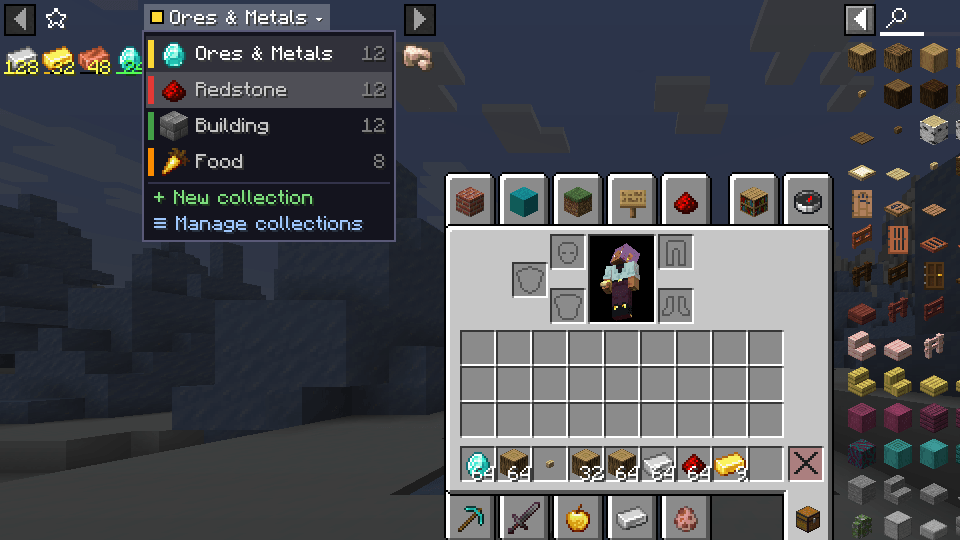
Folders for your EMI favorites. Split one endless favorites list into named, coloured collections, such as Ores, Redstone, Building or Base project, and switch between them right from the sidebar.
A small add-on for EMI that adds favorite groups, item notes and amount goals.
Features
📁 Collections
- The favorites header shows the current collection with its colour.
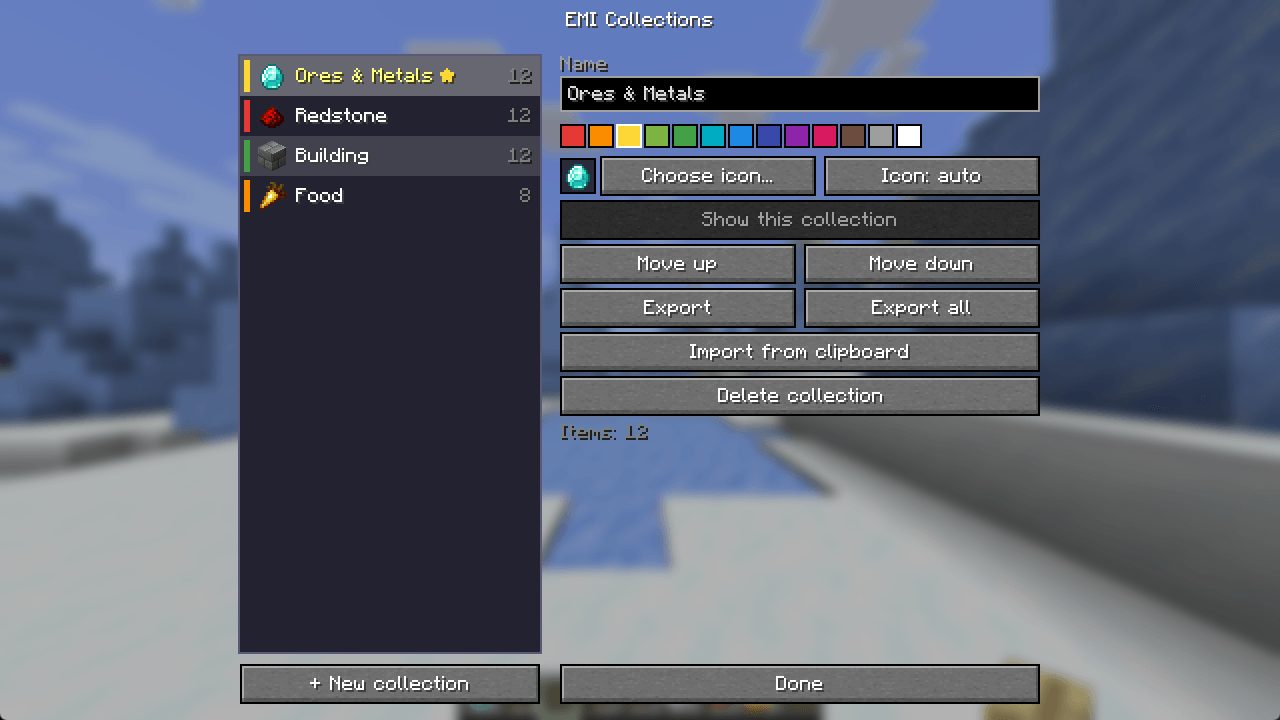
- Click it to open the list of collections, each with an icon, colour and item count.
- Scroll over it, or press
[/], to switch collections instantly. - Your existing favorites become the first collection automatically. Nothing is lost.
🖱️ Drag & drop
- Drag any item onto the collection label and drop it on another collection.
- Favorites are moved; hold Ctrl to copy them instead. Items from the index are added.
🎯 Amount goals
- Hover a favorite and use Ctrl + wheel (±1), Shift + wheel (±16) or Ctrl + Shift + wheel (±64) to set how many you need.
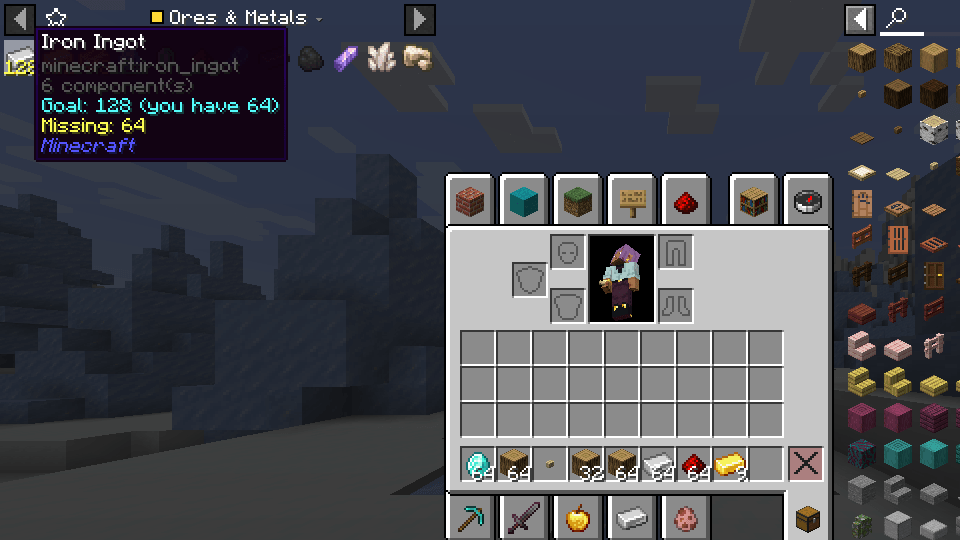
- The favorite shows the goal and a progress bar. It turns green once your inventory holds enough.
- The tooltip shows the goal, what you have and what is missing.
📝 Item notes
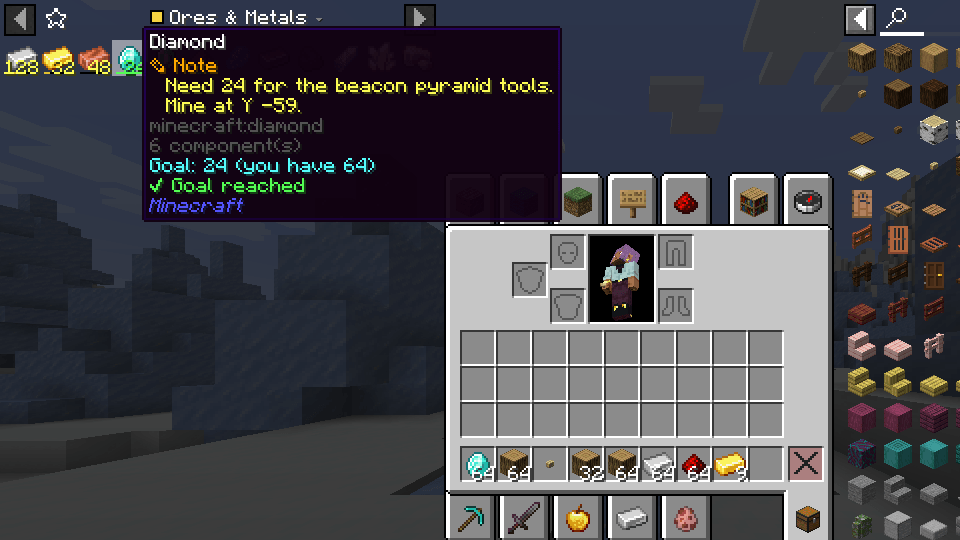
- Hover any item, in EMI or in your inventory, and press N to write a note.
- Notes appear in the item’s tooltip, for example where to find it, what it is for or which machine needs it.
⚙️ Collection manager
Right-click the collection label to open it:
- Rename, choose from 13 colours, reorder or delete collections.
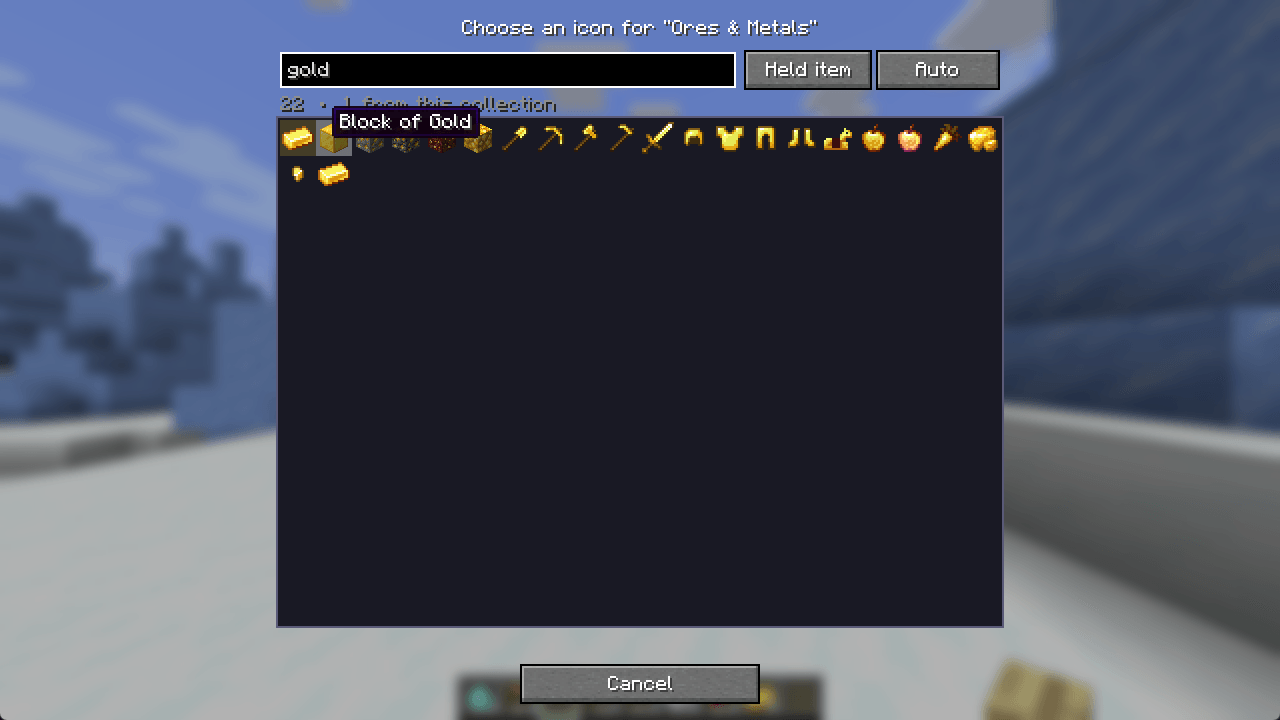
- Choose any item as the icon, with search over the whole EMI index. You can also use the item in your hand, or let the first item be the icon automatically.
- Export / import collections through the clipboard, so you can share them with friends or between modpacks.
Controls
| Action | Default |
|---|---|
| Open collection list | Click the collection label |
| Switch collection | Scroll on the label, or [ / ] |
| Manage collections | Right-click the label (key bindable) |
| Set amount goal | Ctrl / Shift + wheel on a favorite |
| Edit item note | N while hovering an item |
All keys can be changed in Options → Controls → EMI Collections.
Languages
English, Romanian, Russian, Ukrainian, German, French, Spanish, Portuguese (BR), Polish, Italian, Turkish, Chinese (Simplified), Japanese and Korean. Corrections are welcome in the comments!
FAQ
Do I need it on the server? No, it is client-side only. It works on any server.
Where is my data stored? In config/emicollections.json. The active collection is also kept in EMI’s own emi.json, so EMI keeps working normally.
What if I remove the mod? EMI keeps the favorites of the collection that was active.
Requirements: NeoForge 1.21.1 and EMI 1.1.24 or newer.
Ideas or bugs? Leave a comment, feedback is very welcome!
常见问题
EMI Collections 支持哪些 Minecraft 版本?
EMI Collections 支持 Minecraft Java 版 1.21.1,可用的加载器:NeoForge。下载时注意选择和你游戏版本一致的文件。
EMI Collections 怎么安装?
先用 PCL2 或 HMCL 启动器安装对应版本的 NeoForge,再把下载的 .jar 文件放进游戏目录的 mods 文件夹,重新启动游戏即可。开启了版本隔离的,mods 文件夹在 versions/版本名 下面。
SeishiroNagi 的其他作品
查看全部 →
MemGuard
通过缓存 NBT 字符串、监控内存使用情况,并在最佳时机触发垃圾回收,降低大型整合包和服务器的 RAM 占用。

OptimizeMod
通过降低远处实体的刻度更新频率、暂停生物 AI 并限制粒子效果,减少服务器卡顿。

StackRefill
Stack Refill automatically replaces used-up stacks, broken tools, armor, and off-hand items from your inventory, keeping your hotbar ready without interrupting gameplay

Outlined Wools
A simple pack that adds clean outlines to all wool blocks, improving visibility and building precision.
评论
登录后评论和评分