
截图

介绍
Edit Mob Drops
Edit Mob Drops 是一款易于配置的模组,可让你编辑生物的掉落物,包括为特定生物群添加物品、添加额外物品,甚至清除现有掉落物!
支持所有原版和模组添加的物品,包括带有 NBT 数据的物品。所有原版和模组添加的生物都应该受支持。
编辑生物掉落物只需修改该模组的配置文件:1.7.10 和 1.12.2 版本为 config\editmobdrops\editmobdrops.cfg,1.14 及更高版本为 config\editmobdrops\editmobdrops.toml。
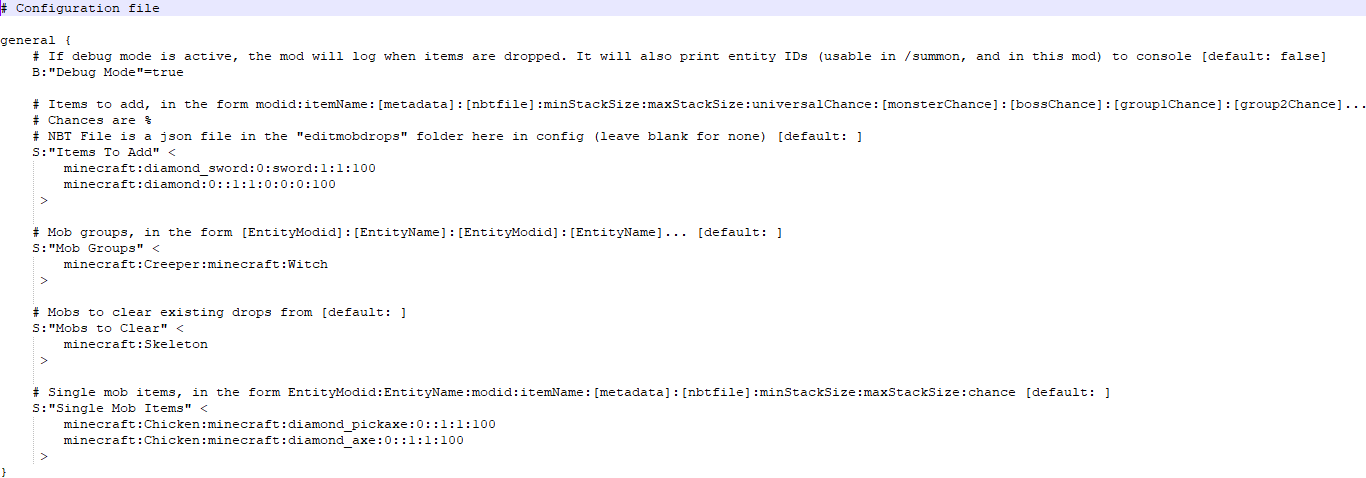
配置示例(1.7.10)
# Configuration file

general {
    # If debug mode is active, the mod will log when items are dropped. It will also print entity IDs (usable in /summon, and in this mod) to console [default: false]
    B:"Debug Mode"=true

    # Items to add, in the form modid:itemName:[metadata]:[nbtfile]:minStackSize:maxStackSize:universalChance:[monsterChance]:[bossChance]:[group1Chance]:[group2Chance]...
    # Chances are %
    # NBT File is a json file in the "editmobdrops" folder here in config (leave blank for none) [default: ]
    S:"Items To Add" <
        minecraft:diamond_sword:0:sword:1:1:100
        minecraft:diamond:0::1:1:0:0:0:100
     >

    # Mob groups, in the form [EntityModid]:[EntityName]:[EntityModid]:[EntityName]... [default: ]
    S:"Mob Groups" <
        minecraft:Creeper:minecraft:Witch
     >

    # Mobs to clear existing drops from [default: ]
    S:"Mobs to Clear" <
        minecraft:Skeleton
     >

    # Single mob items, in the form EntityModid:EntityName:modid:itemName:[metadata]:[nbtfile]:minStackSize:maxStackSize:chance [default: ]
    S:"Single Mob Items" <
        minecraft:Chicken:minecraft:diamond_pickaxe:0::1:1:100
        minecraft:Chicken:minecraft:diamond_axe:0::1:1:100
     >
}
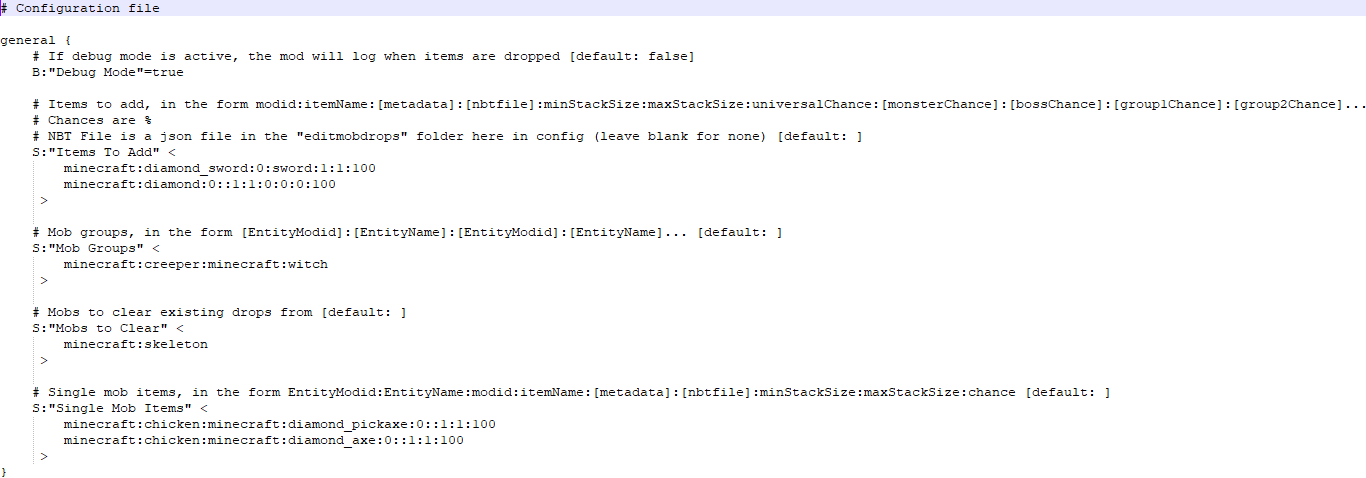
配置示例(1.12.2)
# Configuration file

general {
    # If debug mode is active, the mod will log when items are dropped [default: false]
    B:"Debug Mode"=true

    # Items to add, in the form modid:itemName:[metadata]:[nbtfile]:minStackSize:maxStackSize:universalChance:[monsterChance]:[bossChance]:[group1Chance]:[group2Chance]...
    # Chances are %
    # NBT File is a json file in the "editmobdrops" folder here in config (leave blank for none) [default: ]
    S:"Items To Add" <
        minecraft:diamond_sword:0:sword:1:1:100
        minecraft:diamond:0::1:1:0:0:0:100
     >

    # Mob groups, in the form [EntityModid]:[EntityName]:[EntityModid]:[EntityName]... [default: ]
    S:"Mob Groups" <
        minecraft:creeper:minecraft:witch
     >

    # Mobs to clear existing drops from [default: ]
    S:"Mobs to Clear" <
        minecraft:skeleton
     >

    # Single mob items, in the form EntityModid:EntityName:modid:itemName:[metadata]:[nbtfile]:minStackSize:maxStackSize:chance [default: ]
    S:"Single Mob Items" <
        minecraft:chicken:minecraft:diamond_pickaxe:0::1:1:100
        minecraft:chicken:minecraft:diamond_axe:0::1:1:100
     >
}
配置示例(1.14 及更高版本,例如 1.16.5 和最新版)
#如果调试模式处于激活状态,模组将在物品掉落时记录日志
debugMode = true
#要添加的物品,格式为 modid:itemName:[nbtfile]:minStackSize:maxStackSize:universalChance:[monsterChance]:[bossChance]:[group1Chance]:[group2Chance]...
#概率单位为 %
#NBT 文件是 config 目录下 "editmobdrops" 文件夹中的 json 文件(留空表示不使用)
itemsToAdd = ["minecraft:diamond_sword:sword:1:1:100", "minecraft:diamond::1:1:0:0:0:100"]
#生物分组,格式为 [EntityModid]:[EntityName]:[EntityModid]:[EntityName]...
mobGroups = ["minecraft:creeper:minecraft:witch"]
#要清除现有掉落物的生物
mobsToClear = ["minecraft:skeleton"]
#单个生物的物品,格式为 EntityModid:EntityName:modid:itemName:[nbtfile]:minStackSize:maxStackSize:chance
singleMobItems = ["minecraft:chicken:minecraft:diamond_pickaxe::1:1:100", "minecraft:chicken:minecraft:diamond_axe::1:1:100"]
这两个配置对不同版本的 Minecraft 做同样的事情。
此配置为所有生物添加了掉落一组 minecraft:diamond_sword 的概率,数量在 1 到 1 之间(即 1)把剑,元数据为 0(普通的钻石剑),使用文件 “sword.json” 作为 NBT,概率为 100%。
“sword.json” 在 1.7.10 中包含以下内容:
{display:{Name:"A sword"}}
在 1.12.2 中包含以下内容:
{"display": {"Name": "A sword"}}
在 1.16.5 及最新版本中,它改为包含以下内容:
{"display":{"Name":"[{\"text\":\"A sword\"}]"}}
此 NBT 数据将剑命名为 “A sword”。
.json 文件可以包含任何 json 格式的有效 NBT。如果不确定是否有效,可以用 /give 命令检查语法。
在剑之后,此配置添加了掉落一组 minecraft:diamond 的概率,1 颗元数据为 0 的钻石,不使用 NBT 文件(因为该部分为空)。
钻石对任何生物有 0% 的掉落概率,对怪物有 0% 的概率,对 Boss 有 0% 的概率,对组 1 有 100% 的概率,组 1 在配置下方定义为苦力怕和女巫。
在配置下方,骷髅被列为”要清除掉落物的生物”。这意味着默认掉落物会被清除,但这发生在添加额外物品之前,所以骷髅仍然会掉落一把名为 “A sword” 的钻石剑。
最后,”单个生物物品”部分为单一类型的生物添加物品——在本例中,为鸡添加了钻石镐(元数据 0,无 NBT),掉落概率为 100%,钻石斧同理。
在 1.7.10 中,可以通过开启调试模式来查找实体名称。
1.12.2 之后,元数据被完全移除,因此 1.14+ 版本的配置文件不包含它。
常见问题
Edit Mob Drops 支持哪些 Minecraft 版本?
Edit Mob Drops 支持 Minecraft Java 版 1.7.10–1.20.1,共 12 个版本,可用的加载器:Forge / NeoForge。下载时注意选择和你游戏版本一致的文件。
Edit Mob Drops 怎么安装?
先用 PCL2 或 HMCL 启动器安装对应版本的 Forge / NeoForge,再把下载的 .jar 文件放进游戏目录的 mods 文件夹,重新启动游戏即可。开启了版本隔离的,mods 文件夹在 versions/版本名 下面。运行环境:仅服务端。

评论
登录后评论和评分