
截图
介绍
Don’t Hide My Items!
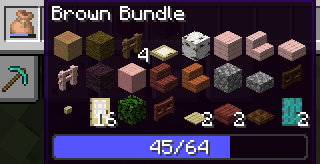
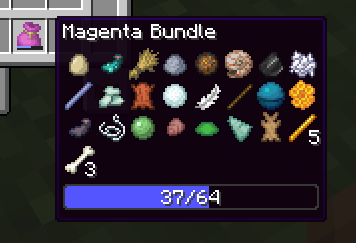
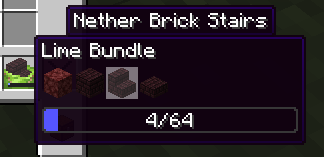
This is a simple, client-side mod that fixes the bundle UI in many ways:
- Removes all the weird padding between items
- Makes all the items in the bundle show, always
- Makes the bundle fill from the top left like… every other container (instead of the bottom right in vanilla)
- Adds a number showing how full the bundle is, as well as the bar
- Adds four more columns (for a total of eight), now that there’s room for more without the padding.
- Allows you to hold shift to scroll entire rows at a time, or jump to the start/end. [NEW!]
For context, here’s what the vanilla bundle UI looks like: (ew)
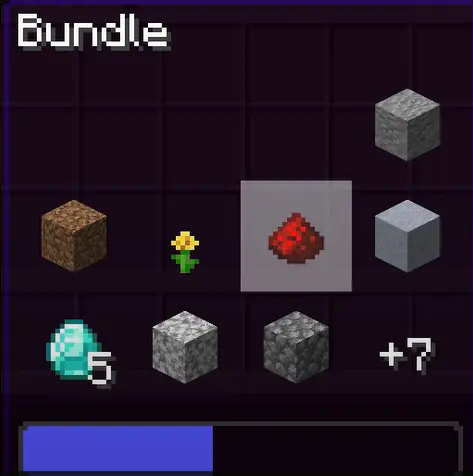
Please note that this was a mod made in an evening with not very much focus on compatibility. Other mods that modify bundle rendering will likely conflict.
常见问题
Don’t Hide My Items 支持哪些 Minecraft 版本?
Don’t Hide My Items 支持 Minecraft Java 版 1.21.2–26.3,共 15 个版本,可用的加载器:Fabric。下载时注意选择和你游戏版本一致的文件。
Don’t Hide My Items 怎么安装?
先用 PCL2 或 HMCL 启动器安装对应版本的 Fabric,再把下载的 .jar 文件放进游戏目录的 mods 文件夹,重新启动游戏即可。开启了版本隔离的,mods 文件夹在 versions/版本名 下面。运行环境:仅客户端。
TorNato 的其他作品
查看全部 →
Create: Trimmed
A mod that allows Create's materials to be used as armour trim materials.

Glow Trims
Fabric mod adding emissive (glowing) armour trims.

Drop Spread 2
Adds a gamerule for player death item spread.

Explosion Proof Chests
A mod making all block entities (chests, furnaces, hoppers, etc) immune to explosions.
评论
登录后评论和评分